Author: andrew

  • FC Animation Delivery

    Overview

    Final delivery for FC Animation projects includes the submission of completed media, project files, documentation, and other required materials necessary for archiving, exhibition, festival submission, and long-term program recordkeeping. The items listed below are delivered to the Head of Production through the FSUFILM Greenlight system, which is used to track required materials and verify that projects have completed all delivery requirements in a consistent and organized manner.

    Careful delivery practices are an essential part of professional animation and post-production workflows because incomplete or improperly prepared materials can create major problems for distribution, preservation, revisions, or future access to the project. The delivery process also reinforces the importance of organization, version control, and technical precision as productions move from active creation into exhibition and archival stages.

    Due Dates

    Pre-Production Delivery
    To be completed by the Director by 6:00pm on TBD

    Production & Post-Production Delivery
    To be completed by the Director by 6:00pm on March 6, 2026

    Marketing Delivery
    To be completed by the Director by 6:00pm on April 27, 2026

    Pre-Production Delivery

    Script [su_button url=”https://wkf.ms/40CzIsL” target=”blank” style=”flat” background=”#7da21f” color=”#000000″ size=”1″ radius=”20″ class=”deliver-button”]DELIVER[/su_button]

    • A PDF file of the final script

    Storyboard [su_button url=”https://wkf.ms/44Ul1CX” target=”blank” style=”flat” background=”#7da21f” color=”#000000″ size=”1″ radius=”20″ class=”deliver-button”]Deliver[/su_button]

    • A PDF file of the final storyboards

    Look Book [su_button url=”https://wkf.ms/46xlcGm” target=”blank” style=”flat” background=”#7da21f” color=”#000000″ size=”1″ radius=”20″ class=”deliver-button”]Deliver[/su_button]

    • A PDF file of the final look book

    Animatic [su_button url=”https://wkf.ms/4eB6HDx” target=”blank” style=”flat” background=”#7da21f” color=”#000000″ size=”1″ radius=”20″ class=”deliver-button”]Deliver[/su_button]

    • A 1080p export (YouTube-quality) of the final animatic.

    Production Delivery

    Cast

    CAST INFO [su_button url=”https://wkf.ms/3PcfovZ” target=”blank” style=”flat” background=”#7da21f” color=”#000000″ size=”1″ radius=”20″ class=”deliver-button”]DELIVER[/su_button]

    CAST LIST [su_button url=”https://wkf.ms/4dxd8XH” target=”blank” style=”flat” background=”#7da21f” color=”#000000″ size=”1″ radius=”20″ class=”deliver-button”]DELIVER[/su_button]

    • After all cast information has been delivered for the show, navigate to the “My Shows” view of the Cast board in FSUFILM Greenlight, select all the items for the show, and click Export. Then, deliver the exported Excel file of the Cast List. (instructions)

    Crew [su_button url=”https://wkf.ms/4ezdjCh” target=”blank” style=”flat” background=”#7da21f” color=”#000000″ size=”1″ radius=”20″ class=”deliver-button”]DELIVER[/su_button]

    Anim/VFX Assets [su_button url=”https://wkf.ms/4eFZAJY” target=”blank” style=”flat” background=”#7da21f” color=”#000000″ size=”1″ radius=”20″ class=”deliver-button”]DELIVER[/su_button]

    • Submit a separate form for each asset that was utilized in the production—including assets made from scratch, purchased assets, and modified versions of pre-existing assets.

    Additional Resources [su_button url=”https://wkf.ms/4nk9bdl” target=”blank” style=”flat” background=”#7da21f” color=”#000000″ size=”1″ radius=”20″ class=”deliver-button”]DELIVER[/su_button]

    • Submit a separate form for each notable resource that was utilized by the production. This may include equipment rentals, unusual vehicles, unique props, distinctive costumes, or hired services offered by vendors such as animal wranglers, graphic designers, security firms, or portable toilet providers. Think of things that might help future students track down resources for their films.
    • No need to re-enter information that is submitted in other forms—e.g., Anim/VFX Assets need only be documented using the Anim/VFX Assets form.

    Additional Releases [su_button url=”https://wkf.ms/3F1ZVcN” target=”blank” style=”flat” background=”#7da21f” color=”#000000″ size=”1″ radius=”20″ class=”deliver-button”]DELIVER[/su_button]

    Correspondence [su_button url=”https://wkf.ms/4kEWNCX” target=”blank” style=”flat” background=”#7da21f” color=”#000000″ size=”1″ radius=”20″ class=”deliver-button”]DELIVER[/su_button]

    • Include PDFs of all noteworthy correspondence about the production. This doesn’t need to include run-of-the-mill messages between cast and crew, but should include any documented messages with third-parties like vendors, composers, illustrators, or contracted services. Think of it as “cover your ass” correspondence—so that, when the other party forgets what they had agreed to, there’s a record of what was discussed.

    Post-Production Delivery

    Show Details [su_button url=”https://wkf.ms/4l2DJyT” target=”blank” style=”flat” background=”#7da21f” color=”#000000″ size=”1″ radius=”20″ class=”deliver-button”]Deliver[/su_button]

    • Complete a form to deliver the following information about the show: total running time, tagline, logline, 25-word synopsis, 50-word synopsis, keywords, genre, content warnings, rating, aspect ratio, spoken languages, and subtitles.

    Dialogue List [su_button url=”https://wkf.ms/3G6TV2W” target=”blank” style=”flat” background=”#7da21f” color=”#000000″ size=”1″ radius=”20″ class=”deliver-button”]Deliver[/su_button]

    • Create a PDF using the Dialogue List form. Include all spoken dialogue and written text in the final film. This is to assist subtitling in foreign-language markets.

    Music Requirements

    MUSIC CUES & RELEASES [su_button url=”https://wkf.ms/45y5lXB” target=”blank” style=”flat” background=”#7da21f” color=”#000000″ size=”1″ radius=”20″ class=”deliver-button”]Deliver[/su_button]

    • Enter a separate form for each piece of music used in the film, listing the timecode stamps and documenting the music rights.
    • If there are no music cues, use this form instead.

    MUSIC LIST [su_button url=”https://wkf.ms/40sziFd” target=”blank” style=”flat” background=”#7da21f” color=”#000000″ size=”1″ radius=”20″ class=”deliver-button”]Deliver[/su_button]

    • After all music cues and releases have been delivered for the show, navigate to the “My Shows” view of the Music board in FSUFILM Greenlight, select all the items for the show, and click Export. Then, deliver the exported Excel file of the Music List.
    • If there are no music cues, skip this step.

    Credits & Title Cards [su_button url=”https://wkf.ms/4n9zIdz” target=”blank” style=”flat” background=”#7da21f” color=”#000000″ size=”1″ radius=”20″ class=”deliver-button”]Deliver[/su_button]

    • A list of all credits and title cards as they appear on screen. This should be a typed list—not screenshots of the credits from the film. Double-check for accuracy!

    Marketing Delivery

    01. Film Festival Strategy [su_button url=”https://wkf.ms/4l9HxhO” target=”blank” style=”flat” background=”#7da21f” color=”#000000″ size=”1″ radius=”20″ class=”deliver-button”]Deliver[/su_button]

    • A PDF documenting the festival strategy for the film.

    02. Director’s Statement [su_button url=”https://wkf.ms/47sUr5U” target=”blank” style=”flat” background=”#7da21f” color=”#000000″ size=”1″ radius=”20″ class=”deliver-button”]Deliver[/su_button]

    • A concise statement (150–300 words) addressing the creative intent, perspective, or motivation behind the film. This should provide insight into the filmmaker’s approach and thematic focus, not repeat the synopses.

    03. Production Stills [su_button url=”https://wkf.ms/47oknzB” target=”blank” style=”flat” background=”#7da21f” color=”#000000″ size=”1″ radius=”20″ class=”deliver-button”]Deliver[/su_button]

    • Five stills from the film that best support the promotional strategy. One of these will be designated as the “hero” still that will be used as the primary still—i.e., the default one to use if there’s not a good reason for using one of the others.

    04. Thumbnail Images [su_button url=”https://wkf.ms/44dVT9R” target=”blank” style=”flat” background=”#7da21f” color=”#000000″ size=”1″ radius=”20″ class=”deliver-button”]Deliver[/su_button]

    05. Press Kit [su_button url=”https://wkf.ms/45Tz1yM” target=”blank” style=”flat” background=”#7da21f” color=”#000000″ size=”1″ radius=”20″ class=”deliver-button”]Deliver[/su_button]

    • Press Kit – PDF file
    • Press Kit – DOC file
    • 25-word and 50-word synopses
    • ATL bios and photos
    • Cast bios and photos
    • Five production stills
    • Any other elements used in the press kit, including fonts, logos, graphics, etc.

    06. Additional Marketing Assets [su_button url=”https://wkf.ms/4sBzyht” target=”blank” style=”flat” background=”#7da21f” color=”#000000″ size=”1″ radius=”20″ class=”deliver-button”]Deliver[/su_button]

    • Additional assets that meaningfully expand your marketing approach, which may include: teaser trailer, festival cover letters, physical promotional item, EPK/BTS video, social media content pack, pitch deck, website mockup, newsletter or email announcement, etc.

    07. Student ID Cards [su_button url=”https://wkf.ms/44hAzS0″ target=”blank” style=”flat” background=”#7da21f” color=”#000000″ size=”1″ radius=”20″ class=”deliver-button”]Deliver[/su_button]

    • A good, clear scanned copy of the Director’s student ID card
    • A good, clear scanned copy of the Producer’s student ID card
  • Thumbnail Images

    Overview

    Thumbnail images are often the first point of contact audiences have with a film online, making them an important part of a project’s overall presentation and discoverability. This post provides standardized thumbnail templates to help maintain visual consistency across school-related promotional materials and online showcases.

    The use of templates ensures that projects meet technical specifications while encouraging students to think strategically about visual communication and audience engagement. Effective thumbnails should clearly represent the tone and identity of the project while remaining legible and visually compelling across a range of screen sizes and platforms. Developing an understanding of these presentation standards is increasingly important in contemporary distribution environments.

    Instructions

    Use these templates to create your thumbnails. To ensure your film is properly represented across a range of platforms, you must create both a horizontal and a vertical thumbnail.

    Each thumbnail should contain two elements:

    1. A carefully selected image that fills the entire frame (i.e., no letterboxing or black bars). This image is typically derived from either the poster or one of the production stills.
    2. The title of the film. Ideally, for consistency of branding, this should match the font design of the title on the poster. No other text should appear in the thumbnail.

    Examples:

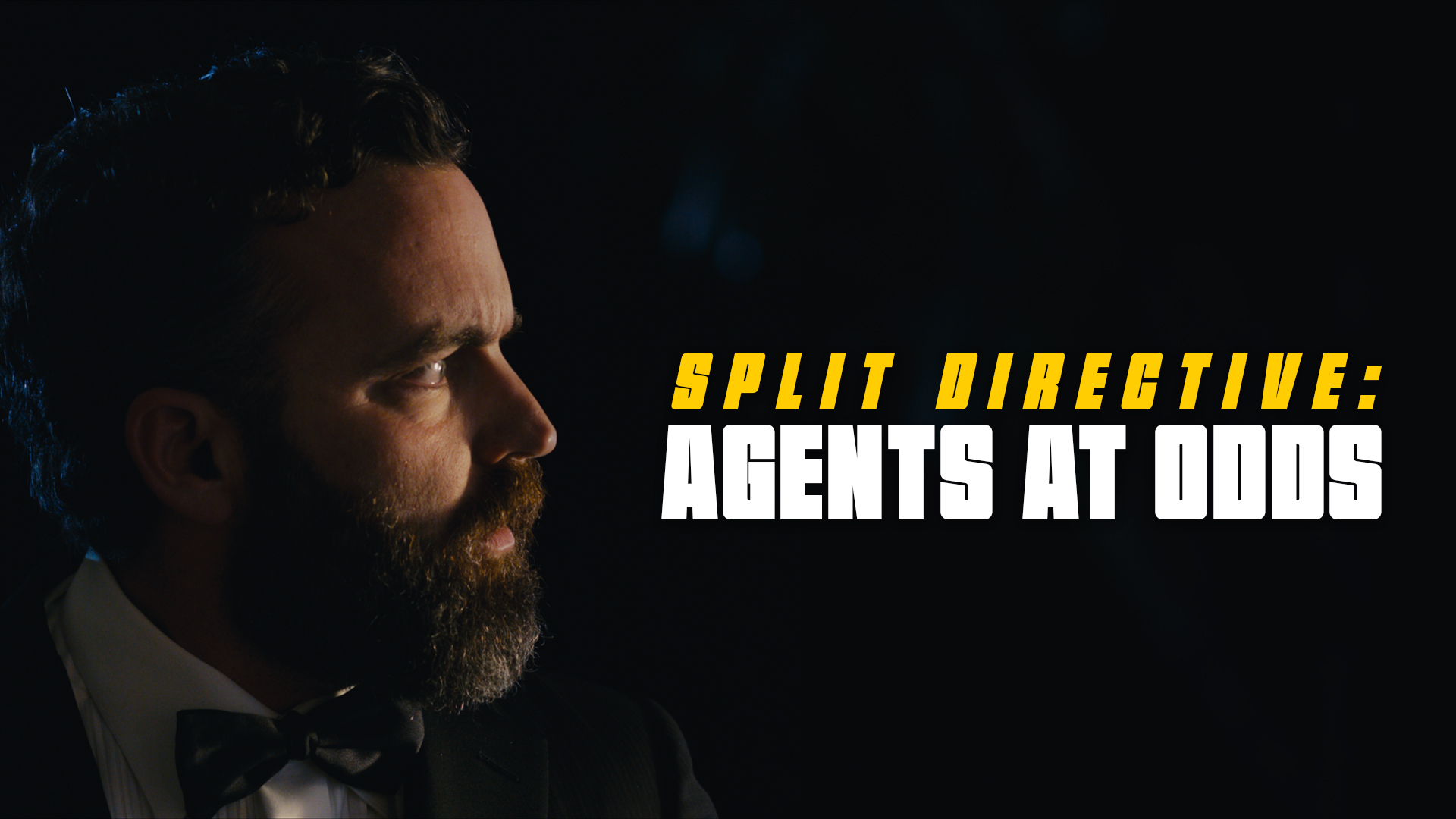
    Example of a horizontal thumbnail
    Horizontal (1920x1080px)
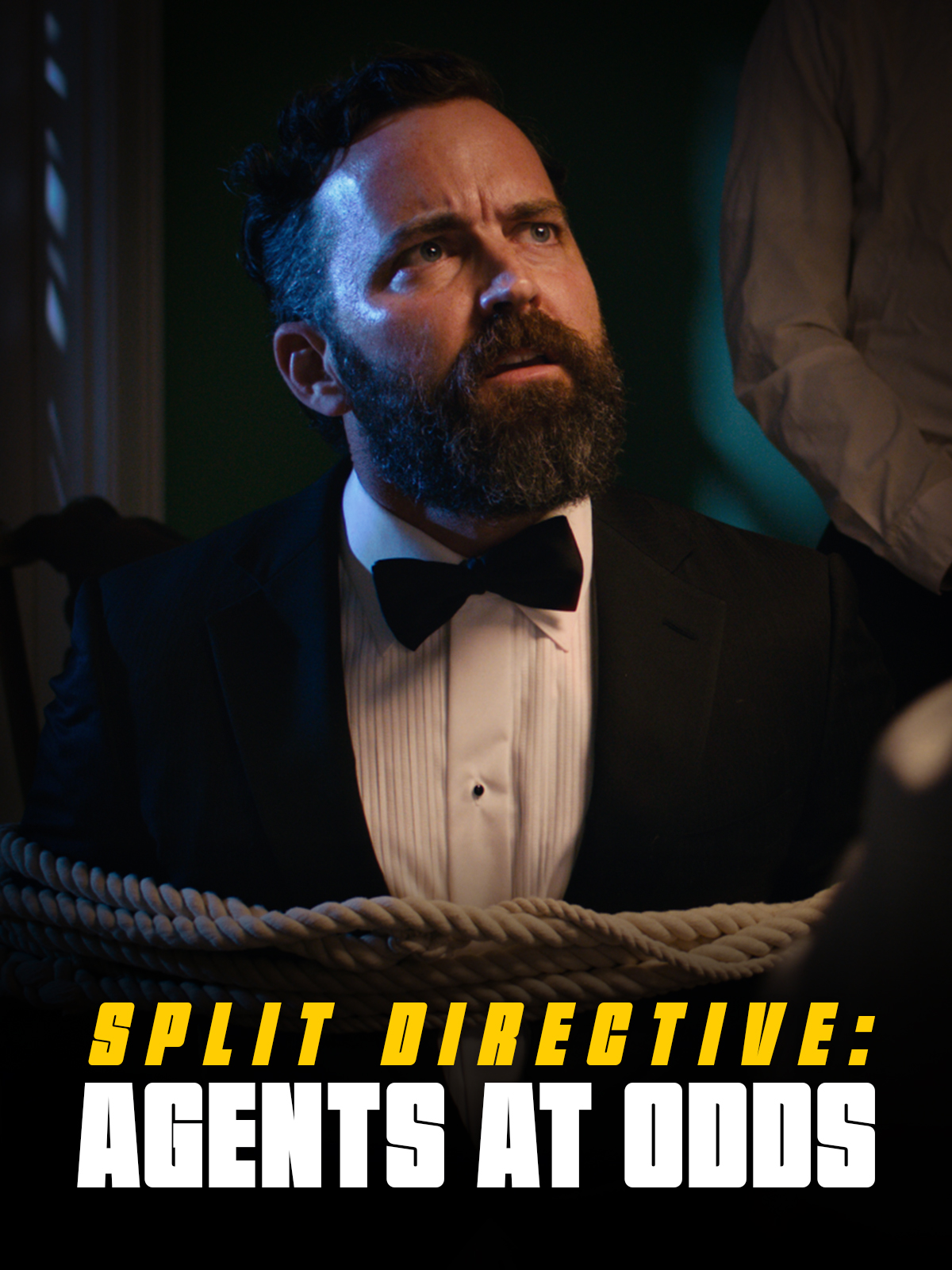
    Example of a vertical thumbnail
    Vertical (1200x1600px)

    Delivery:

    Deliver the finished files for each in two formats:

    • A layered PSD file (include any custom fonts used)
    • A flattened JPG file (max file size: 2MB)

    Horizontal Thumbnail Specs

    Dimensions1920 x 1080 pixels
    File naming conventions01m2-HorizontalThumbnail.psd
    01m2-HorizontalThumbnail.jpg
    Content guidelinesNo nudity or sexual imagery
    No hate speech
    No depictions of violence
    No harmful or dangerous content

    Vertical Thumbnail

    Dimensions1200 x 1600 pixels
    File naming conventions01m2-VerticalThumbnail.psd
    01m2-VerticalThumbnail.jpg
    Content guidelinesNo nudity or sexual imagery
    No hate speech
    No depictions of violence
    No harmful or dangerous content
  • FC Animation Specs

    Overview

    FC projects are expected to follow a defined set of production specifications and content parameters. These guidelines are designed to establish manageable limits for production scope, including factors such as page count, duration, and quantities of assets, characters, and shots.

    These specifications help ensure that projects can be completed successfully within the available schedule, crew size, and experience level associated with the course. The goal is not to limit creativity, but to help students learn how filmmakers shape strong stories within the practical constraints of time, logistics, staffing, and available resources.

    Project Specs

    Page count1.5 pages
    Previz duration72 seconds
    Max. number of assets12 assets per artist
    Max. number of characters3 character
    Max. number of shots24 shots
    Max. seconds of motion90 seconds
    Final content duration90 seconds
    Credits duration60 seconds for credits
    + 10 seconds for leader
    Final TRT160 seconds

    Sound specs

    Sound softwareProTools
    Sound design days10 days
    Sound design locationPost Hall
    Sound mix days0.5 day
    Sound mix locationMix A, Mix B

    Coloring specs

    Coloring softwareDaVinci Resolve
    Coloring days2 days
    Coloring locationPost Hall
  • Required Personal Items: MFA in Production

    Overview

    Students in the MFA Production program are expected to maintain a set of personal items that support their participation in classes and productions throughout the program. These personal items include tools, clothing, set supplies, storage media, expendables, or other commonly used materials needed for day-to-day production activities.

    Because film production often involves long hours, changing environments, fast-moving schedules, and collaborative problem-solving, students are expected to arrive prepared to participate consistently and professionally. Maintaining essential personal gear helps productions operate more efficiently, reduces avoidable disruptions, and reflects the professional expectation that crew members take responsibility for their own preparedness on set and in production environments.

    Required Technology

    If you are planning to purchase a new computer or software, and would like guidance on what to buy, contact Paige Roberts for assistance.

    Required Production Tools & Attire

    The school provides the tools and equipment needed for production, but there are some essential personal items that we require students to own, so that they can show up to set ready to work safely and efficiently:

    Suggestions for each item are included in the descriptions below—to provide an idea of what’s expected—but feel free to substitute with comparable items that fit your own personal style and needs!

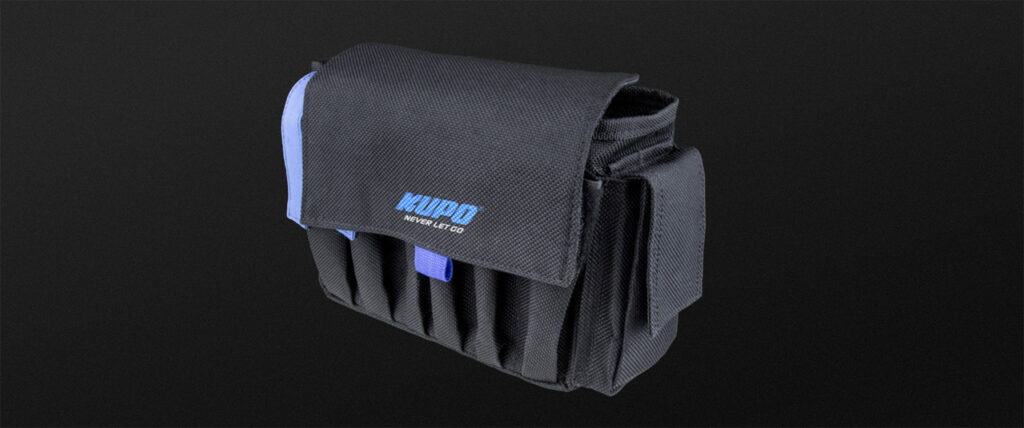
    Tool Belt

    You’ll need to carry gear and have it handy at split-second notice. There’s no better way than to use a tool belt to carry these items around.

    Suggestions:

    Headlamp

    Don’t be left in the dark. Always carry a headlamp so you can work safely in hard-to-see situations on set.

    Suggestions:

    Leather Gloves

    A must-have for handling hot lights on set so you don’t burn yourself. Also a huge safety must-have for handling anything electric or handling bulbs.

    Suggestions:

    Closed-Toe Boots

    You will be carrying many heavy, bulky pieces of equipment and it is important to wear closed-toe boots to protect your feet from anything heavy dropping on them.

    Suggestions:

    Work Clothes

    Working on a film set comes with some serious risks. From hot gear to sharp tools, the environment can be dangerous if you’re not careful. That’s why it’s super important to wear clothing that is not too tight or too loose to comfortably work in and that it covers your midriff and most of your body. Lights, cameras, and other equipment can get really hot, and exposed skin is at risk for burns. Plus, with all the props and tools around, sharp edges can cause cuts or injuries if you’re not properly covered.

    Suggested work shirts:

    Suggested work pants:

    Rain Protection

    The weather can be unpredictable and staying dry is key to staying safe and productive. A good rain jacket with a hood and adjustable cuffs will protect you from getting soaked in the rain, which can make working uncomfortable or even dangerous if you’re handling electrical equipment or sensitive gear.

    Suggestions:

    Sun Protection

    Spending long hours outside on a film set means you’re exposed to the sun for a good chunk of the day, and that can really take a toll on your skin and health. That’s why it’s so important to bring things like sunhats, sunglasses, and sunscreen to protect you from harmful UV rays.

    Suggestions:

    Suggested Items (Not Required)

    • An external hard drive for personal backups of media files.
    • Having your own, personal first aid kit on hand is always a good idea. This 180-piece first aid kit covers the basics and would make for a sound investment.
  • Academic Onboarding

    Overview

    Academic onboarding provides incoming students with the information, procedures, and preparation necessary to begin the program successfully, including registration guidance, required paperwork, policies, technology setup, and other foundational academic expectations.

    The onboarding process exists to help students transition smoothly into the structure and pace of the program before coursework and production responsibilities begin. Because the curriculum operates within a highly coordinated production environment, early preparation and clear communication are essential to reducing confusion, avoiding administrative delays, and ensuring that students are fully ready to participate in both academic and production activities from the start of the semester.

    Graduate Students

    1. New Student Checklist – Make sure you complete all the required steps on your New Student Checklist in the Online Status Check of your application. This includes submitting your Enrollment Intent Form and several other required steps to become a student at FSU. You’ll find a plethora of FAQ links about student life and FSU systems in your Online Status Check as well.
    2. FSU Email – If you have not already done so, make sure your FSU student email is activated and get into the habit of checking it regularly. You can do so from within your my.fsu.edu account or webmail.fsu.edu.
    3. Registration – Mary Correia, your Academic Advisor, will register you for all your film classes, so you do not need to worry about which classes to register for in the Fall.
    4. Registration Holds – You need to make sure any registration holds are resolved before August 17th. To check that you’ve resolved everything, log in to your my.fsu.edu account with your FSU ID and password. Click on the Student Central icon in the myFSU Links section of the webpage (under your photo and identification information) and then click on the “My Tasks” tile. Any registration holds will be listed there, and you will need to click on the hold and follow the instructions detailed there to resolve it. If you do not resolve all holds before August 17th, Mary will not be able to register you for your classes.
    5. Graduate School – Visit the Graduate School’s website to familiarize yourself with the larger FSU community, learn your way around campus, and research funding and tuition information.
    6. International Students – Visit the Center for Global Engagement’s website for additional information that should be helpful to you about moving to Tallahassee and FSU.

    Undergraduate Students

    All BFA students:

    1. FSU Email – If you have not already done so, make sure your FSU student email is activated and get into the habit of checking it regularly. You can do so from within your my.fsu.edu account or webmail.fsu.edu.
    2. CoreFSU – If you are completing any outstanding Liberal Studies Graduation requirements over the summer, finish out strong! You must earn a passing grade in those courses and maintain at least a 3.0 cumulative GPA.
    3. Registration – Mary Correia, your Academic Advisor, will register you for all your film classes, so you do not need to worry about which classes to register for in the Fall.
    4. Registration Holds – You need to make sure any registration holds are resolved before July 13th. To check that you’ve resolved everything, log in to your my.fsu.edu account with your FSU ID and password. Click on the Student Central icon in the myFSU Links section of the webpage (under your photo and identification information) and then click on the “My Tasks” tile. Any registration holds will be listed there, and you will need to click on the hold and follow the instructions detailed there to resolve it. If you do not resolve all holds before July 13th, Mary will not be able to register you for your classes.

    Additional steps for Transfer students:

    1. New Student Checklist – If you are a true transfer student from another college or university, make sure you complete all the required steps on your New Student Checklist in the Online Status Check of your application. This includes submitting your Enrollment Intent Form and several other required steps to become a student at FSU. (If you have already been a student at FSU, you do not need to do this step.)
    2. University Orientation – Transfer students from another institution must also attend an orientation put on by the main university. Check your email to register and complete all the required steps prior to the orientation session you selected to attend. Mary will see you at that orientation session.
    3. Major Change – Over the summer, Mary will switch your major to Production or Animation after she reviews any required summer grades. (By now, Mary or Paige Roberts would have contacted you if you needed to take courses.) When Mary is ready to change your major, you’ll get an email and see an item called “Undergraduate Program/Plan Change” on your myFSU To-Do List. Click through the steps as soon as this task appears, so that Mary can process the change.
    4. Drop Other Classes – If you are registered for any Fall classes for your current major, you should go ahead and drop them. There are probably other students in the major you are leaving behind who would love to take your spots in those classes, and Mary won’t be able to register you for your film classes if you are still registered for a bunch of classes you no longer need.
  • Hiring of Technicians

    Overview

    As part of the production curriculum, students may at times be assigned to drive production vehicles, transport FSUFILM equipment, or perform other approved production-related tasks in an official technician capacity. To support these responsibilities, the College formally hires students as Technicians through the university employment system.

    This process exists to ensure that students are appropriately covered under the university’s HR policies while performing authorized production work. Establishing students within this formal employment structure helps the program maintain safe, accountable, and professionally managed production operations while supporting the logistical demands of student filmmaking.

    Hiring Process

    If you are local in Tallahassee or live close-by:

    • We have in-person appointments available over the summer to complete the hiring process. Please email Ryn Ford, the College’s HR representative, to schedule an appointment. Ryn can be reached at keb11m@fsu.edu. Be sure to include that you are a newly admitted BFA or MFA student in your appointment request.
    • Please bring your original, signed Social Security Card and valid Driver’s License with you to the meeting. If you need to order a replacement Social Security Card, you can do that here.

    If you are not local to Tallahassee:

    • There will be a time scheduled for you during film school orientation week to complete the hiring process.
    • Please bring your original, signed Social Security Card and valid Driver’s License with you to the meeting. If you need to order a replacement Social Security Card, you can do that here.

    If you are a non-resident international student:

    • Please reach out to Ryn Ford, the College’s HR representative, for guidance. Ryn can be reached at keb11m@fsu.edu.
  • Required Personal Items

    Overview

    The school provides the general tools and equipment needed for film production, but each student is required to maintain a basic set of personal items that support their ability to work effectively in classroom, production, and post-production environments. These personal items include tools, clothing, set supplies, storage media, expendables, or other commonly used materials needed for day-to-day production activities.

    Film production depends heavily on preparation, adaptability, and reliability, often within fast-paced and physically demanding environments. Maintaining essential personal gear helps students contribute more effectively to productions, reduces preventable delays, and reinforces the professional expectation that crew members arrive prepared to meet the practical demands of collaborative filmmaking work.

    Select Your Major

    Please obtain the required items on the applicable list for your major before the start of film school orientation. You will be asked to bring items to orientation to ensure that you have everything you’ll need to start the semester off without a hitch.

  • Location List

    Overview

    The location list serves as part of the project’s final delivery materials, providing a comprehensive record of all filming locations used during production. In addition to serving as an archival and administrative document, the report helps productions verify that all location-related materials and required paperwork have been properly completed and submitted during the delivery process.

    Maintaining accurate location records is important both for redundancy and long-term project documentation. The report provides the school with a centralized reference point in case materials submitted elsewhere become incomplete, missing, or incorrectly labeled. It also encourages productions to carefully review their delivery materials and confirm that all locations, agreements, permits, and related documentation have been properly accounted for before final submission.

    Export Instructions

    • Navigate to the Location Database board in FSU Greenlight.
    • Select the “My Shows” view at the top.
    • Batch-select all the items for the show.
    • Select “Export” from the menu at the bottom.

    Delivery Instructions

    • Locate the exported Excel file on your local drive.
    • Rename the Excel file, using the following naming convention:
      01m2-LocationList.xlsx
    • Deliver the renamed Excel file here.
  • Cast List

    Overview

    The cast list is submitted as part of the project’s final delivery materials and provides a complete record of all performers involved in the production. In addition to serving as an archival and administrative document, the report helps productions verify that all cast-related materials and required paperwork have been properly completed and submitted during the delivery process.

    Maintaining accurate cast records is important both for redundancy and long-term project documentation. The report provides the school with a centralized reference point in case materials submitted elsewhere become incomplete, missing, or incorrectly labeled. It also encourages productions to carefully review their delivery materials and confirm that all performer credits, agreements, releases, and related materials have been fully accounted for before final delivery is approved.

    Export Instructions

    • Navigate to the Cast Database board in FSU Greenlight.
    • Select the “My Shows” view at the top.
    • Batch-select all the items for the show.
    • Select “Export” from the menu at the bottom.

    Delivery Instructions

    • Locate the exported Excel file on your local drive.
    • Rename the Excel file, using the following naming convention:
      01m2-CastList.xlsx
    • Deliver the renamed Excel file here.
  • Credit Sequencing

    Overview

    Credits sequencing establishes the standardized order and formatting conventions used for on-screen titles and end credits within student productions. These guidelines help ensure that cast, crew, departments, acknowledgments, and institutional requirements are presented consistently and professionally across projects.

    Credit order carries both professional and practical significance within film production. In professional filmmaking environments, credit placement and sequencing are often governed by contractual obligations negotiated through unions, guilds, and individual talent agreements. Standardized sequencing helps ensure that contributors are recognized appropriately, prevents omissions or inconsistencies, and creates a cleaner delivery workflow during finishing and final export. Learning industry-standard crediting practices also helps students better understand both the collaborative structure of film production and the professional conventions that govern screen credit attribution.

    The Overall Sequence

    While every production’s titles and credits are slightly different, the general order goes:

    1. FSUFILM Leader
    2. Lead Titles
    3. Content (Story)
    4. End Credits
    5. Logos
    6. Copyright

    A production can choose whether or not to include any Lead Titles at the start of the film. That decision will impact the order of the end credits, as outlined below.

    Sequencing for Lead Titles

    If lead titles appear at the head of the film, they must appear in this order:

    • FSUFILM Leader
    • Above-Title Cast
    • Title
    • Supporting Cast
    • Original Score by
    • Production Designer
    • Sound Designer
    • Editor
    • Director of Photography
    • Producer
    • Writer
    • Director

    Sequencing for End Credits

    The order for end credits, if not shown in the lead titles, are:

    • Director
    • Writer
    • Producer
    • Director of Photography
    • Editor
    • Sound Designer
    • Production Designer
    • Original Score by

    The remaining end credits appear in the following order:

    • Cast
    • Stunt Performers
    • UPM
    • First Assistant Director
    • Second Assistant Director
    • 2nd Second Assistant Director
    • Second Unit Director
    • Set Decorator
    • Art Director
    • Art PA
    • Camera Operator
    • First Assistant Camera
    • Second Assistant Camera
    • Loaders
    • Still Photographer
    • Sound Mixer
    • Boom Operator
    • Cableman
    • Gaffer
    • Best Boy Electric
    • Third Electric
    • Key Grip
    • Best Boy Grip
    • Grips
    • Dolly Grip
    • Script Supervisor
    • Production Coordinator
    • Location Managers
    • Local Casting
    • Casting Associates
    • Assistants to Actors/Producers/Directors
    • Production Assistants
    • Publicist
    • Make-up Artist
    • Hair Stylist
    • Costume Designer
    • Property Master
    • Assistant Property
    • Set Design
    • Leadmen
    • Special Effects Supervisor
    • Special Effects Assistants
    • Construction Coordinator
    • Construction Foreman
    • Painters
    • Craft Service
    • First Aid
    • Transportation Coordinators
    • Transportation Captains
    • Drivers
    • Assistant Editors
    • Sound Editors
    • ADR Editor
    • Music Editor
    • Re-Recording mixer
    • Visual Effects Producer
    • Visual Effects Supervisor
    • Visual Effects Coordinators
    • Modeling Artists
    • Rigging Artists
    • Texturing Artists
    • Animators
    • Layout Artists
    • Lighting Artists
    • Simulation Artists
    • Matchmove Artists
    • Compositors
    • Rotoscope Artists
    • Technical Support
    • Virtual Production Supervisor
    • Virtual Production VAD
    • Virtual Production Operators
    • Title Designer
    • Colorist
    • Music Rights
    • Special Thanks
    • Cameras By
    • Color By
    • Dolby
    • Disclaimer
    • FSU Copyright