Final title and credit materials must be delivered in a format that allows editorial, finishing, and archival workflows to proceed cleanly and consistently. This includes the submission of properly formatted title cards, end credits, associated project files, and any other required assets needed for final mastering and delivery.
Careful preparation of titles and credits is important because even small formatting errors, missing names, spelling mistakes, or incompatible files can create significant problems late in post-production. The delivery process is designed both to maintain technical consistency across projects and to encourage students to carefully verify the accuracy and completeness of all credited information before final submission.
Delivery Specs
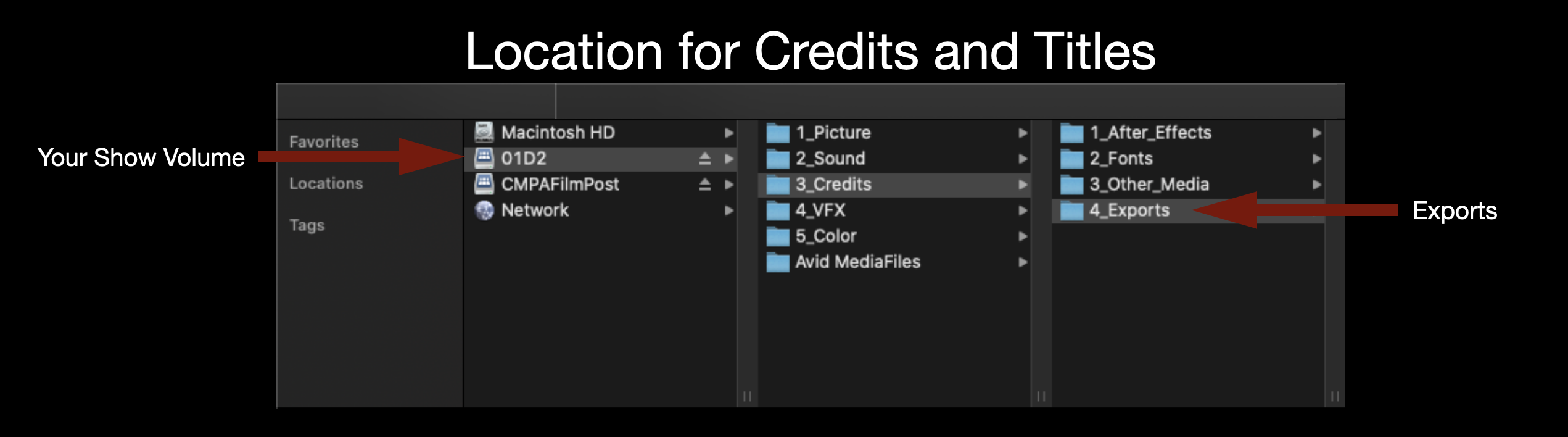
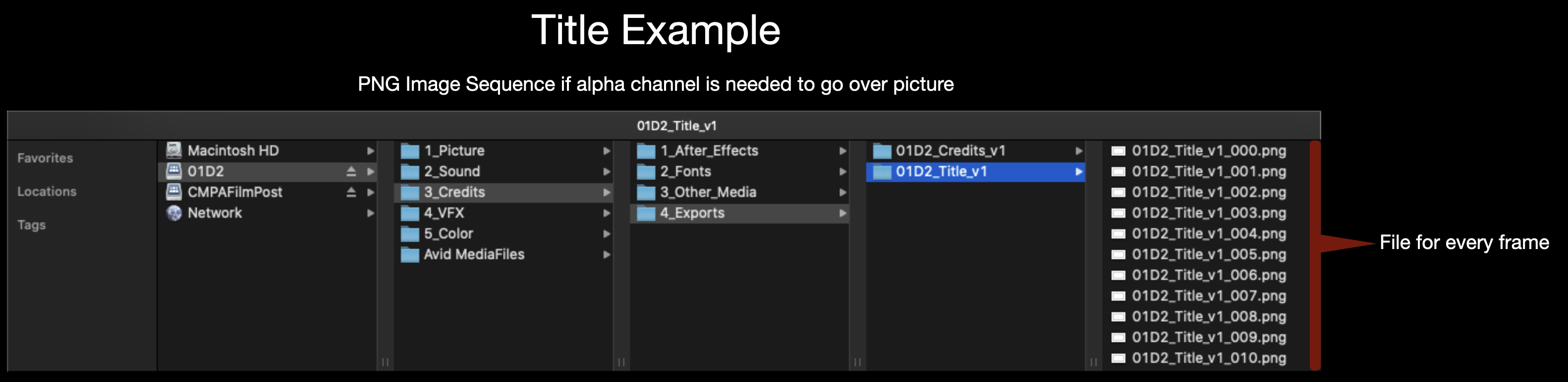
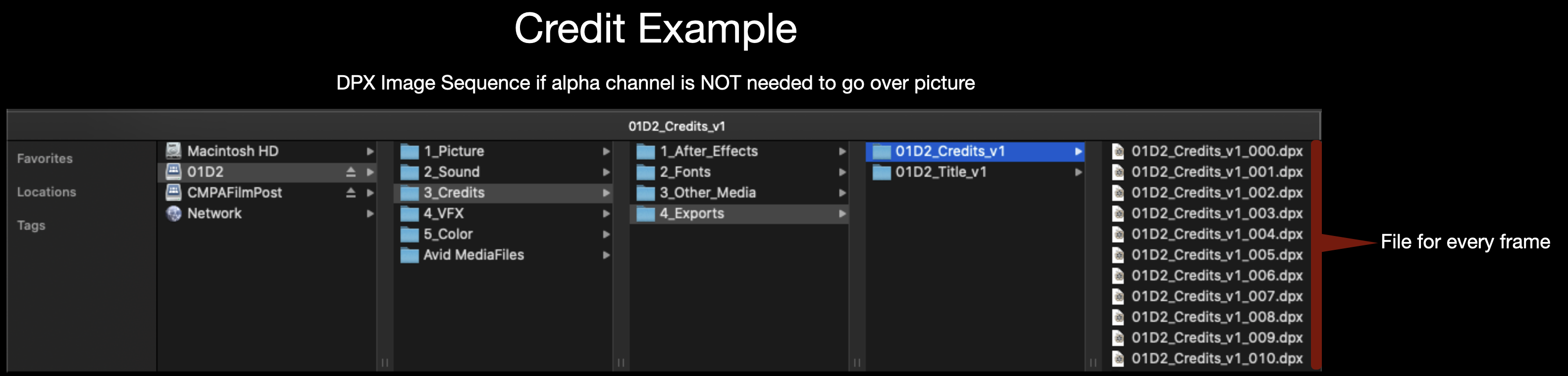
All Credits and Titles should be made in After Effects and delivered as either a DPX sequence or a PNG sequence. A DPX sequence should be used if the titles are going over black and a PNG sequence should be used if the titles need to go over picture since it holds an alpha channel. Either image sequence should be exported for 1920×1080 at 24fps. Make sure to name the image sequence appropriately (Example: 01M2_Credits_v1).
Location to Deliver Credits and TitlesNaming convention for TitlesNaming convention for Credits
FC projects are expected to follow a defined set of production specifications and content parameters. These guidelines are designed to establish manageable limits for production scope, including factors such as page count, duration, and quantities of assets, characters, and shots.
These specifications help ensure that projects can be completed successfully within the available schedule, crew size, and experience level associated with the course. The goal is not to limit creativity, but to help students learn how filmmakers shape strong stories within the practical constraints of time, logistics, staffing, and available resources.
Students in the MFA Screenwriting program are expected to maintain a set of personal items that support their participation in classes and productions throughout the program. These personal items include commonly used technologies needed for day-to-day activities and some suggested items for those interested in volunteering on set..
Because filmmaking often involves long hours, changing environments, fast-moving schedules, and collaborative problem-solving, students are expected to arrive prepared to participate consistently and professionally. Maintaining essential personal gear helps productions operate more efficiently, reduces avoidable disruptions, and reflects the professional expectation that crew members take responsibility for their own preparedness.
If you are planning to purchase a new computer or software, and would like guidance on what to buy, contact Paige Roberts for assistance.
Suggested Items (Not Required)
Having your own, personal first aid kit on hand is always a good idea. This 180-piece first aid kit covers the basics and would make for a sound investment.
If you have a hankering to volunteer on set, you may wish to assemble to your own, personal kit of production tools. To aid in this, we’ve compiled a suggested production tool guide with some recommendations.
Students in the BFA Production program are expected to maintain a set of personal items that support their participation in classes and productions throughout the program. These personal items include tools, clothing, set supplies, storage media, expendables, or other commonly used materials needed for day-to-day production activities.
Because film production often involves long hours, changing environments, fast-moving schedules, and collaborative problem-solving, students are expected to arrive prepared to participate consistently and professionally. Maintaining essential personal gear helps productions operate more efficiently, reduces avoidable disruptions, and reflects the professional expectation that crew members take responsibility for their own preparedness on set and in production environments.
If you are planning to purchase a new computer or software, and would like guidance on what to buy, contact Paige Roberts for assistance.
Required Production Tools & Attire
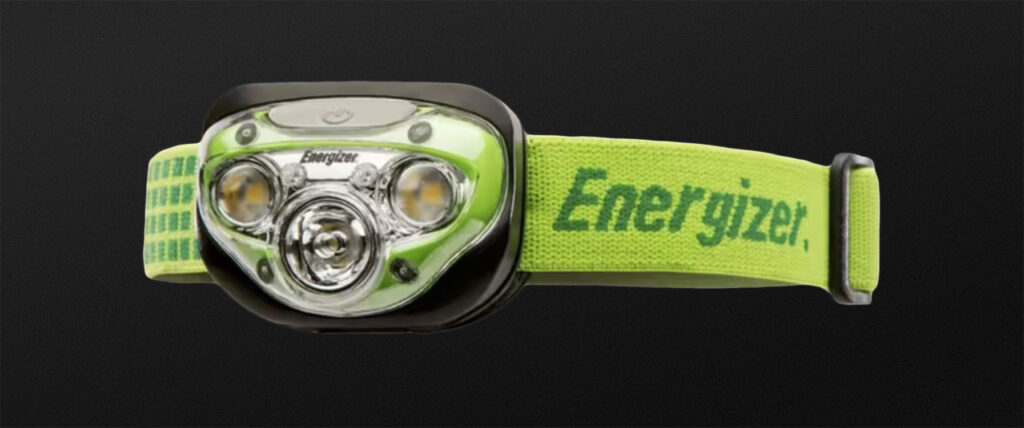
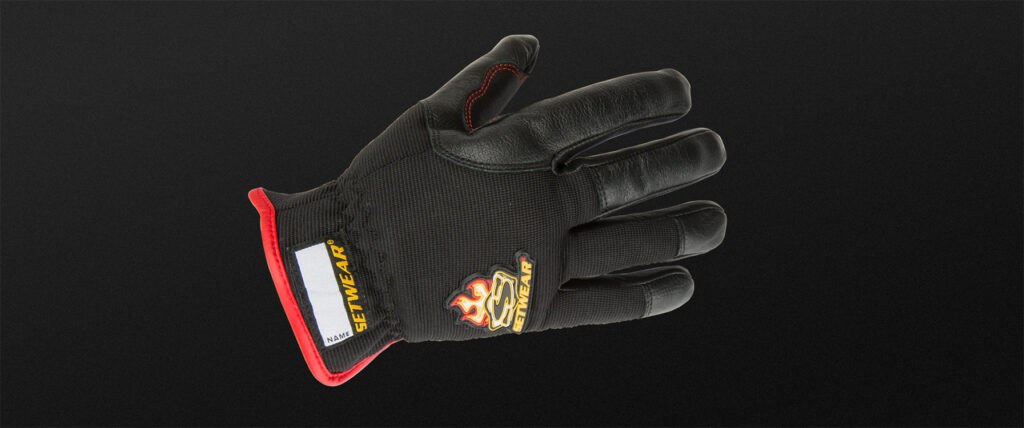
The school provides the tools and equipment needed for production, but there are some essential personal items that we require students to own, so that they can show up to set ready to work safely and efficiently:
Suggestions for each item are included in the descriptions below—to provide an idea of what’s expected—but feel free to substitute with comparable items that fit your own personal style and needs!
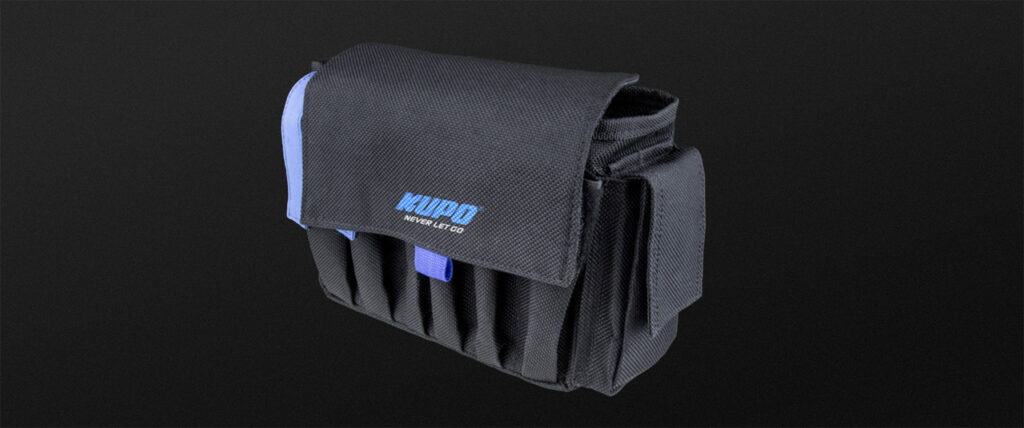
Tool Belt
You’ll need to carry gear and have it handy at split-second notice. There’s no better way than to use a tool belt to carry these items around.
You will be carrying many heavy, bulky pieces of equipment and it is important to wear closed-toe boots to protect your feet from anything heavy dropping on them.
Working on a film set comes with some serious risks. From hot gear to sharp tools, the environment can be dangerous if you’re not careful. That’s why it’s super important to wear clothing that is not too tight or too loose to comfortably work in and that it covers your midriff and most of your body. Lights, cameras, and other equipment can get really hot, and exposed skin is at risk for burns. Plus, with all the props and tools around, sharp edges can cause cuts or injuries if you’re not properly covered.
The weather can be unpredictable and staying dry is key to staying safe and productive. A good rain jacket with a hood and adjustable cuffs will protect you from getting soaked in the rain, which can make working uncomfortable or even dangerous if you’re handling electrical equipment or sensitive gear.
Spending long hours outside on a film set means you’re exposed to the sun for a good chunk of the day, and that can really take a toll on your skin and health. That’s why it’s so important to bring things like sunhats, sunglasses, and sunscreen to protect you from harmful UV rays.
Select sunglasses and sunscreen to suit your own needs
Suggested Items (Not Required)
An external hard drive for personal backups of media files.
Having your own, personal first aid kit on hand is always a good idea. This 180-piece first aid kit covers the basics and would make for a sound investment.
Final delivery for F3 Animation projects includes the submission of completed media, project files, documentation, and other required materials necessary for archiving, exhibition, festival submission, and long-term program recordkeeping. The items listed below are delivered to the Head of Production through the FSUFILM Greenlight system, which is used to track required materials and verify that projects have completed all delivery requirements in a consistent and organized manner.
Careful delivery practices are an essential part of professional animation and post-production workflows because incomplete or improperly prepared materials can create major problems for distribution, preservation, revisions, or future access to the project. The delivery process also reinforces the importance of organization, version control, and technical precision as productions move from active creation into exhibition and archival stages.
Due Dates
Pre-Production Delivery To be completed by the Director by 6:00pm on TBD
Production & Post-Production Delivery To be completed by the Director by 6:00pm on TBD
Marketing Delivery To be completed by the Director by 6:00pm on TBD
After all cast information has been delivered for the show, navigate to the “My Shows” view of the Cast board in FSUFILM Greenlight, select all the items for the show, and click Export. Then, deliver the exported Excel file of the Cast List. (instructions)
Submit a separate form for each asset that was utilized in the production—including assets made from scratch, purchased assets, and modified versions of pre-existing assets.
Submit a separate form for each notable resource that was utilized by the production. This may include equipment rentals, unusual vehicles, unique props, distinctive costumes, or hired services offered by vendors such as animal wranglers, graphic designers, security firms, or portable toilet providers. Think of things that might help future students track down resources for their films.
No need to re-enter information that is submitted in other forms—e.g., Anim/VFX Assets need only be documented using the Anim/VFX Assets form.
Include PDFs of all noteworthy correspondence about the production. This doesn’t need to include run-of-the-mill messages between cast and crew, but should include any documented messages with third-parties like vendors, composers, illustrators, or contracted services. Think of it as “cover your ass” correspondence—so that, when the other party forgets what they had agreed to, there’s a record of what was discussed.
Complete a form to deliver the following information about the show: total running time, tagline, logline, 25-word synopsis, 50-word synopsis, keywords, genre, content warnings, rating, aspect ratio, spoken languages, and subtitles.
Create a PDF using the Dialogue List form. Include all spoken dialogue and written text in the final film. This is to assist subtitling in foreign-language markets.
Enter a separate form for each piece of music used in the film, listing the timecode stamps and documenting the music rights.
If there are no music cues, use this form instead.
MUSIC LIST [su_button url=”https://wkf.ms/40sziFd” target=”blank” style=”flat” background=”#7da21f” color=”#000000″ size=”1″ radius=”20″ class=”deliver-button”]Deliver[/su_button]
After all music cues and releases have been delivered for the show, navigate to the “My Shows” view of the Music board in FSUFILM Greenlight, select all the items for the show, and click Export. Then, deliver the exported Excel file of the Music List.
A list of all credits and title cards as they appear on screen. This should be a typed list—not screenshots of the credits from the film. Double-check for accuracy!
Marketing Delivery
Film Festival Strategy [su_button url=”https://wkf.ms/4l9HxhO” target=”blank” style=”flat” background=”#7da21f” color=”#000000″ size=”1″ radius=”20″ class=”deliver-button”]Deliver[/su_button]
A PDF documenting the festival strategy for the film.
Honors students have access to a range of awards, grants, scholarships, and funding opportunities intended to support their HITM projects. This resource outlines available opportunities, eligibility requirements, application procedures, and relevant deadlines.
These opportunities exist to help students expand the scope and visibility of their work while gaining experience with the professional processes of grant applications. Learning how to pursue external support is an important part of sustaining research and creative work, where grants, fellowships, awards, and competitive funding programs often play a significant role in project development and career advancement.
Available Opportunities
Students should identify potential expenses for their HITM project during their Application Semester and determine if they should seek funding for project support through various opportunities at FSU.
The Bess H. Ward Honors in the Major Funding Award, which covers up to $750 towards project expenses such as travel, equipment and materials, or reimbursement of survey participants.
The Kingsbury Undergraduate Writing Award is offered annually to an undergraduate student who demonstrates excellence in the writing of an undergraduate project.
Students can nominate their Faculty Director to be considered for the Honors in the Major Mentor Award. This award is offered annually to recognize and honor faculty members whose direction and advisement of HITM project research or creative activity has significantly contributed to the enhancement and quality of education of undergraduate students at FSU.