FC

Writing Collaborations

Overview

Students may collaborate on the writing of FC, M2, M3, and MC projects. Writing collaborations involve the shared development of scripts, story ideas, revisions, and creative feedback between multiple writers or collaborators working on a project together. This page outlines expectations surrounding communication, attribution, workflow organization, and collaborative creative development within the writing process.

Collaborative writing can strengthen projects by introducing multiple perspectives, ideas, and problem-solving approaches, but it also requires clear communication, mutual respect, and well-defined expectations regarding creative contributions and decision-making. Learning how to navigate collaborative writing relationships is an important professional skill, particularly within industries where rewriting, writers’ rooms, development teams, and collaborative revision processes are common.

Deal Memos

At the start of the collaboration process, the director (or producer) must have the additional writer(s) complete a standard Crew Deal Memo. This includes a space to decide upon how the additional writer(s) will be credited in the finished film.

It is recommended that all parties draft a scope-of-work agreement for the tasks at hand. This could include a description of what work the additional writer(s) will contribute, how many drafts, and due dates. Defining what constitutes final delivery for the additional writer(s) is advised. This document can be a helpful way for making sure everyone’s on the same page before the work commences.

Credit Definitions

Writing credits for motion pictures, as defined by the Writers Guild of America, are determined within a very specific set of definitions. Each type of credit has a distinct meaning and purpose, as described below:

STORY BY
The term “story” means all writing representing a contribution “distinct from screenplay and consisting of basic narrative, idea, theme or outline indicating character development and action.” “Distinct from screenplay” means that the contributions considered for story should not be applied to screenplay credit, nor should contributions considered for screenplay credit be applied to story credit. A story may be written in story form or may be contained within other literary material, such as a treatment or a screenplay, for purposes of receiving “Story by” credit.

SCREENPLAY BY
A screenplay consists of individual scenes and full dialogue, together with such prior treatment, basic adaptation, continuity, scenario, and dialogue as shall be used in, and represent substantial contributions to the final script. A “Screenplay by” credit is appropriate when there is source material of a story nature or when the writer(s) entitled to “Story by” credit is different from the writer(s) entitled to “Screenplay by” credit.

WRITTEN BY
The credit “Written by” is used when the writer(s) is entitled to both the “Story by” credit and the “Screenplay by” credit. This credit shall not be granted where there is source material of a story nature. However, biographical, newspaper, and other factual sources may not necessarily deprive the writer of such credit.

&
Writers working closely together as a writing team are credited using an ampersand: e.g., “Written by Ben Mekler & Chris Amick”.

AND
Writers working independently on drafts are listed in the credits with an “and” between them to signify that they worked separately: e.g., “Screenplay by Joe Eszterhas and Julianna Baggott”.

Determining credits

Determining of final credits is entirely at the discretion of the faculty. If there’s a dispute over how much a student contributed or whether a credit is deserved, faculty will arbitrate by reviewing the writing materials and deciding the final credits.

If a writer contributes in a manner that fits the above definitions, they are eligible for receiving the applicable writing credit(s) in the finished film.

If a writer’s contributions don’t pass the threshold for one of the above credits — e.g., they give notes on a script or help with kicking around ideas, but don’t contribute significantly to the mapping out the story or the writing of the script — a writing credit will not be awarded. Instead, a mention in the “SPECIAL THANKS” section of the credits can be used to acknowledge their support.

Sample scenarios

Brock and Chest conceive the story and write the screenplay together as a writing team. Credits would read:
Written by Brock Landers & Chest Rockwell

Kar-leung comes up with the story, Hsing-Hsiu writes the screenplay. Credits would read:
Story by Lau Kar-leung
Screenplay by Huang Hsing-Hsiu

Marlene comes up with the story, and then works as a writing team with Bill on the writing of the script. Credits would read:
Story by Marlene Clark
Screenplay by Marlene Clark & Bill Gunn

Emilio comes up with the story and writes a draft of the script, then María takes over to do a rewrite of the script. Credits would read:
Story by Emilio Fernández
Screenplay by Emilio Fernández and María Félix

Mario gives notes on Daria’s script. Credits would read:
Written by Daria Nicolodi
Special Thanks to Mario Bava (at end of crawl)

Baz develops a story for a movie about Elvis. Baz forms a writing partnership with Sam to write the screenplay. Baz then forms a new writing partnership with Craig to rewrite the screenplay. Jeremy then reworks part of the story and rewrites the screenplay. Credits read:
Story by Baz Luhrmann and Jeremy Doner
Screenplay by Baz Luhrmann & Sam Bromell and Baz Luhrmann & Craig Pearce and Jeremy Doner
Location Scouting

Overview

Location scouting involves identifying, evaluating, photographing, and researching potential filming locations that support the creative and logistical needs of the production. This process includes assessing factors such as visual suitability, accessibility, sound conditions, power availability, safety concerns, permitting requirements, parking, staging space, and overall production feasibility.

Effective location scouting is essential because the realities of a location can significantly affect scheduling, equipment needs, crew workflow, safety, and the overall success of a production. Strong scouting practices help productions anticipate challenges early, communicate more clearly across departments, and make more informed creative and logistical decisions before filming begins.

Safety

When showing up at someone’s home, be sure to take safety precautions. Not everyone appreciates having strangers show up at their front door.

  • Always carry your student ID for identification.
  • Check out a magnetic “Location Scouting Vehicle” sign from the ER to display on your vehicle.
  • Whenever possible, scout in pairs.
  • Evaluate safety risks at each location—consider hazards, neighborhood security, and any factors that may pose risks to your cast and crew.

Finding Locations

On FSUFILM productions, this task is typically led by the Producer, Director, and Production Designer, though any crew member may initiate contact with a property owner. However, only the Producer is authorized to finalize agreements and handle all official paperwork.

Start your search virtually with Google Maps and Street View. To identify property owners, use the Leon County Property Appraiser website. From there, you may need additional online research to find their contact information.

You can also scout in person by driving around and visiting locations directly. Be mindful of appropriate times—avoid early mornings, late evenings, or peak business hours when visiting homes or establishments.

Communication

Always approach property owners with professionalism and respect. Key discussion points include:

  • The production schedule, including prep days (tech scout, set dressing, photoboarding, etc.).
  • The areas you wish to use (filming spaces, staging areas, green rooms, craft services, parking, etc.).
  • The script content, especially if it includes sensitive material.
  • Any location rental fees or requirements for on-site personnel.

Location Rental fees

Most locations are generously provided free of charge. However, exceptions may include commercial venues (e.g., hotels) or businesses requiring a staff presence during filming. If fees are involved, confirm the exact cost upfront.

Documentation

When you find a location you plan to use, be sure to complete the following:

  1. Location Hazard Assessment Form – identify any potential hazards.
  2. Hazard Notification Form – if hazards are present, outline mitigation steps for each.
  3. Location Shooting Plan Agreement – personally ask the property owner the listed questions and fill out the form. Do not hand them a blank copy. After completion, have them sign Page 2 and provide them with a copy.
  4. Location Agreement – finalize by having the property owner sign this document as well.
Prep Meetings

Overview

Prep meetings are a key part of the FC development and pre-production process, bringing students and faculty together to review projects, evaluate readiness, identify potential concerns, and coordinate planning across departments before production begins.

These meetings help productions address creative, logistical, technical, and safety issues early enough for meaningful adjustments to be made before filming. They also give students experience presenting projects professionally, responding to feedback constructively, and learning how collaborative production planning functions within larger filmmaking environments.

Story Meeting

Required: WR/DR • Optional: PR/PD/DP/ED

This meeting is an opportunity for writers/directors and the Writing & Directing instructors to reflect upon the story. It’s an opportunity for the director to convey their vision and explore it with the faculty. The meeting will be primarily conceptual — more about dreaming than practical logistics — but we will touch on production elements where relevant.

Post the latest draft of the script to the show’s Teams channel at least 24 hours in advance.

Optional: Any visual references that might be helpful.

Optional: Any casting hopes or possibilities.

“The Director Prepares” Meeting

Required: WR/DR

In this meeting, the director of the capstone project will discuss the visual plan for the film with the directing faculty. This meeting will take place a few days after pre-production has started to allow the Director and DP time develop a language and advance the vision of the film. The hope is that by the time the meeting takes place, there will be a robust visual presentation of the film, enabling discussion of key elements of the story and allowing for fruitful conversation about the film.

Required elements:

  • Coverage plans for each scene: e.g., storyboards, overhead diagrams, and any other materials that the director may think are helpful in conveying their vision (e.g., photoboards or previs of key shots).
  • Any rehearsal footage considered relevant.
  • If any locations have changed since the previous meeting, please bring pictures.
  • If any of the actors have changed since the previous meeting, also bring materials for them (reel, pictures, audition, rehearsals.)
  • Any other elements discussed during prep or before, such as: a stunt, a particular element of a scene (prop, animal, etc..), any other visual elements essential for the film for which a visual discussion might be helpful.

Director’s Prep Meeting

Required: DR/PD/PR/DP/1D/2D/AR

This meeting with the Directing and Cinematography instructors will focus on the team’s holistic vision of the film. As these preps take place on Day 2 of pre-production, a final concrete plan isn’t expected. The goal is to make this a practical, productive work meeting to help the team prepare for the film.

Our main areas of focus are team collaboration, communication, and critical thinking among all the crew members. Please be mindful of the allotted time for each department.

  • DIRECTOR CONTENT (10mins)
    • A director’s statement: a one-page document that clearly states the filmmaker’s vision.
    • Casting Choices and Clips of Actor Rehearsals
    • Visual Effects Plan and tests (If Applicable).
  • PRODUCER (10 mins)
    • Give us a broad picture of the status of the film—status on casting, locations, props, etc. Please share with us a slide of tasks accomplished and things still pending, and the path forward you are considering in each pending element.
  • PRODUCTION DESIGNER CONTENT (20mins)
    • Production design plan (locations, costumes, essential props, and all other elements important in the film). All elements should be of real possibilities; it’s less about the intent, more about the attainable. Bring as many elements as you are able that have already been secured (location pictures, costumes, props, etc.).
  • CINEMATOGRAPHER CONTENT (10mins)
    • Visual references that convey ideas behind the film—e.g., mood boards, tone clips, and/or look books. Keep this brief.
    • Scene Workshop – DP presents FC Workshop from Summer B.
  • 1st AD CONTENT (5mins)
    • Preliminary set-up schedule reflecting each day’s call time, shot estimations, lunch, and wrap times.
    • One line set up schedule in preliminary shooting order

Deliverables

  • All of the above items must be delivered in a single “Producer’s Package” named as ##FC_DPrep_Package. This is one presentation document (Canva, Keynote, or PowerPoint) collated by the Producer that is used by all presenters during the prep and is then sent into the show channel by the start of D-Prep. Grading is based on a competent oral presentation for each position.
  • The Director is also required to deliver a Director’s Prep version of the script with numbered scenes and a title page clearly stating this is the “Director’s Prep version”, including show# to the show channel.
  • At the end of the meeting, the 1AD will do an overview of all notes taken for the Faculty to confirm. 24 hours after the meeting, 2AD will send this ACTION PLAN with notes sent to all faculty present at the director’s prep.

THE PRESENTATION FLOW (DAY OF):

Everyone must arrive 15 minutes before the start of prep. Please ensure ALL tech checks have taken place and that materials are ready to present on the main monitor in whichever room is designated. Preps must start on time.

The 1st AD will be tasked with taking notes during the prep, making certain to document faculty concerns and related resolutions.

First:

  • PRODUCER (2 mins): Opens with the name of the show, # of the show, shoot dates, introductions of ATL and the director.

Next:

  • DIRECTOR (10 mins): Reviews the show’s creative vision, including the content listed above.

Then:

  • PRODUCER (10 mins): Presents a comprehensive logistic status report of casting, locations, and any other pertinent challenges to the specifics of the film.

Then:

  • PRODUCTION DESIGNER (20 mins): Reviews the general art direction of the film, including the content listed above

Next:

  • CINEMATOGRAPHER (10 mins): States their two biggest concerns about executing the director’s vision. Presents FC workshop footage from the summer and a brief look book.

Then:

  • 1st AD (5 mins): This section covers the scheduling logistics of the shoot, including the shooting schedule, call times, shot lists (if applicable), and production concerns.,

Over to:

  • FACULTY (45 mins): Q&A topics to be reviewed may include story, casting, PD/VFX/SPX, stunts, intimacy, cine, logistics.

Then;

  • 1st AD (5mins): Presents the resulting action plan, and will subsequently submit the action plan to the show channel.

The presentation will not be considered complete until the action plan is posted in the show channel.

Contingencies for Absent Crew

Overview

Film productions rely heavily on collaboration and shared responsibilities, making consistent crew participation essential to keeping projects on schedule. This post outlines the procedures that should be followed when a crew member is unexpectedly unable to participate, including communication expectations, redistribution of responsibilities, and strategies for maintaining production continuity.

The goal of this protocol is both practical and educational. Productions must be able to adapt quickly to unexpected challenges, but students are also expected to develop professional habits around communication, accountability, and teamwork. Clear contingency planning helps reduce disruption while reinforcing the understanding that filmmaking is a collaborative process in which each crew member’s reliability directly affects the success of the larger production.

FC Protocol

If a crew member is unable to report to work during principal photography, they must contact the show’s Producer and the Head of Production as soon as possible, and no later than two hours before call time.

The Producer and the Head of Production will work through the following steps in sequence to determine the most appropriate solution:

  1. If the Director (or double-partner) is unable to work, advance to Step 8.
  2. If the “on-call” person has not yet been deployed, they step into the position. If they are already deployed, then…
  3. Check to see if having a smaller crew and consolidating positions will work. If that is not viable, then…
  4. Check to see if there is a BFA3 student who isn’t working that day and is available to fill in. If that is not viable, then…
  5. Check to see if there is a BFA2 student who isn’t working that day and is available to fill in. If that is not viable, then…
  6. Check to see if there is an MFA2 student who is available and interested in filling in. If that is not viable, then…
  7. Check to see if there is a BFA1 student who is available and interested in filling in, shuffling crew positions if the BFA1 isn’t adequately trained in the position that needs filling. If that is not viable, then…
  8. Postpone or cancel the shooting day, reworking the schedule as needed.

Offloading Media Cards

Overview

Proper media offloading procedures are essential to protecting the integrity and security of a production’s footage. This post outlines the required workflow for transferring, verifying, organizing, and backing up media cards so that no footage is lost, corrupted, or misplaced during production or post-production.

These procedures are designed to mirror professional industry practices, where careful data management is considered just as important as capturing the footage itself. A single mistake during the offloading process can jeopardize days of work and create costly delays for the entire production. By following a consistent workflow, students develop habits that prioritize redundancy, organization, and accountability—skills that are foundational to contemporary digital filmmaking.

The Basic Process

The CMPAFilmPost Server is where you will offload all of the Original Camera Files (OCF) and Production Audio. Every computer the Post Hall has ShotPut Pro installed as well as a Red Mini Mag reader and a multi card reader attached.

ShotPut Pro is a software which not only copies video and audio files but will also verify the copies afterwards and make reports documenting that the offload was successful. These reports will be uploaded to Frame.io so that the production can keep track of when the media was offloaded and verify that the offload was successful .Every media card used on a production must use ShotPut Pro for offloading to the proper folder tree on CMPAFilmPost to assure the productions video and audio assets are safe.

Mounting Media Cards

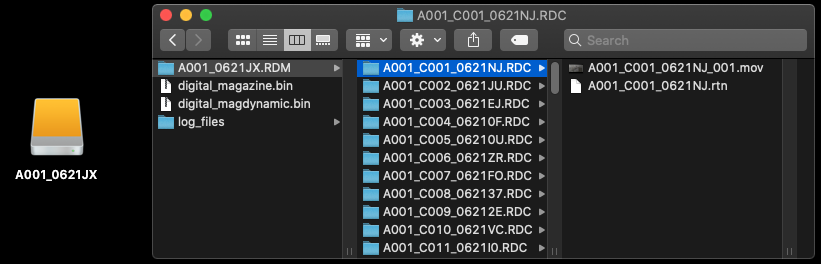
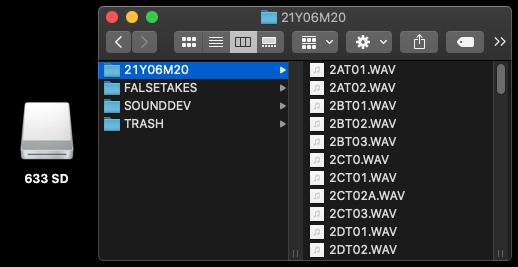
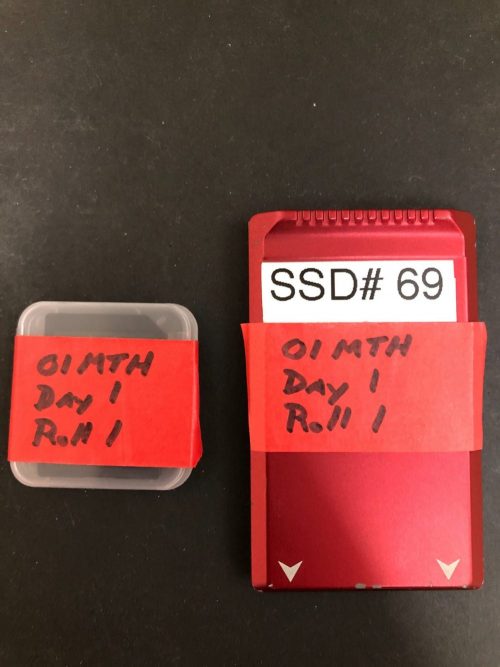
The Assistant Editor (AE) will retrieve the Red Mini Mag (containing the video), the SD card (containing the audio), and the camera reports from the ingest room cubby and bring them back to their assigned suite on the post hall for offloading. Production should have applied red tape to show live media was on them and labeled them as shown.

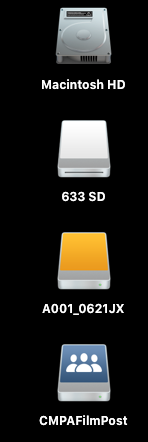
Remove the tape and insert the cards into the corresponding readers, they will mount like an external hard drive and appear on the desktop.

Desktop
RED MINI MAG CONTAINING VIDEO
SD CARD CONTAINING SOUND

Offloading Media with ShotPut Pro

After both media cards are mounted launch ShotPut Pro from the dock.

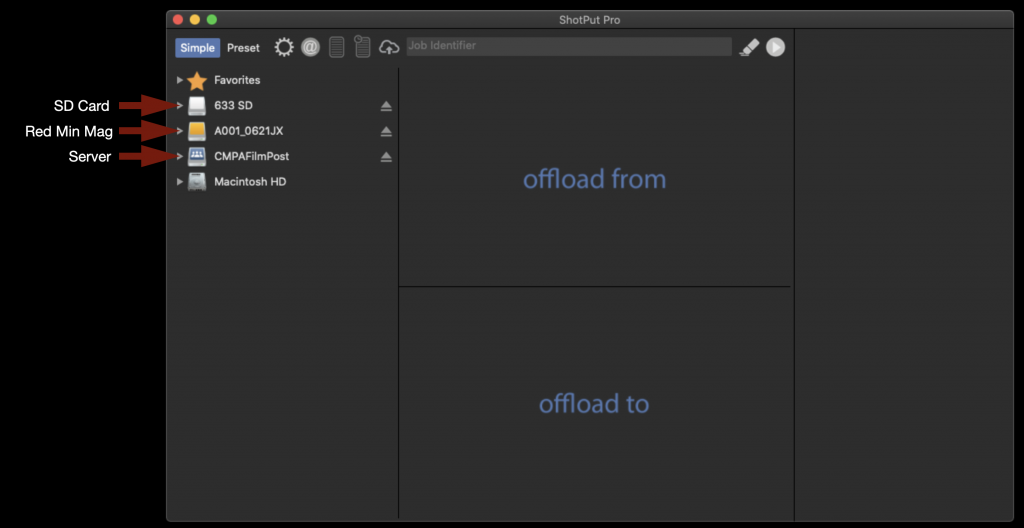
When it opens it will appear as shown below. Notice how the media cards and the Server are shown on the left of the screen.

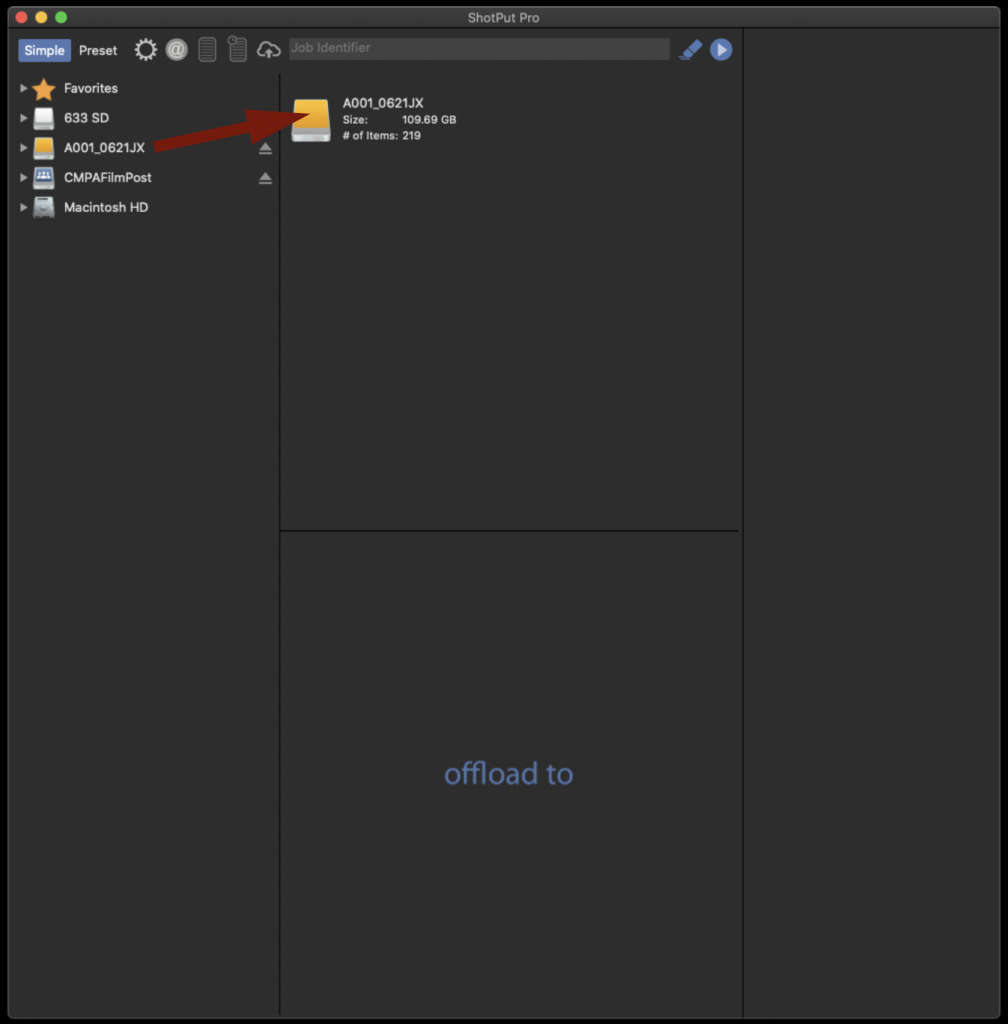
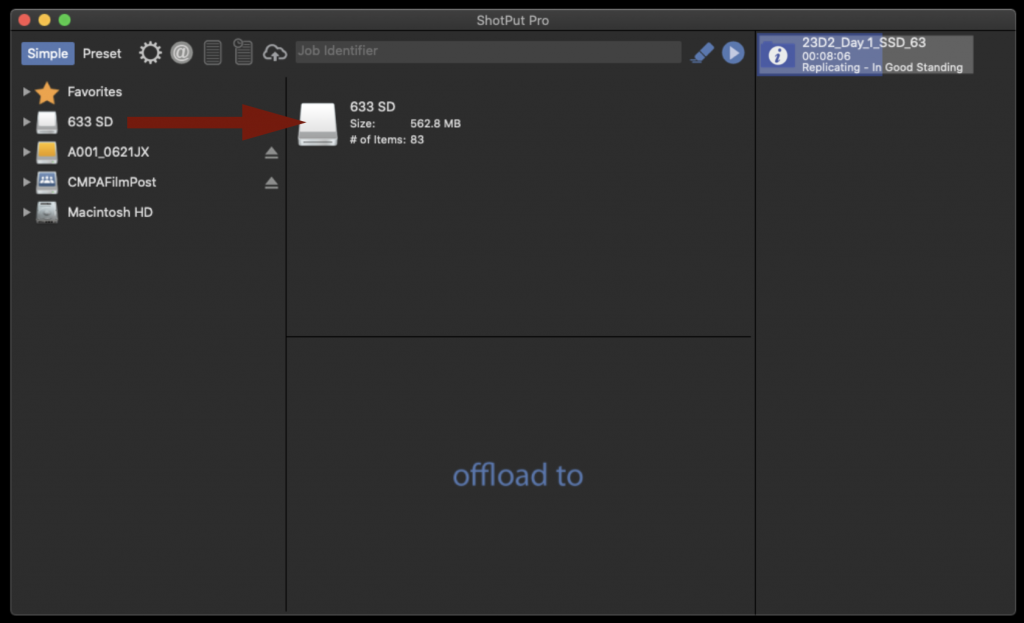
To offload the entire contents of the Red Mini Mag drag the disk icon and drop it in the box labeled “offload from”.

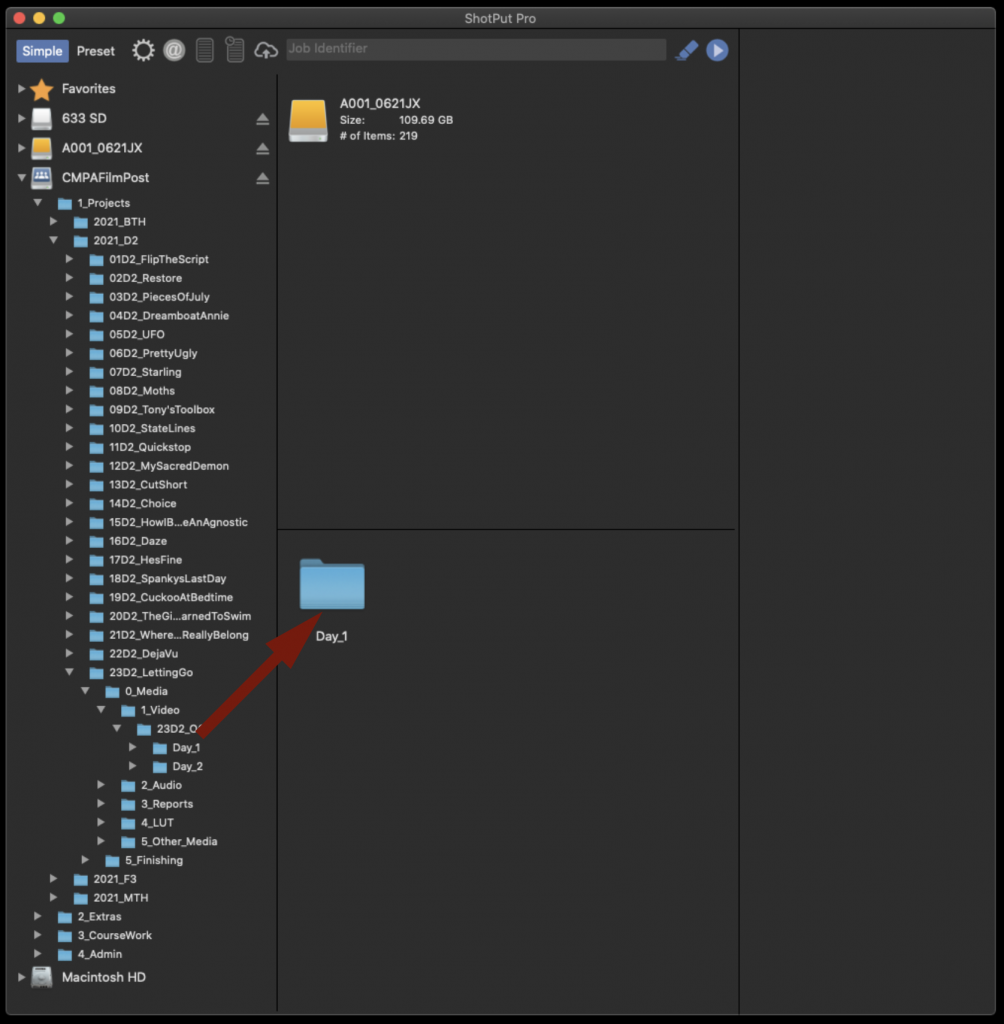
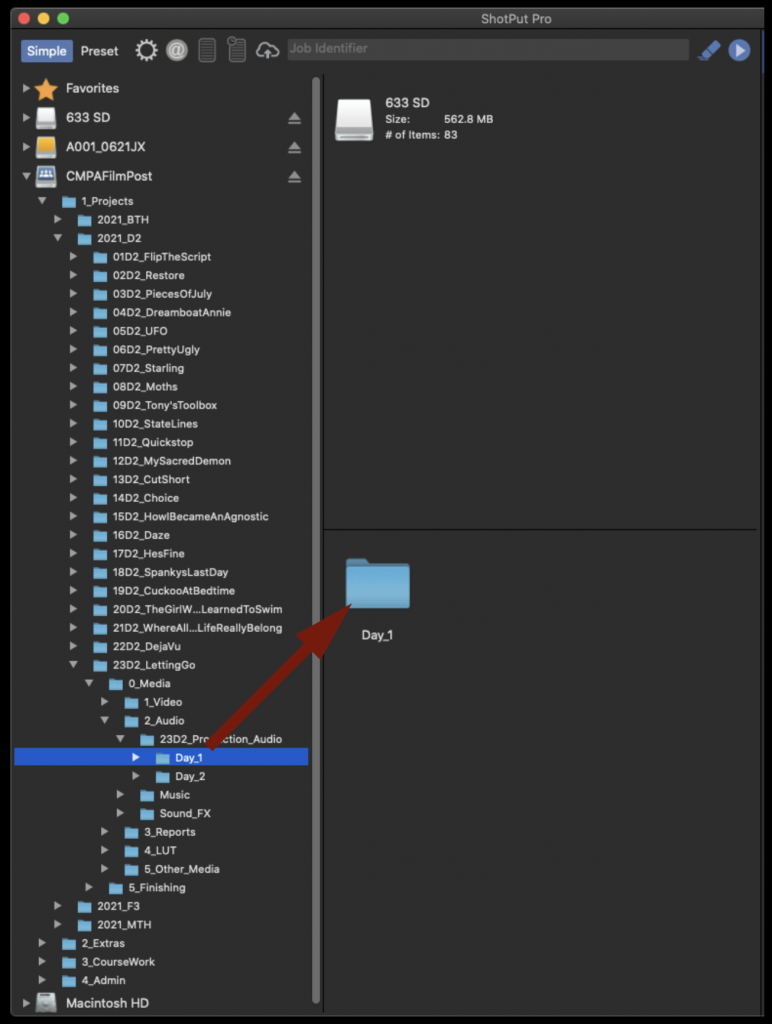
Next you will need to tell ShotPut in what folder on the CPMAFilmPost Server you would like to offload to. Navigate down into the folder tree on the left hand side until you find the proper Show and Day folder for your production. Then drag the folder icon and drop it in the box labeled “offload to”.

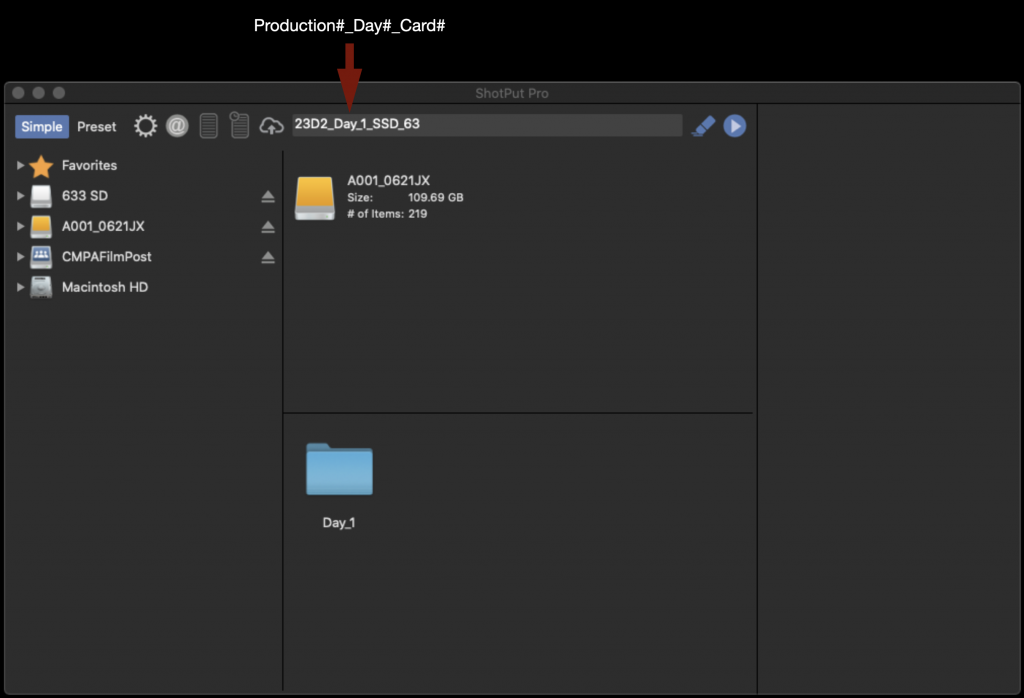
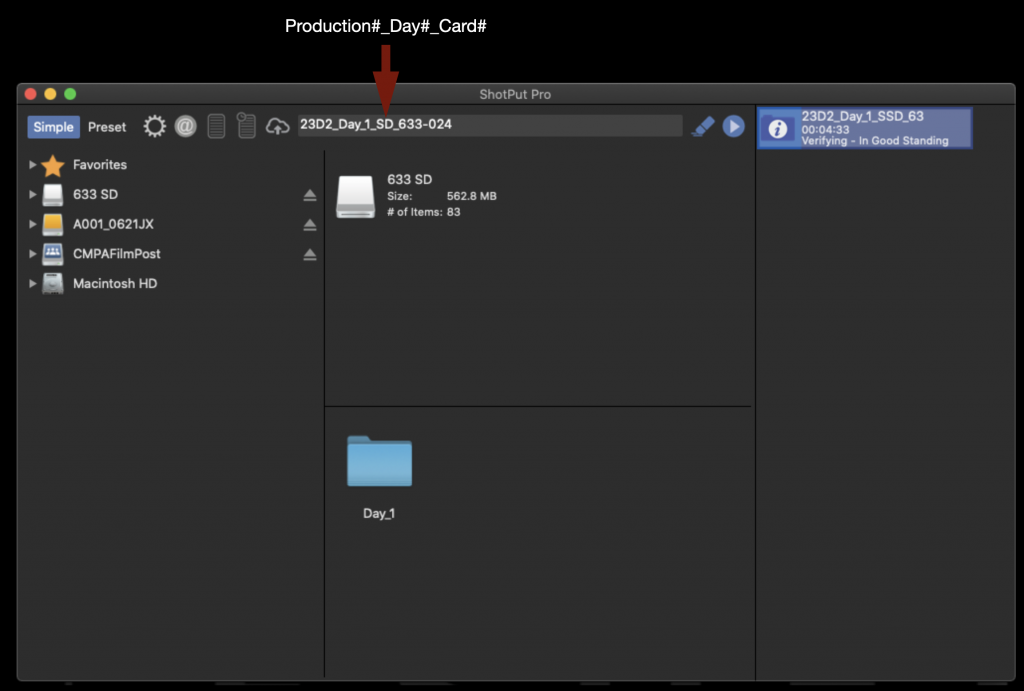
In the field labeled “Job Identifier” fill in the information for this offload in the following format: Production#_Day#_Card#.

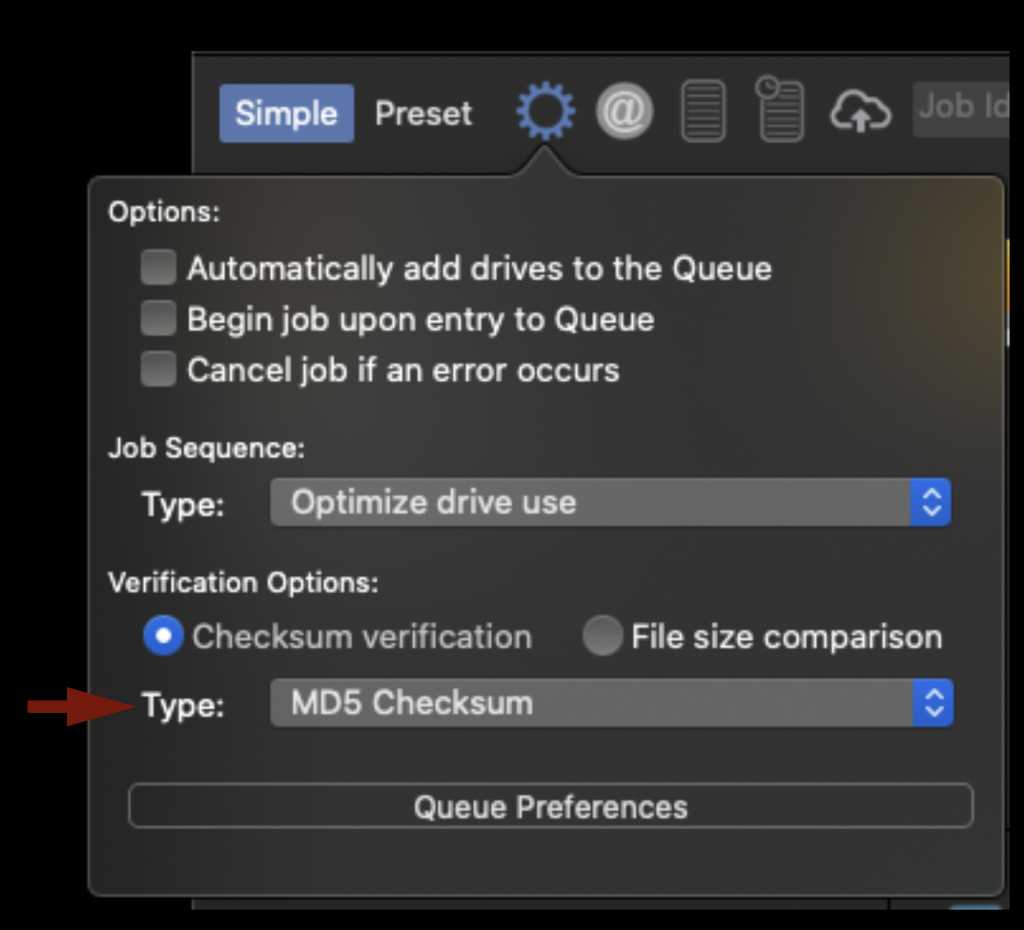
Before starting the offload you will need to check a few settings. First under “Verification Options” make sure the type is set to “MD5 Checksum”. This is a good balance of speed and security.

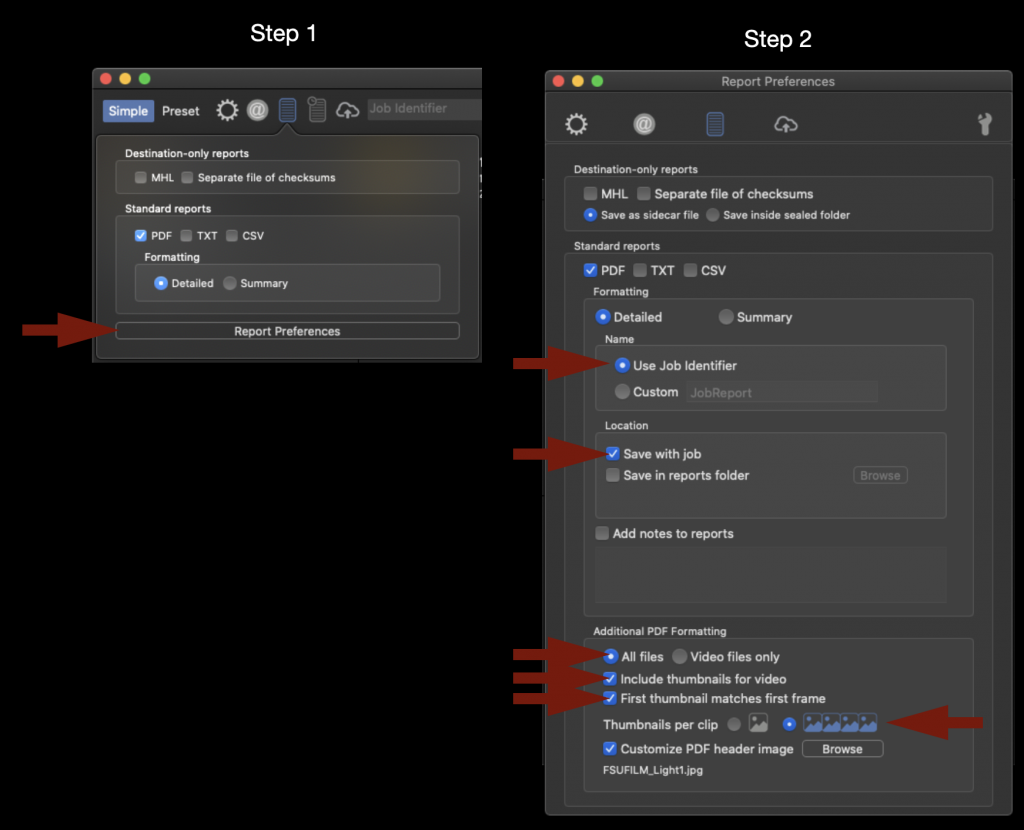
Next make “Report Preferences” and make sure that all the options are check as shown in the example below. This won’t effect the actual offload at all but it will dictate how the pdf that is generated after the offload will be formatted.

When everything looks good you can start the offload by selecting the Blue Arrow.

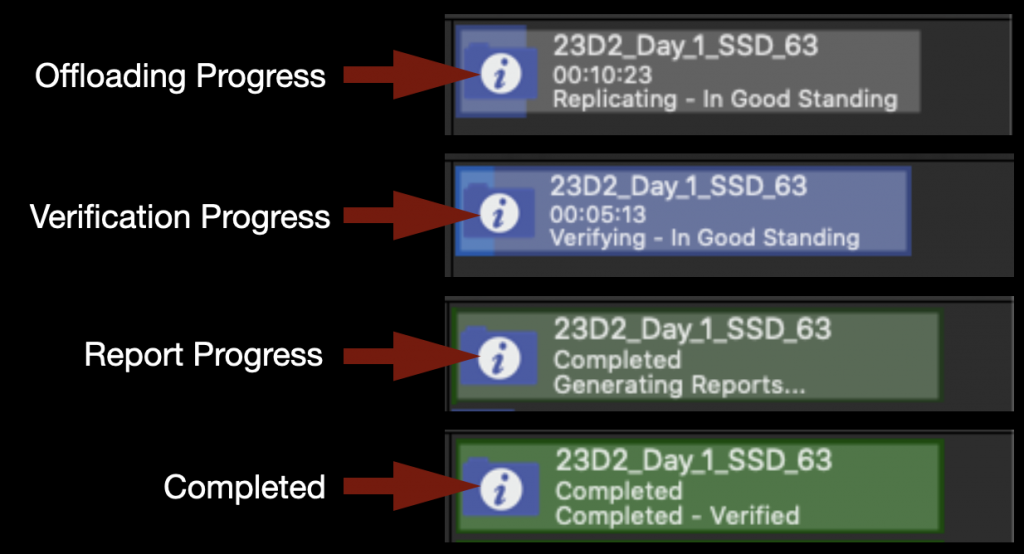
On the right hand side you will see the progress bar appear and you can monitor how long it will take. It will go through several phases as shown below and ho long it takes is dependent on how much media was on the card.

While the video is being offloaded you can go ahead and set the audio offloading at the same time. Just repeat the same process as you did before. To offload the entire contents of the SD Card drag the disk icon and drop it in the box labeled “offload from”.

Next navigate down into the folder tree on the left hand side until you find the proper Show and Day folder for your production. Then drag the folder icon and drop it in the box labeled “offload to”.

In the field labeled “Job Identifier” fill in the information for this offload in the following format: Production#_Day#_Card#.

You can click the blue start arrow again and it will sue up your next offload. When both media cards have finished offloading and are verified it will appear as shown below.

The media is now safely offloaded to the CMPAFilmPost Server.

Verification Reports

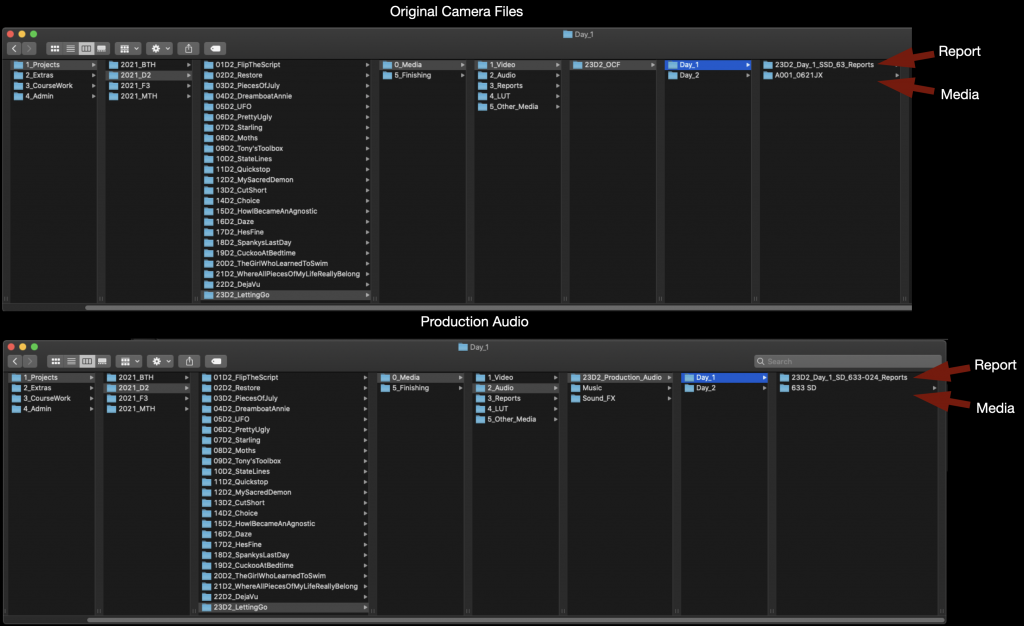
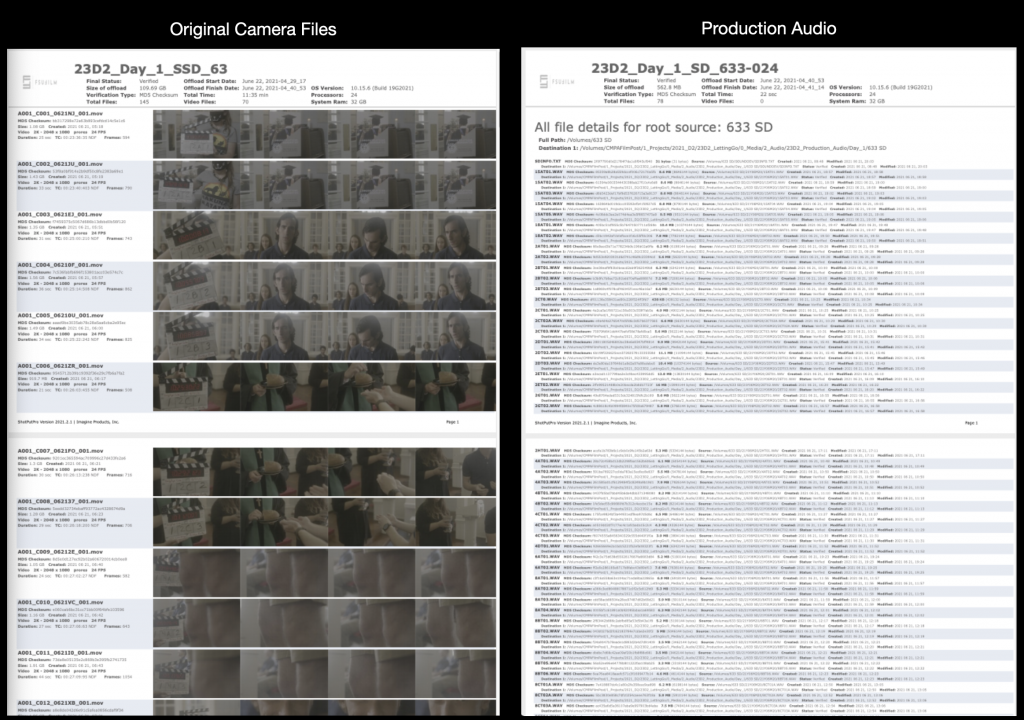
You can find the verification reports alongside the media in the folder that you pointed ShotPut Pro toward.

The Verification Reports should look like the examples below.

After checking the reports upload them to the appropriate show folder on Frame.io.

Wrap Up

The SD card will need to be erased after you have verification from ShotPut Pro that the data was transferred safely. Remember to empty the trash after deleting the sound card media as that is the only way to free up space on the card. You do not need to erase the Red Mini Mags as they will be reformatted the next time they are put in the camera. Return the media cards to their cases and return them to the shows cubby in the ingest room. Now that the tape has been removed production will know that they are clear to be used again.

Mounting Servers and Show Volumes

Overview

This post explains the process for mounting production servers and accessing designated show volumes used for storing, organizing, and sharing project media. Maintaining a consistent workflow for server access is essential for collaboration across editorial, sound, color, VFX, and other post-production departments.

The procedures outlined here are intended to reduce confusion, prevent file management errors, and ensure that all collaborators are working from the correct media and project structures. Consistent server practices help maintain version control, protect shared assets, and support efficient collaboration across large teams. Developing disciplined organizational habits in post-production environments is a critical professional skill, particularly on projects involving multiple editors, assistants, and departments.

Mounting CMPAFilmPost

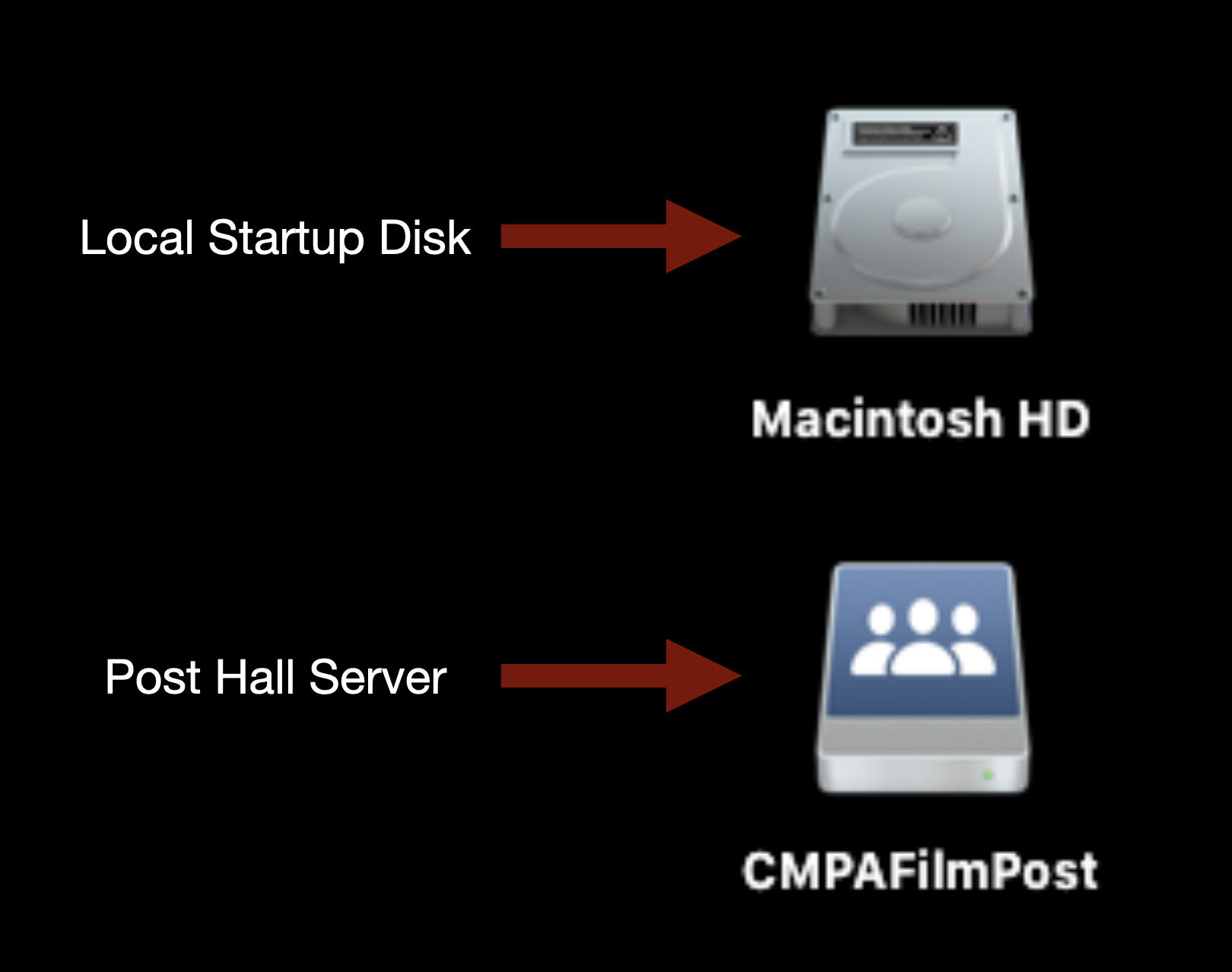
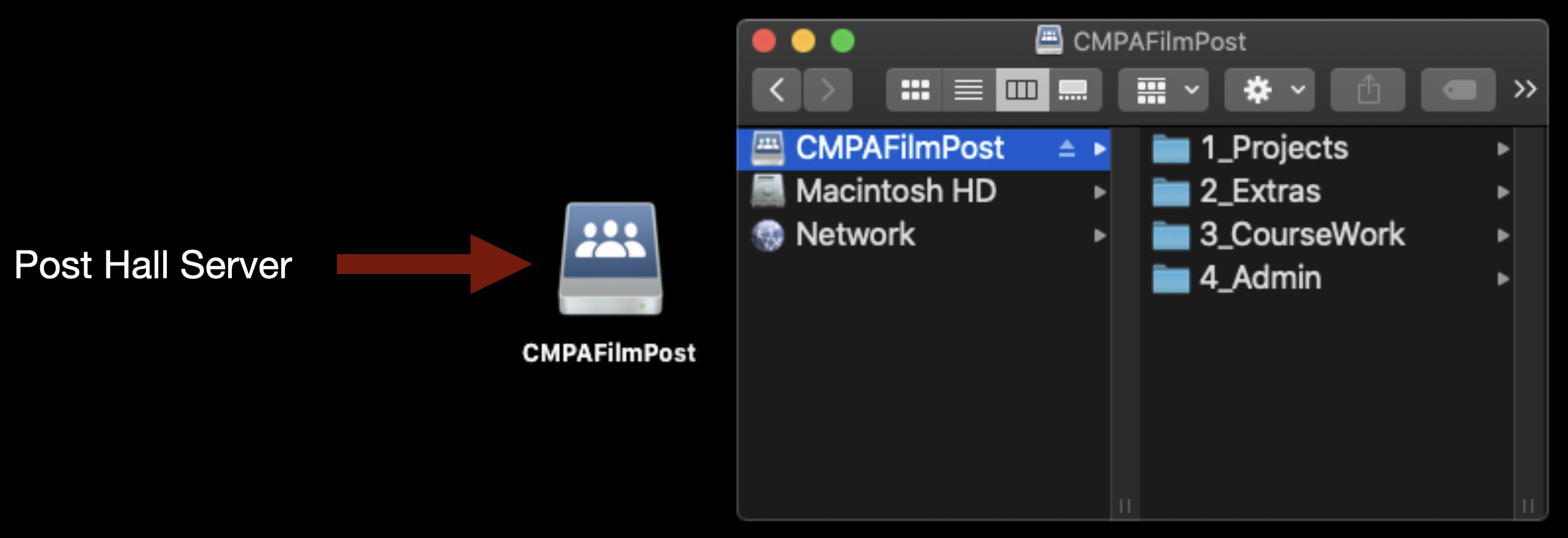
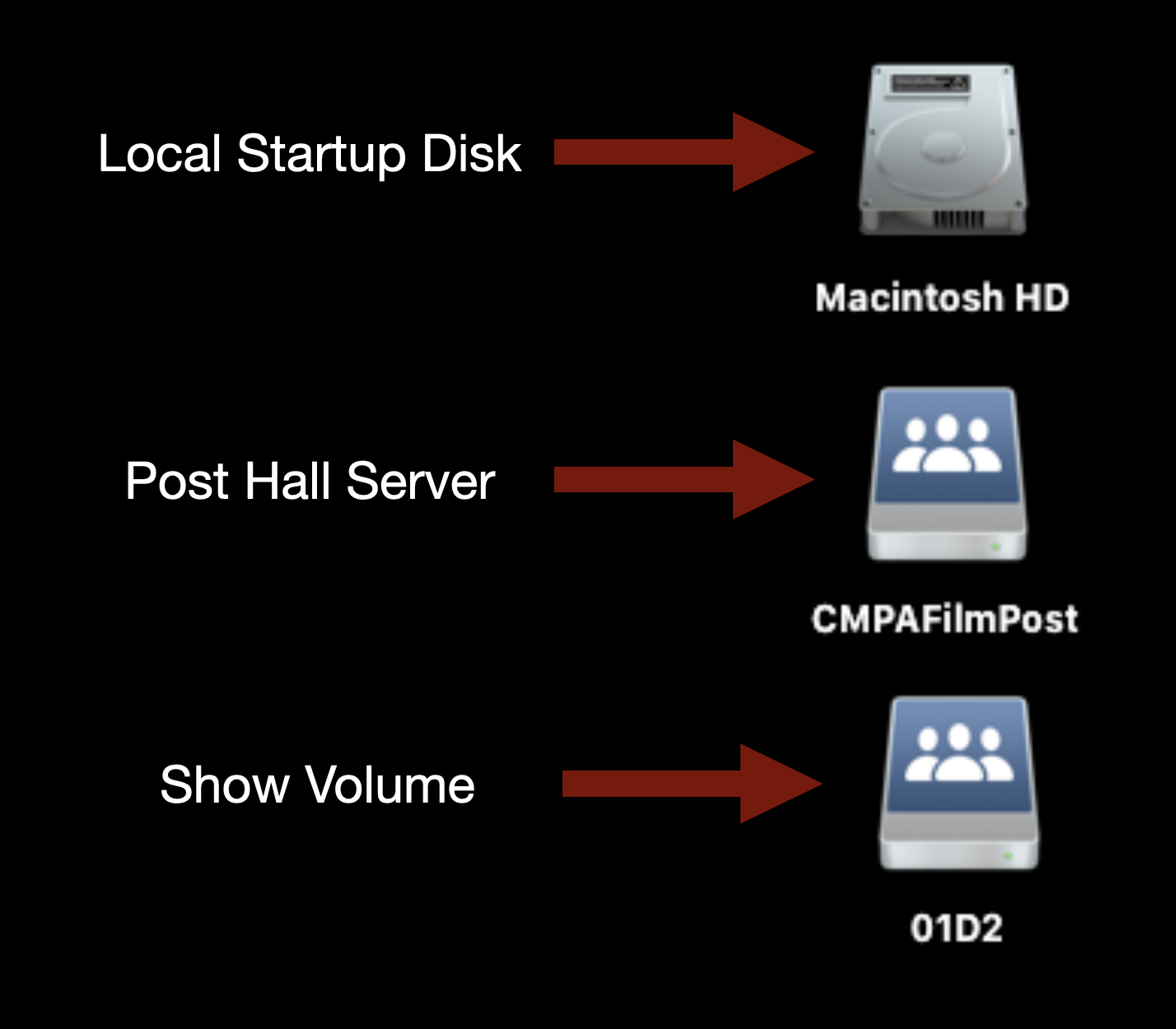
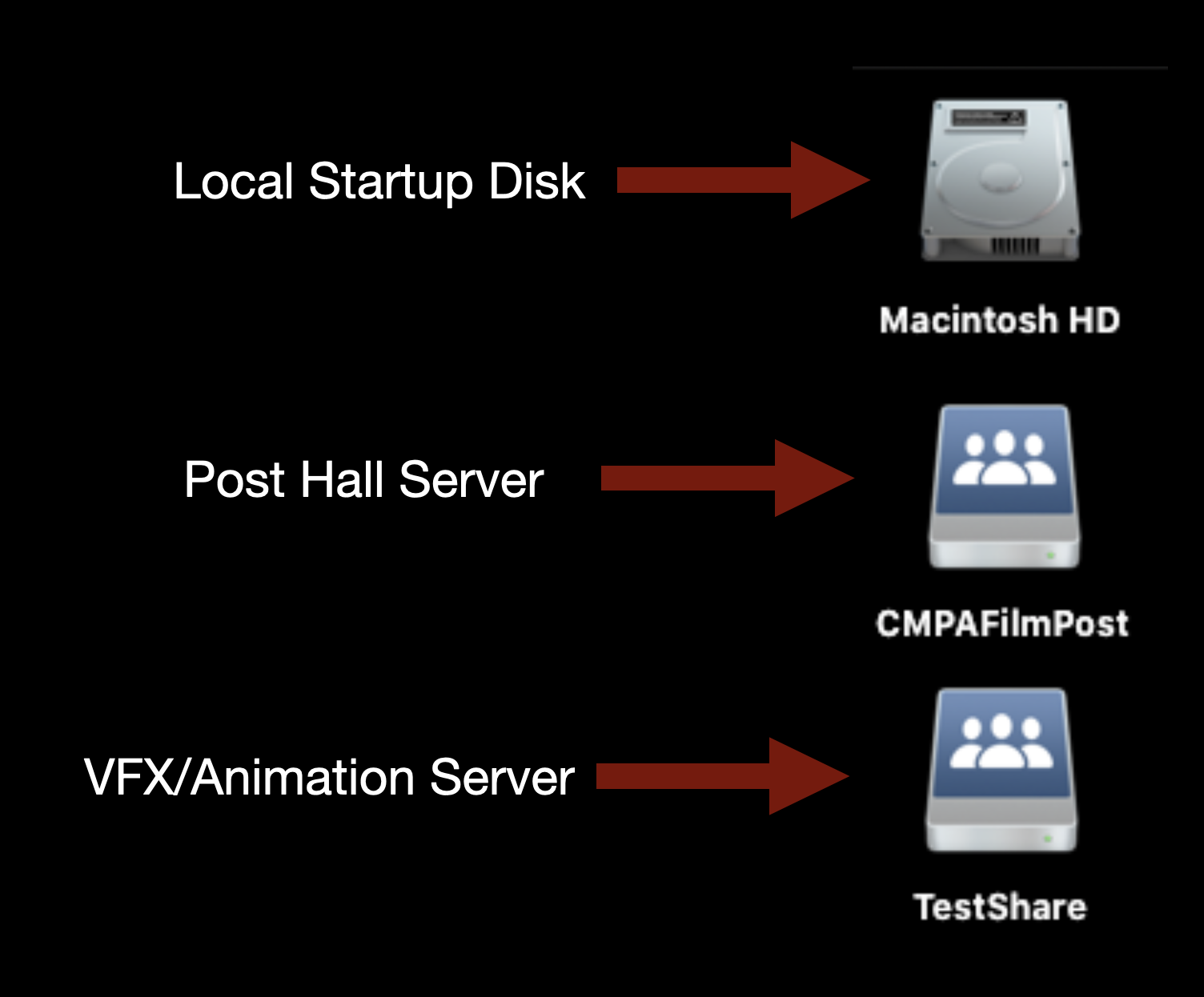
CMPAFilmPost or “the post hall server” should always be mounted on the desktop of your machine and will look like the example below.

Desktop icons for Local Startup Disk and Post Hall Server

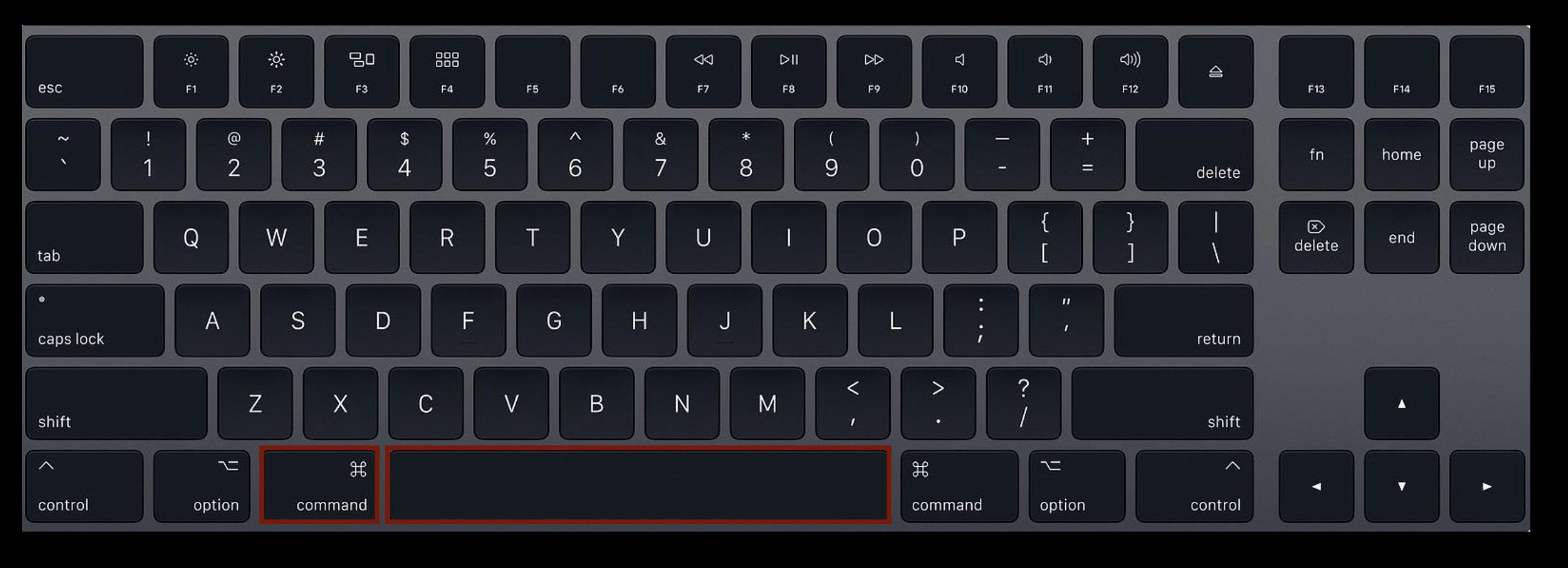
If for some reason it is not mounted type “Command” + “Spacebar” on the keyboard.

Command-Space on keyboard

This will bring up the Spotlight Search function.

Spotlight search

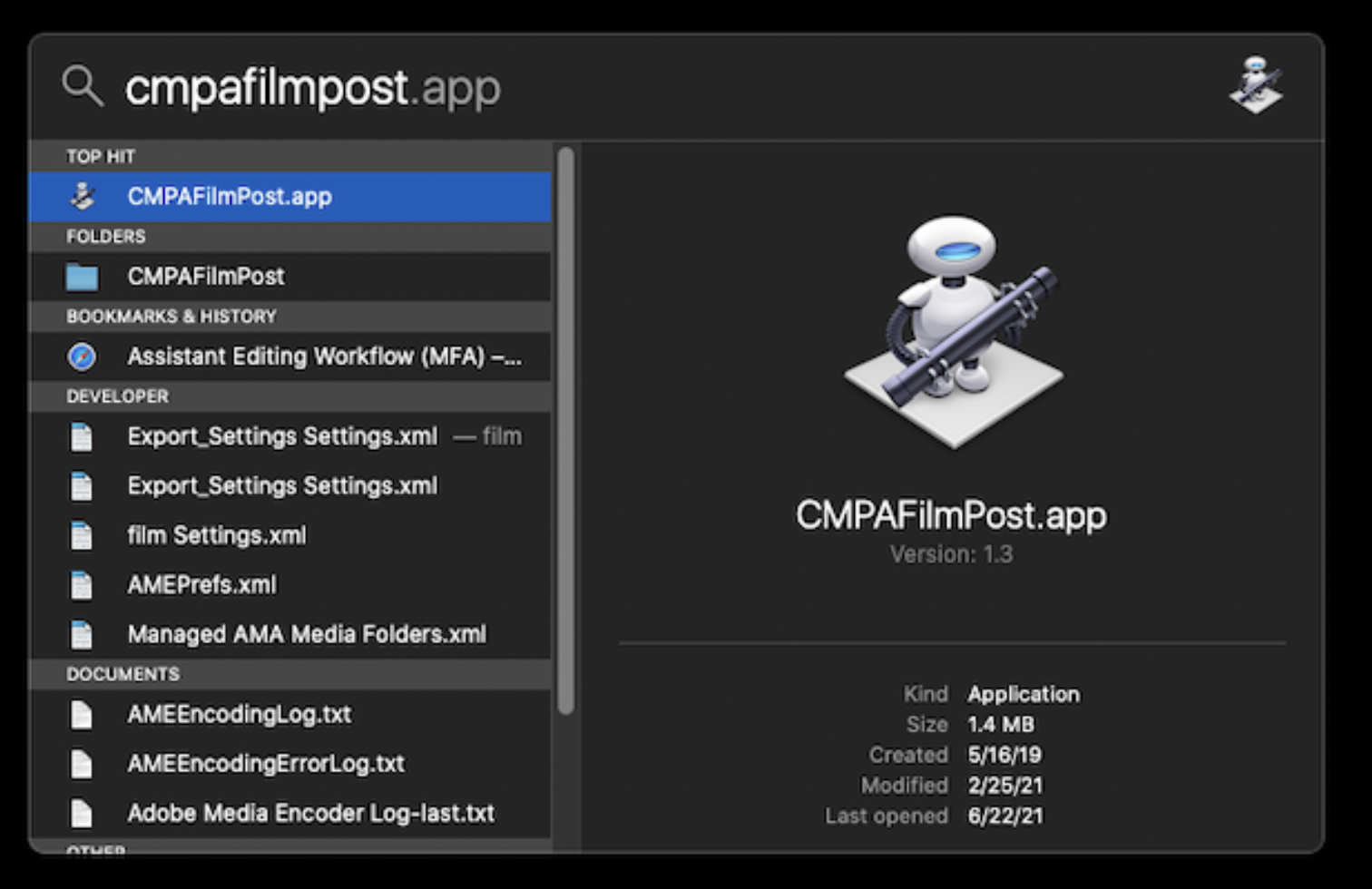
Type in “cmpafilmpost”. This will find an app that will mount the server. Hit “Enter” and it mount and you will see it on the desktop.

Cmpafilmpost.app in Spotlight search

This is the main post hall server. This is where your Original Camera files and Production Audio will live.

CMPAFilmPost root-level directory structure

Mounting Show Volume

Each film will have its own individual “Show Volume”. This is where your Media Composer Project and ProTools Project will live. You will need to mount the volume specific to the film you are working on.

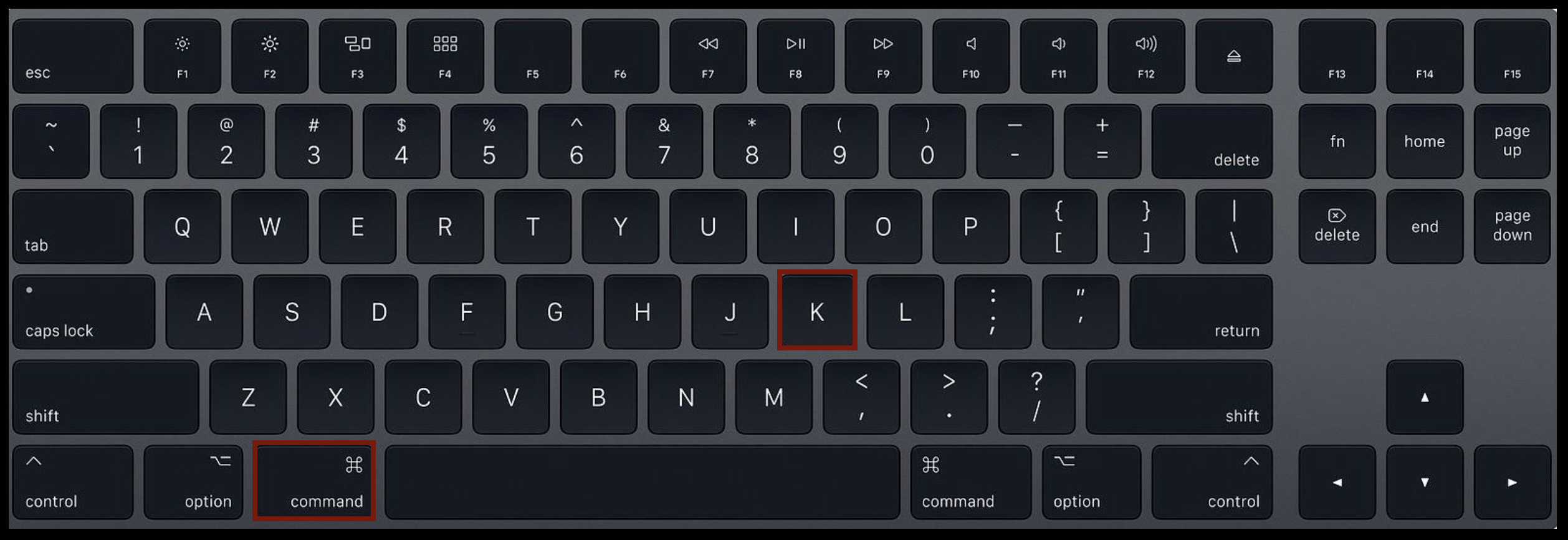
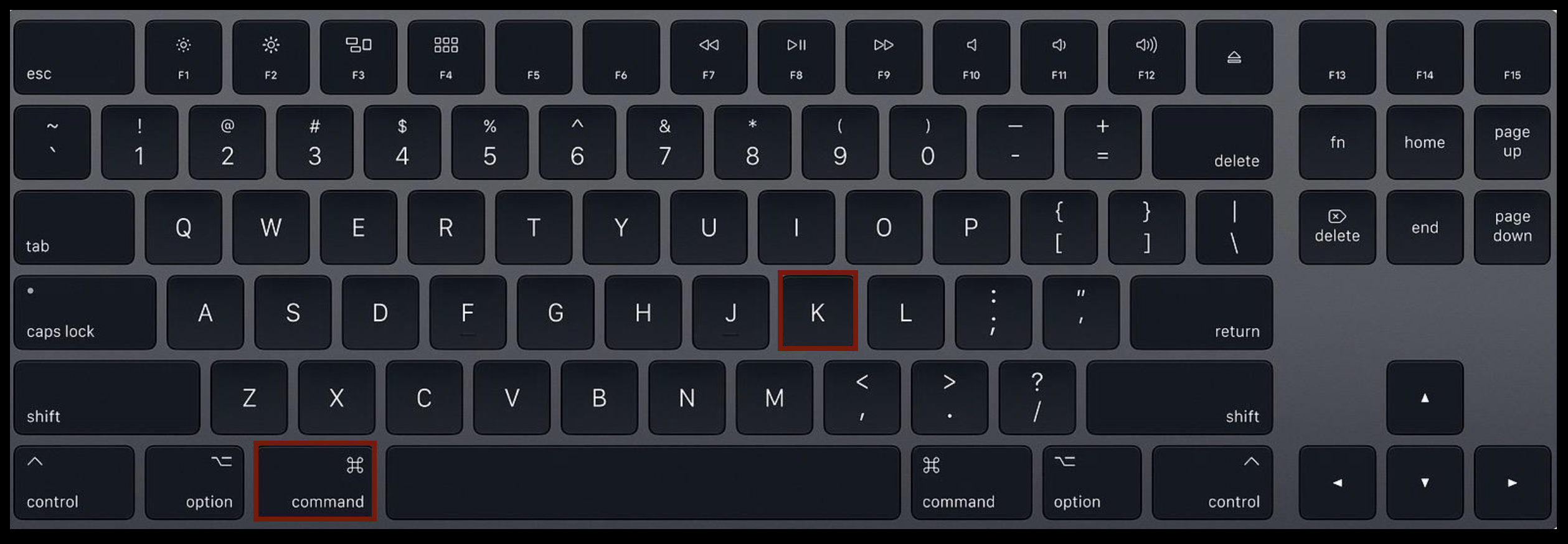
To do so type “Command” + “K” on the keyboard.

Command-K on keyboard

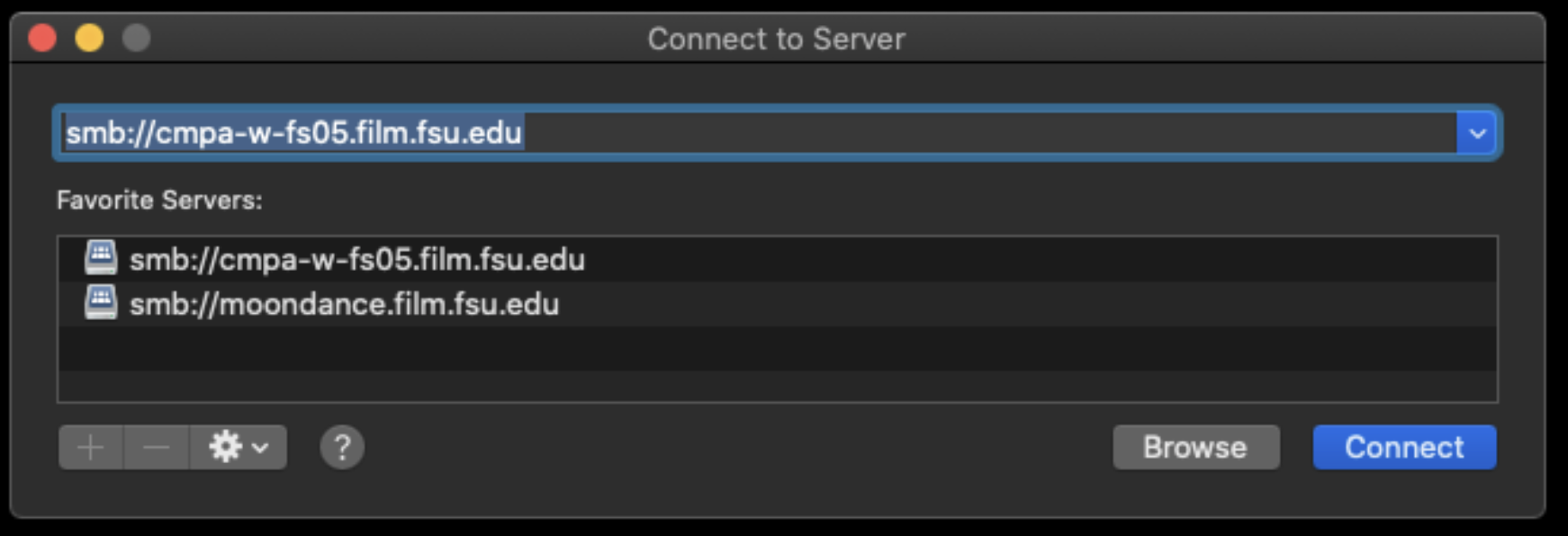
This will bring up the “Connect to Server” prompt. Type in the address:
smb://cmpa-w-fs05.film.fsu.edu

Connect to Server

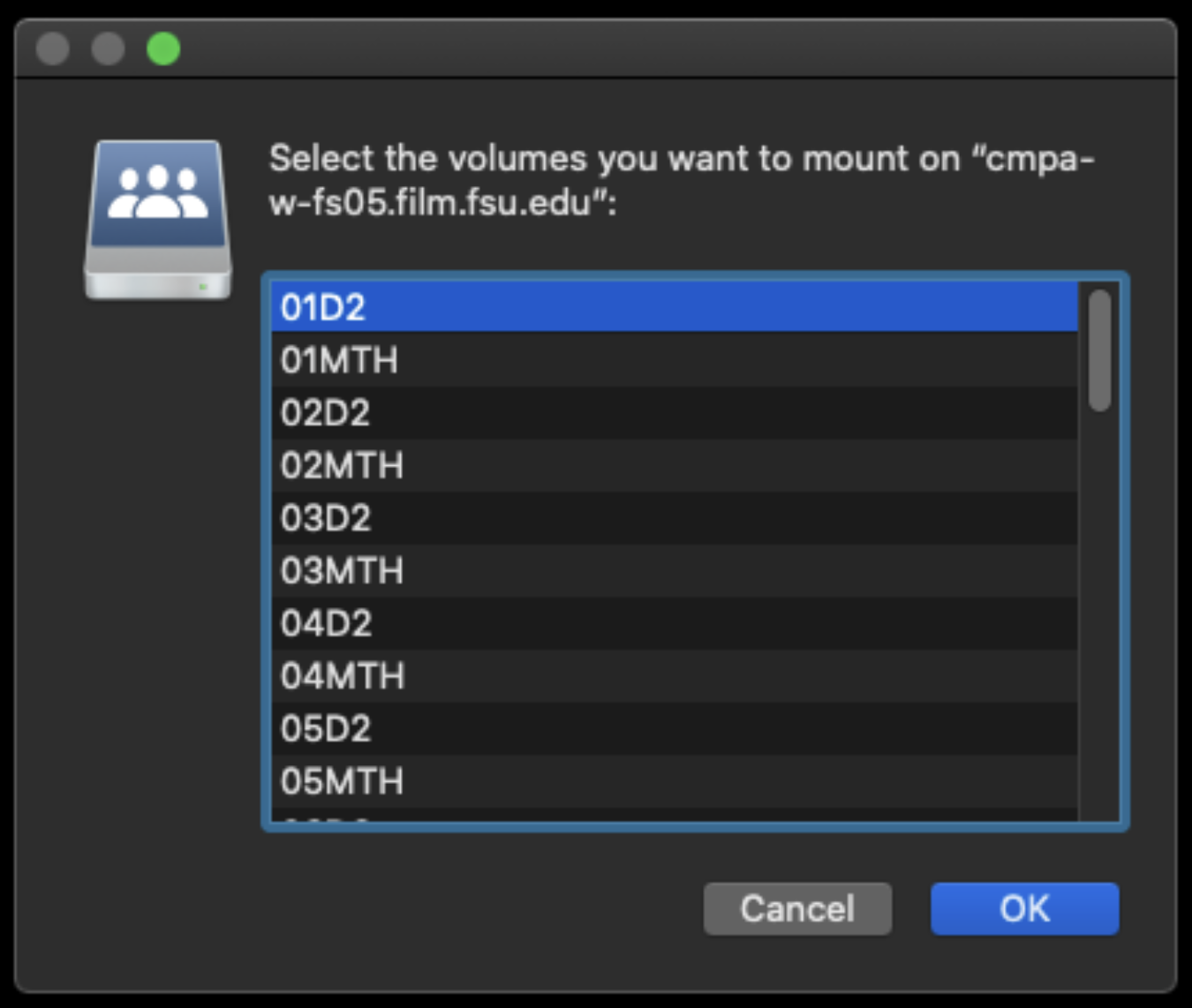
This will show all the possible show volumes that are available to choose from. Select your show number and then hit OK.

Select volumes to mount

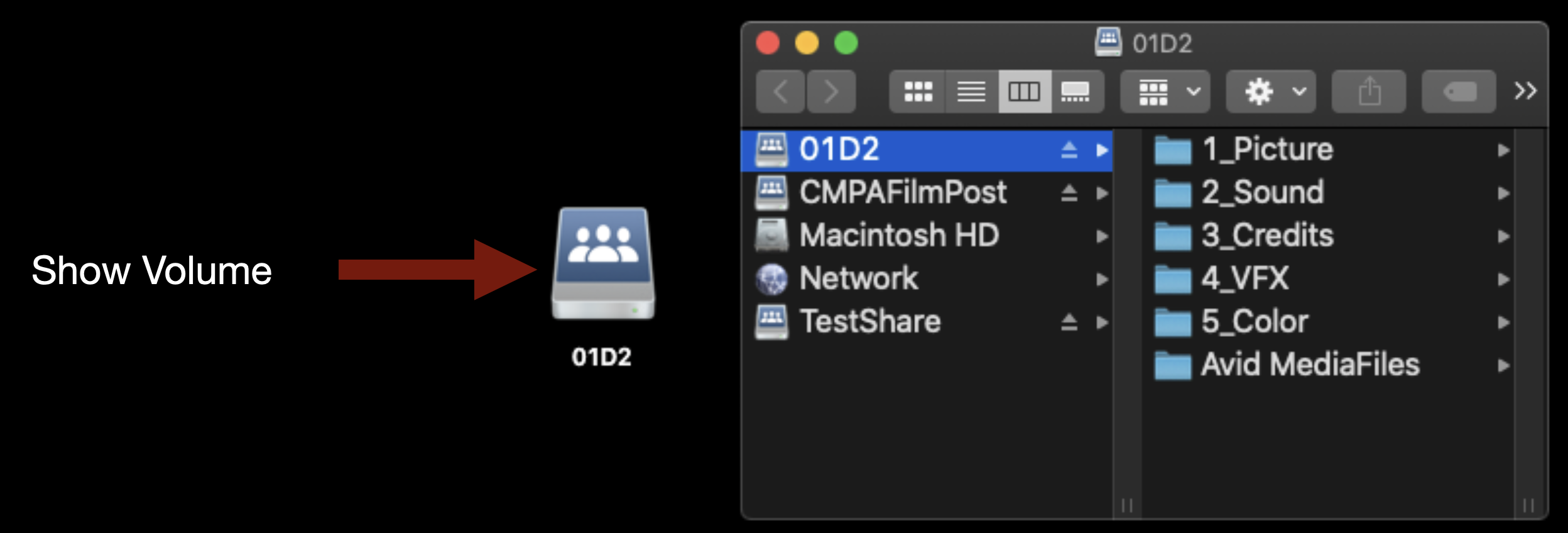
It will mount on the desktop and will look like the example below.

Show Volume icon on desktop

This is the folder structure inside.

Show Volume directory structure in Finder

Mounting TestShare

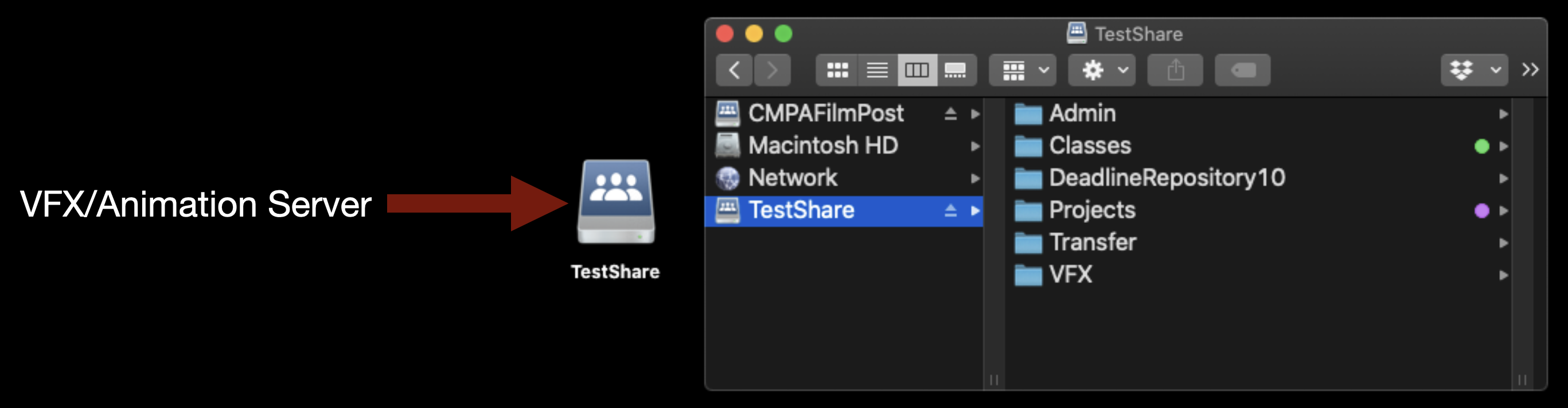
TestShare or “the Z Drive” is the server used for VFX and Animation work. If you need to mount it type “Command” +”K”.

Command-K on keyboard

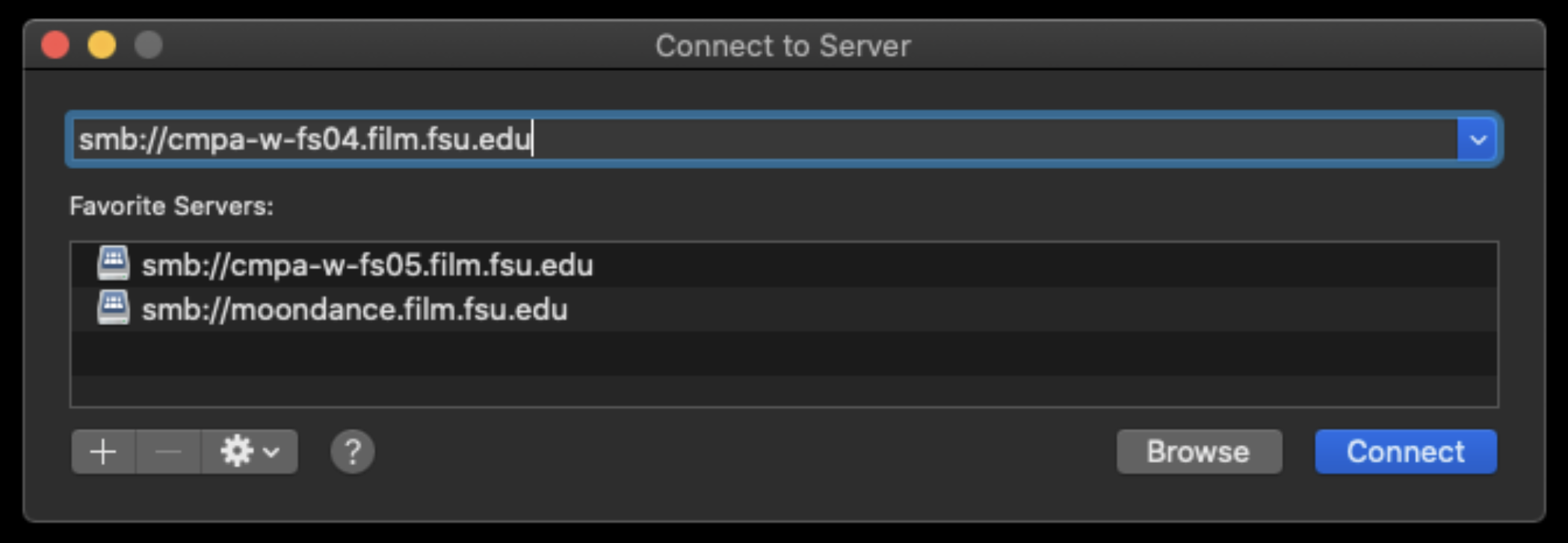
This will bring up the “Connect to Server” prompt. Type in the address:
smb://cmpa-w-fs04.film.fsu.edu

Connect to Server

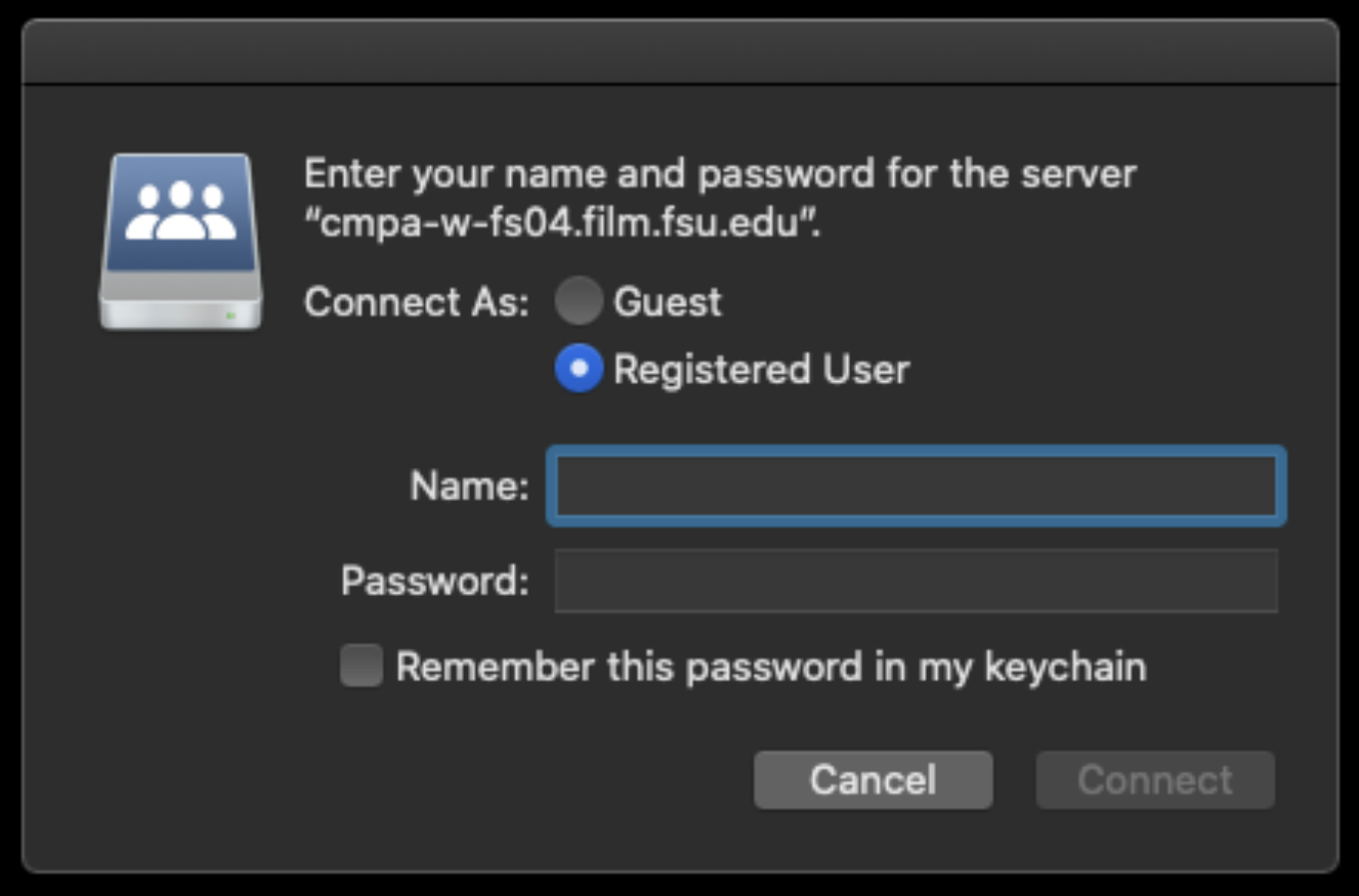
You will need to enter your FSU ID and Password.

Enter user name and password

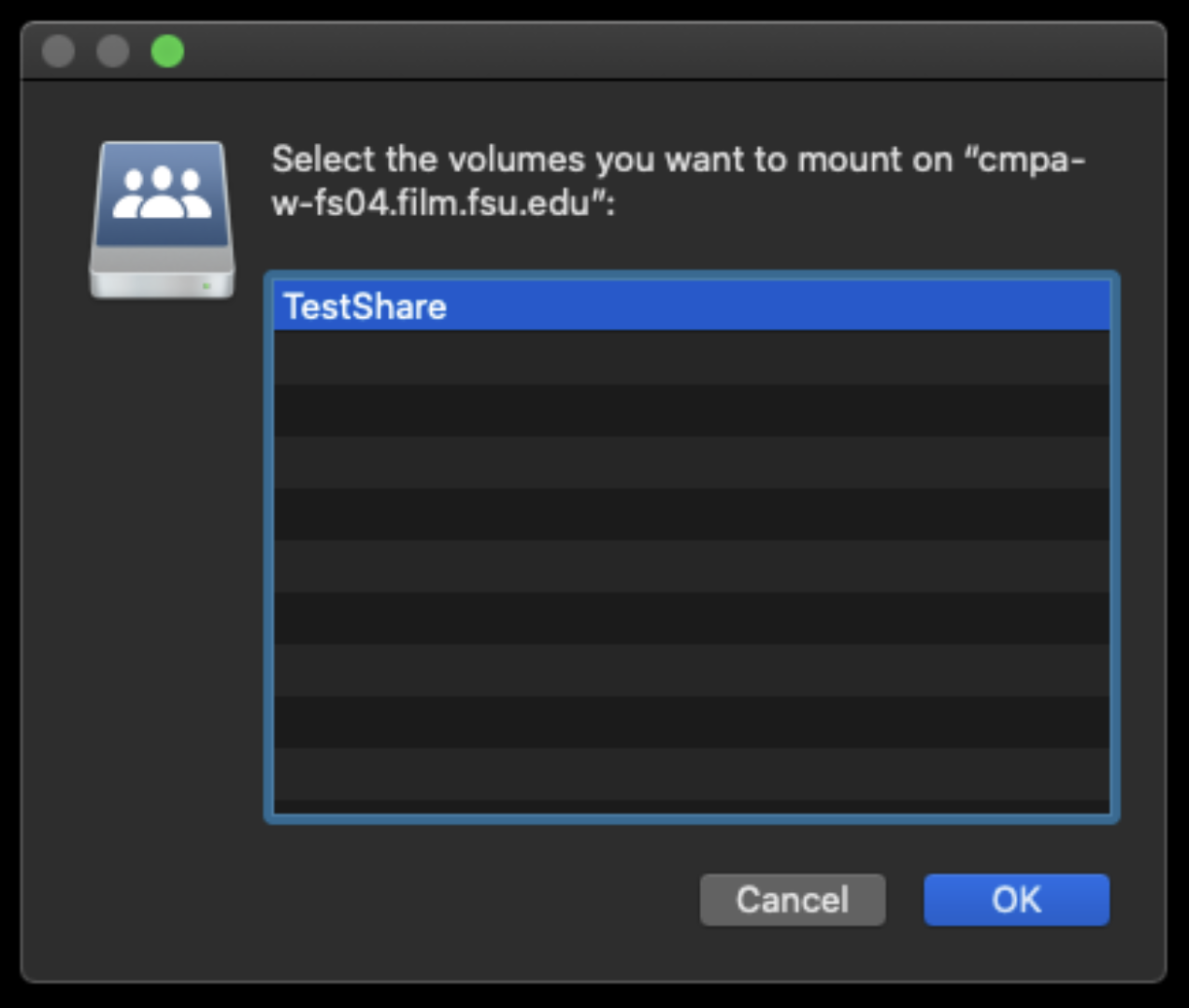
After that it will let you choose “TestShare”. Click OK to mount it.

Select volume to mount

It will mount on the desktop and will look like the example below.

Volume mounted on desktop

This is the folder structure inside.

Volume folder structure in Finder

Special Equipment Request Form

Overview

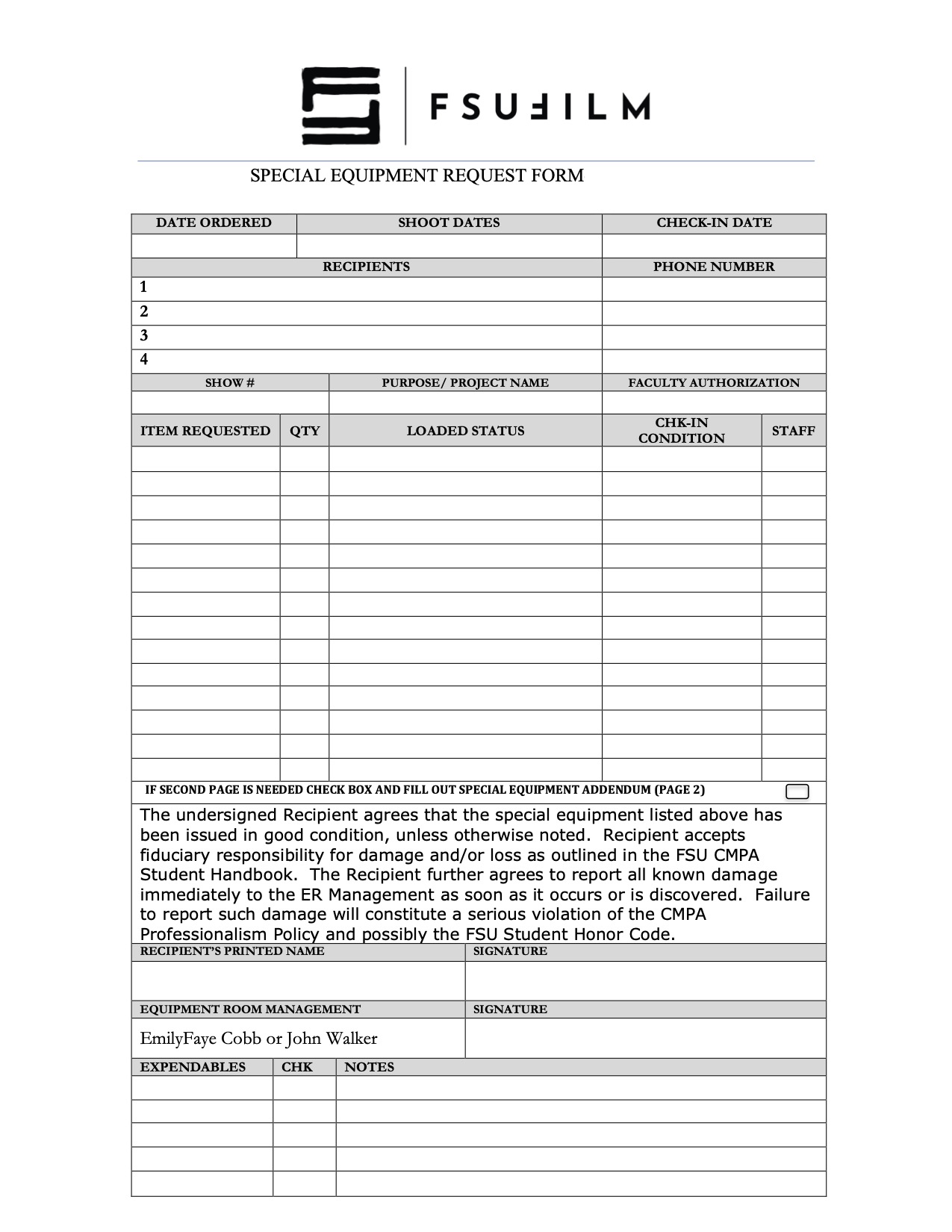
The Special Equipment Request process exists to help productions gain access to tools, gear, or resources that fall outside the standard equipment packages provided by the school. This may include specialty camera support, lighting, lenses, production design materials, VFX-related tools, or other project-specific needs that require advance review and approval.

Because equipment availability, staffing, budgets, and safety considerations are limited, requests must be carefully evaluated to ensure that resources are allocated fairly and responsibly across all productions. The request process also encourages students to think critically about whether specialized equipment meaningfully supports the creative goals of the project, rather than being used unnecessarily. Learning how to justify and plan for technical needs is an important part of professional pre-production and production management.

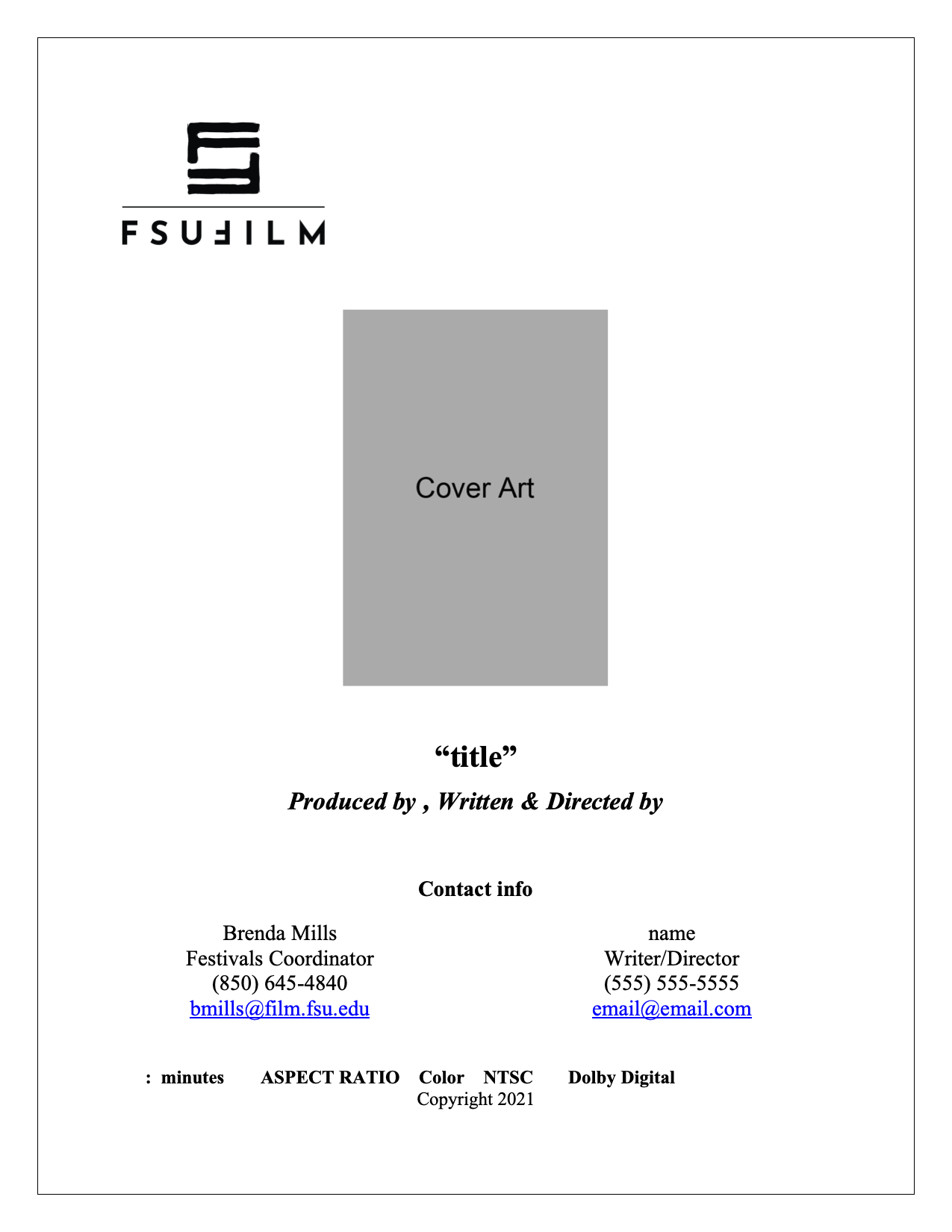
Press Kit Template

Overview

A press kit serves as a production’s professional public-facing package, providing press outlets, distributors, collaborators, festivals, and audiences with essential information about the film. This template is designed to help students organize and present materials in a clear, polished, and industry-standard format, including items such as synopses, credits, bios, stills, contact information, and director statements.

Beyond simple promotion, the press kit helps define how a project is positioned and understood externally. A thoughtful, cohesive press kit can significantly strengthen a film’s festival presence and professional presentation. Learning how to prepare these materials is an important part of understanding the broader lifecycle of a film beyond production itself, including marketing, exhibition, and audience engagement.

Thumbnail Templates

Overview

Thumbnail images are often the first point of contact audiences have with a film online, making them an important part of a project’s overall presentation and discoverability. This post provides standardized thumbnail templates to help maintain visual consistency across school-related promotional materials and online showcases.

The use of templates ensures that projects meet technical specifications while encouraging students to think strategically about visual communication and audience engagement. Effective thumbnails should clearly represent the tone and identity of the project while remaining legible and visually compelling across a range of screen sizes and platforms. Developing an understanding of these presentation standards is increasingly important in contemporary distribution environments.

Production Paperwork

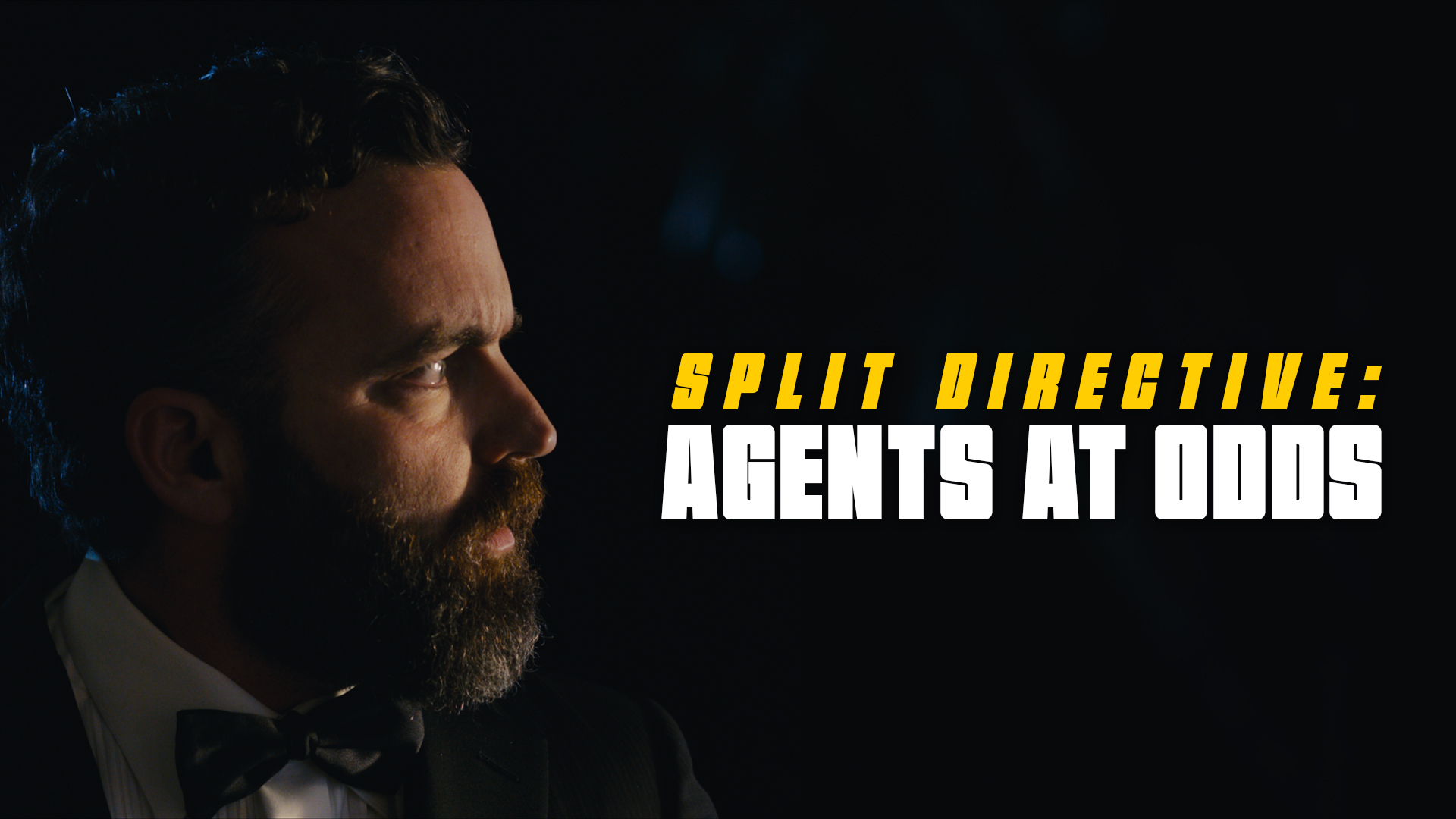
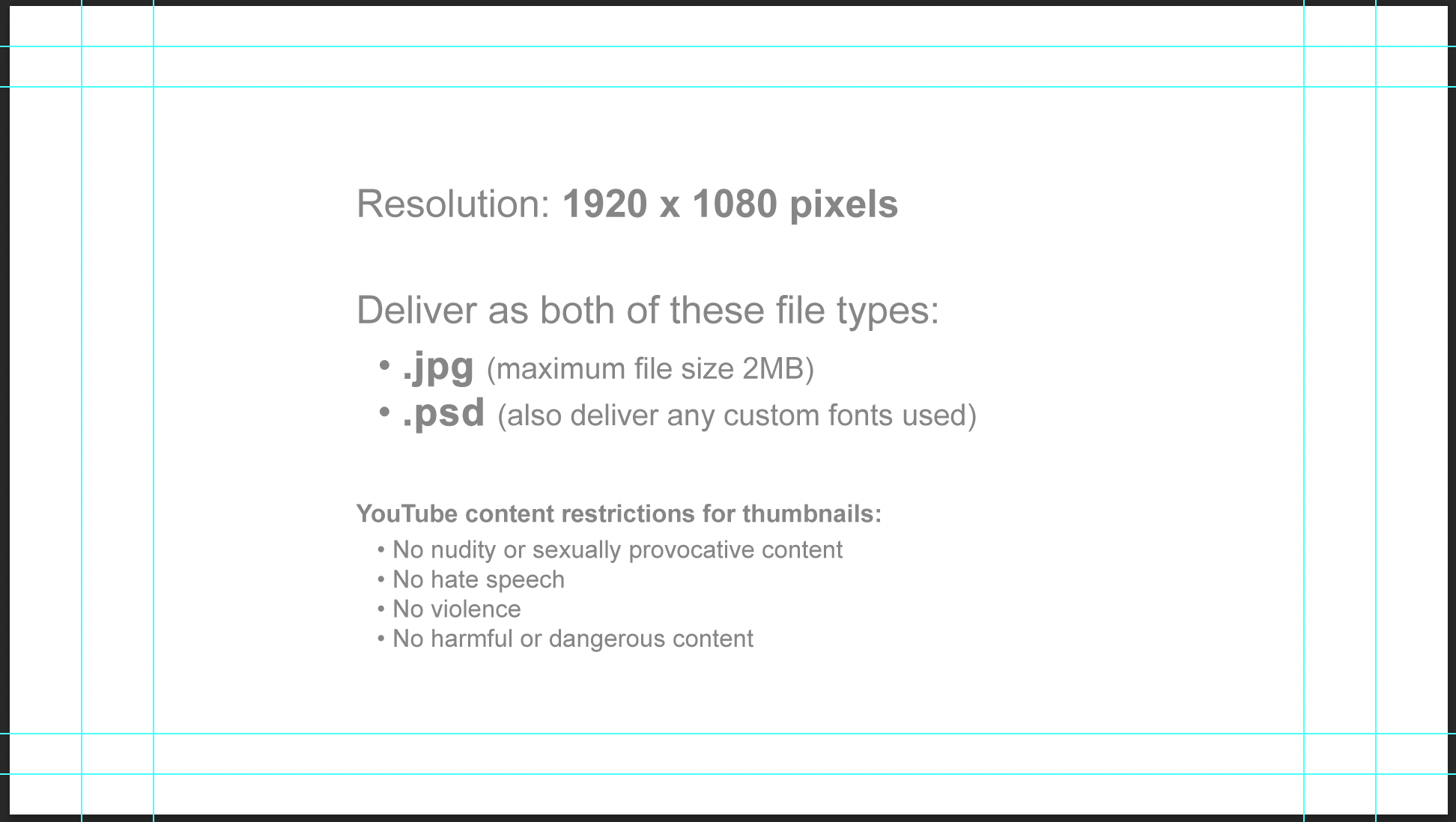
Horizontal thumbnail template:

Horizontal thumbnail specs

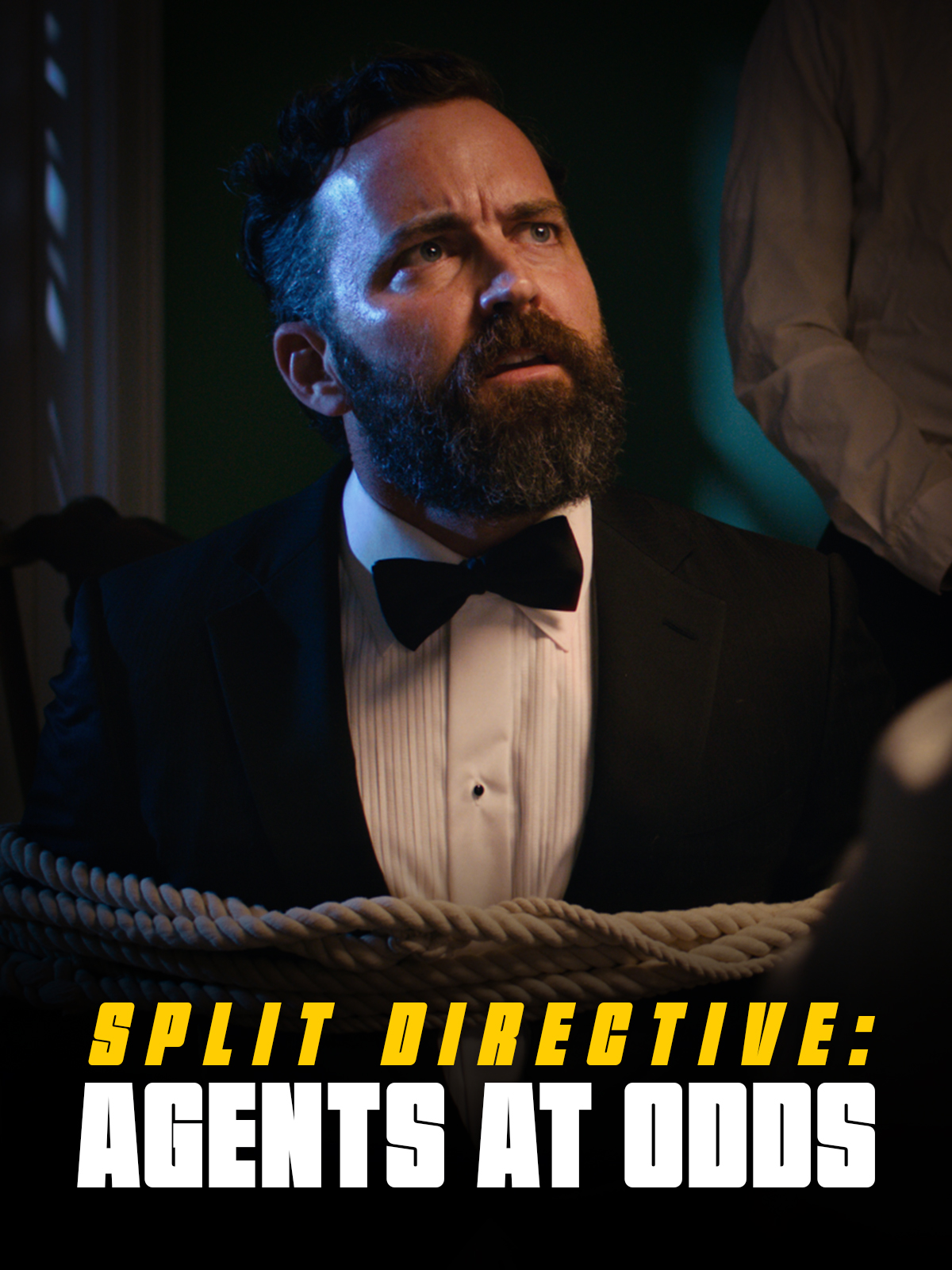
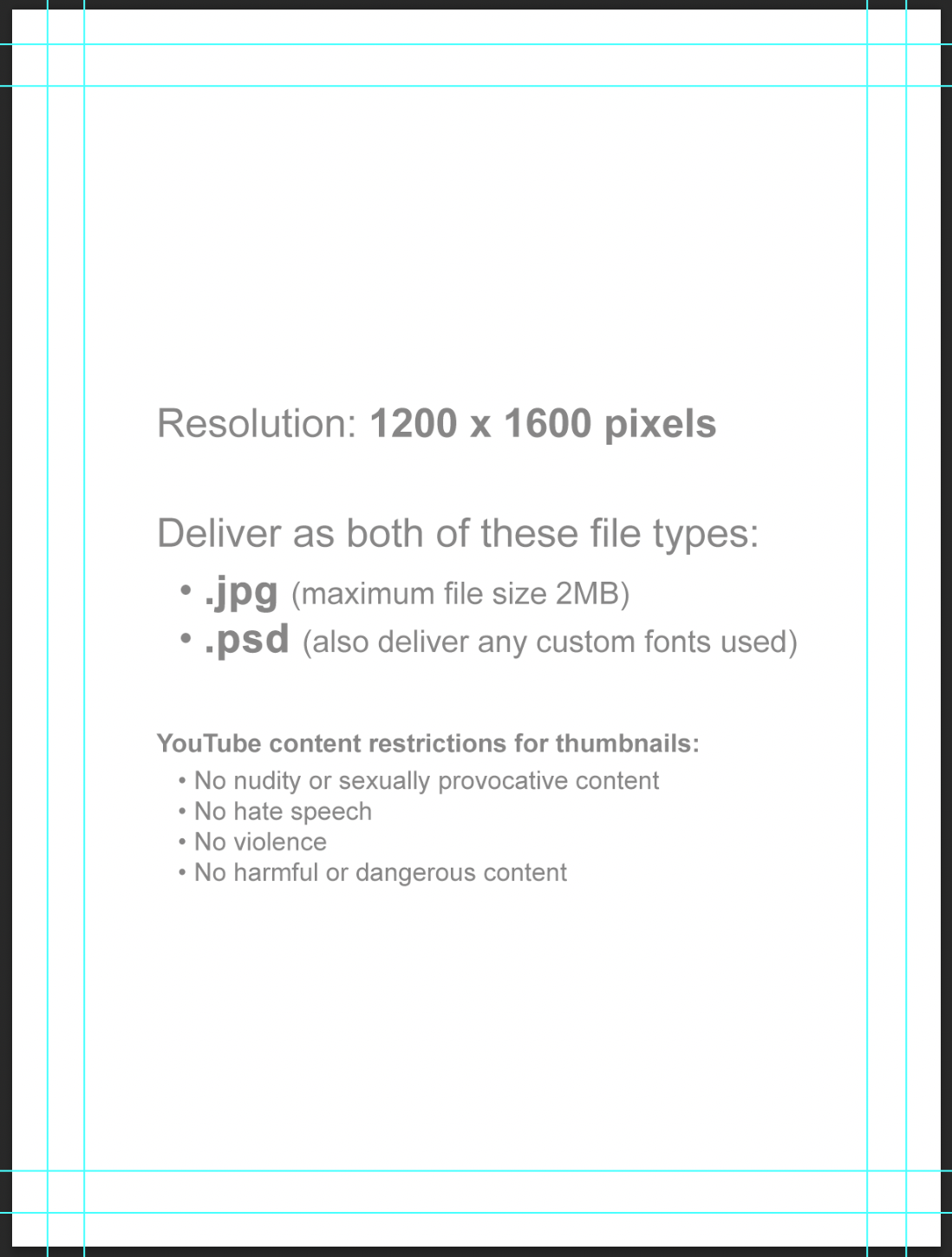
Vertical thumbnail template:

Vertical thumbnail specs

Instructions

Thumbnail images will be used in displays online (Vimeo, YouTube, etc). Since some websites use horizontal thumbnails (1920×1080) and some use vertical thumbnails (1200×1600), you will deliver one of each.

Each thumbnail should contain two elements:

  1. A carefully selected image that fills the entire frame (i.e., no letterboxing or black bars). This image is typically derived from either the poster or one of the production stills.
  2. The title of the film. Ideally, for consistency of branding, this should match the font design of the title on the poster. No other text should appear in the thumbnail.

Examples:

Example of a horizontal thumbnail
Horizontal (1920x1080px)
Example of a vertical thumbnail
Vertical (1200x1600px)

Do:

  • Save a flattened JPG file (maximum file size 2MB) and a layered PSD file (also deliver any custom fonts used).
  • Keep all of your layers inside the appropriate folders, so that everything remains well-organized when you deliver the final Photoshop file. Make sure all of your layers have appropriate names, so that someone else could make sense of what each layer is.

Do Not:

  • Do not adjust the dimensions or resolution of the file. It’s set up to meet the specs needed for online viewing.
  • Note these online content restrictions for the thumbnails:
    • No nudity or sexually provocative content
    • No hate speech
    • No violence
    • No harmful or dangerous content

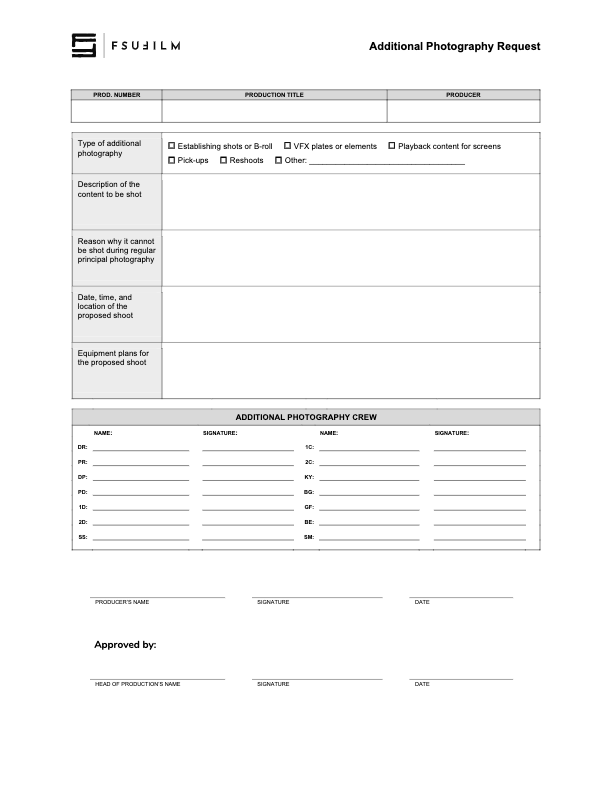
Additional Photography Request

Overview

Requests for additional photography involve seeking approval for filming that takes place outside the scheduled production period. This may include inserts, establishing shots, VFX plates and elements, or any other supplemental photography needed to complete the project successfully.

Because additional photography affects scheduling, equipment access, staffing, facilities, and administrative coordination, these requests must be reviewed carefully before approval is granted. The process helps productions evaluate whether additional filming is necessary, realistically achievable, and supported by an appropriate production plan while reinforcing the importance of preparation and efficient production management during principal photography.

Instructions

This form should be used by Producers to make a request to the Head of Production for additional photography outside of the regularly scheduled shooting days on the crew grid. Since additional photography involves time and resources, requests will not be approved automatically. Approvals will only be granted if the time and resources are available and if students make a compelling case for why the footage cannot be shot during regular principal photography.

Indicate on the form the type of additional photography that is being requested:

  • ESTABLISHING SHOTS OR B-ROLL
    Check this box if the request is for 2nd Unit shots that cannot easily be scheduled during regular principal photography. Typically these would be for shots that need to be shot at a discrete location without the involvement of principal actors, such as establishing shots at an inconveniently place location or B-roll of events that are occurring outside the regular production window.
  • VFX PLATES OR ELEMENTS
    Check this box if the request is for background plates or other photographic elements that are needed to complete visual effects shots.
  • PLAYBACK CONTENT FOR SCREENS
    Check this box if the request is for video content that would need to be shot in advance of regular principal photography in order to be played back during production.
  • PICK-UPS
    Check this box if the request is for pick-up photography. Only FC and MC shows may request pick-ups.
  • RESHOOTS
    Check this box if the request is for the reshooting of a scene where circumstances beyond the students’ control resulted in footage becoming unusable. Typically, trying to solve the problem through editorial fixes will need to be explored before a reshoot is approved.
  • OTHER
    Check this box if the request is for something different than the above examples, and provide a brief description of the type of additional photography that’s being requested.

Requests for additional photography must also include the following information:

  • the exact nature of the subject content to be shot;
  • the reason why it cannot be shot with the first unit crew during principal photography;
  • the date, times, and location of the proposed shoot;
  • a summary of the equipment plan for the shoot, including any requests for school equipment;
  • the crew required for the proposed shoot, including names and signatures (you’ll need to determine how many crew members you need and you’ll need to recruit them).
  • any additional supporting documentation can also be attached as needed.

Submit the completed request form to the Head of Production. Leave adequate time for the Head of Production to review the request and be prepared to make adjustments if any concerns need to be addressed. The Head of Production’s decision on whether to approve or deny the request is final.