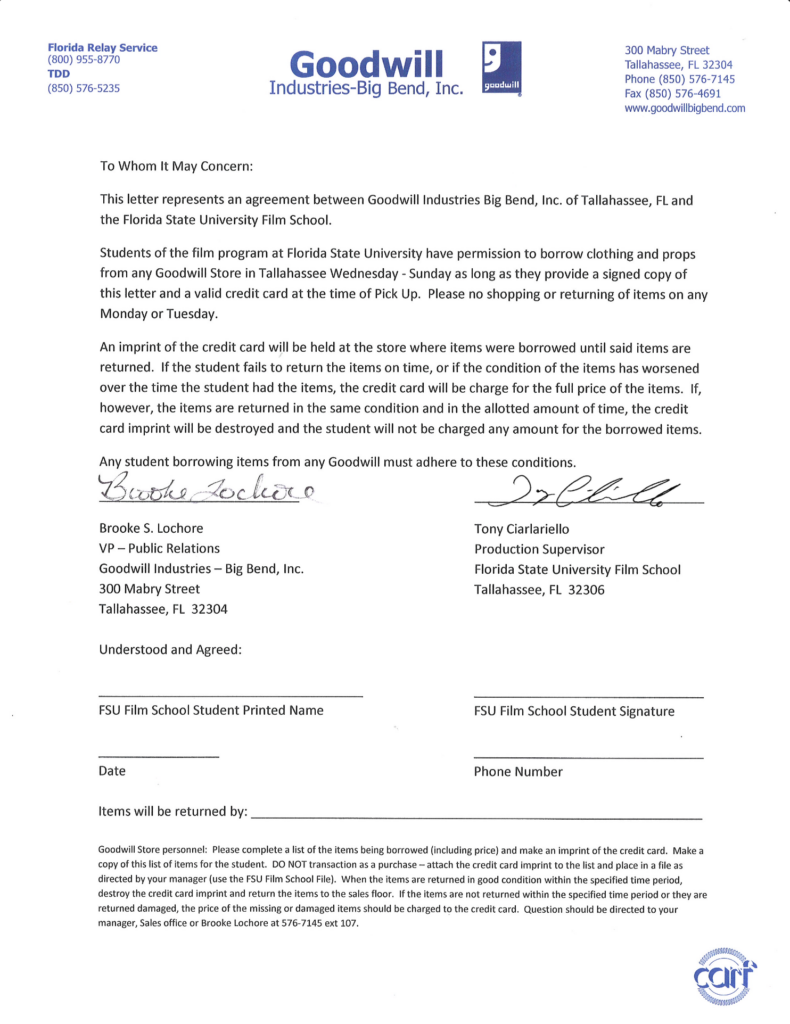
This page provides a letter that students may present to participating Goodwill stores when requesting the temporary loan of items for use in a production. The letter is intended to help communicate the nature of the arrangement and verify the production’s affiliation with the program, but individual store locations retain full discretion over whether they choose to participate or loan items to a production.
This letter may be used as an agreement between a student and Goodwill for the borrowing of clothing or props from a Goodwill store.
Students must present a signed copy of the letter and a valid credit card at the time of pick-up. Goodwill keeps the credit card on file until all borrowed items have been returned. The credit card is only charged if items are returned in a worsened condition or if items are not brought back by the agreed upon return date. In such circumstances, students are liable for the full cost of the item.
Please note that individual Goodwill stores are not obligated to loan out items, and may choose at their discretion whether to enter into an agreement with a student.
FC projects are expected to follow a defined set of production specifications and content parameters. These guidelines are designed to establish manageable limits for production scope, including factors such as page count, shoot days, cast size, locations, visual effects, stunts, intimacy, animals, weapons, and other complex production elements.
These specifications help ensure that projects can be completed successfully within the available schedule, crew size, resources, and experience level associated with the course. The goal is not to limit creativity, but to help students learn how filmmakers shape strong stories within the practical constraints of time, safety, logistics, staffing, and available resources.
Content specs
Page count
4 pages (minimum) 7 pages (maximum)
Story runtime
4:00 (minimum) 9:00 (maximum)
Credits runtime
1:00 for credits + 0:10 for leader
Total runtime
5:10 (minimum) 10:10 (maximum)
Quantity of scenes
No limit
Quantity of locations
The script can include a variety of locations as sluglines, but you should plan to be able to shoot them all at no more than three actual locations
Quantity of characters
No limit
Children
Yes
Animals
Yes
Weapons
Yes
Stunts
Yes
Intimacy
Yes
Visual Effects
Must be approved by the Head of Visual Effects before production
Production specs
Shooting days
3 days by default. Students may petition for a 2-day or 4-day shoot.
Length of workday
12 hours
Earliest call time
6:00AM
Latest wrap time
12:00AM
Night shoots
No
Locations per day
1 location by default. More than one location in a given day requires approval from Head of Production.
RED Digital Cinema Camera settings establish the standardized configurations used during production, including recording formats, resolution, frame rates, compression settings, color management, monitoring configurations, and other technical parameters necessary for consistent image capture workflows.
Maintaining consistent camera settings is critical because technical inconsistencies during production can create major complications later in editorial, color correction, visual effects, and final delivery. Standardized settings help ensure smoother post-production workflows while teaching students the importance of technical discipline, communication, and consistency within professional digital cinema production environments.
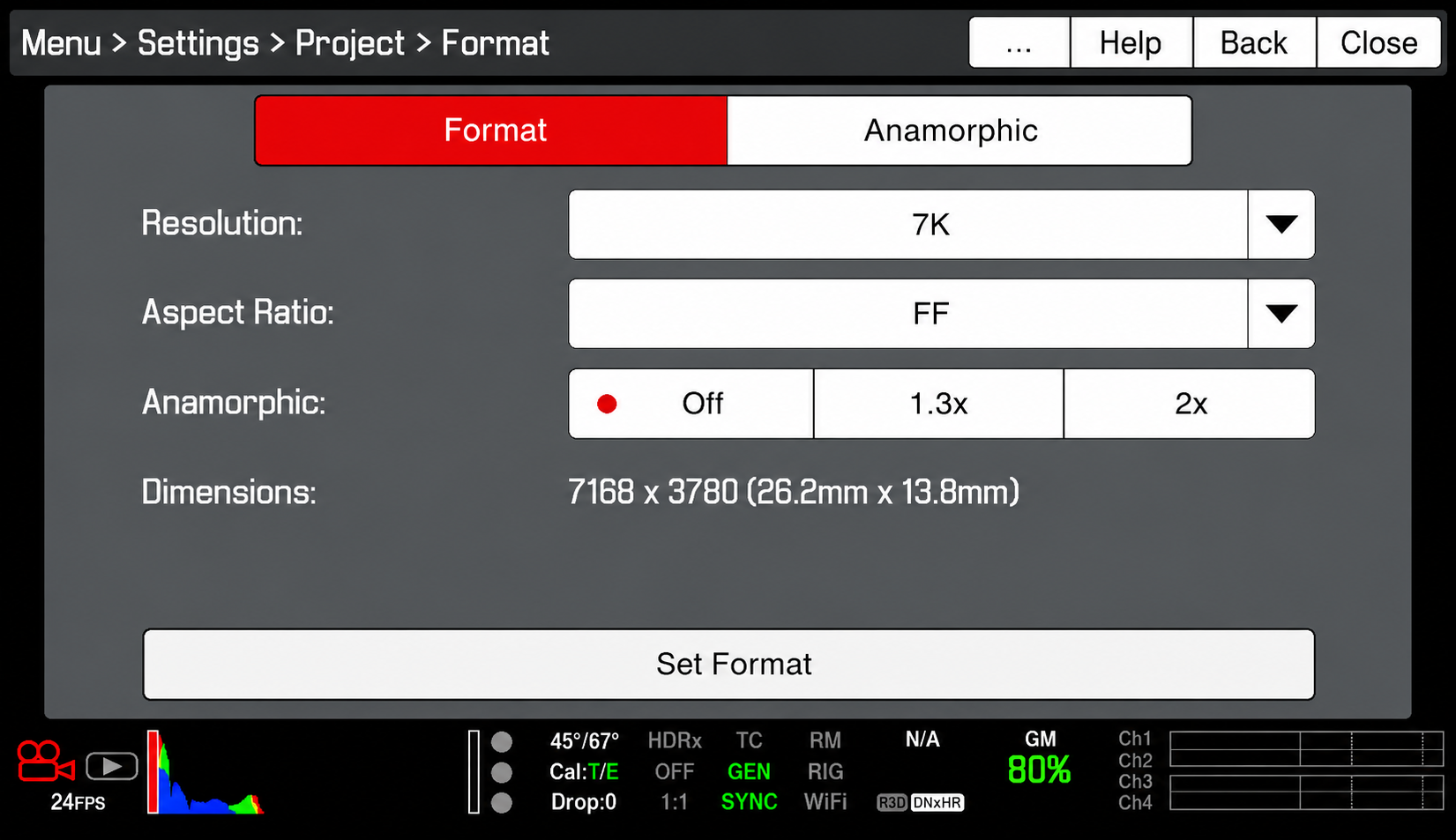
Format
Resolution: 7K
This refers to the amount of the sensor that will be used, not necessarily the resolution of the file being recorded. The 7K resolution ensures that our lenses will project properly onto the sensor.
Aspect Ratio: FF
The aspect ratio needs to be set to FF (Full Frame). This refers to the aspect ratio of the above resolution, and FF ensures that the recorded file will be 2K (2048×1080).
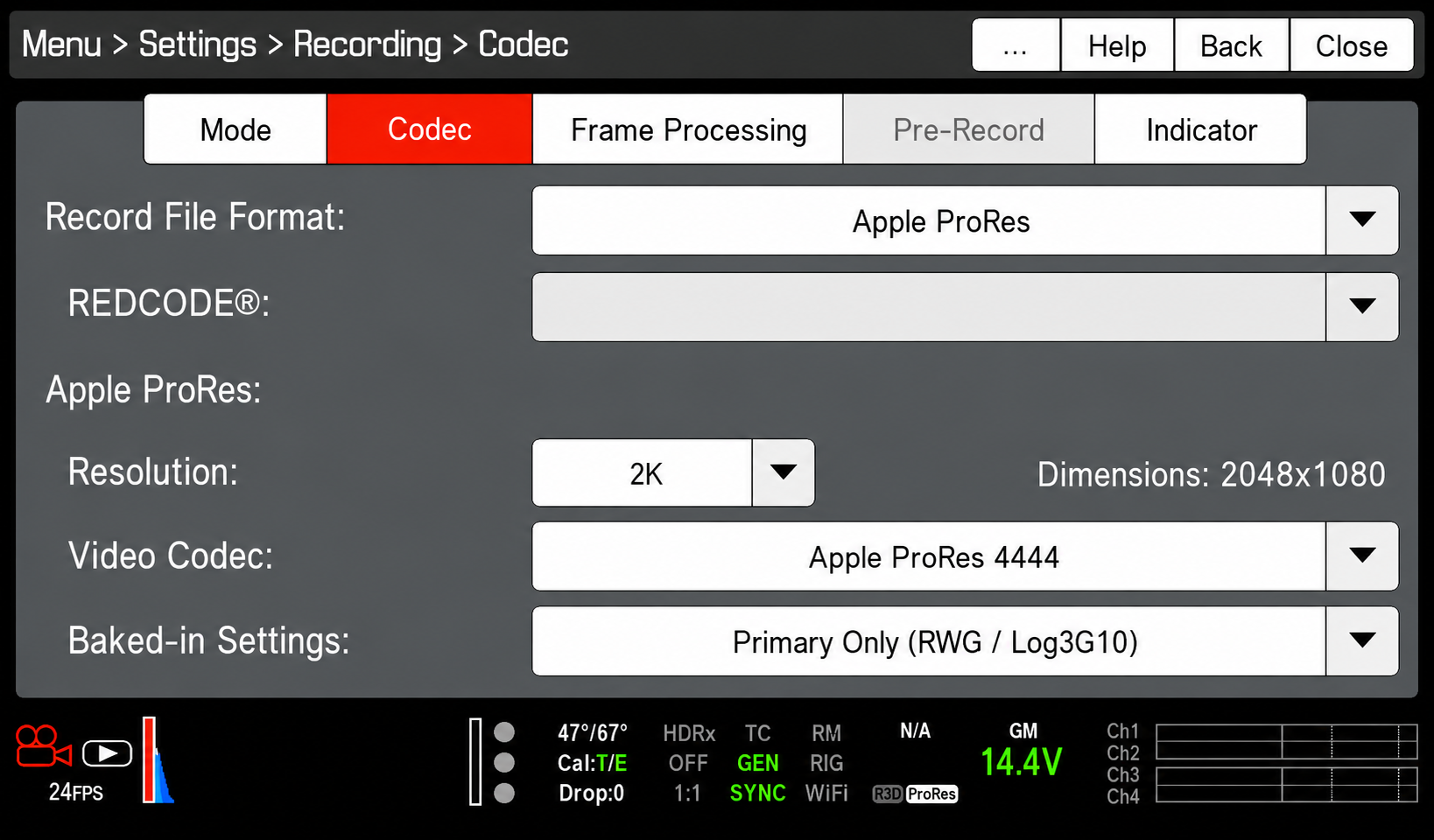
Codec
Record File Format: Avid DNxHD/HR
Resolution: 2K
This refers to the resolution of the recorded file. When you select 2K, confirm that the dimensions are listed as 2048×1080. If the dimensions are listed as something different, check to make sure that the aspect ratio (see above) is set to FF.
Video Codec: AppleProRes 444
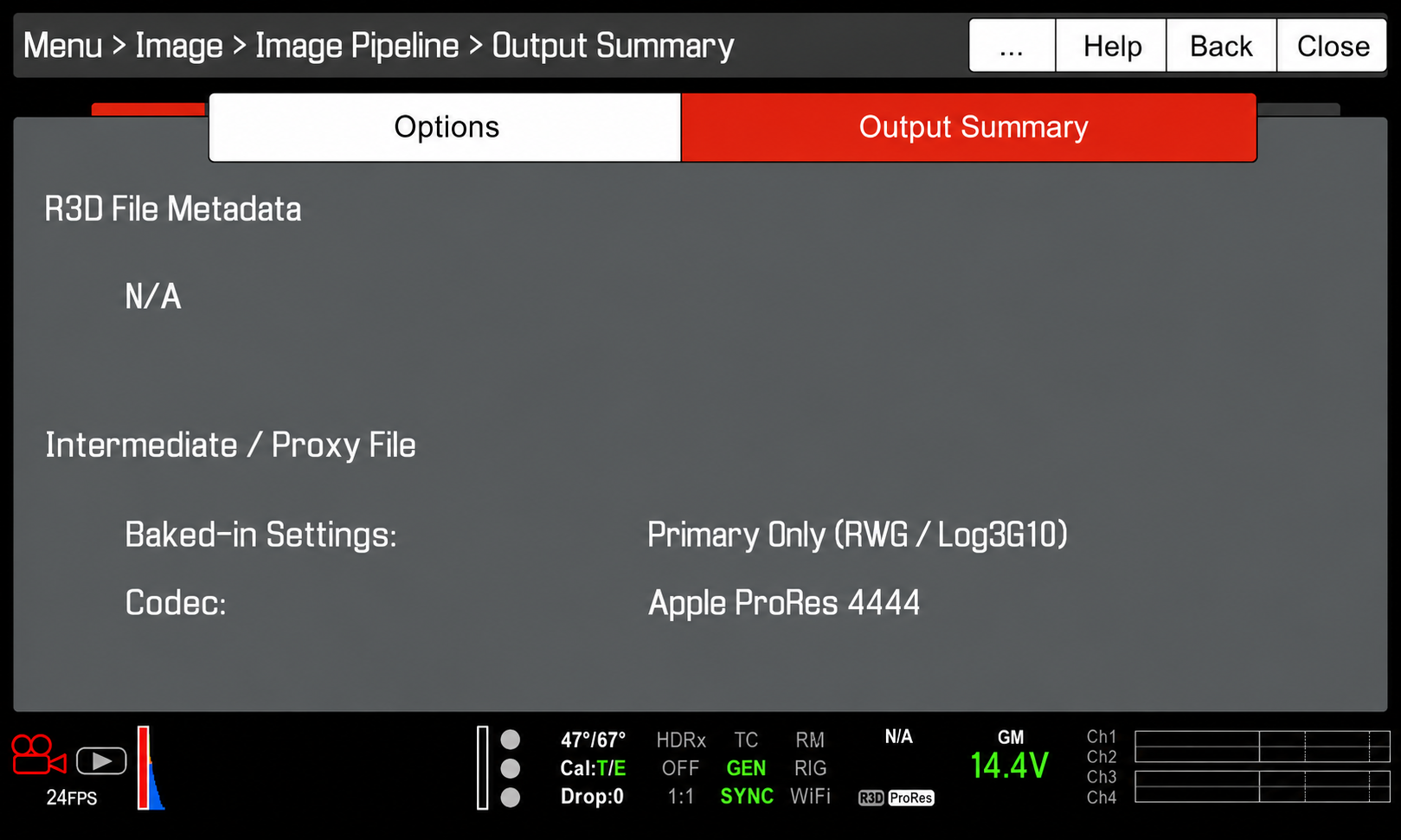
Baked-In Settings: RWG/Log3G10
This ensures that the video file will be recorded in Log which allows a bit more leeway in color correction.
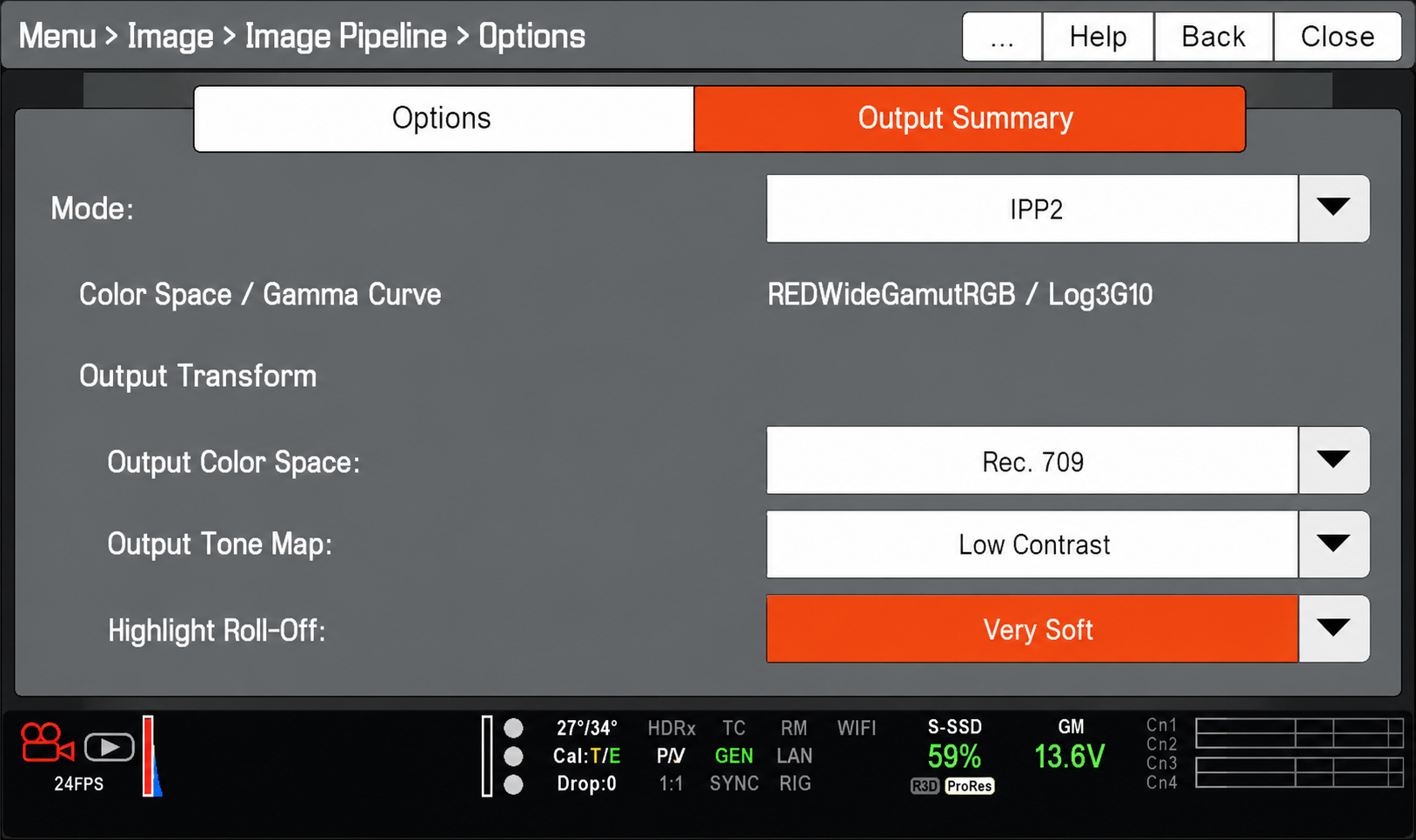
Image Pipeline
Mode:IPP2
This is RED’s latest, recommended color pipeline.
Output Color Space:Rec. 709 Output Tone Map: Low Contrast Highlight Roll-Off: Very Soft
These Output Transforms convert the RED WideGamutRGB/Log3G10 image into a Rec .709 image for onset viewing and will appear correct to your eyes.
Output Summary
The output summary should appear as above. This is to confirm that the camera will not be recording a R3D file, but an Apple ProRes444 file in RWG/Log3G10.
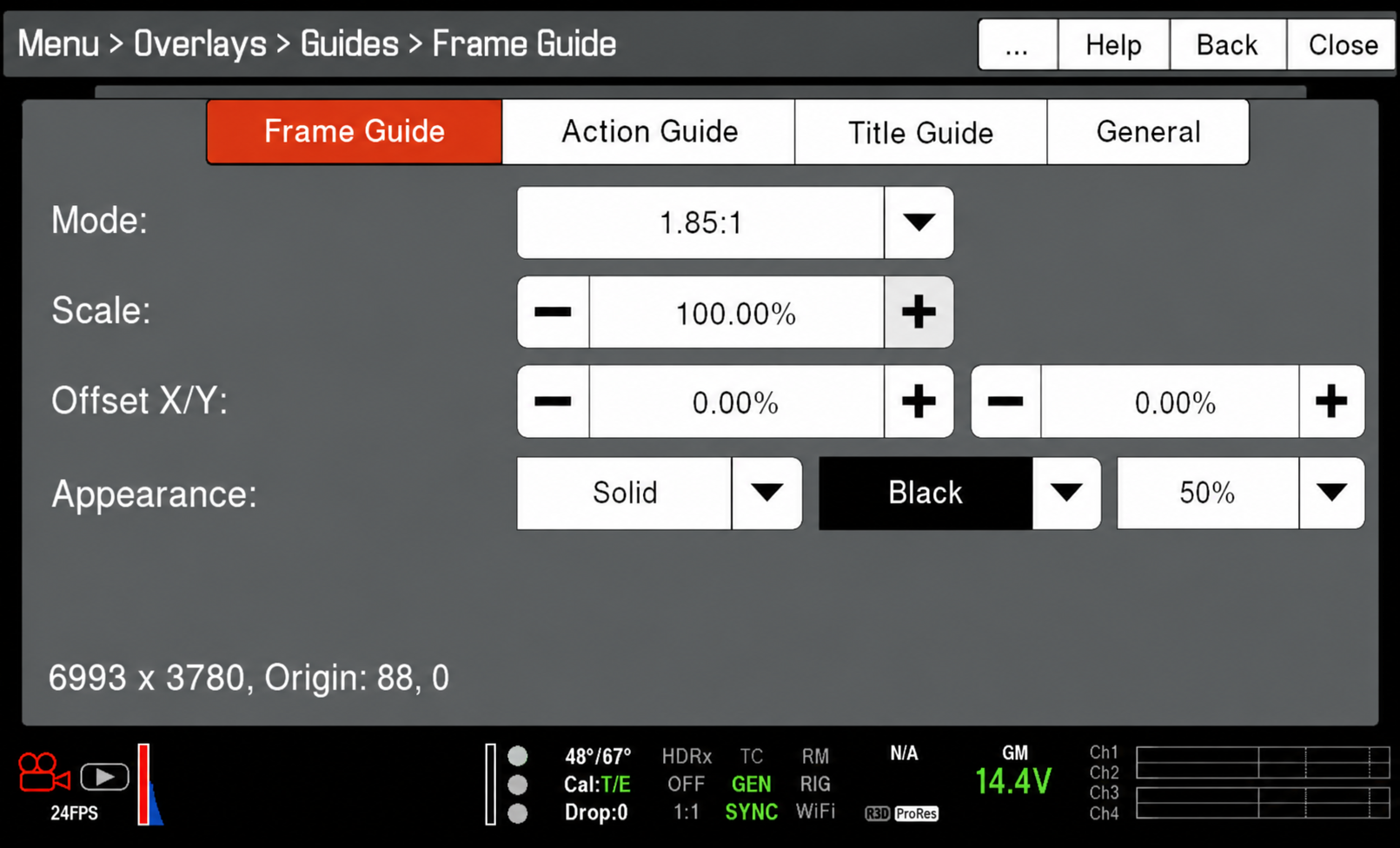
Frame Guide
Mode: 1.85:1
The frame guide mode should be set to 1.85:1 unless you are framing for one of the other approved aspect ratios (2.39:1 Scope or 1.375:1 Academy). The frame guides ensure that — while you are recording into a 2K 2048×1080 container, which has an aspect ratio of 1.90:1 — you are actually framing for one of the approved aspect ratios.
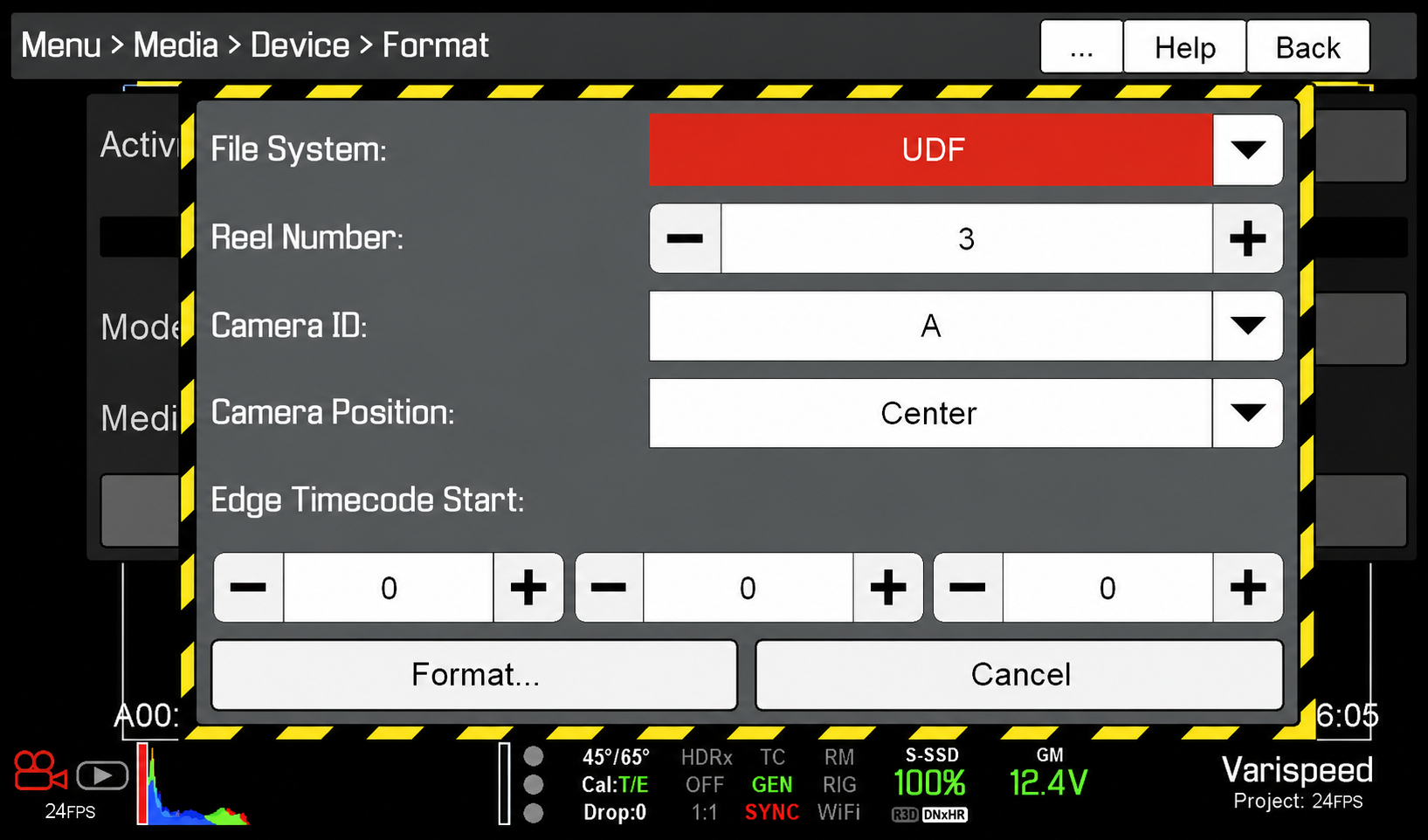
Media Card Format
File System: UDF
The Camera Assistant should check that the RED MAG media card is set to UDF before formatting the card.
Reel Number
The Reel Number should be reset to “1” at the beginning of each show and then versioned up with every RED MAG change.
The Steel Tongs font is provided as an approved typography resource for building the billing block at the bottom of a film poster. Steel Tongs uses custom keystrokes for commonly used crew positions on the film production, which are describe below.
Maintaining consistent typography across official materials helps create a stronger and more unified visual identity for productions and program branding. Standardized font usage also helps students better understand the role that graphic design, typography, and visual consistency play within professional film marketing and presentation workflows.
Steel Tongs is the font to be used for the credit block on FSUFILM marketing materials. You’ll need to download the zip file (above) and install the font on your computer before starting work, otherwise the credit block will not display correctly.
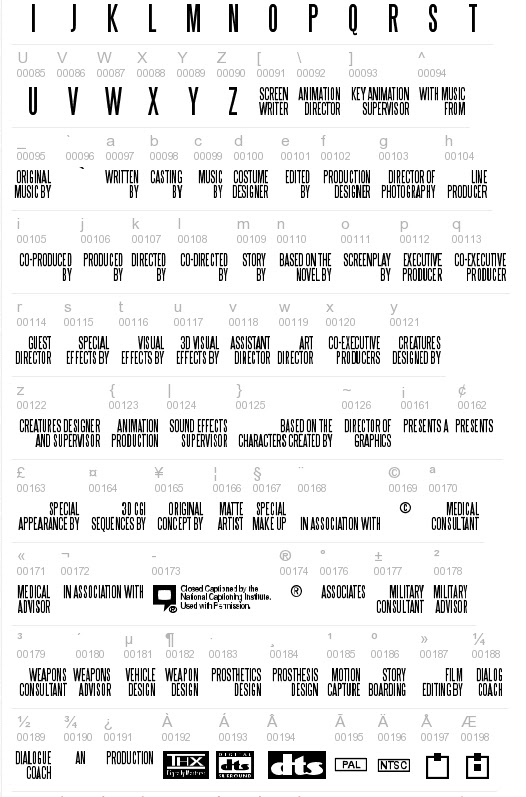
Steel Tongs works by displaying certain keystrokes as credit titles or logos.
Lowercase letters, many punctuation symbols, and ALT key codes are translated into different graphical elements of a credit block. See below for a complete list of these.
All uppercase letters, numerals, and basic punctuation symbols (periods, commas, quotes, dashes, ampersands) will display as normal. This can be helpful if a needed credit for a poster is not one of the presets, as you can type it out manually.
Lowercase
a
WRITTEN BY
b
CASTING BY
c
MUSIC BY
d
COSTUME DESIGNER
e
EDITED BY
f
PRODUCTION DESIGNER
g
DIRECTOR OF PHOTOGRAPHY
h
LINE PRODUCER
i
CO-PRODUCED BY
j
PRODUCED BY
k
DIRECTED BY
l
CO-DIRECTED BY
m
STORY BY
n
BASED ON THE NOVEL BY
o
SCREENPLAY BY
p
EXECUTIVE PRODUCER
q
CO-EXECUTIVE PRODUCER
r
GUEST DIRECTOR
s
SPECIAL EFFECTS BY
t
VISUAL EFFECTS BY
u
3D VISUAL EFFECTS
v
ASSISTANT DIRECTOR
w
ART DIRECTOR
x
CO-EXECUTIVE PRODUCER(S)
y
CREATURES DESIGNED BY
z
CREATURES DESIGNER AND SUPERVISOR
Symbols
{
ANIMATION PRODUCTION
|
SOUND EFFECTS SUPERVISOR
}
BASED ON THE CHARACTERS CREATED BY
~
DIRECTOR OF GRAPHICS
\
ANIMATION DIRECTOR
^
WITH MUSIC FROM
_
ORIGINAL MUSIC BY
£
SPECIAL APPEARANCE BY
#
MAKE UP ARTIST
$
STUNT/FIGHT COORDINATOR
%
A*
*
A FILM BY*
+
IN ASSOCIATION WITH
[
SCREENWRITER
]
KEY ANIMATION SUPERVISOR
<
TECHNICAL ADVISOR
>
TECHNICAL SUPERVISOR
?
ASSISTANT TO CHIEF ANIMATOR
@
CINEMATOGRAPHY BY
!
CUSTOM LAYOUT BY
(
WRITTEN AND DIRECTED BY
)
ASSOCIATE PRODUCER
:
PRESENTS*
;
PRESENTS A*
/
AND*
=
PRESENTS AN*
ALT key codes
The following characters need to be accessed by holding down the ALT key while typing the character code number — e.g., hold the ALTkey and type 0131, then let the ALT key go and “MECHANICAL DESIGN” will appear.
This template provides a standardized framework for creating posters for live-action projects, helping ensure that all films are presented in a professional and visually cohesive manner across festivals, showcases, screenings, and promotional platforms. While students are encouraged to develop artwork that reflects the unique identity of their film, the template establishes baseline expectations for formatting, credits, resolution, and required information.
The goal is not to limit creativity, but to prepare students for the practical realities of professional film marketing and distribution. Poster design is often a key part of a project’s public identity, shaping first impressions for audiences, festival programmers, and industry professionals. Learning to balance artistic expression with technical specifications and marketing clarity is an important component of presenting work professionally.
This is the official poster template to be used in the creation of marketing materials for FSUFILM productions. Use it as your foundation for making something beautiful and compelling!
Do:
Make sure to install the Steel Tongs font on your computer before starting work on the poster. This is the font for the credit block.
Keep all of your layers inside the appropriate folders, so that everything remains well-organized when you deliver the final Photoshop file. Make sure all of your layers have appropriate names, so that someone else could make sense of what each layer is.
Take your artwork all the way to the edge of the frame, but keep any essential elements at least a quarter-inch from the edge, in case they are trimmed during printing.
Adjust the color of the credits, logos, and copyright to best fit the aesthetic of your poster concept. Be particularly mindful of the legibility of the credit block, as it can quickly become hard to read if the background is busy or if there’s not enough tonal separation between the credits and the background.
Don’t:
Do not adjust the dimensions or resolution of the file. It’s set up to meet the specs needed for printing.
Do not reposition or resize the logos or copyright.
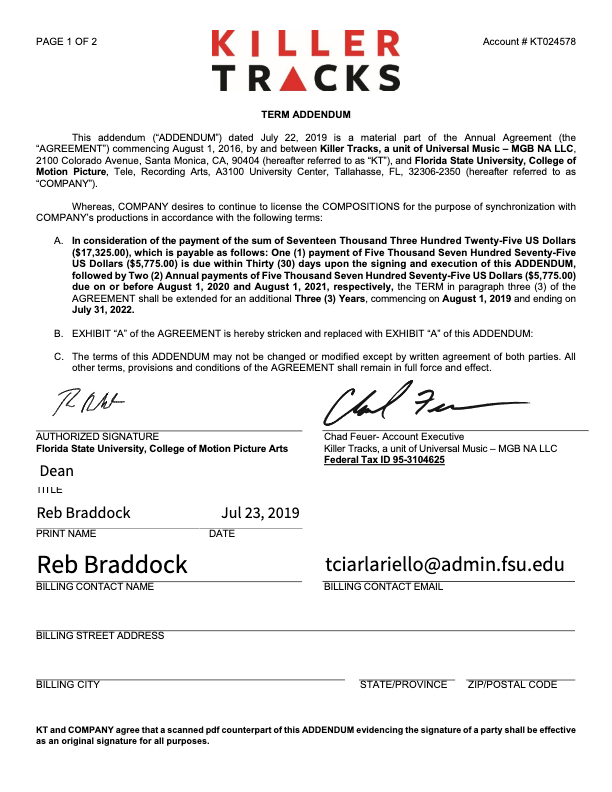
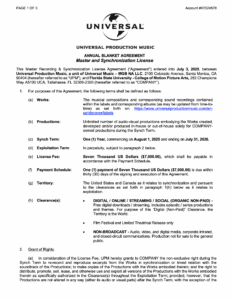
Universal Production Music provides licensed music resources that students may use within approved productions under the program’s educational licensing agreement. If a production features Universal Production Music on the soundtrack, the license below covers the work.
Music licensing is an important part of professional filmmaking because productions must ensure that all music used within a project is legally cleared for exhibition and distribution. Understanding how licensed production music libraries operate helps students develop stronger professional practices related to copyright, music supervision, rights management, and legal compliance within post-production and delivery workflows.
The College of Motion Picture Arts pays an annual fee to Universal Production Music for the licenses to the library music they provide on their site. No additional releases need to be signed for the use of this music, as long as you remain in accordance with this licensing agreement.
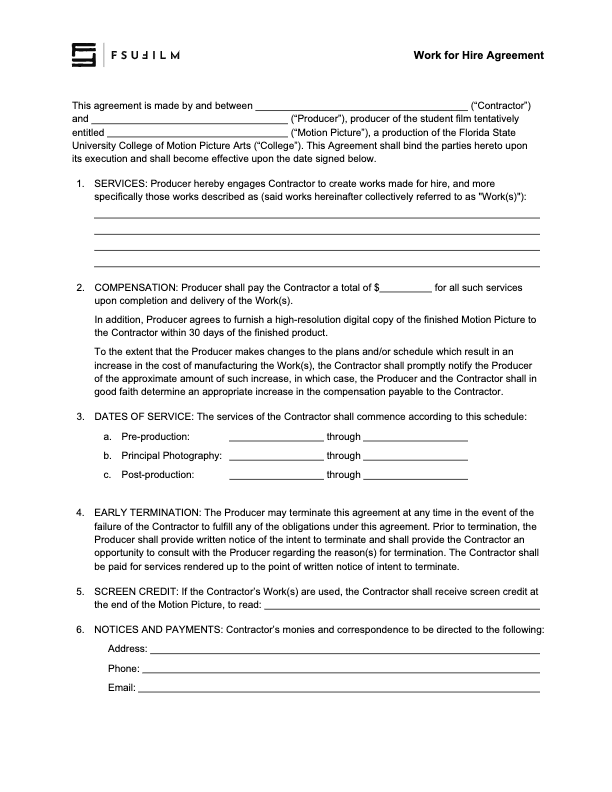
A work for hire agreement establishes that creative work, services, or materials produced by an individual for a production are being created on behalf of the project under agreed-upon terms regarding ownership and usage rights. This document is commonly used when productions involve commissioned creative contributions such as artwork, music, graphics, writing, photography, or other specialized work.
Clear ownership agreements are important because film productions often combine contributions from many collaborators across multiple creative disciplines. Proper documentation helps avoid confusion regarding intellectual property rights, future usage permissions, and distribution eligibility while reinforcing professional standards related to contracts and production legal workflows.
The Producer should use this contract agreement when hiring someone to create a work-made-for-hire for a production.
The Producer is responsible for working with the Contractor to determine the services, the compensation structure, the dates of service, and the screen credit in the finished film.
All other clauses in the agreement must remain unchanged, unless the Producer is authorized in advance by the Head of Production to make specific amendments to the contract.
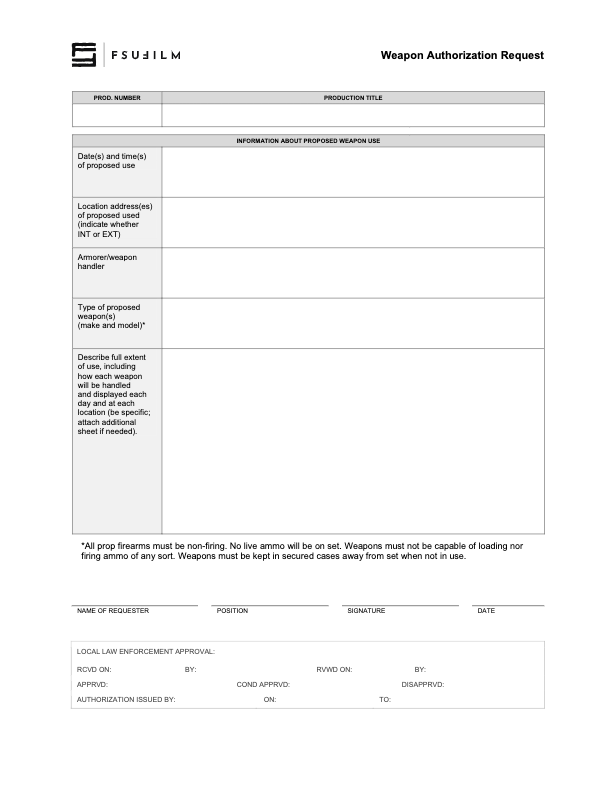
Productions involving prop firearms or other weapons must complete an authorization process before such items may be used during filming. This request process helps productions communicate the nature of the planned weapon use, identify safety considerations, and obtain the necessary approvals prior to production activity.
Weapons-related oversight is essential because even non-functioning or simulated weapons introduce significant safety, liability, and public communication concerns within production environments. The authorization process helps ensure that productions are approaching these elements responsibly, planning appropriate safety procedures, and coordinating properly with faculty, staff, and any relevant outside parties before filming takes place.
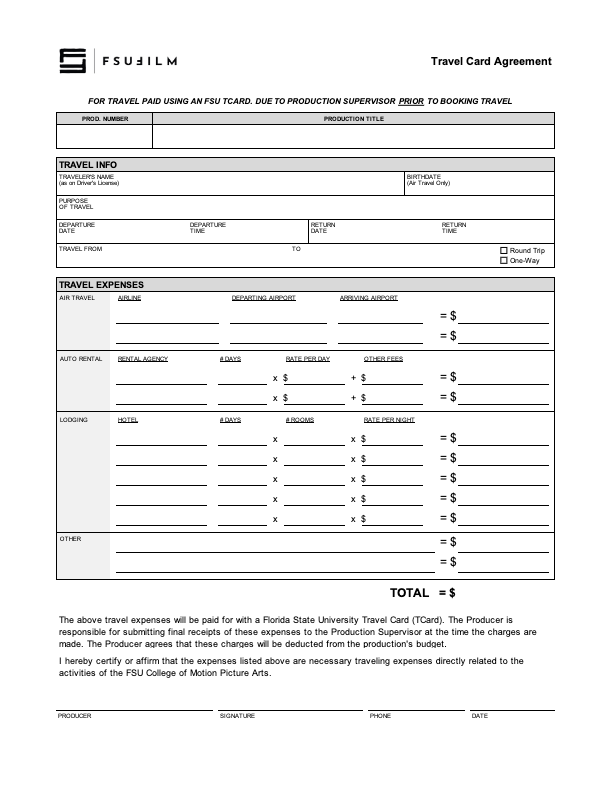
The travel card agreement outlines the expectations, responsibilities, and usage policies associated with the use of university-issued travel cards for approved production-related expenses.
Because university purchasing systems involve strict financial oversight and accountability requirements, students and productions must follow clearly defined procedures when handling institutional funds. The agreement helps ensure that purchases are documented properly, expenses remain compliant with university policies, and financial records can be tracked accurately throughout the production process.
The Producer should use this agreement for travel paid using a Florida State University Travel Card (TCard). The form must be submitted to the Head of Production prior to booking travel.
The Producer is responsible for submitting final receipts of the listed expenses to a designated staff member at the time the charges are made. The Producer agrees that these charges will be deducted from the production’s budget.
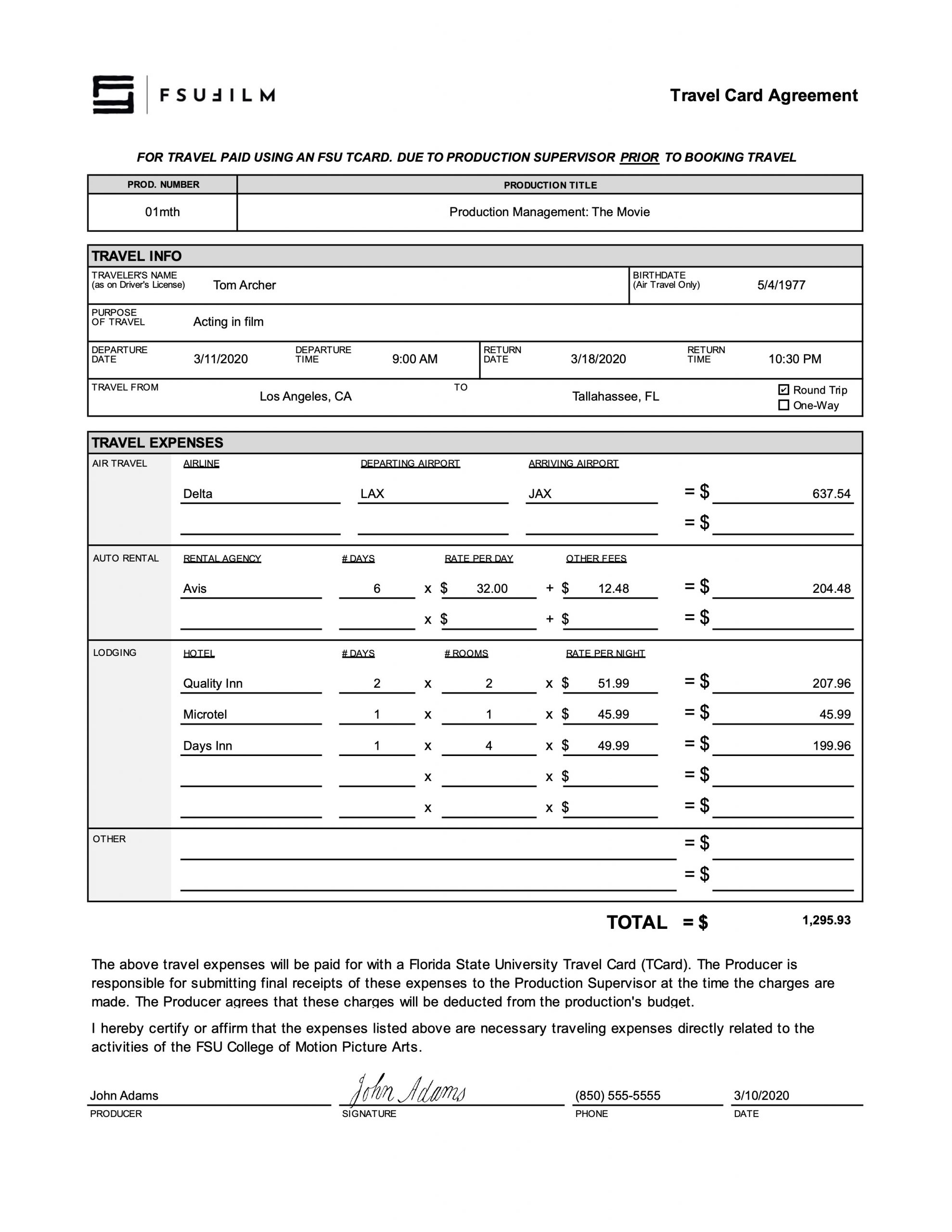
Sample
Here’s a sample of what the completed form should look like:
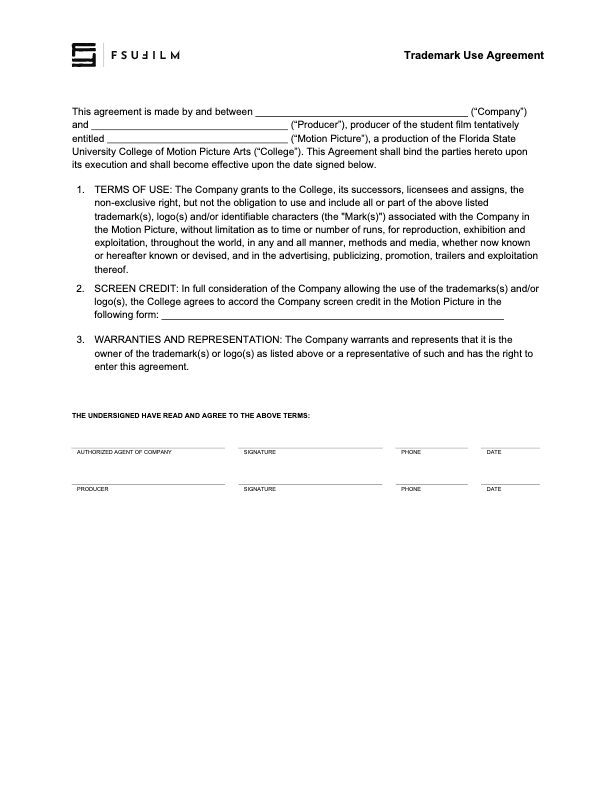
A trademark use agreement documents permission for a production to display, reference, or incorporate protected brand names, logos, products, or other trademarked materials within a film or related promotional materials.
Trademark usage can involve important legal and distribution considerations, particularly when projects move into festival exhibition, online release, or broader public circulation. Proper documentation helps productions reduce potential legal complications while encouraging students to think carefully about intellectual property rights, clearance procedures, and professional risk management within production workflows.
This agreement is to be used to document when rights have been granted to use trademarks, logos and/or other identifiable characters associated with a company or product, in order to maintain a clean chain of title.
Any fair use claims — allowing the inclusion of trademarks in the finished film without this agreement being filed — must be presented to and cleared by the Head of Production prior to picture lock.