#paperwork

Poster Template for Animation

Overview

This template provides a standardized framework for creating posters for animation projects, helping ensure that all films are presented in a professional and visually cohesive manner across festivals, showcases, screenings, and promotional platforms. While students are encouraged to develop artwork that reflects the unique identity of their film, the template establishes baseline expectations for formatting, credits, resolution, and required information.

The goal is not to limit creativity, but to prepare students for the practical realities of professional film marketing and distribution. Poster design is often a key part of a project’s public identity, shaping first impressions for audiences, festival programmers, and industry professionals. Learning to balance artistic expression with technical specifications and marketing clarity is an important component of presenting work professionally.

Instructions

This is the official poster template to be used in the creation of marketing materials for FSUFILM productions. Use it as your foundation for making something beautiful and compelling!

Do:

  • Make sure to install the Steel Tongs font on your computer before starting work on the poster. This is the font for the credit block. Note: Steel Tongs does not contain shortcuts for all the credits needed for animated films, so some of the credits in the billing block have been hand-crafted.
  • Keep all of your layers inside the appropriate folders, so that everything remains well-organized when you deliver the final Photoshop file. Make sure all of your layers have appropriate names, so that someone else could make sense of what each layer is.
  • Take your artwork all the way to the edge of the frame, but keep any essential elements at least a quarter-inch from the edge, in case they are trimmed during printing.
  • Adjust the color of the credits, logos, and copyright to best fit the aesthetic of your poster concept. Be particularly mindful of the legibility of the credit block, as it can quickly become hard to read if the background is busy or if there’s not enough tonal separation between the credits and the background.

Don’t:

  • Do not adjust the dimensions or resolution of the file. It’s set up to meet the specs needed for printing.
  • Do not reposition or resize the logos or copyright.
Daily Prep Schedule

Overview

The daily prep schedule provides a structured framework for organizing pre-production responsibilities leading up to principal photography. By breaking larger preparation tasks into manageable daily goals, productions can track progress more effectively and reduce the likelihood of important items being overlooked as shooting approaches.

Consistent preparation workflows are essential because successful productions depend heavily on advance planning, coordination, and communication across departments. The schedule helps students build professional habits around organization, accountability, and time management while reinforcing the understanding that strong production work is usually the result of steady preparation rather than last-minute problem-solving.

Instructions

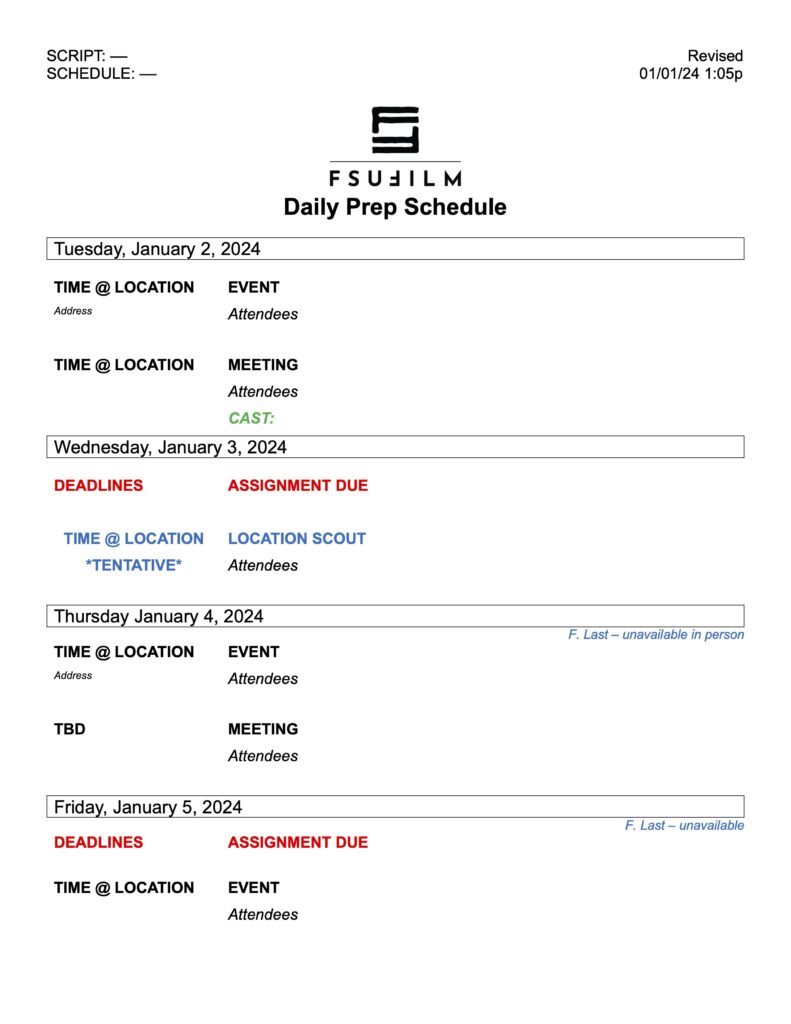
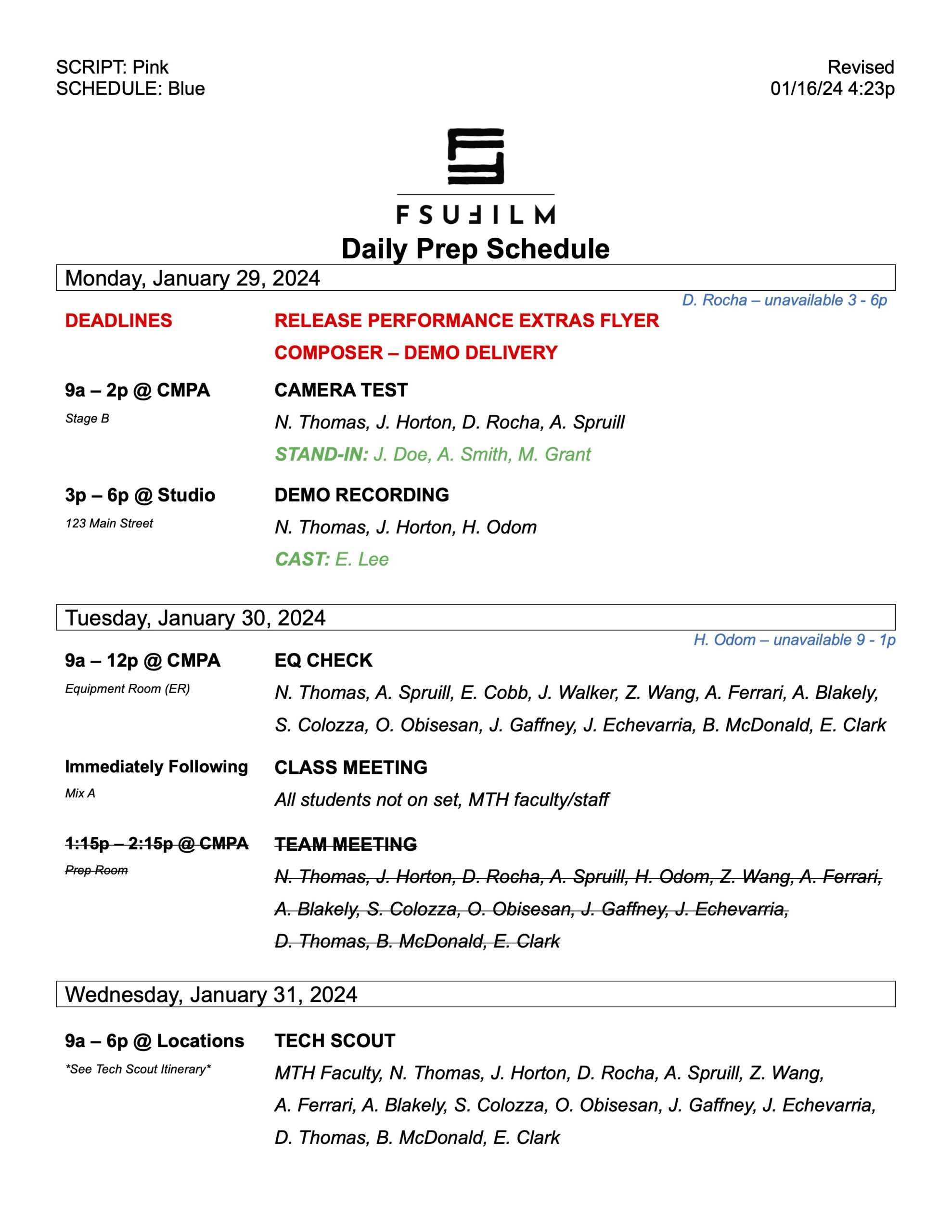
This form is to be used to notify the crew of the schedule of tasks and events to be completed each day of pre-production. The Producer or Production Manager should check with each of the department heads to verify what items are to be added to the schedule, and then send the schedule to the crew at the end of each day of pre-production.

Sample

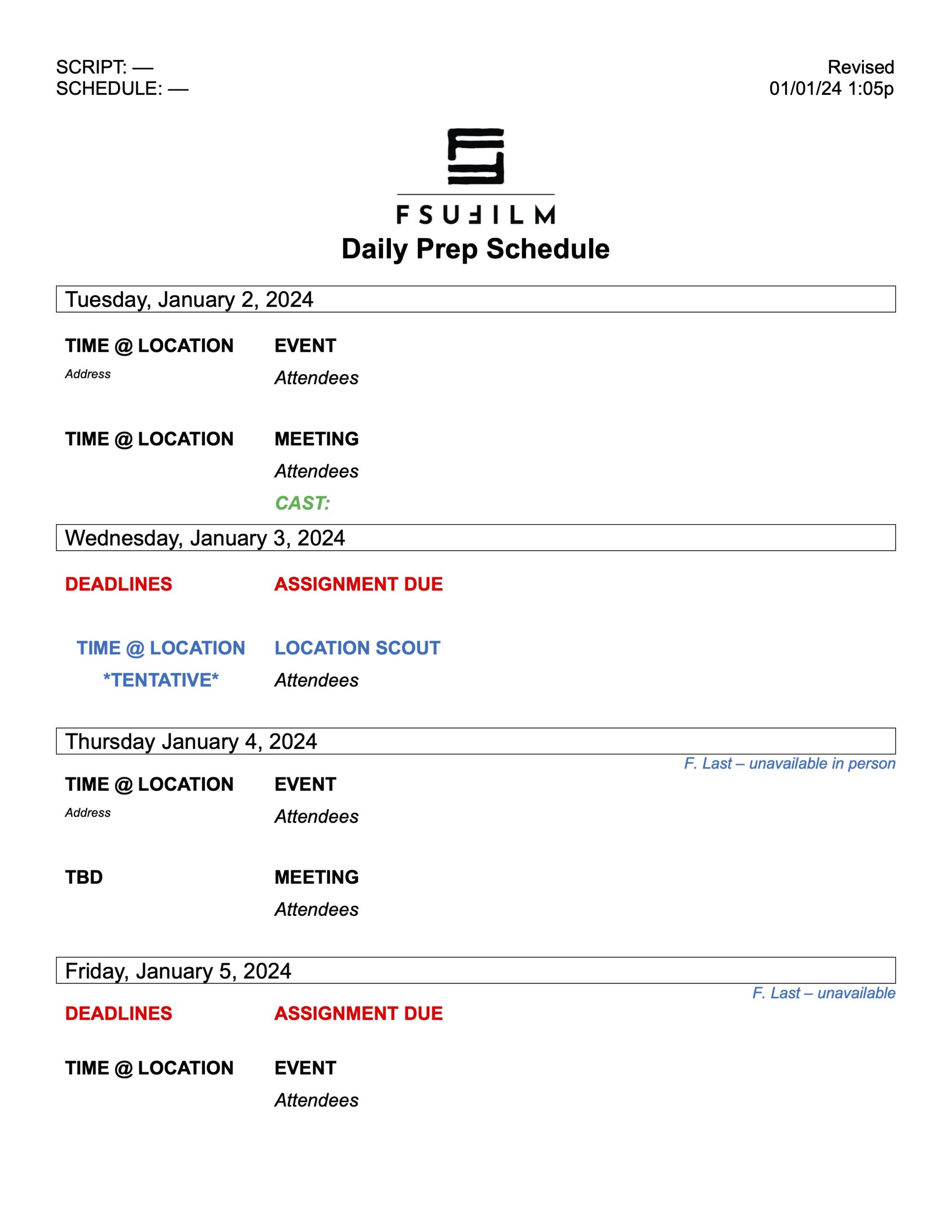
Here’s a sample of what the completed form should look like:

Sample of a completed form

Production Support Agreement

Overview

The Production Support Agreement outlines the expectations, responsibilities, and limitations associated with the support provided to student productions. This may include access to facilities, equipment, staffing, transportation, post-production resources, or other institutional assistance necessary to help projects move successfully through production and completion.

The agreement exists to ensure that productions understand both the resources available to them and the responsibilities that accompany their use. Clear expectations help maintain fairness across productions, protect shared resources, and reduce misunderstandings related to scheduling, budgeting, staffing, and liability. The document also reinforces the professional expectation that productions must operate responsibly, communicate proactively, and plan carefully when relying on institutional support systems.

The Mission of the College

The College of Motion Picture Arts (CMPA) is one of the most successful and highly ranked film schools in the country. This is due, in part, to how the Florida State Legislature founded the film school in 1989, with a specific mission that holds Florida State University (FSU) and the College accountable to the motion picture industry: To prepare students for successful careers in the motion picture industry.

In addition to the mission of professionalism, the Legislature also mandated a “level playing field” for all enrolled students. This meant that all students would have equal access to all curriculum, resources, equipment, and production funding.

To ensure this mission could be maintained over time, the budgets and enrollment were fixed on specialized admissions of a set number of students who would all proceed through the curriculum in a lock-step manner, and would be guaranteed equal access to professional film equipment, ensuring they would all graduate as trained film professionals.

Adherence to Industry Practices

To accomplish its mission, CMPA curriculum requires the operation and organization of specialized production vehicles. These vehicles are owned by FSU and customized by the College to facilitate its curricular mission.

As a required part of the professional training which all our students must go through, they learn how to perform as “below the line” crew members. This requires all students to master the foundational job duties of each of the essential on-set crew typically found on a film set (note these are the crew for on-set operations and not the entire crew).

To reflect industry procedures, to maintain the safety of all equipment and personnel, and to ensure equipment is organized for maximum efficiency, the equipment must be housed in specific compartments, and these compartments must be mobile (because films are shot in every imaginable location). Thus, the industry’s adoption of specialized production vehicles to support set operations.

The professional equipment used by the industry, and therefore the CMPA, cannot be stored safely and securely in personal vehicles simply because these vehicles cannot hold the size/weight of the equipment, cannot be organized in the required specialized cases/racks, and cannot provide efficient access/organization for all required crew to effectively utilize their department’s needs.

To operate professionally while filming, the departments and crew must be organized on location and on soundstages in a specific manner to facilitate the set operations of each day of production. This operational organization is reflected in the division of production into two “zones,” the “set” where the scene is being filmed, and the “base camp” where the crew and equipment are organized. The two zones must be as close together as possible without disrupting the activities of either zone.

Professional Film Set Operations

Zone One and Zone Two illustration
Zone ManagersFirst Assistant Director – Zone One
Key Second Assistant Director – Zone Two
Camera DepartmentFirst Assistant Camera
Second Assistant Camera
Lighting DepartmentChief Lighting Technician
Assistant Chief Lighting Technician
Key Electric
Grip DepartmentKey Grip
Assistant Key Grip
3rd Grip
Sound DepartmentField Sound Recordist
Boom Operator

Courses that require Set Operations

  • M1 – FIL5459 – Practicum in Technical Support (Fall)
  • M2 – FIL5459 – Practicum in Technical Support (Summer)
  • MC – FIL5459 – Practicum in Technical Support (Spring)
  • MC – FIL5977 – MFA Thesis Production (Spring)
  • F3 – FIL3641L – Motion Picture Production Management (Spring)
  • FC – FIL3971 – Thesis Film Support (Fall)
  • FC – FIL4973 – BFA Thesis Production (Fall)

While all students are trained in the safe operation and use of production vehicles, not all can legally drive them or are otherwise able to do so. To facilitate its curriculum and a level playing field, the CMPA trains all students equally, and all students act as department heads and either drive the vehicle or, acting as safety assistants, ride as passengers. This ensures that every student completes the essential curriculum regardless of ability to drive, since driving is only a small portion of the Set Operations curriculum. In addition, the complexity of equipment and set operations differ between MFA and BFA programs; therefore, the work expectations are greater in the MFA professional conservatory and lessor in the BFA production major. Fleet Automobile Liability Coverage for production vehicles is provided by Florida State University through the Florida Department of Financial Services, Division of Risk Management.

Requirements and Qualifications

To achieve the training in these crew positions, all students are required to:

  • master the fundamental requirements of each crew position,
  • act within the hierarchy of these positions within their specific department,
  • act within the hierarchy of the larger “set-operations,”
  • safely operate all required equipment of each department,
  • safely and efficiently access and maintain equipment on production vehicles,
  • work effectively within the “base camp” of the productions,
  • successfully complete the production vehicle operation workshop and exams,
  • be enrolled in, or have successfully completed, the required coursework listed above,
  • be in good professional standing as required by the CMPA professionalism code of conduct.

Terms of Appointment

The work outlined herein is required by students in the course of obtaining a degree and is performed under the supervision of FSU faculty and staff. Therefore, it is outside the scope of the Fair Labor Standards Act (FLSA). These appointments will be aligned with the semester begin/end dates. However, work will be done sporadically during the appointment period; the time commitment and demands of work will fluctuate and any required hours will vary from week to week as needed by projects in operation. In all circumstances, FSU will be in compliance with any/all applicable state and federal laws regarding work hours and wages.

Remuneration

  • MFA students = $35.00 to be paid in a one-time payment at the end of each semester worked.
  • BFA students = $25.00 to be paid in a one-time payment at the end of each semester worked.

Hours are variable by program, course, position and by production. Work is governed by the CMPA Federation of International Student Technicians (FIST) agreement.

Duration of Appointment

The MFA appointment is for the academic year and extends through Fall, Spring, and Summer.
The BFA appointment is for the academic year and extends through Fall and Spring.

Budget Sheet

Overview

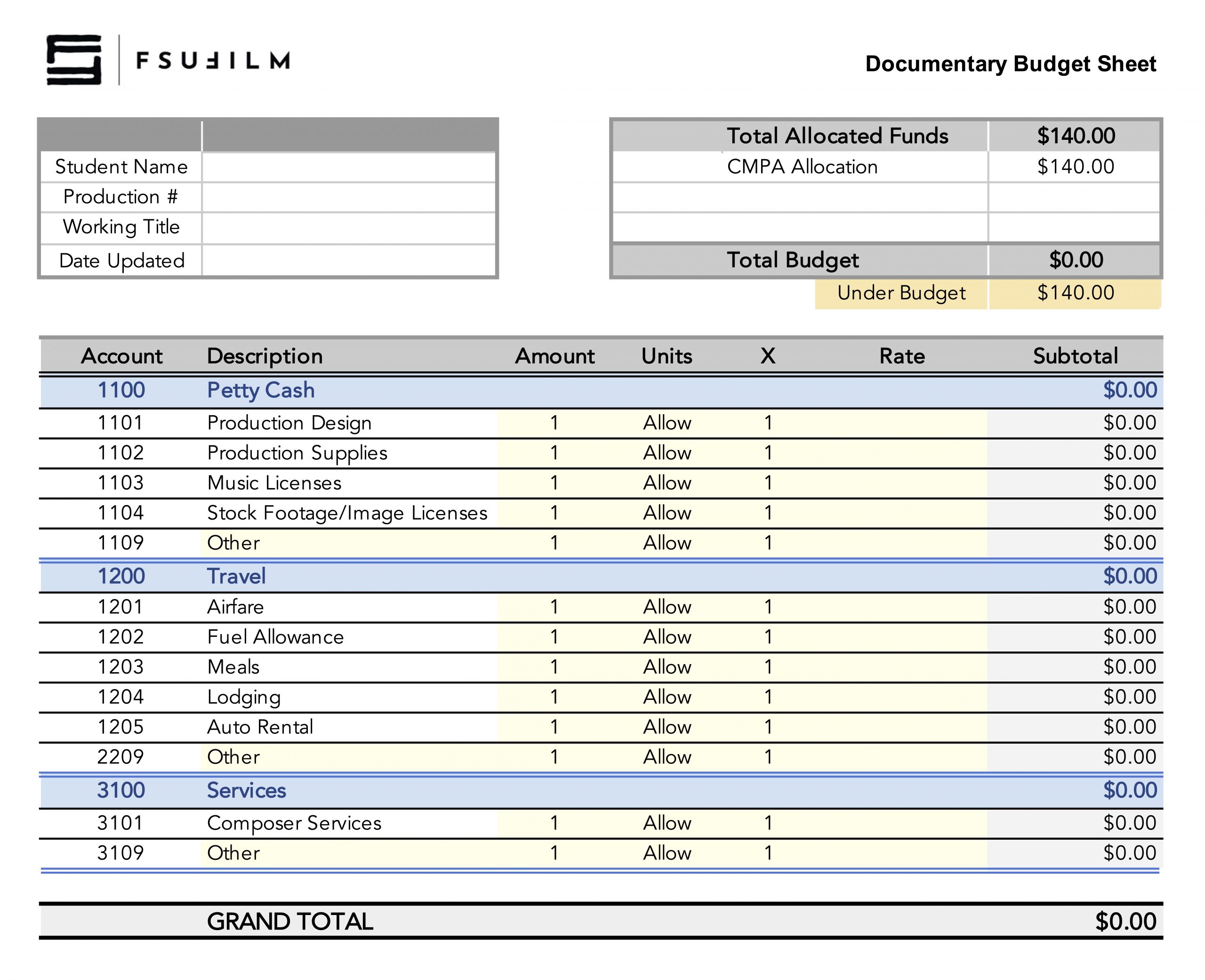
The F2 budget sheet is used to plan, track, and manage the financial needs of the production throughout pre-production, production, and post-production. This document helps productions organize anticipated expenses, monitor spending, and ensure that resources are allocated responsibly across all departments.

Budgeting is a fundamental part of filmmaking because creative decisions are always shaped by practical limitations. The budgeting process encourages students to think critically about priorities, trade-offs, and production logistics while developing realistic production plans. Maintaining an organized and accurate budget also helps productions avoid preventable financial problems that can disrupt schedules, strain resources, or compromise the successful completion of the film.

Instructions

BFA1 students are required to use this budget sheet to account for how they will spend the allocated budget for their documentary projects. This is a “use-it-or-lose-it” budget, and funds can be used in the following categories: petty cash, travel, and/or services.

In order for the funds to be released, each student will need to submit the budget sheet to the Head of Production in advance of production. Once the budget is approved, instructions will be provided on the process for using those funds, depending on which category the expenses fall within.

Tech Scout Schedule

Overview

The tech scout schedule outlines the structure and timing of technical scouting activities on a given day. This is to ensure that department heads and faculty mentors have adequate time to evaluate locations together, identify logistical or safety concerns, coordinate technical requirements, and ensure that all departments are aligned before shooting begins.

Tech scouts are a critical part of pre-production because they help productions solve problems proactively rather than reactively on set. Reviewing locations in advance allows crews to assess factors such as power access, sound conditions, staging limitations, equipment needs, transportation logistics, weather concerns, and safety risks. Developing thorough scouting practices helps students build the collaborative planning and communication skills necessary for efficient professional production workflows.

Instructions

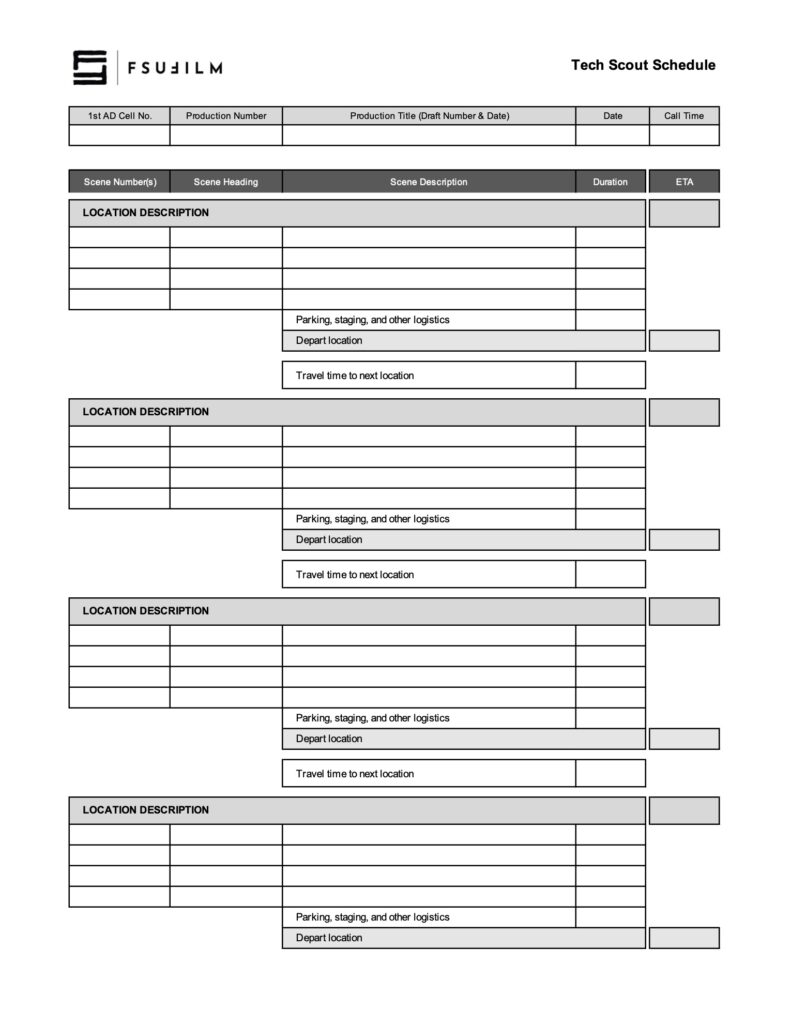
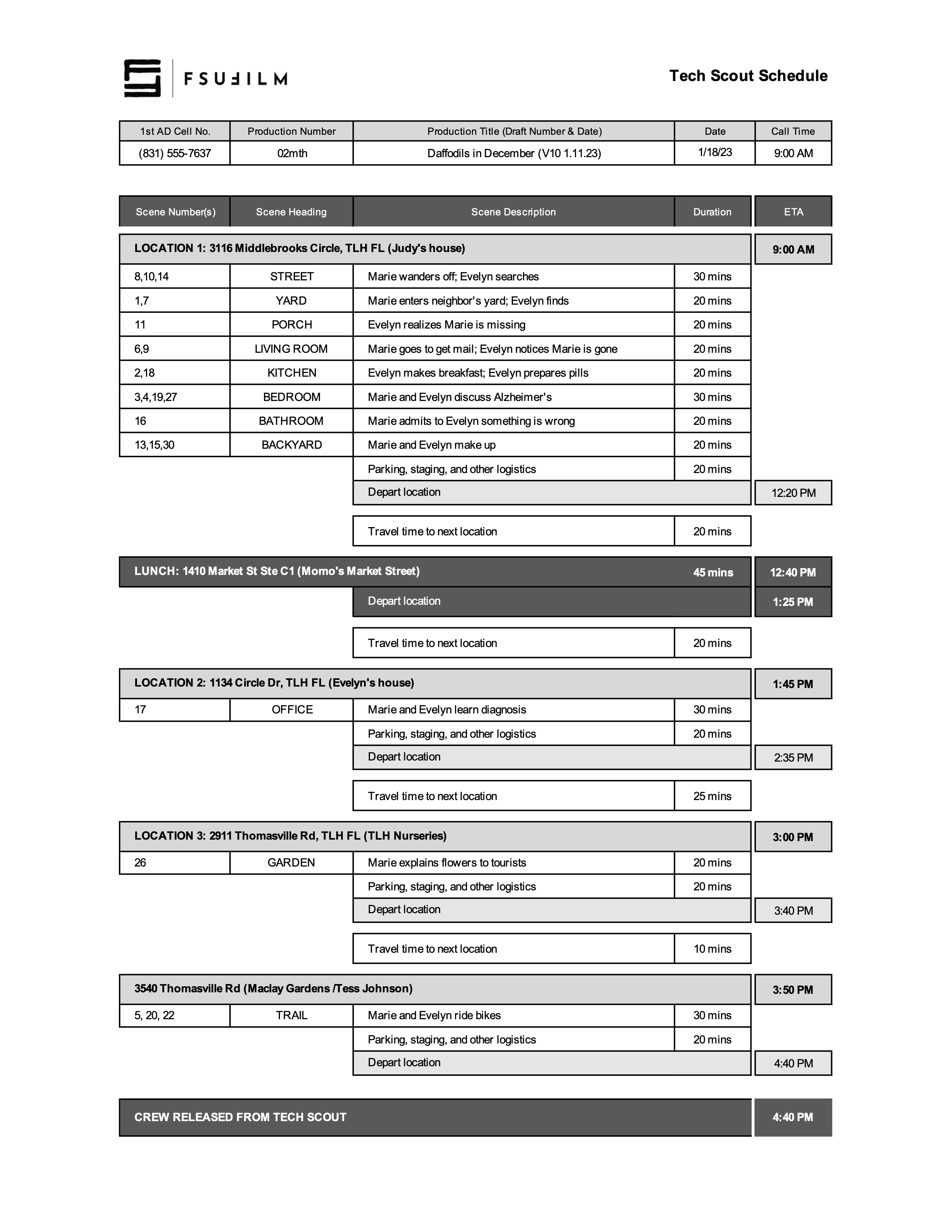
This worksheet is designed for production teams to schedule out their tech scout day, to ensure there’s a sufficient amount of time for each scene and for any travel and/or lunch that’s needed. Be sure to review the directions and the sample schedule below before filling out the form.

For each location

  • On the light-gray header row, enter the location’s address and a brief description of the location’s function in the story. Also enter the ETA for the start time at that location.
  • On the rows below the location header, enter the Scene Numbers, Scene Heading, and Scene Description for each set. In other words, if you have three scenes that use the same physical setting at the location (e.g., scenes 8, 10, and 14 at the STREET in the sample schedule above), group them together on the same row.
  • Then enter the estimated duration needed to review all those scenes. Note: you don’t need to type “mins”; type the number and Excel will automatically add “mins” as a suffix.
  • You can add rows if needed, or delete any unused rows.
  • After you’ve entered all the scenes for a location, enter an estimated amount of time for reviewing other logistics at the location, such as parking, staging, base camp, safety, etc.
  • Note: To assist with scheduling, the spreadsheet is set up to auto-calculate the Depart Location ETA for each location — so you don’t need to manually enter that cell.

For travel

  • Enter the estimated travel time to the next location.
  • Include at least 10 mins for people getting to and from vehicles.
  • In Google Maps also be sure to: (a) Calculate the travel time for the actual time of day you’ll be making the move, as travel times can vary throughout the day; and (b) Add 10% to whatever Google tells you the travel time is.

For lunch

  • Lunch is locked at 45 minutes.

Sample Schedule

Here’s a sample of what the form should look like:

Sample of a completed form

Special Equipment Request Form

Overview

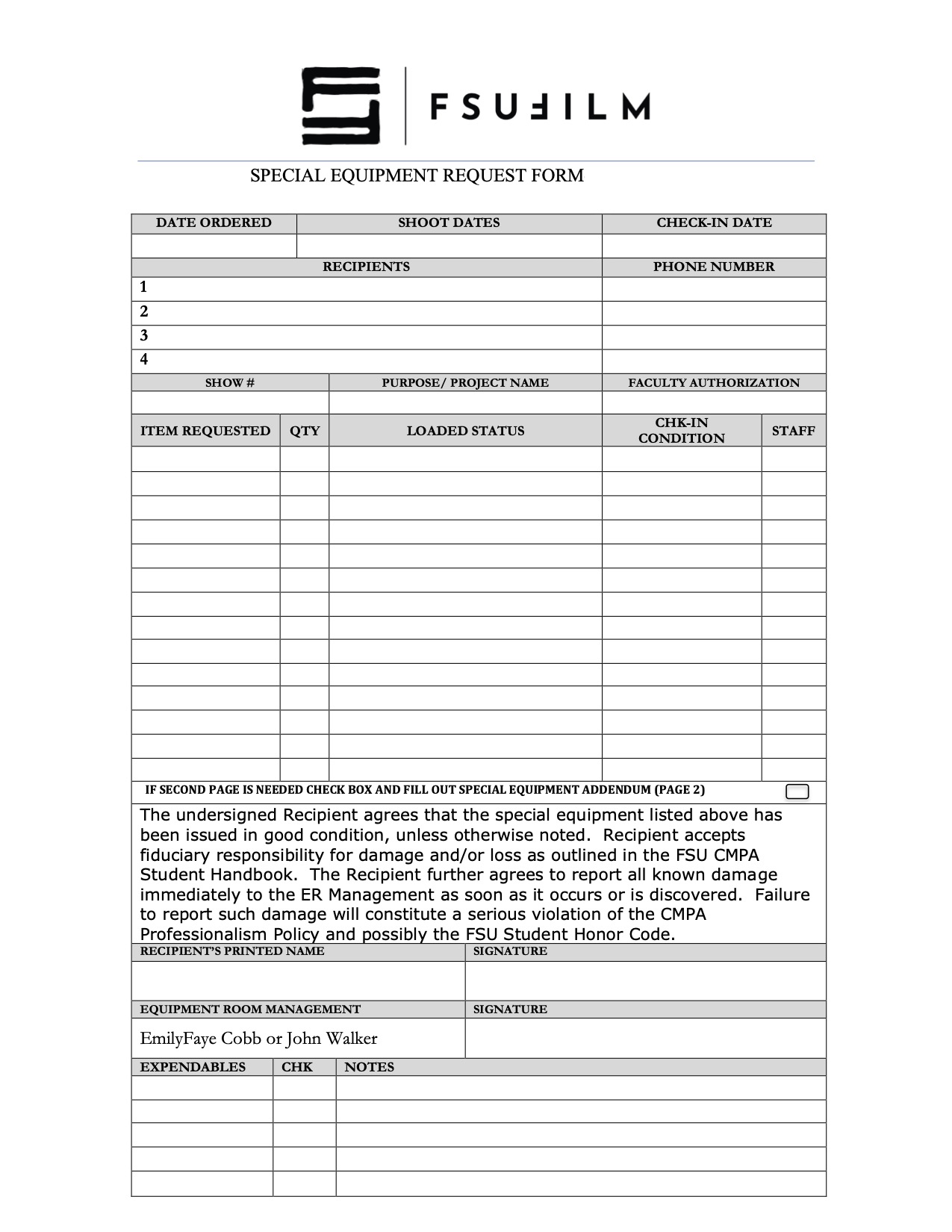
The Special Equipment Request process exists to help productions gain access to tools, gear, or resources that fall outside the standard equipment packages provided by the school. This may include specialty camera support, lighting, lenses, production design materials, VFX-related tools, or other project-specific needs that require advance review and approval.

Because equipment availability, staffing, budgets, and safety considerations are limited, requests must be carefully evaluated to ensure that resources are allocated fairly and responsibly across all productions. The request process also encourages students to think critically about whether specialized equipment meaningfully supports the creative goals of the project, rather than being used unnecessarily. Learning how to justify and plan for technical needs is an important part of professional pre-production and production management.

Press Kit Template

Overview

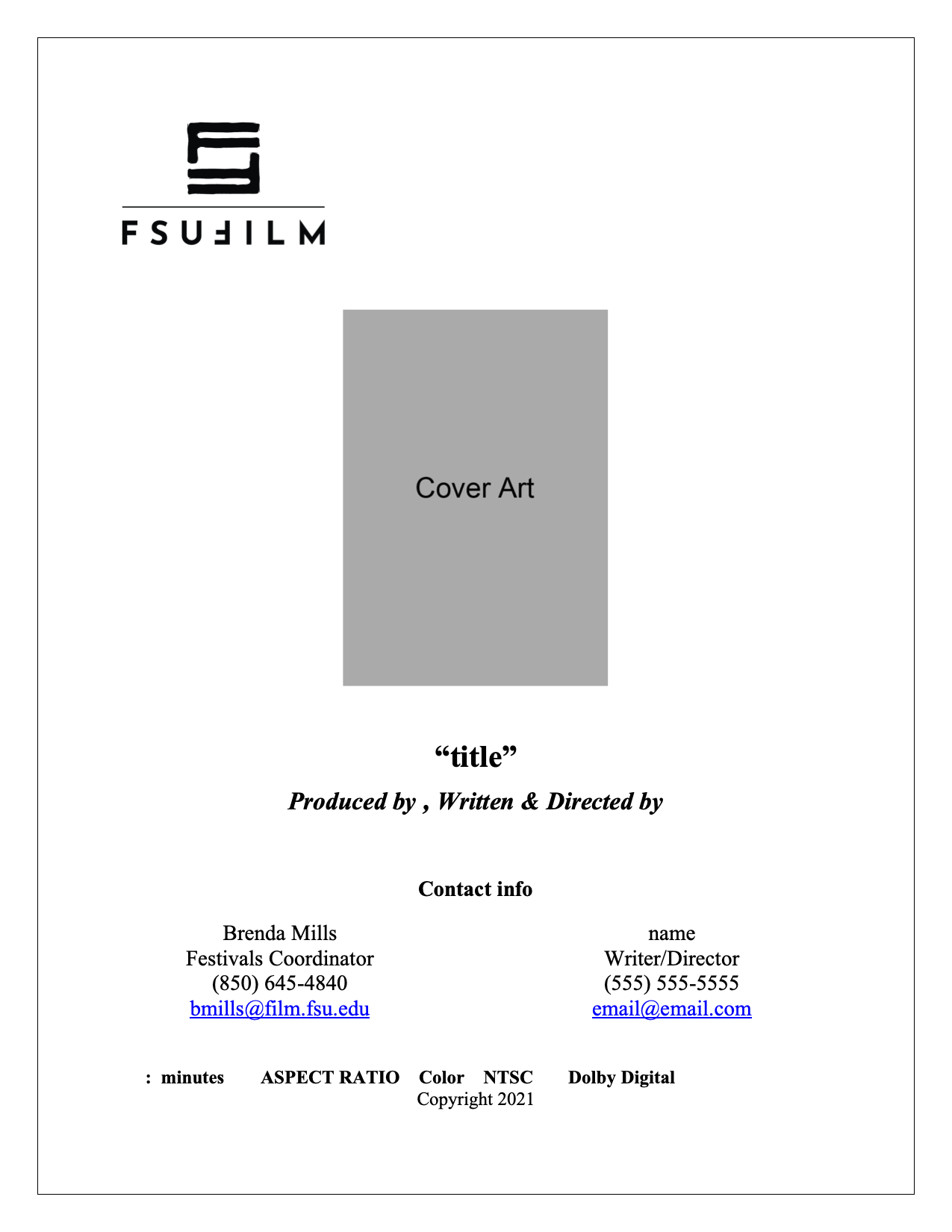
A press kit serves as a production’s professional public-facing package, providing press outlets, distributors, collaborators, festivals, and audiences with essential information about the film. This template is designed to help students organize and present materials in a clear, polished, and industry-standard format, including items such as synopses, credits, bios, stills, contact information, and director statements.

Beyond simple promotion, the press kit helps define how a project is positioned and understood externally. A thoughtful, cohesive press kit can significantly strengthen a film’s festival presence and professional presentation. Learning how to prepare these materials is an important part of understanding the broader lifecycle of a film beyond production itself, including marketing, exhibition, and audience engagement.

Thumbnail Templates

Overview

Thumbnail images are often the first point of contact audiences have with a film online, making them an important part of a project’s overall presentation and discoverability. This post provides standardized thumbnail templates to help maintain visual consistency across school-related promotional materials and online showcases.

The use of templates ensures that projects meet technical specifications while encouraging students to think strategically about visual communication and audience engagement. Effective thumbnails should clearly represent the tone and identity of the project while remaining legible and visually compelling across a range of screen sizes and platforms. Developing an understanding of these presentation standards is increasingly important in contemporary distribution environments.

Production Paperwork

Horizontal thumbnail template:

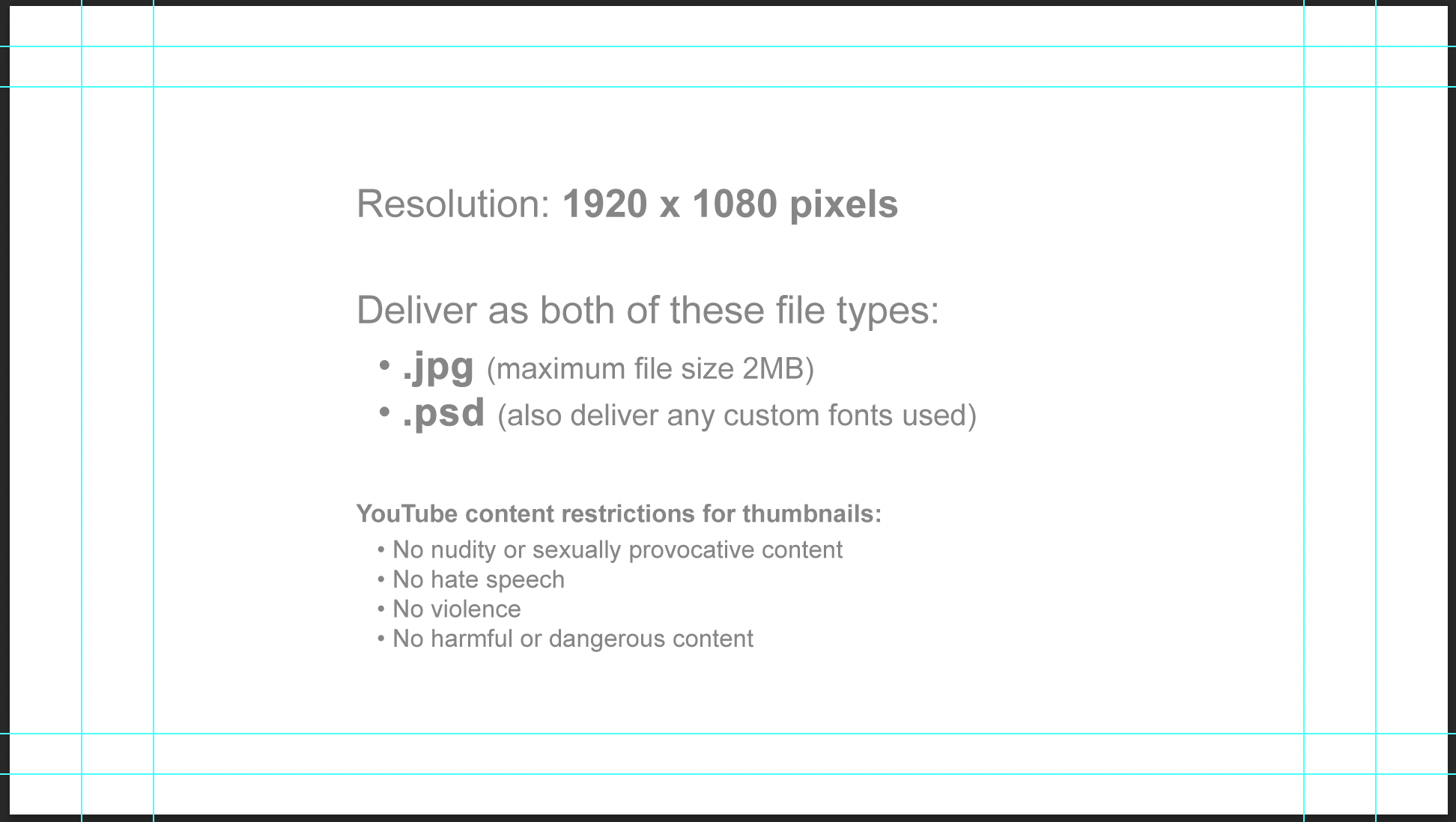
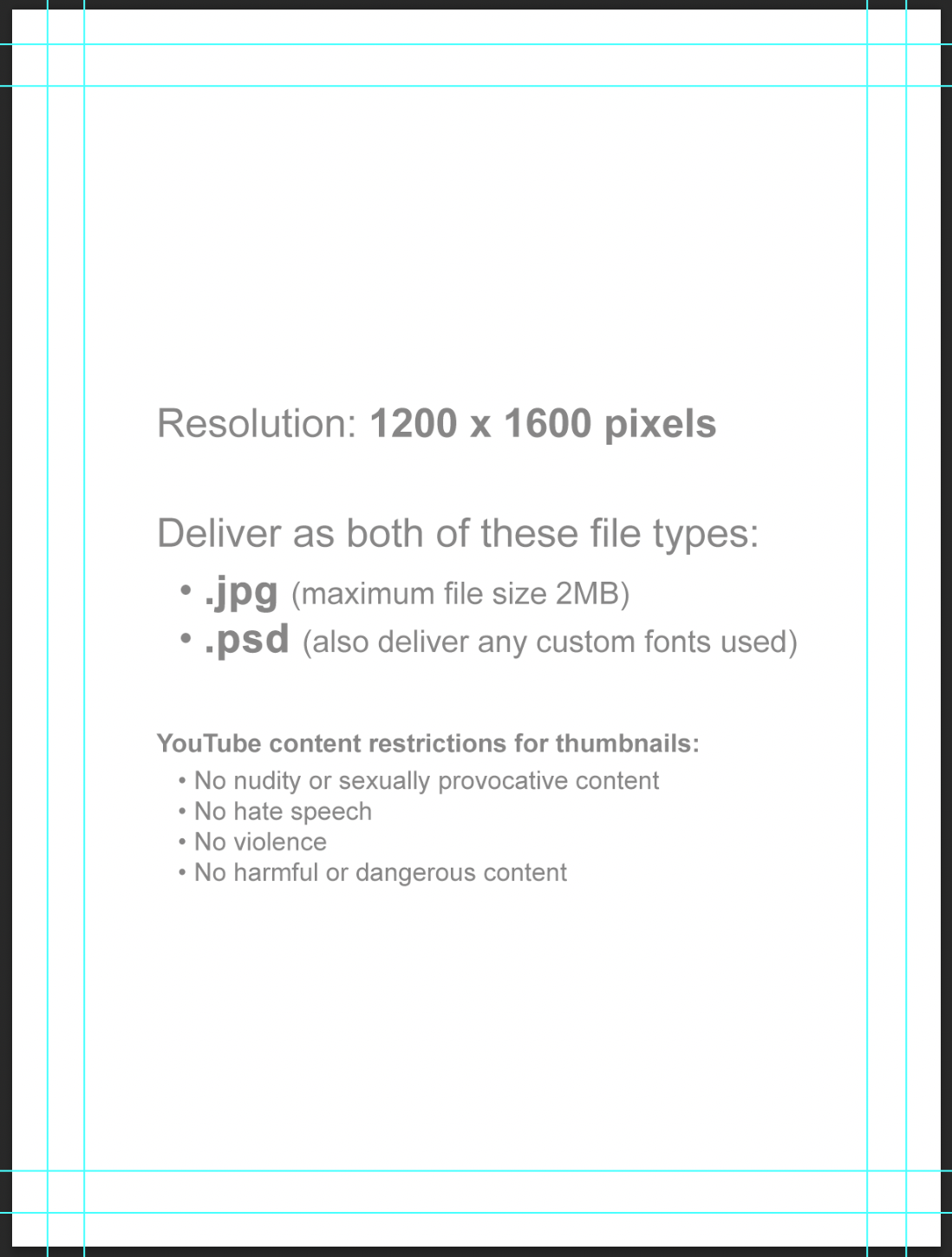
Horizontal thumbnail specs

Vertical thumbnail template:

Vertical thumbnail specs

Instructions

Thumbnail images will be used in displays online (Vimeo, YouTube, etc). Since some websites use horizontal thumbnails (1920×1080) and some use vertical thumbnails (1200×1600), you will deliver one of each.

Each thumbnail should contain two elements:

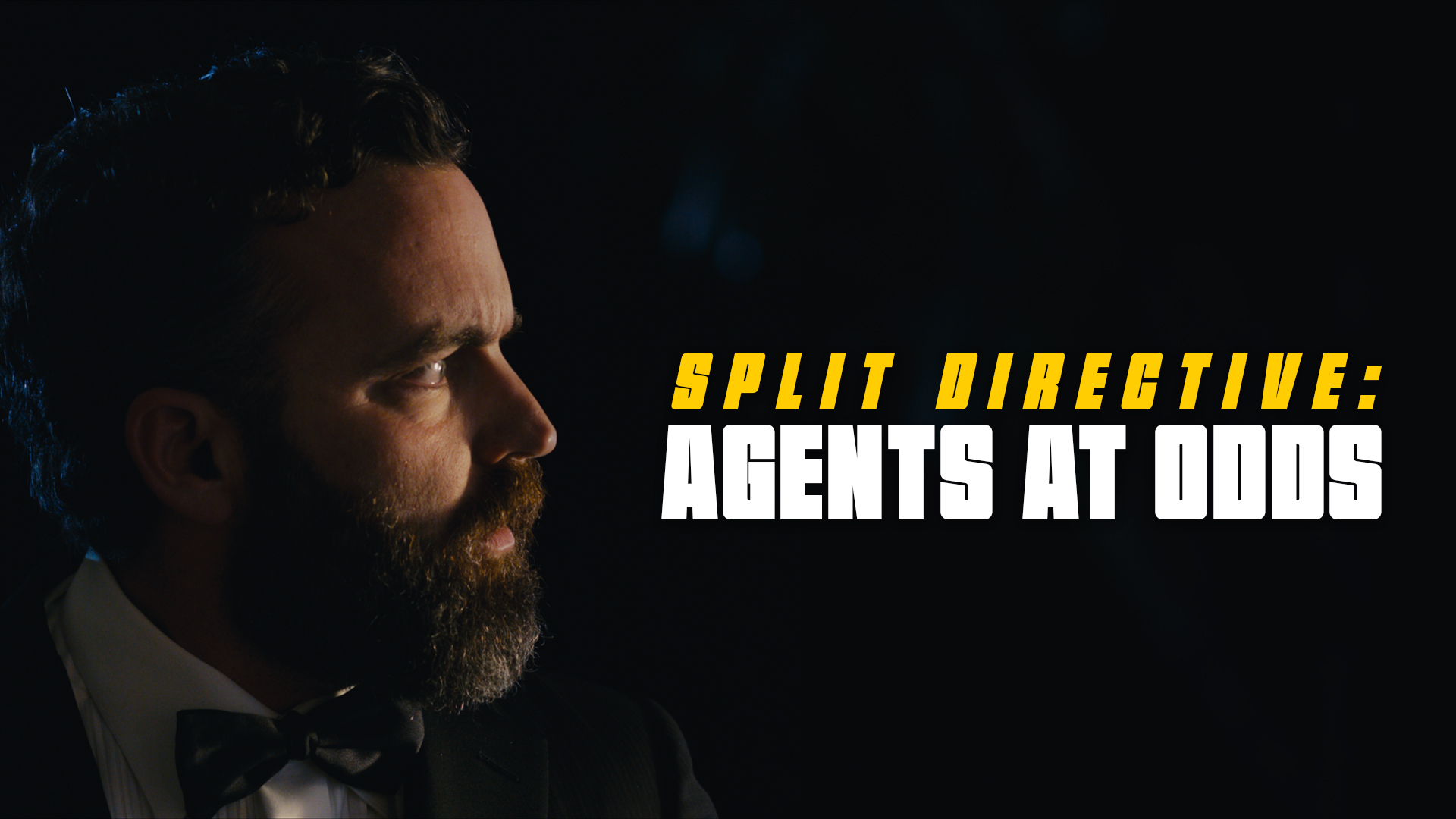
  1. A carefully selected image that fills the entire frame (i.e., no letterboxing or black bars). This image is typically derived from either the poster or one of the production stills.
  2. The title of the film. Ideally, for consistency of branding, this should match the font design of the title on the poster. No other text should appear in the thumbnail.

Examples:

Example of a horizontal thumbnail
Horizontal (1920x1080px)
Example of a vertical thumbnail
Vertical (1200x1600px)

Do:

  • Save a flattened JPG file (maximum file size 2MB) and a layered PSD file (also deliver any custom fonts used).
  • Keep all of your layers inside the appropriate folders, so that everything remains well-organized when you deliver the final Photoshop file. Make sure all of your layers have appropriate names, so that someone else could make sense of what each layer is.

Do Not:

  • Do not adjust the dimensions or resolution of the file. It’s set up to meet the specs needed for online viewing.
  • Note these online content restrictions for the thumbnails:
    • No nudity or sexually provocative content
    • No hate speech
    • No violence
    • No harmful or dangerous content

Additional Photography Request

Overview

Requests for additional photography involve seeking approval for filming that takes place outside the scheduled production period. This may include inserts, establishing shots, VFX plates and elements, or any other supplemental photography needed to complete the project successfully.

Because additional photography affects scheduling, equipment access, staffing, facilities, and administrative coordination, these requests must be reviewed carefully before approval is granted. The process helps productions evaluate whether additional filming is necessary, realistically achievable, and supported by an appropriate production plan while reinforcing the importance of preparation and efficient production management during principal photography.

Instructions

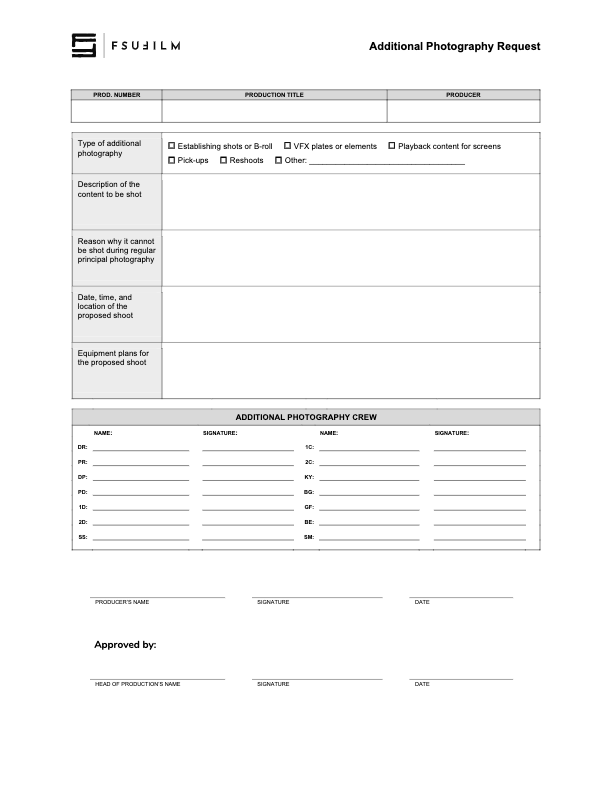
This form should be used by Producers to make a request to the Head of Production for additional photography outside of the regularly scheduled shooting days on the crew grid. Since additional photography involves time and resources, requests will not be approved automatically. Approvals will only be granted if the time and resources are available and if students make a compelling case for why the footage cannot be shot during regular principal photography.

Indicate on the form the type of additional photography that is being requested:

  • ESTABLISHING SHOTS OR B-ROLL
    Check this box if the request is for 2nd Unit shots that cannot easily be scheduled during regular principal photography. Typically these would be for shots that need to be shot at a discrete location without the involvement of principal actors, such as establishing shots at an inconveniently place location or B-roll of events that are occurring outside the regular production window.
  • VFX PLATES OR ELEMENTS
    Check this box if the request is for background plates or other photographic elements that are needed to complete visual effects shots.
  • PLAYBACK CONTENT FOR SCREENS
    Check this box if the request is for video content that would need to be shot in advance of regular principal photography in order to be played back during production.
  • PICK-UPS
    Check this box if the request is for pick-up photography. Only FC and MC shows may request pick-ups.
  • RESHOOTS
    Check this box if the request is for the reshooting of a scene where circumstances beyond the students’ control resulted in footage becoming unusable. Typically, trying to solve the problem through editorial fixes will need to be explored before a reshoot is approved.
  • OTHER
    Check this box if the request is for something different than the above examples, and provide a brief description of the type of additional photography that’s being requested.

Requests for additional photography must also include the following information:

  • the exact nature of the subject content to be shot;
  • the reason why it cannot be shot with the first unit crew during principal photography;
  • the date, times, and location of the proposed shoot;
  • a summary of the equipment plan for the shoot, including any requests for school equipment;
  • the crew required for the proposed shoot, including names and signatures (you’ll need to determine how many crew members you need and you’ll need to recruit them).
  • any additional supporting documentation can also be attached as needed.

Submit the completed request form to the Head of Production. Leave adequate time for the Head of Production to review the request and be prepared to make adjustments if any concerns need to be addressed. The Head of Production’s decision on whether to approve or deny the request is final.

Goodwill Letter

Overview

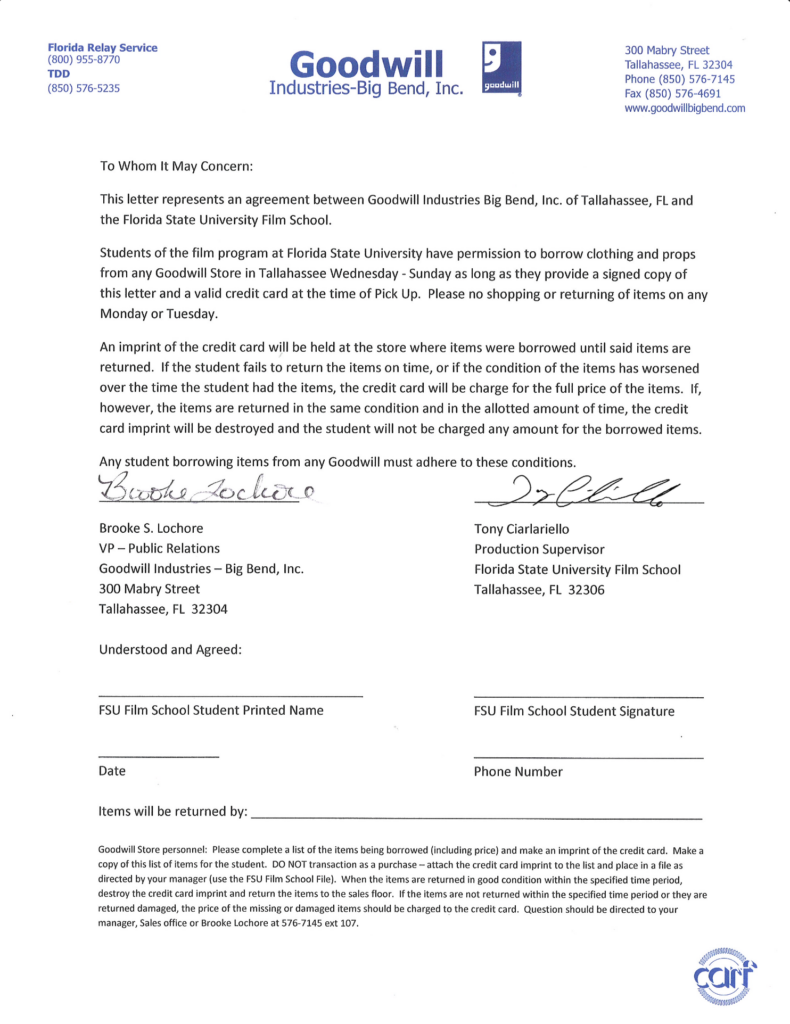
This page provides a letter that students may present to participating Goodwill stores when requesting the temporary loan of items for use in a production. The letter is intended to help communicate the nature of the arrangement and verify the production’s affiliation with the program, but individual store locations retain full discretion over whether they choose to participate or loan items to a production.

Instructions

This letter may be used as an agreement between a student and Goodwill for the borrowing of clothing or props from a Goodwill store.

Students must present a signed copy of the letter and a valid credit card at the time of pick-up. Goodwill keeps the credit card on file until all borrowed items have been returned. The credit card is only charged if items are returned in a worsened condition or if items are not brought back by the agreed upon return date. In such circumstances, students are liable for the full cost of the item.

Please note that individual Goodwill stores are not obligated to loan out items, and may choose at their discretion whether to enter into an agreement with a student.