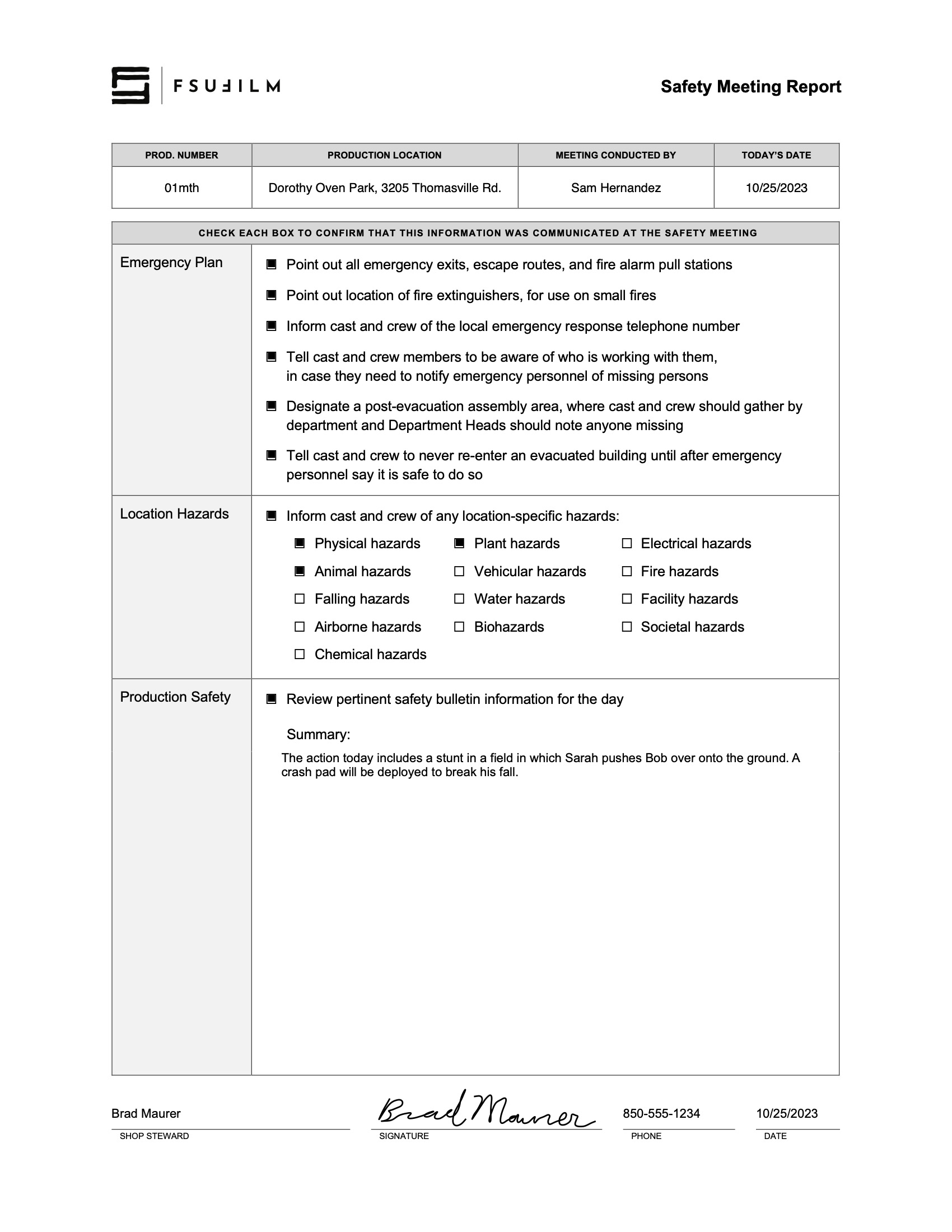
#paperwork

Camera Continuity Log

Overview

The camera continuity log documents important technical and organizational information related to recorded footage throughout production. This includes details such as scene and take information, camera settings, lens and filter data, media tracking, and other production records associated with camera operations. The log is for projects without an assigned script supervisor.

Accurate continuity logging helps editorial and post-production teams organize footage more efficiently and reduces confusion when reviewing large amounts of material across multiple shooting days. Consistent logging practices also reinforce the importance of communication, organization, and technical record-keeping within professional production workflows.

Instructions

The Camera Continuity Log is to be used only on shows that do not have a Script Supervisor. The report is completed by the 2nd AC. If the project does have a Script Supervisor, then the 2nd AC should use a Camera Report instead.

Sample

Here’s a sample of what the completed form should look like:

Sample of a completed form

Steel Tongs Font

Overview

The Steel Tongs font is provided as an approved typography resource for building the billing block at the bottom of a film poster. Steel Tongs uses custom keystrokes for commonly used crew positions on the film production, which are describe below.

Maintaining consistent typography across official materials helps create a stronger and more unified visual identity for productions and program branding. Standardized font usage also helps students better understand the role that graphic design, typography, and visual consistency play within professional film marketing and presentation workflows.

Download the Font

Thumbnail image of example fonts

Instructions

Steel Tongs is the font to be used for the credit block on FSUFILM marketing materials. You’ll need to download the zip file (above) and install the font on your computer before starting work, otherwise the credit block will not display correctly.

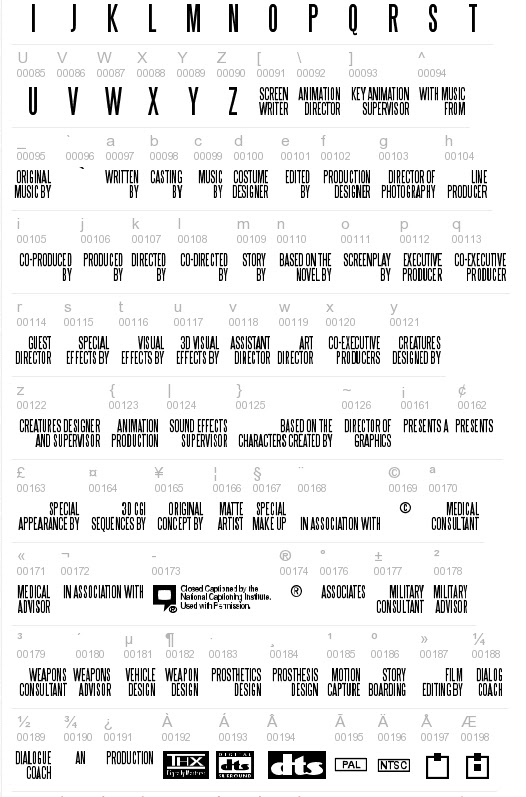
Steel Tongs works by displaying certain keystrokes as credit titles or logos.

  • Lowercase letters, many punctuation symbols, and ALT key codes are translated into different graphical elements of a credit block. See below for a complete list of these.
  • All uppercase letters, numerals, and basic punctuation symbols (periods, commas, quotes, dashes, ampersands) will display as normal. This can be helpful if a needed credit for a poster is not one of the presets, as you can type it out manually.

Lowercase

aWRITTEN BY
bCASTING BY
cMUSIC BY
dCOSTUME DESIGNER
eEDITED BY
fPRODUCTION DESIGNER
gDIRECTOR OF PHOTOGRAPHY
hLINE PRODUCER
iCO-PRODUCED BY
jPRODUCED BY
kDIRECTED BY
lCO-DIRECTED BY
mSTORY BY
nBASED ON THE NOVEL BY
oSCREENPLAY BY
pEXECUTIVE PRODUCER
qCO-EXECUTIVE PRODUCER
rGUEST DIRECTOR
sSPECIAL EFFECTS BY
tVISUAL EFFECTS BY
u3D VISUAL EFFECTS
vASSISTANT DIRECTOR
wART DIRECTOR
xCO-EXECUTIVE PRODUCER(S)
yCREATURES DESIGNED BY
zCREATURES DESIGNER AND SUPERVISOR

Symbols

{ANIMATION PRODUCTION
|SOUND EFFECTS SUPERVISOR
}BASED ON THE CHARACTERS CREATED BY
~DIRECTOR OF GRAPHICS
\ANIMATION DIRECTOR
^WITH MUSIC FROM
_ORIGINAL MUSIC BY
£SPECIAL APPEARANCE BY
#MAKE UP ARTIST
$STUNT/FIGHT COORDINATOR
%A*
*A FILM BY*
+IN ASSOCIATION WITH
[SCREENWRITER
] KEY ANIMATION SUPERVISOR
<TECHNICAL ADVISOR
>TECHNICAL SUPERVISOR
?ASSISTANT TO CHIEF ANIMATOR
@CINEMATOGRAPHY BY
!CUSTOM LAYOUT BY
(WRITTEN AND DIRECTED BY
)ASSOCIATE PRODUCER
:PRESENTS*
;PRESENTS A*
/AND*
=PRESENTS AN*

ALT key codes

The following characters need to be accessed by holding down the ALT key while typing the character code number — e.g., hold the ALT key and type 0131, then let the ALT key go and “MECHANICAL DESIGN” will appear.

ALT+0131MECHANICAL DESIGN
ALT+0132ASSOCIATE PRODUCERS
ALT+0133PLANNING AND ORIGINAL CONCEPT BY
ALT+0134PLANNING AND COOPERATION
ALT+0135DIRECTOR OF VISUAL CONCEPT
ALT+0136COLOUR DESIGNER
ALT+0137COLOR DESIGNER
ALT+0138AN*
ALT+0139PRODUCTION*
ALT+0140FILM*
ALT+0142ASSOCIATES*
ALT+01643D CGI BY
ALT+0165ORIGINAL CONCEPT BY 
ALT+0166MATTE ARTIST
ALT+0167SPECIAL MAKE-UP
ALT+0168IN ASSOCIATION WITH*
ALT+0170MEDICAL CONSULTANT
ALT+0171MEDICAL ADVISOR
ALT+0172IN ASSOCIATION WITH**
ALT+0177MILITARY CONSULTANT
ALT+0178MILITARY ADVISOR
ALT+0179WEAPONS CONSULTANT
ALT+0180WEAPONS ADVISOR
ALT+0181VEHICLE DESIGN
ALT+0182WEAPON DESIGN
ALT+0183PROSTHETIC DESIGN
ALT+0184PROSTHESIS DESIGN
ALT+0185MOTION CAPTURE
ALT+0186STORYBOARDING
ALT+0187FILM EDITING BY
ALT+0188DIALOG COACH
ALT+0189DIALOGUE COACH
ALT+0154A**
ALT+0155AND**
ALT+0156FILM**
ALT+0158A FILM BY**
ALT+0159PRESENTS AN**
ALT+0161PRESENTS A**
ALT+0162PRESENTS**
ALT+0176ASSOCIATES**
ALT+0190AN**
ALT+0191PRODUCTION**

* UPPER line
** LOWER line

Useful logos

ALT+0149DVD LOGO
ALT+0150DOLBY LOGO
ALT+0151DOLBY DIGITAL
ALT+0152CLOSED CAPTION LOGO
ALT+0173CLOSED CAPTION LOGO & TEXT
ALT+0192THX LOGO
ALT+0193DTS DIGITAL SURROUND
ALT+0194DTS LOGO
ALT+0195PAL
ALT+0196NTSC
ALT+0197 thru ALT+0209Various Mono/Stereo indicator icons

Poster Template For Live-Action

Overview

This template provides a standardized framework for creating posters for live-action projects, helping ensure that all films are presented in a professional and visually cohesive manner across festivals, showcases, screenings, and promotional platforms. While students are encouraged to develop artwork that reflects the unique identity of their film, the template establishes baseline expectations for formatting, credits, resolution, and required information.

The goal is not to limit creativity, but to prepare students for the practical realities of professional film marketing and distribution. Poster design is often a key part of a project’s public identity, shaping first impressions for audiences, festival programmers, and industry professionals. Learning to balance artistic expression with technical specifications and marketing clarity is an important component of presenting work professionally.

Instructions

This is the official poster template to be used in the creation of marketing materials for FSUFILM productions. Use it as your foundation for making something beautiful and compelling!

Do:

  • Make sure to install the Steel Tongs font on your computer before starting work on the poster. This is the font for the credit block.
  • Keep all of your layers inside the appropriate folders, so that everything remains well-organized when you deliver the final Photoshop file. Make sure all of your layers have appropriate names, so that someone else could make sense of what each layer is.
  • Take your artwork all the way to the edge of the frame, but keep any essential elements at least a quarter-inch from the edge, in case they are trimmed during printing.
  • Adjust the color of the credits, logos, and copyright to best fit the aesthetic of your poster concept. Be particularly mindful of the legibility of the credit block, as it can quickly become hard to read if the background is busy or if there’s not enough tonal separation between the credits and the background.

Don’t:

  • Do not adjust the dimensions or resolution of the file. It’s set up to meet the specs needed for printing.
  • Do not reposition or resize the logos or copyright.

Universal Production Music License

Overview

Universal Production Music provides licensed music resources that students may use within approved productions under the program’s educational licensing agreement. If a production features Universal Production Music on the soundtrack, the license below covers the work.

Music licensing is an important part of professional filmmaking because productions must ensure that all music used within a project is legally cleared for exhibition and distribution. Understanding how licensed production music libraries operate helps students develop stronger professional practices related to copyright, music supervision, rights management, and legal compliance within post-production and delivery workflows.

INSTRUCTIONS

The College of Motion Picture Arts pays an annual fee to Universal Production Music for the licenses to the library music they provide on their site. No additional releases need to be signed for the use of this music, as long as you remain in accordance with this licensing agreement.

Work for Hire Agreement

Overview

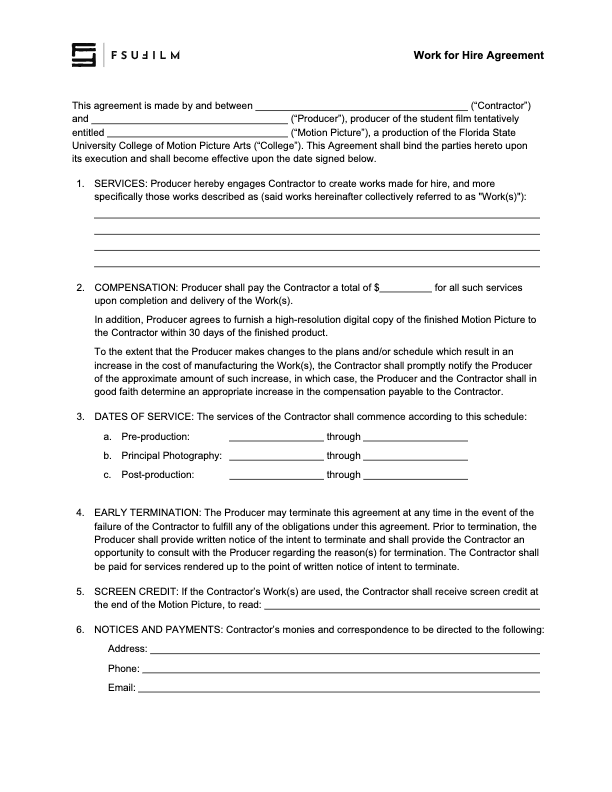
A work for hire agreement establishes that creative work, services, or materials produced by an individual for a production are being created on behalf of the project under agreed-upon terms regarding ownership and usage rights. This document is commonly used when productions involve commissioned creative contributions such as artwork, music, graphics, writing, photography, or other specialized work.

Clear ownership agreements are important because film productions often combine contributions from many collaborators across multiple creative disciplines. Proper documentation helps avoid confusion regarding intellectual property rights, future usage permissions, and distribution eligibility while reinforcing professional standards related to contracts and production legal workflows.

Instructions

The Producer should use this contract agreement when hiring someone to create a work-made-for-hire for a production.

The Producer is responsible for working with the Contractor to determine the services, the compensation structure, the dates of service, and the screen credit in the finished film.

All other clauses in the agreement must remain unchanged, unless the Producer is authorized in advance by the Head of Production to make specific amendments to the contract.

Weapon Authorization Request

Overview

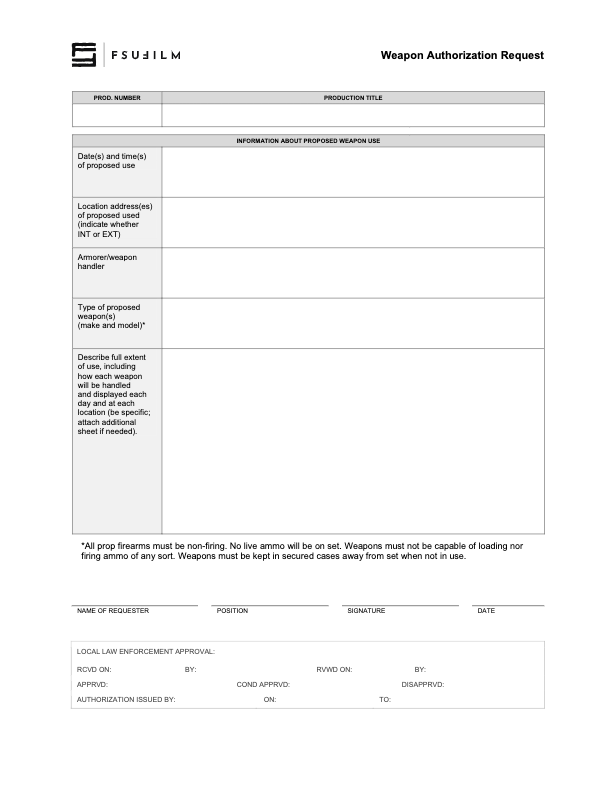
Productions involving prop firearms or other weapons must complete an authorization process before such items may be used during filming. This request process helps productions communicate the nature of the planned weapon use, identify safety considerations, and obtain the necessary approvals prior to production activity.

Weapons-related oversight is essential because even non-functioning or simulated weapons introduce significant safety, liability, and public communication concerns within production environments. The authorization process helps ensure that productions are approaching these elements responsibly, planning appropriate safety procedures, and coordinating properly with faculty, staff, and any relevant outside parties before filming takes place.

Travel Card Agreement

Overview

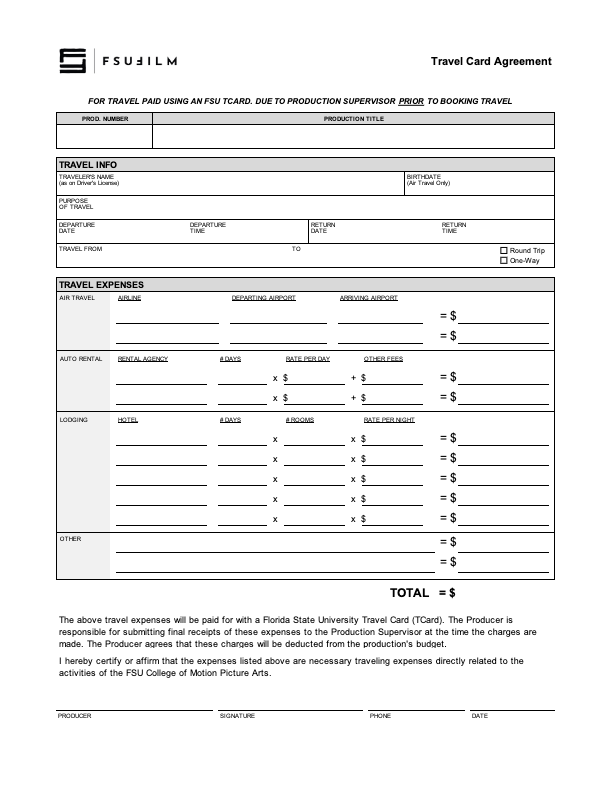
The travel card agreement outlines the expectations, responsibilities, and usage policies associated with the use of university-issued travel cards for approved production-related expenses.

Because university purchasing systems involve strict financial oversight and accountability requirements, students and productions must follow clearly defined procedures when handling institutional funds. The agreement helps ensure that purchases are documented properly, expenses remain compliant with university policies, and financial records can be tracked accurately throughout the production process.

Instructions

The Producer should use this agreement for travel paid using a Florida State University Travel Card (TCard). The form must be submitted to the Head of Production prior to booking travel.

The Producer is responsible for submitting final receipts of the listed expenses to a designated staff member at the time the charges are made. The Producer agrees that these charges will be deducted from the production’s budget.

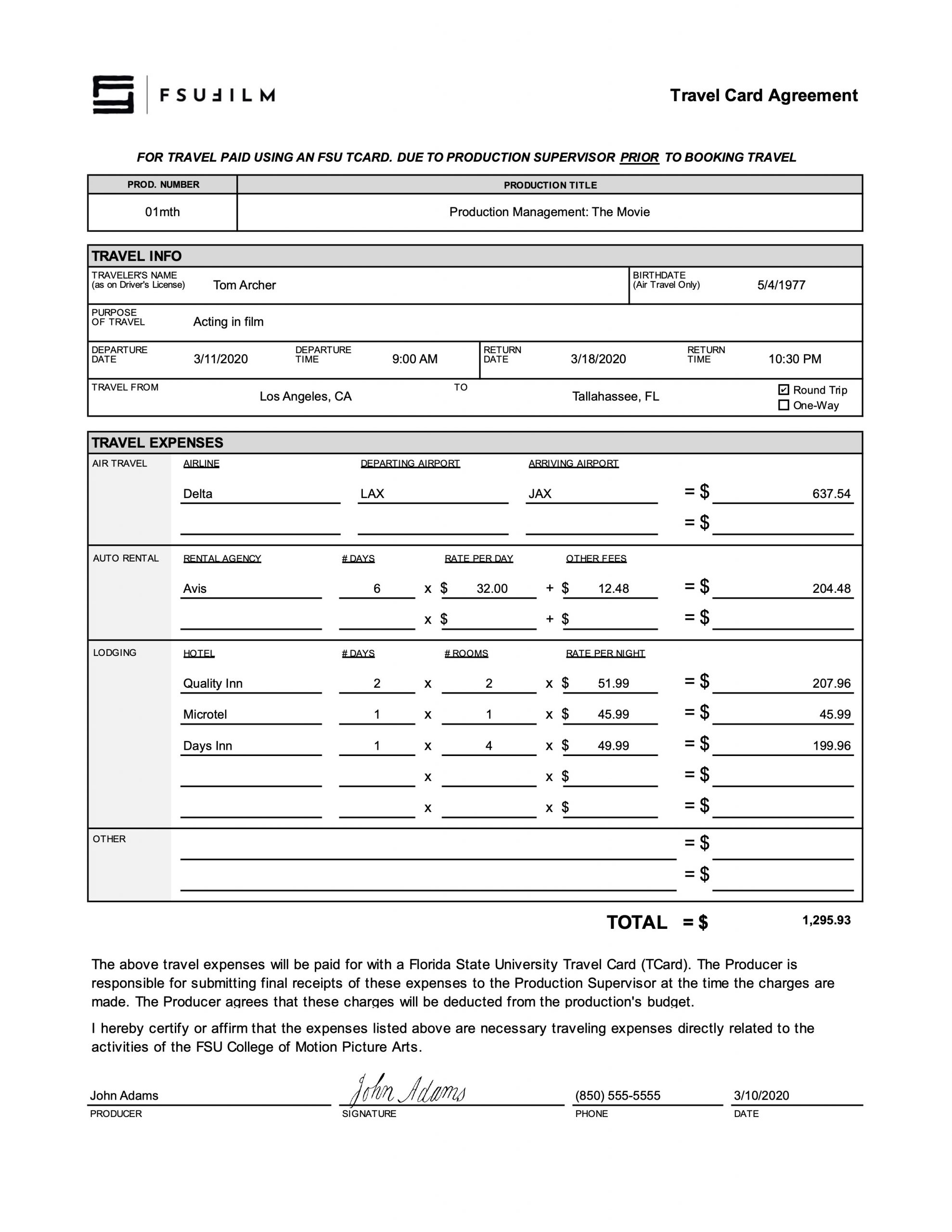
Sample

Here’s a sample of what the completed form should look like:

Sample of a completed form

Trademark Use Agreement

Overview

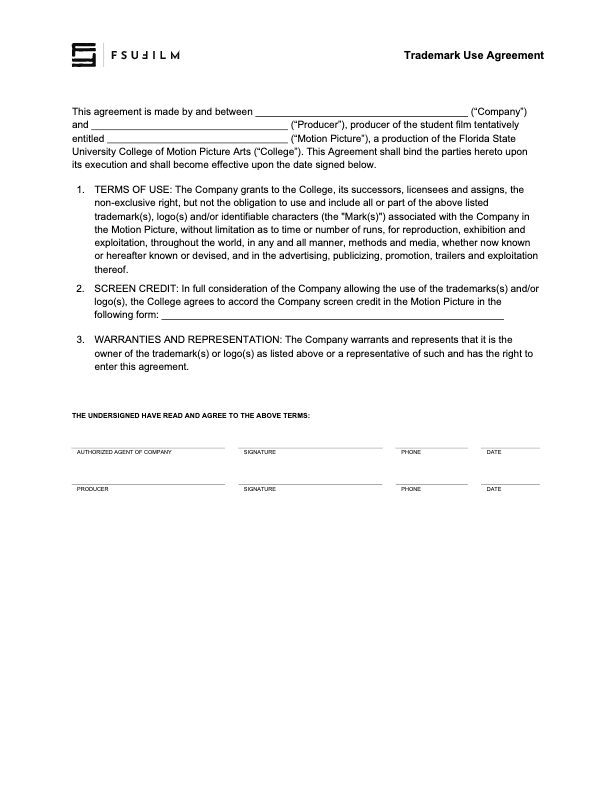
A trademark use agreement documents permission for a production to display, reference, or incorporate protected brand names, logos, products, or other trademarked materials within a film or related promotional materials.

Trademark usage can involve important legal and distribution considerations, particularly when projects move into festival exhibition, online release, or broader public circulation. Proper documentation helps productions reduce potential legal complications while encouraging students to think carefully about intellectual property rights, clearance procedures, and professional risk management within production workflows.

Instructions

This agreement is to be used to document when rights have been granted to use trademarks, logos and/or other identifiable characters associated with a company or product, in order to maintain a clean chain of title.

Any fair use claims — allowing the inclusion of trademarks in the finished film without this agreement being filed — must be presented to and cleared by the Head of Production prior to picture lock.

Synchronization License Request

Overview

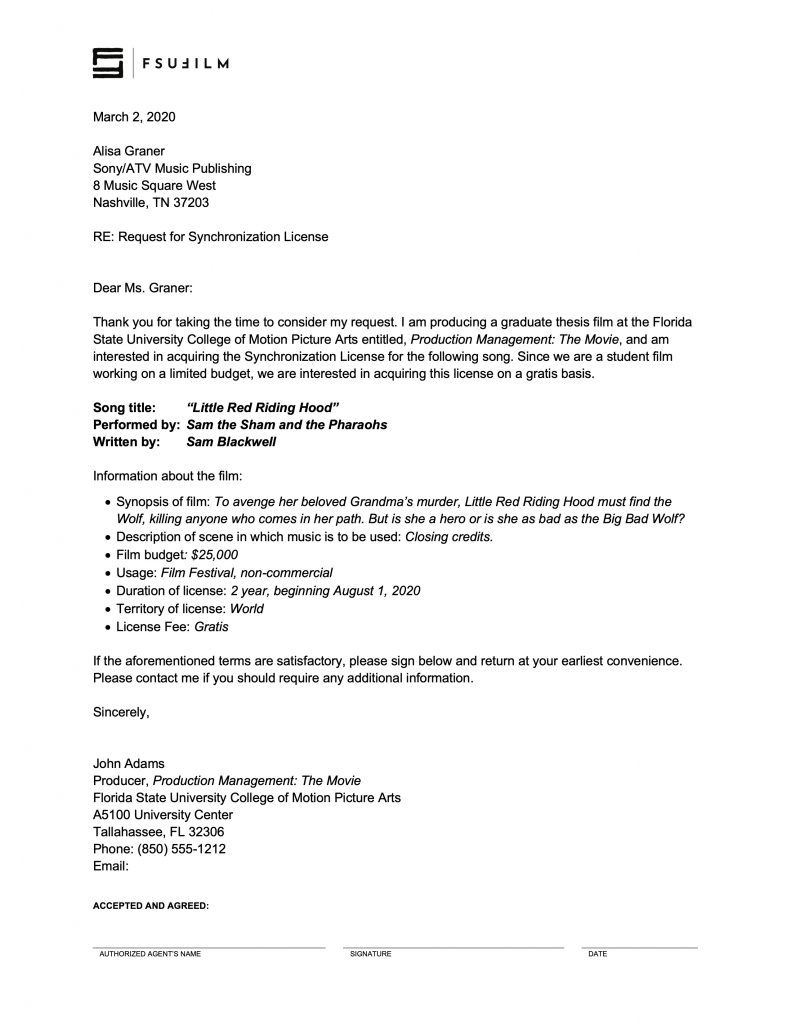
A synchronization license request is drafted when a production wishes to reproduce a specific musical composition in a film, and needs to obtain approval from the copyright holder.

Proper music licensing is essential because copyrighted songs cannot legally be reproduced within a film intended for festival exhibition, online release, or public distribution without authorization from the rights holder. Understanding synchronization licensing helps students develop stronger professional practices related to copyright compliance, music clearance, and the legal responsibilities associated with using commercial music in film productions.

INSTRUCTIONS

A synchronization license is the right to reproduce a specific musical composition in your film. It must be obtained from the copyright owner of the composition, which is usually the publisher.

You can find out who the publisher is by searching by song title at either ASCAP or BMI. Almost every song is represented by one of these two companies. Songs that are not represented by ASCAP or BMI might be found at the National Music Publishers’ Association “Songfile” website (www.nmpa.org). You will be provided with a contact at the publisher’s Business Affairs or Licensing Department.

Getting the rights could be as simple as sending letters to the publisher and record label, having them sign and return them. However, you may be required to complete their licensing agreements instead. If this is the case, make sure you have the Head of Production review the agreement before you sign it, to ensure we have the proper releases.

You must get each license for at least:

  • Two-years
  • Film festival
  • Non-commercial
  • World rights

Note that you will need to get a synchronization license from the publisher, even if you are making your own sound recording of that song. For example, if you have your actor sing or recite lyrics, whistle or hum the tune, play the song on a musical instrument, or in any way make your own sound recording of the song, you will need to get the synchronization license from the publisher.

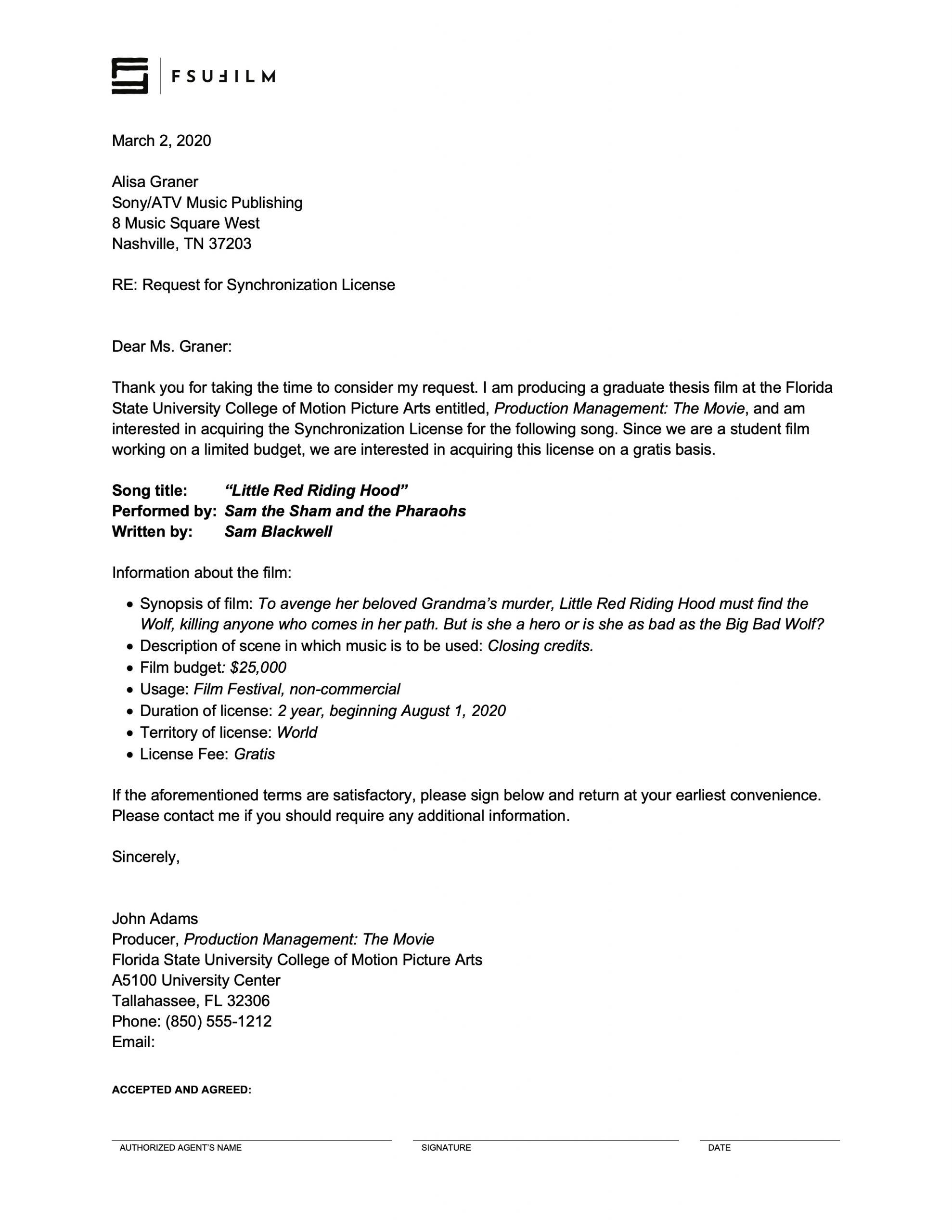
SAMPLE LETTER

Here’s a sample of what the letter should look like:

Sample letter

Stock Image Log Sheet

Overview

The stock image log sheet is used to document externally sourced still images incorporated into a production, including information related to image sources, licensing, permissions, usage details, and associated documentation.

Maintaining accurate image records is important because productions must be able to verify the origin and legal usage status of third-party visual materials included in a project. Organized logging practices help reduce clearance issues during delivery and distribution while reinforcing professional habits related to rights management, documentation, and media tracking.

Instructions

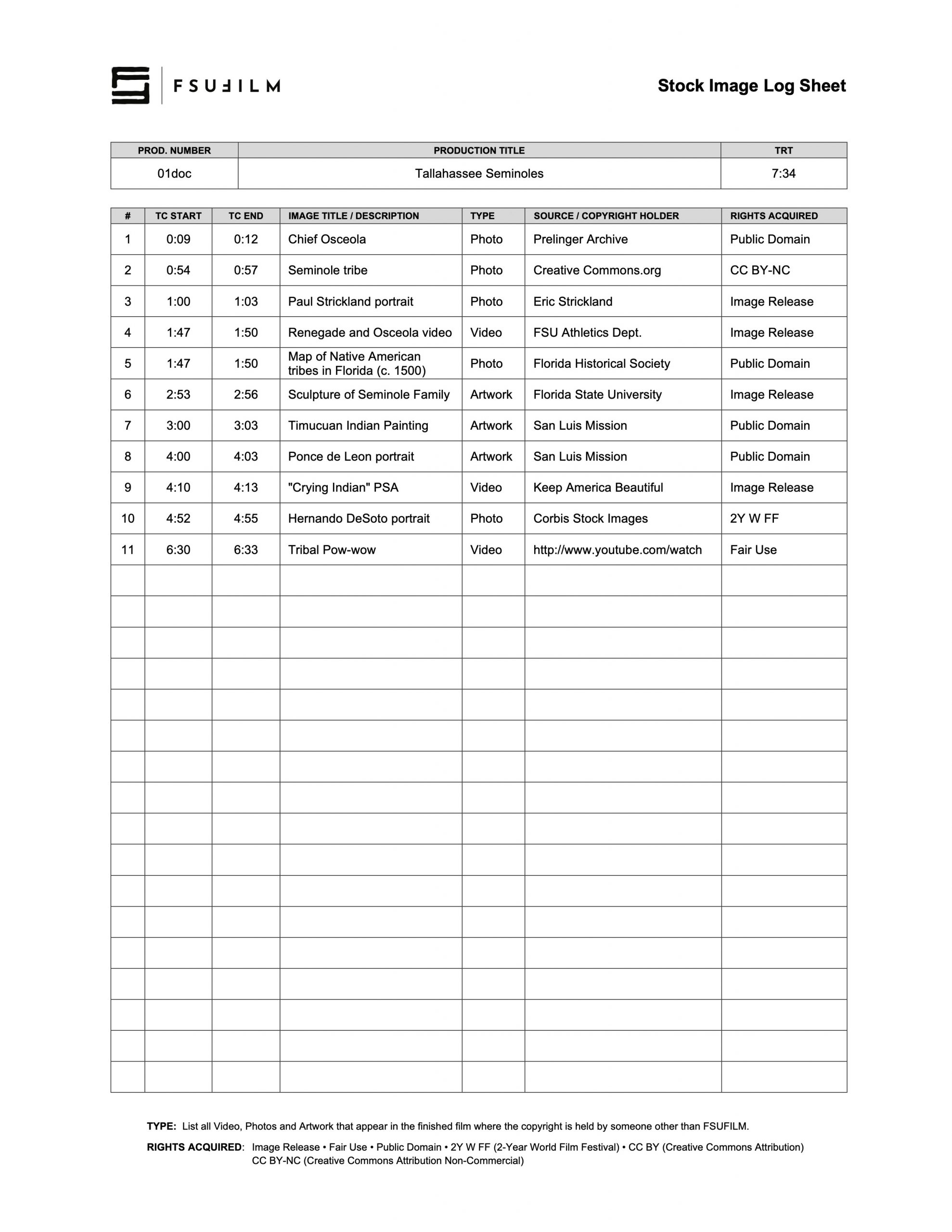
The Producer uses the Stock Image Log Sheet to document the type, source, copyright holder, and rights acquired for any stock images used in the film, noting the start and end timecode for where each image falls in the finished film. This includes any stock footage, photos, and artwork.

Be particularly attentive to anything listed as being in the public domain, as misinformation about such matters is rife on the Internet. If a source claims something’s in the public domain, do your due diligence to evaluate the veracity of that source.

If you wish to make a fair use case for any item, be sure to educate yourself on fair use and discuss it in advance with the Head of Production to ensure it will be approved.

SAMPLE

Here’s a sample of what the completed form should look like:

Sample of a completed form