#daily-production-paperwork

Additional Photography Request

Overview

Requests for additional photography involve seeking approval for filming that takes place outside the scheduled production period. This may include inserts, establishing shots, VFX plates and elements, or any other supplemental photography needed to complete the project successfully.

Because additional photography affects scheduling, equipment access, staffing, facilities, and administrative coordination, these requests must be reviewed carefully before approval is granted. The process helps productions evaluate whether additional filming is necessary, realistically achievable, and supported by an appropriate production plan while reinforcing the importance of preparation and efficient production management during principal photography.
Instructions

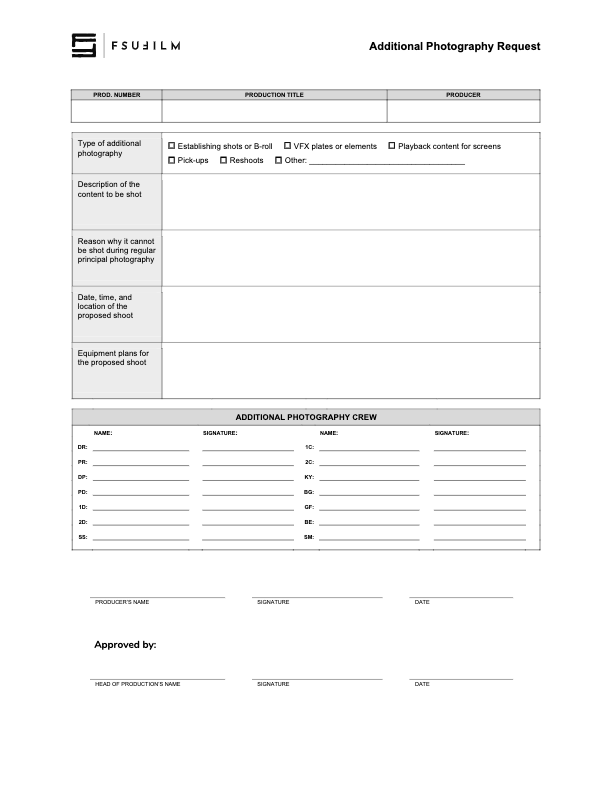
This form should be used by Producers to make a request to the Head of Production for additional photography outside of the regularly scheduled shooting days on the crew grid. Since additional photography involves time and resources, requests will not be approved automatically. Approvals will only be granted if the time and resources are available and if students make a compelling case for why the footage cannot be shot during regular principal photography.

Indicate on the form the type of additional photography that is being requested:

  • ESTABLISHING SHOTS OR B-ROLL
    Check this box if the request is for 2nd Unit shots that cannot easily be scheduled during regular principal photography. Typically these would be for shots that need to be shot at a discrete location without the involvement of principal actors, such as establishing shots at an inconveniently place location or B-roll of events that are occurring outside the regular production window.
  • VFX PLATES OR ELEMENTS
    Check this box if the request is for background plates or other photographic elements that are needed to complete visual effects shots.
  • PLAYBACK CONTENT FOR SCREENS
    Check this box if the request is for video content that would need to be shot in advance of regular principal photography in order to be played back during production.
  • PICK-UPS
    Check this box if the request is for pick-up photography. Only FC and MC shows may request pick-ups.
  • RESHOOTS
    Check this box if the request is for the reshooting of a scene where circumstances beyond the students’ control resulted in footage becoming unusable. Typically, trying to solve the problem through editorial fixes will need to be explored before a reshoot is approved.
  • OTHER
    Check this box if the request is for something different than the above examples, and provide a brief description of the type of additional photography that’s being requested.

Requests for additional photography must also include the following information:

  • the exact nature of the subject content to be shot;
  • the reason why it cannot be shot with the first unit crew during principal photography;
  • the date, times, and location of the proposed shoot;
  • a summary of the equipment plan for the shoot, including any requests for school equipment;
  • the crew required for the proposed shoot, including names and signatures (you’ll need to determine how many crew members you need and you’ll need to recruit them).
  • any additional supporting documentation can also be attached as needed.

Submit the completed request form to the Head of Production. Leave adequate time for the Head of Production to review the request and be prepared to make adjustments if any concerns need to be addressed. The Head of Production’s decision on whether to approve or deny the request is final.

Camera Continuity Log

Overview

The camera continuity log documents important technical and organizational information related to recorded footage throughout production. This includes details such as scene and take information, camera settings, lens and filter data, media tracking, and other production records associated with camera operations. The log is for projects without an assigned script supervisor.

Accurate continuity logging helps editorial and post-production teams organize footage more efficiently and reduces confusion when reviewing large amounts of material across multiple shooting days. Consistent logging practices also reinforce the importance of communication, organization, and technical record-keeping within professional production workflows.

Instructions

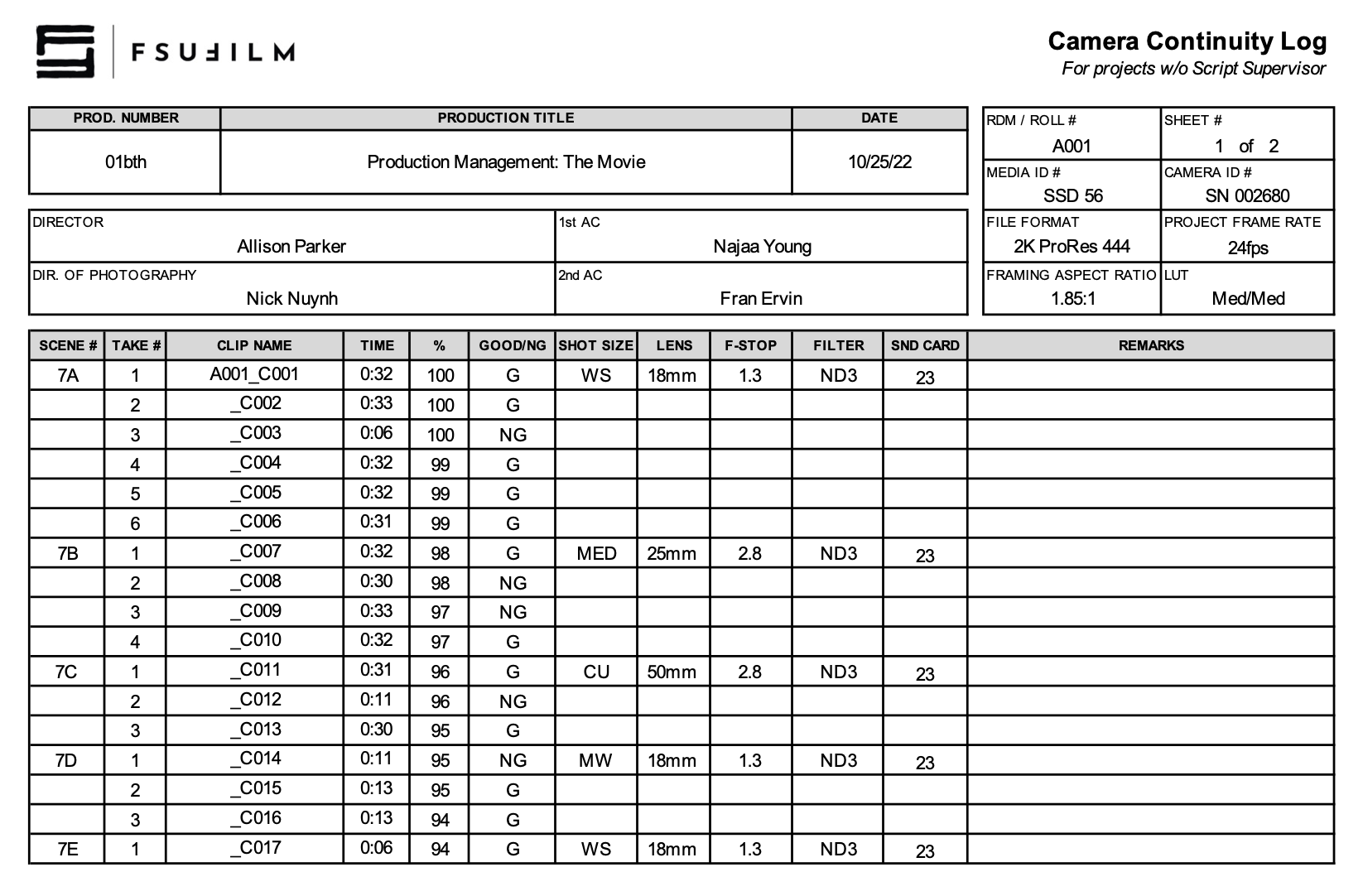
The Camera Continuity Log is to be used only on shows that do not have a Script Supervisor. The report is completed by the 2nd AC. If the project does have a Script Supervisor, then the 2nd AC should use a Camera Report instead.

Sample

Here’s a sample of what the completed form should look like:

Sample of a completed form

Performers Time Report

Overview

A performers time report documents the hours, dates, and participation details associated with performers working on a production. These records help track performer involvement throughout production activities and maintain organized documentation related to scheduling and production participation.

Accurate time reporting is important because productions depend heavily on reliable scheduling, coordination, and record-keeping across cast and crew activity. Maintaining organized performer records also supports professional production management practices and helps ensure that participation details are documented consistently throughout the course of production.

Instructions

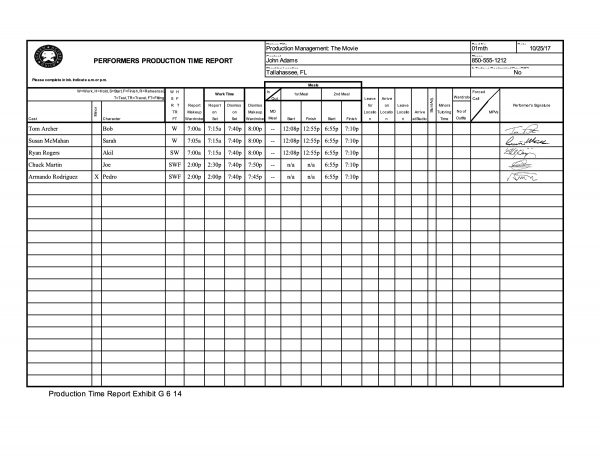
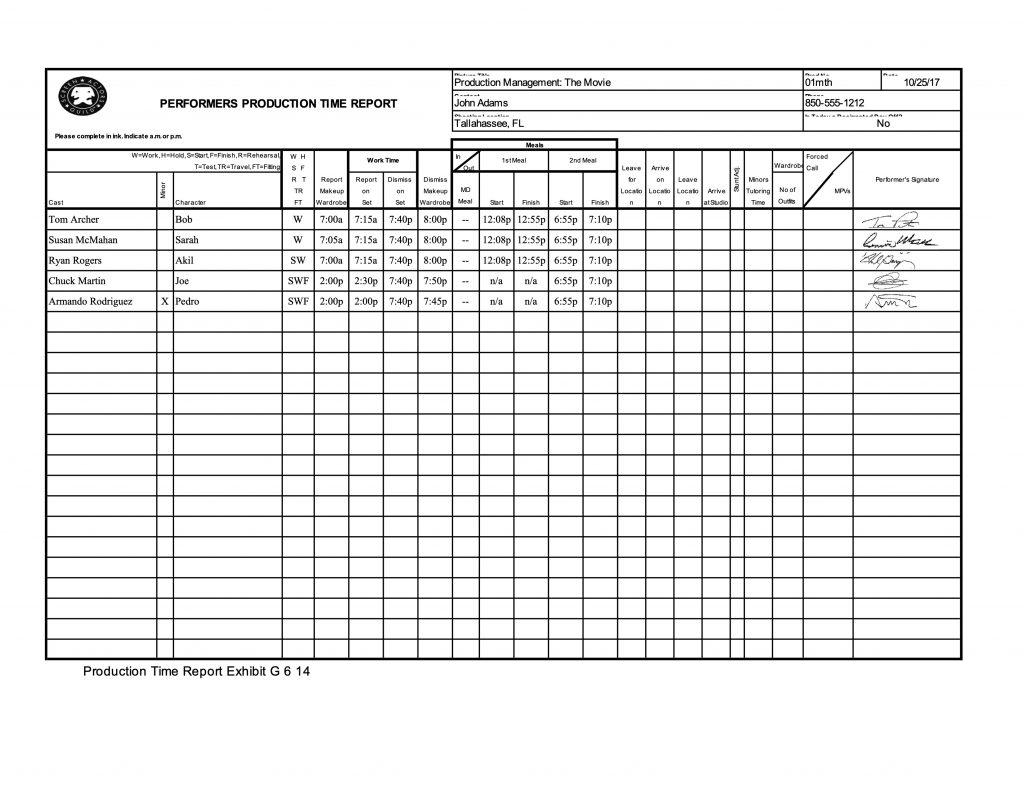
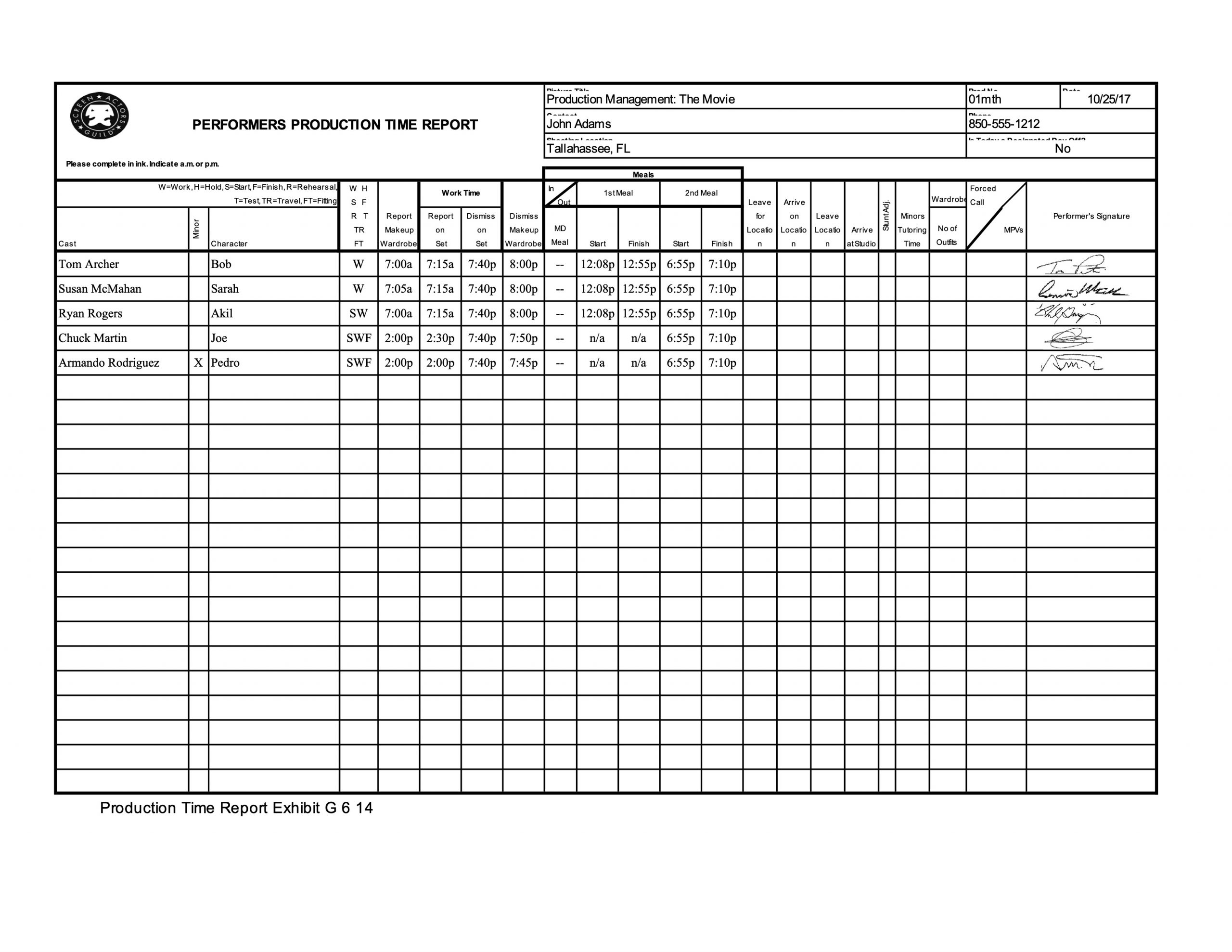
The 2nd AD should complete the Performers Time Report for each production day, ensuring that each performer signs the report before they are dismissed for the day. If a show does not have an assigned 2nd AD, the Producer shall assume the responsibility.

Sample

Here’s a sample of what the completed form should look like:

Sample of a completed form

Meal Sign In

Overview

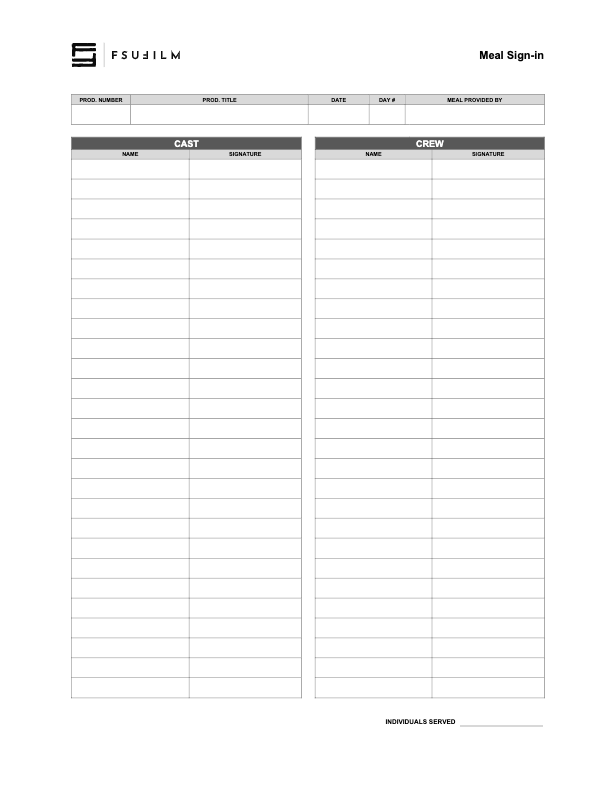
The Meal Sign In form is used to document meals provided during production. The Producer should prepare the form in advance with as much information as possible, and the 2nd AD typically manages sign-in during lunch on set.

Maintaining accurate meal records helps the production document that meals were provided and that cast and crew were accounted for during the workday. This supports both production organization and school oversight, while reinforcing the expectation that productions handle meal periods responsibly and consistently.

Instructions

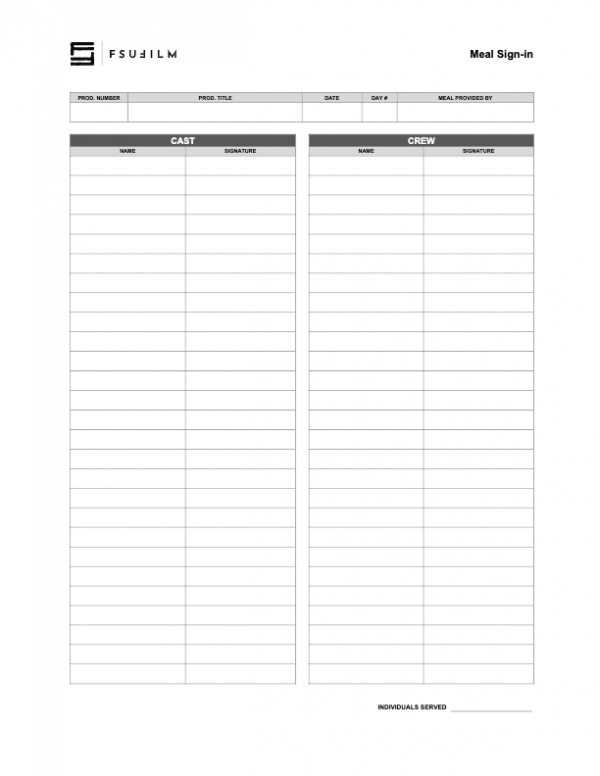
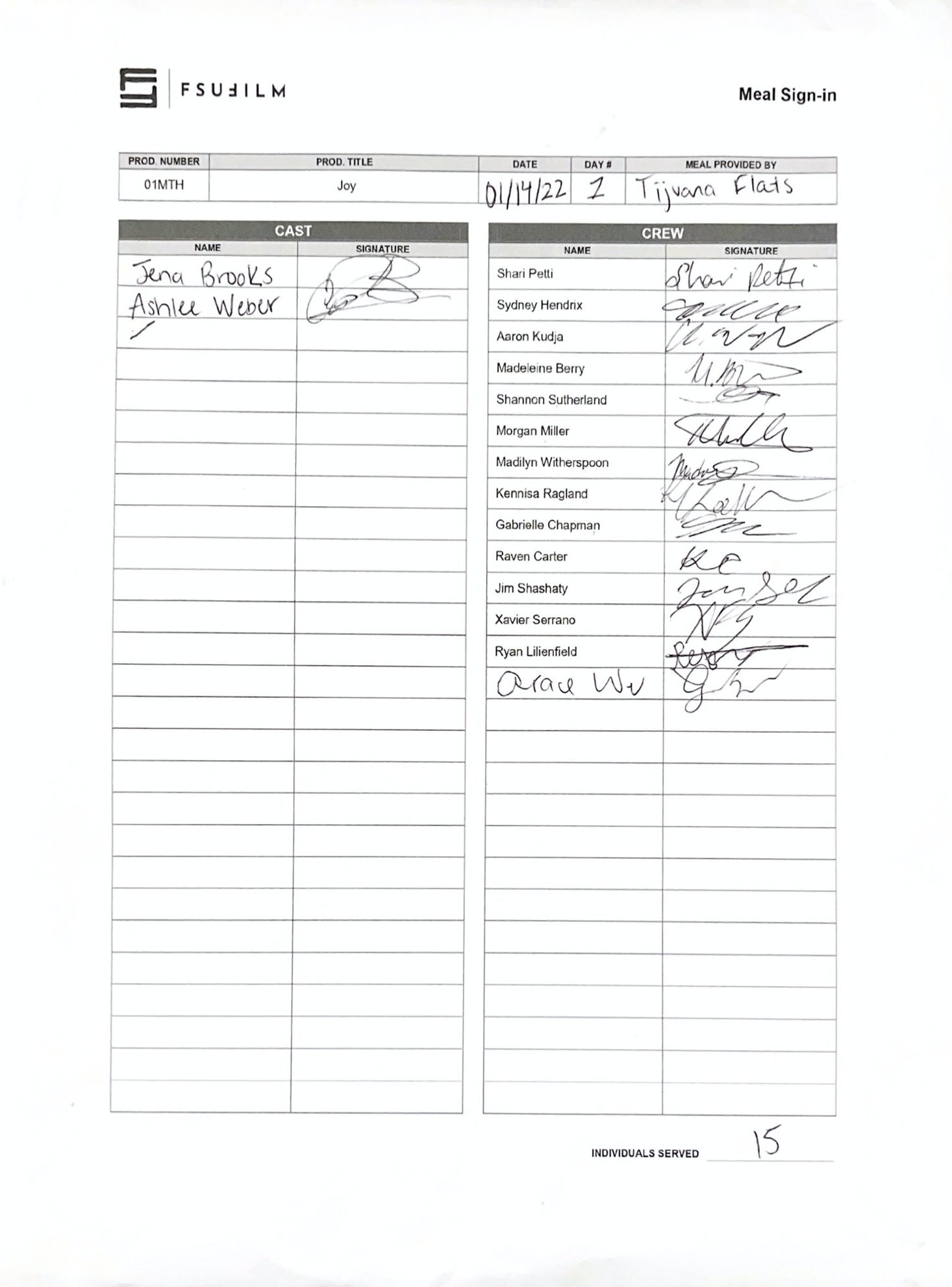
The Producer should prepare the Meal Sign In sheets prior to production by typing in as much info as possible. Then on set during lunch, the 2nd AD will have each Cast and Crew member sign the sheet. Count the number of signatures, and enter that number at the bottom by Individuals Served.

The Producer will also need to turn in the Meal Sign In sheets along with the Reimbursement Voucher to verify those who had eaten the food that was provided on set.

Sample

Here’s a sample of what the completed form should look like:

Sample of a completed form

Daily Production Report

Overview

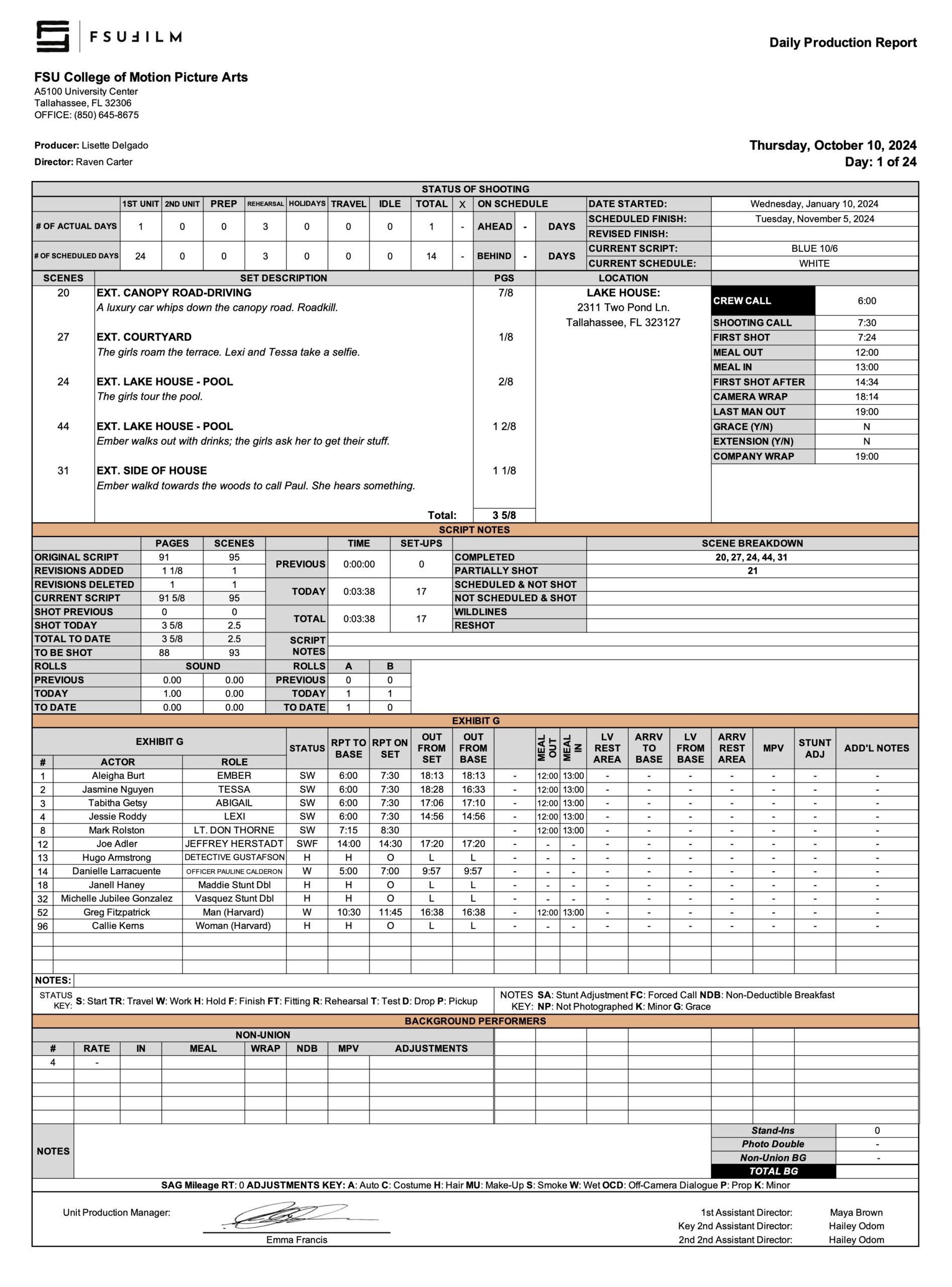
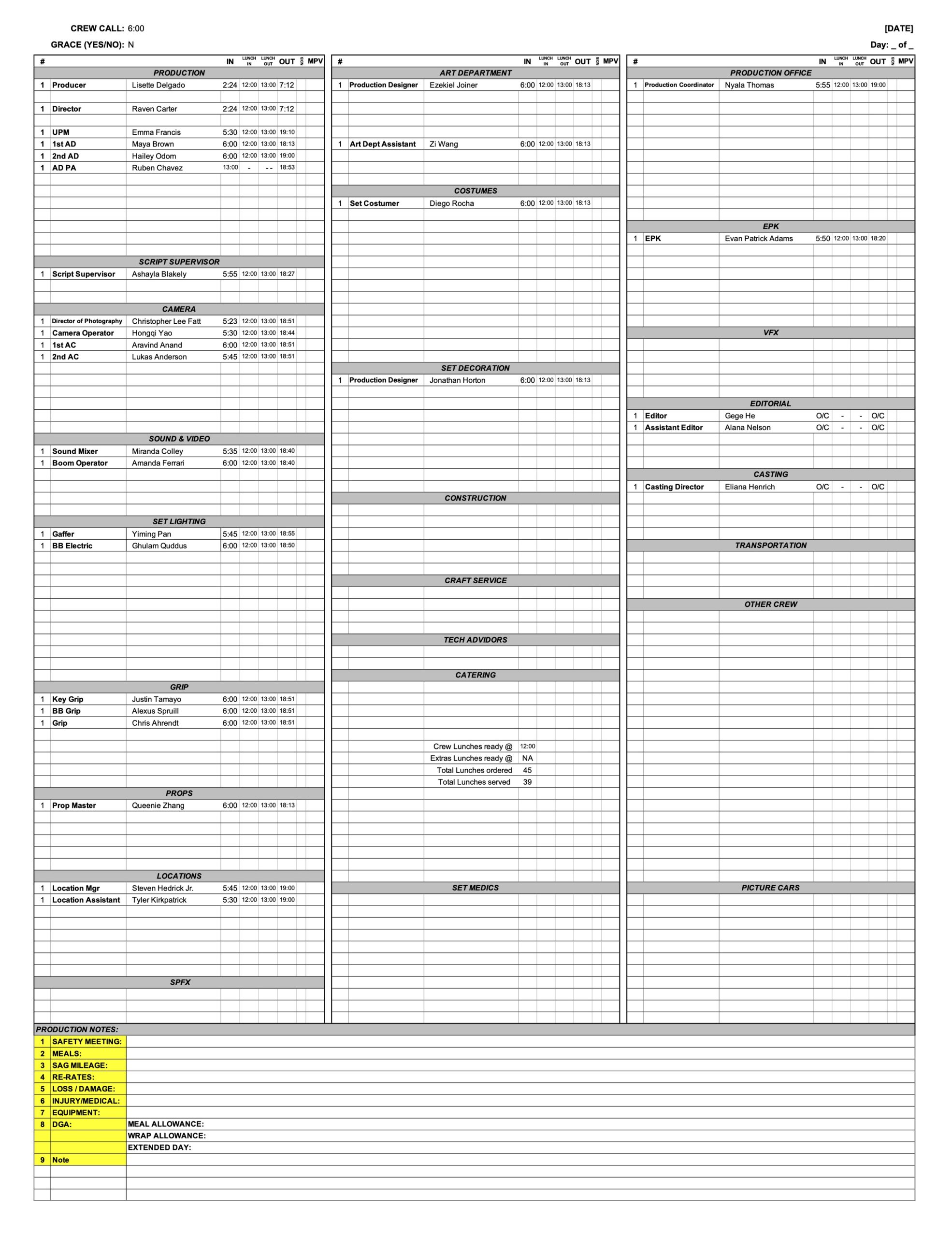
The Daily Production Report documents the major activities, progress, delays, incidents, scheduling information, and operational details associated with a production day. It serves as an official record of what occurred during filming and is completed at the end of each shoot day.

Daily reporting is important because productions rely on accurate records to track progress against the schedule, communicate between departments, identify emerging issues, and maintain accountability throughout the shoot. Consistent reporting also creates a valuable reference for post-production, faculty oversight, and future review of production operations.

INSTRUCTIONS

The Second Assistant Director is responsible for sending out a PDF of the Daily Production Report (DPR) at the end of every shooting day, no later than two hours after wrap. If the production does not have a dedicated Second Assistant Director, the First Assistant Director or Producer shall assume the responsibility.

The purpose of the DPR is to communicate important information from the day’s production, such as number of setups, start and end times, in and out times, reports on delays, and reports on equipment problems. If an urgent problem or situation arises on set, however, do not wait until the end of day to report it; contact the appropriate individuals immediately. (Make sure it is documented on the DPR at the end of the day as well, though.)

Post the completed DPR the “DPRs” channel on Teams. The PDF file should be formatted with production number and show title as follows: 

01f3-DPR-Day1.pdf

DPR Sample

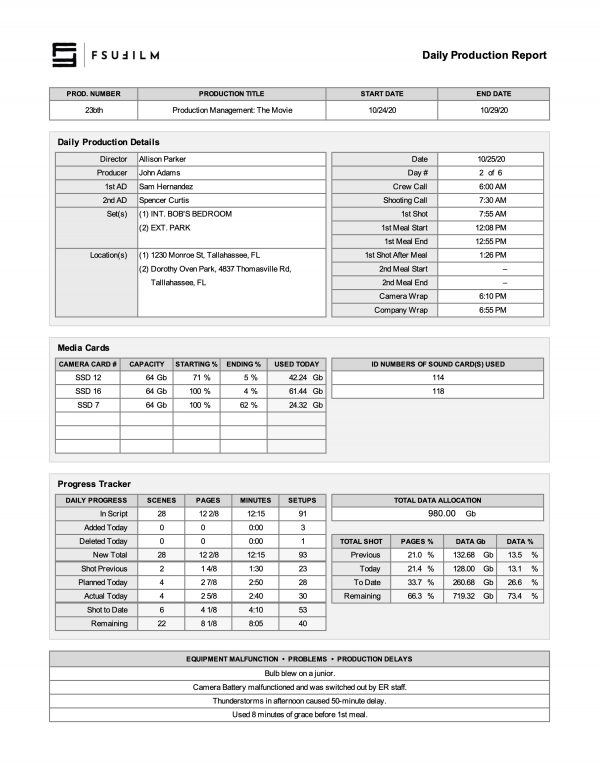
Here’s a sample of what the completed form should look like:

Sample DPR (page one)
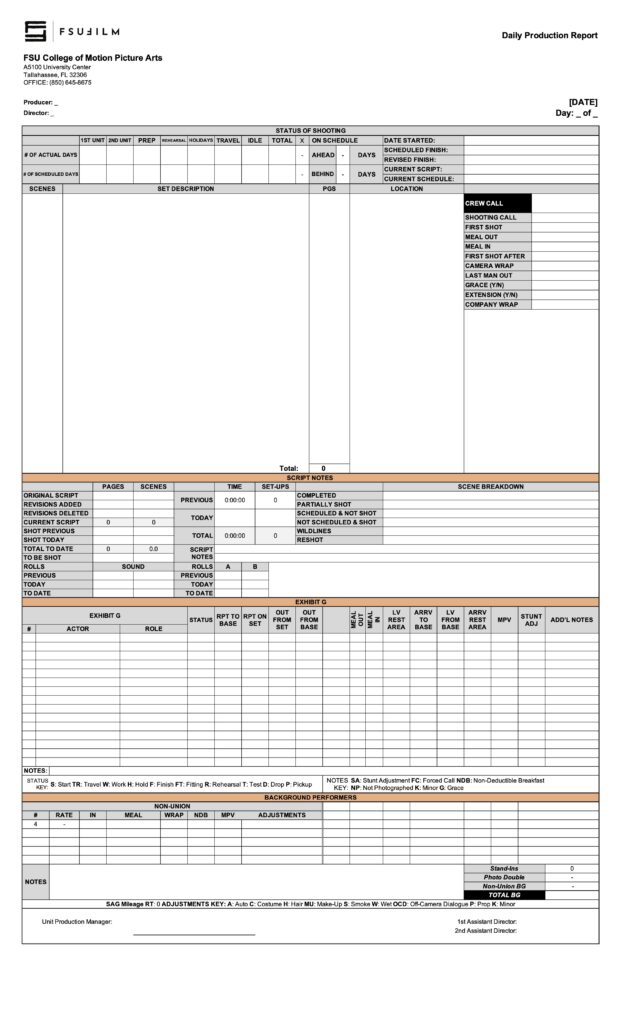
Sample DPR (page two)

Crew Sign In

Overview

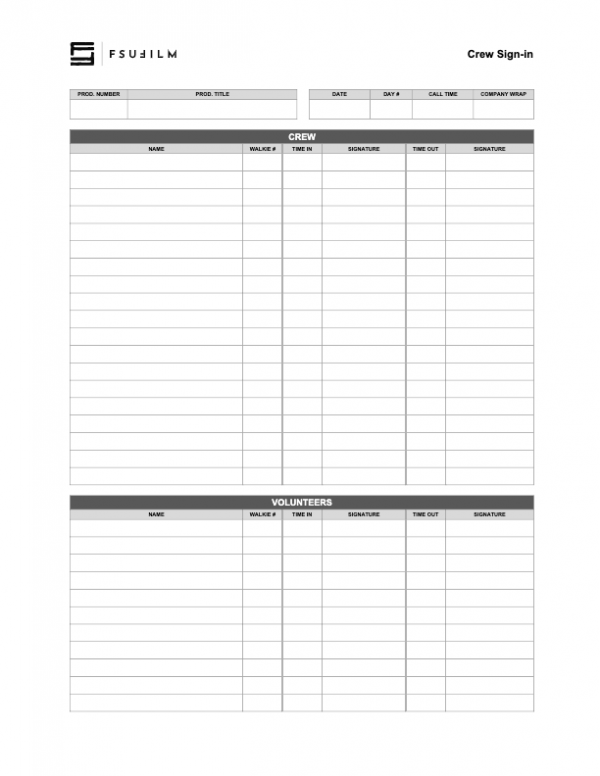
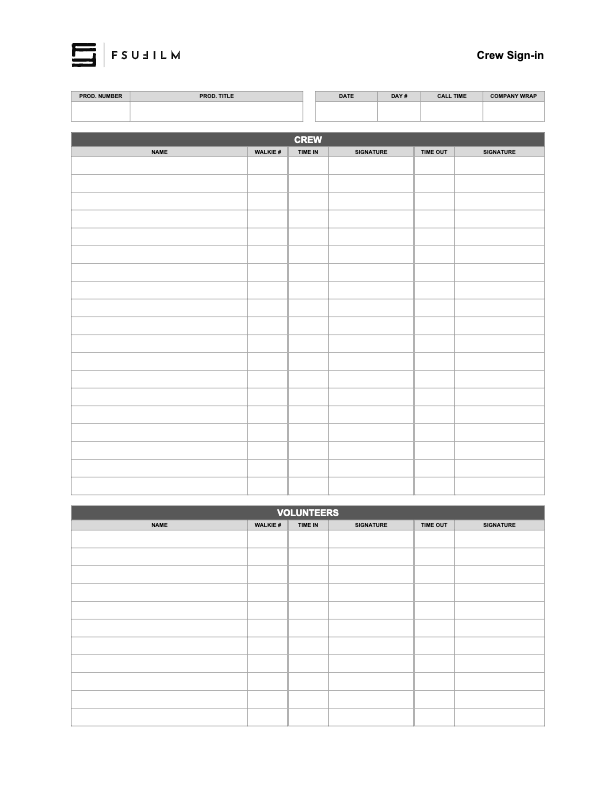
The Crew Sign In form is used to document crew attendance during production activities. It provides a record of which crew members were present on a given production day and is used to track arrival times, departure times, and walkie numbers.

Maintaining accurate attendance records helps productions stay organized and supports communication, scheduling, safety oversight, and administrative documentation throughout the shoot. Consistent sign-in procedures also help reinforce professional production practices related to accountability and crew coordination.

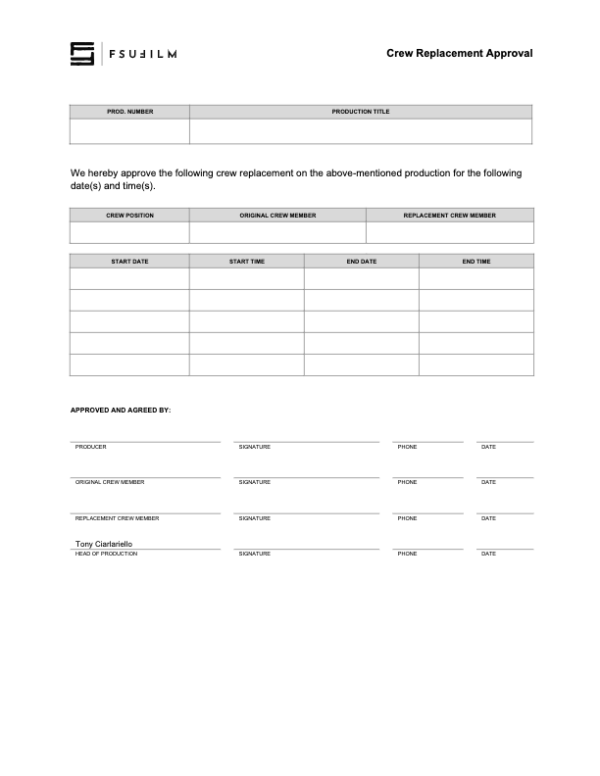
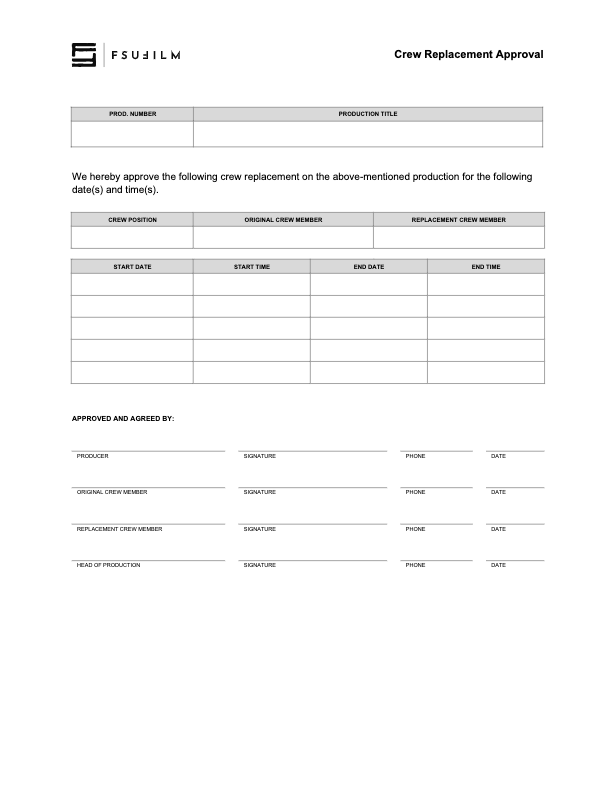
Crew Replacement Approval

Overview

The Crew Replacement Approval process is used when a production seeks permission to replace a crew member after assignments have already been finalized.

Crew changes can affect scheduling, training, department continuity, collaboration, and the overall balance of the production structure. Requiring formal approval helps the school evaluate whether the proposed change is appropriate, manageable, and consistent with the educational and operational needs of the production.

Instructions

This paperwork should be submitted when requesting that a crew member be replaced by another student. It requires the signatures of both the original crew member and their replacement, as well as the Producer and the Head of Production.

If crew members are switching positions on a productions, a separate form should be submitted for each crew position.

Camera Report

Overview

The Camera Report documents technical and organizational information related to footage recorded during production. This includes scene and take information, media card tracking, camera settings, lens and filter data, and other production details associated with camera operations.

Accurate camera reports are important because editorial and post-production workflows depend heavily on reliable production records when organizing and reviewing footage. Consistent reporting helps reduce confusion, improve media management, and support smoother communication between camera, script supervision, editorial, and post-production departments.

INSTRUCTIONS

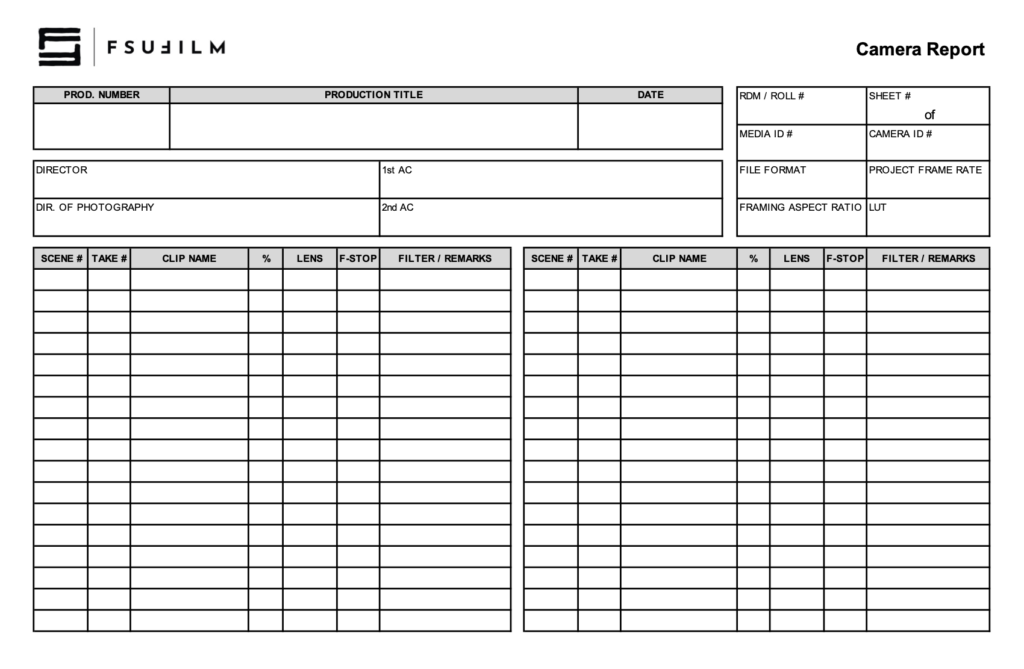
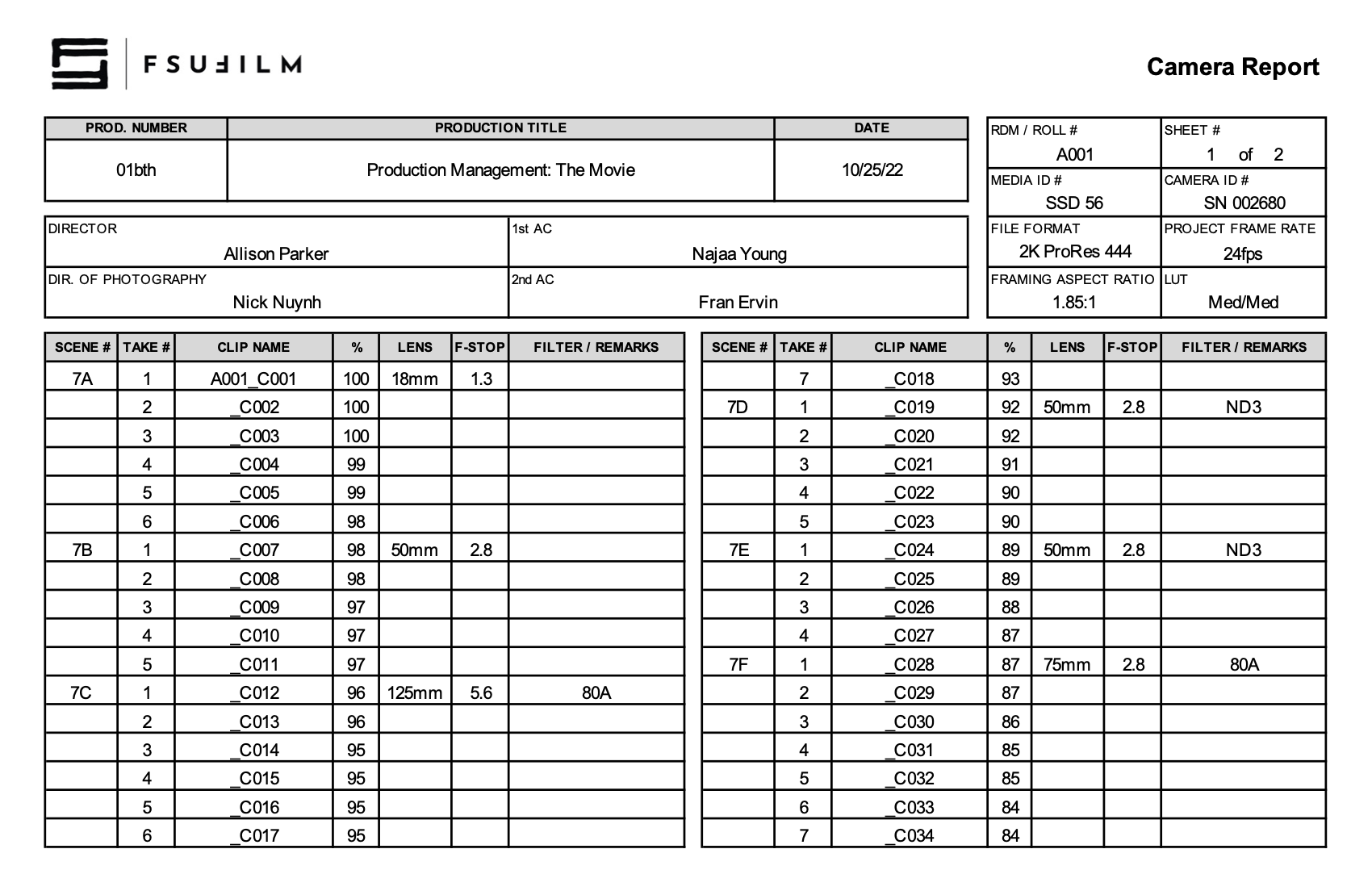
The 2nd AC completes the Camera Report. For the info in the top-right corner:

  • RDM/Roll #: A sequential numbering of each of the camera cards used. For example, the first camera card used on day 1 would be A001. The next camera card used, say on day 2, would be A002. And so on.
  • Sheet: A sequential numbering of Camera Reports for each camera card. For example, for camera card SSD 56, you start with Sheet 1. If you fill up Sheet 1, then you would continue on a new Camera Report, Sheet 2. And so on.
  • Media ID #: The ID number on the camera card.
  • Camera ID: The serial number that can be found on the bottom of the camera.
  • File Format: The file format that is set on the camera menu. Standard for Red Epic is 2K ProRes 444.
  • Project Frame Rate: The frame rate of the project edit timeline. Standard is 24fps.
  • Framing Aspect Ratio: The aspect ratio used for the camera framing guides.
  • LUT: The Look Up Table settings that were selected in the camera menu.

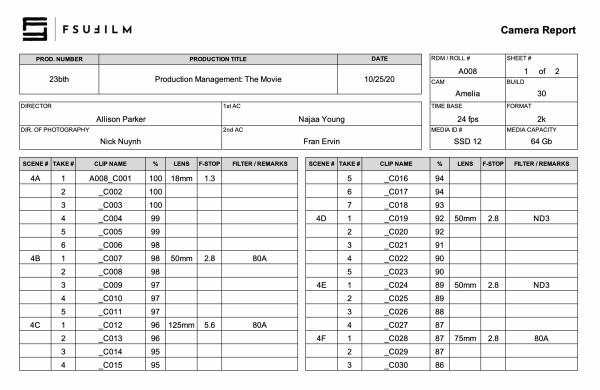
SAMPLE

Here’s a sample of what the completed form should look like:

Sample of a completed form

Call Sheet

Overview

A call sheet is the primary daily production document used to communicate the schedule, locations, crew call times, cast information, scenes to be filmed, logistical details, safety notes, and other operational information for an upcoming shoot day.

Clear and accurate call sheets are essential because they serve as the central communication tool that keeps productions organized and aligned from day to day. Well-prepared call sheets help reduce confusion, improve coordination between departments, support safer production operations, and allow cast and crew to arrive properly prepared for the work ahead.

INSTRUCTIONS

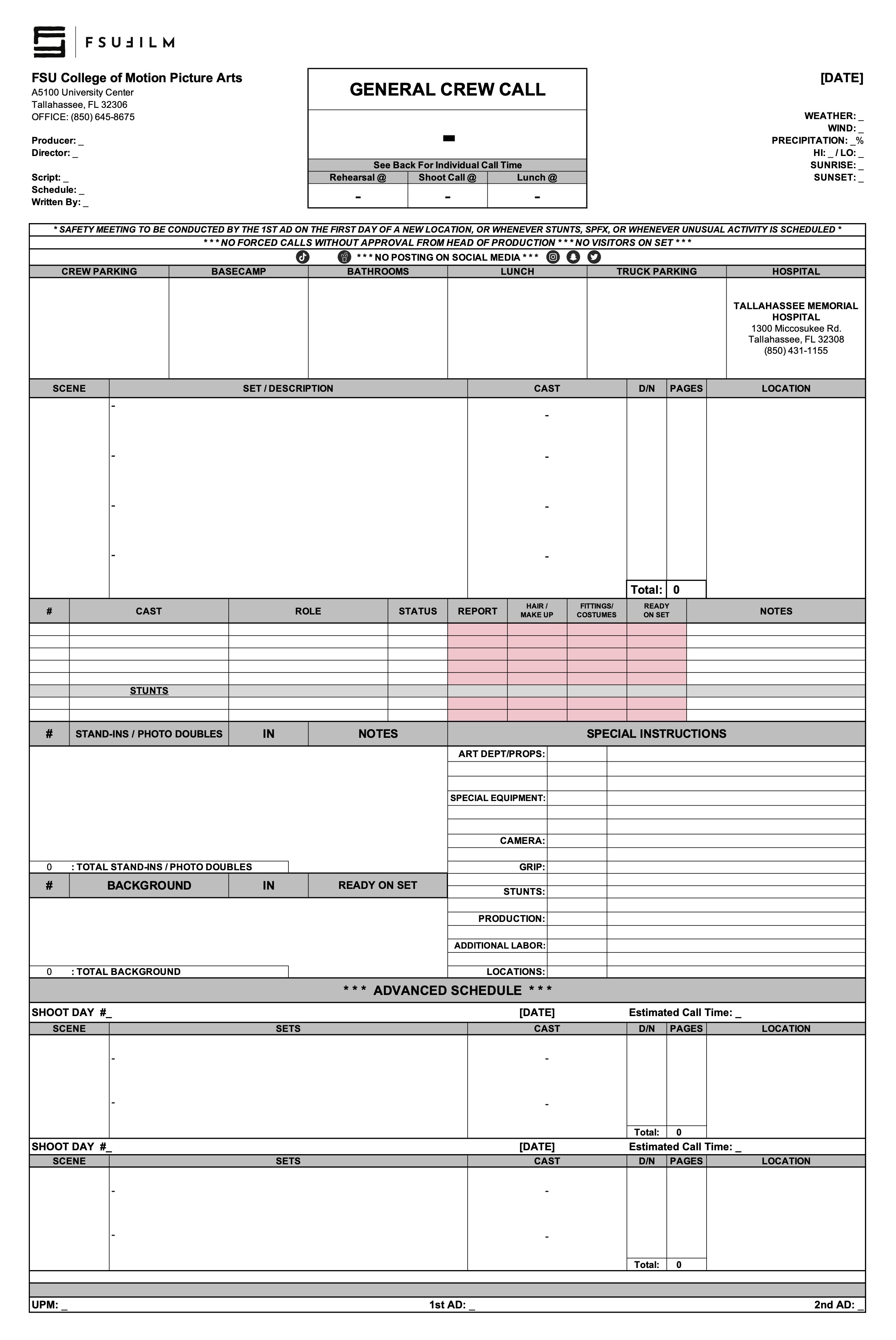
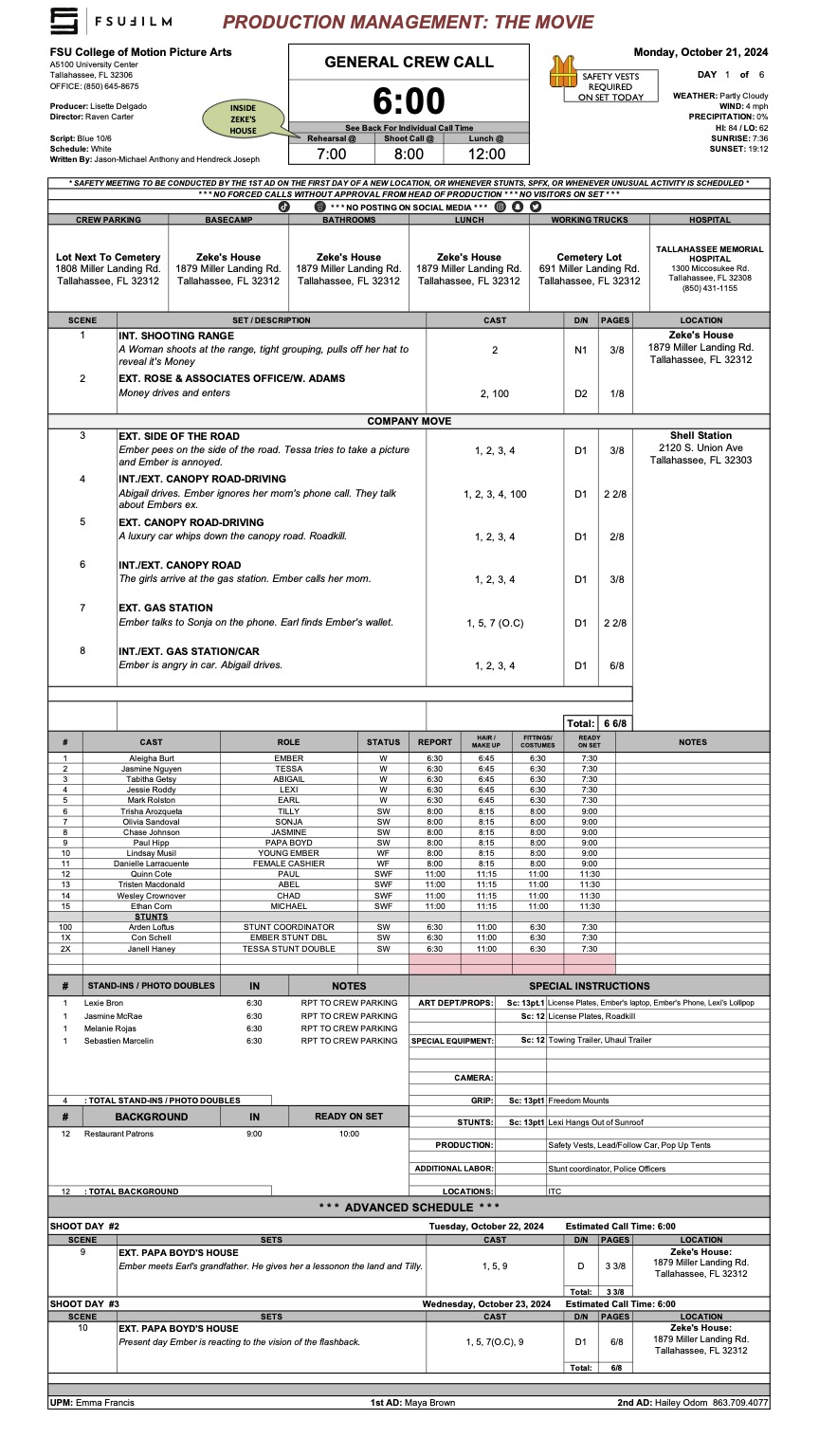
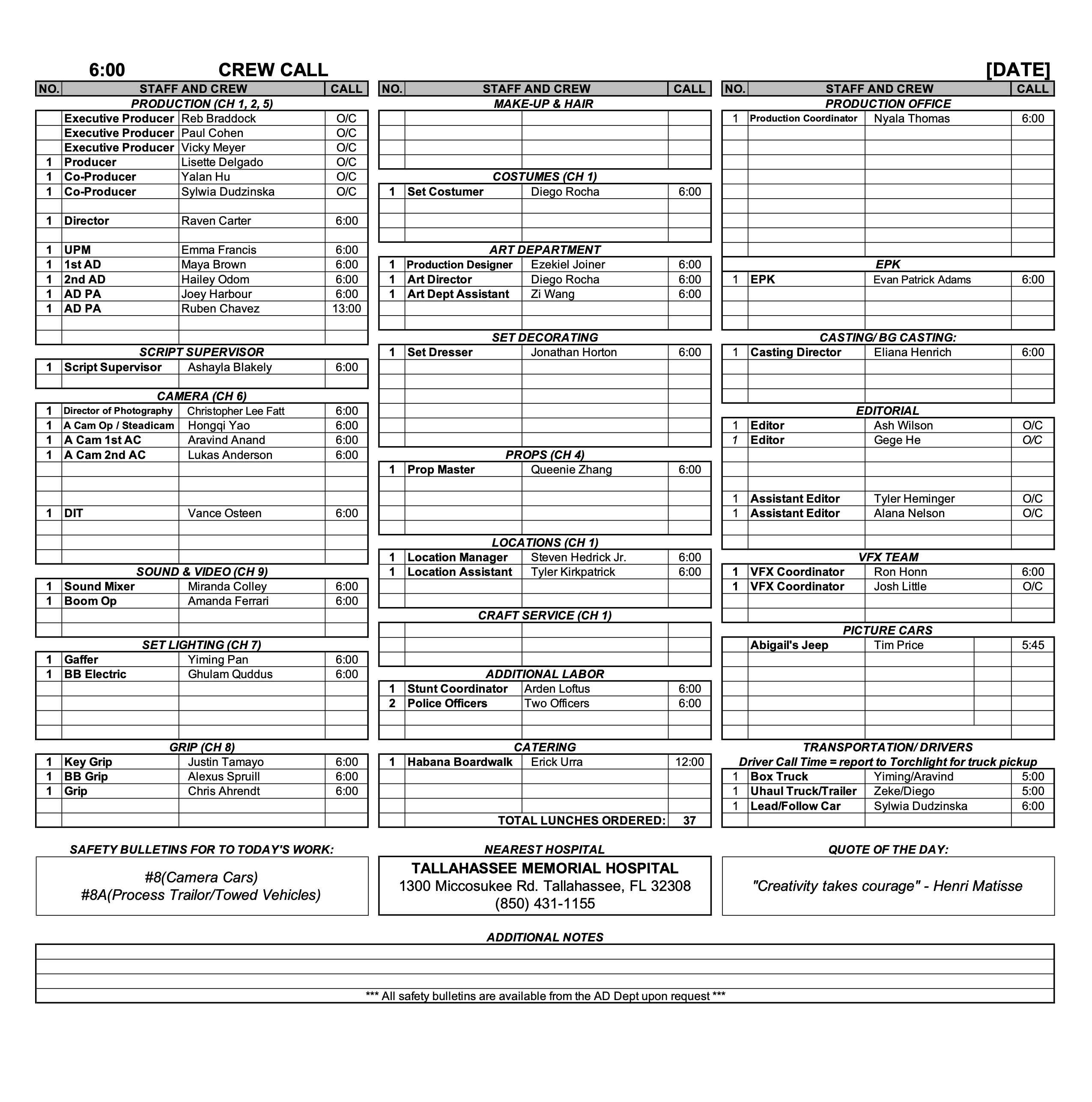
The purpose of the call sheet is to provide all the pertinent information about the next day’s production. The Second Assistant Director is responsible for distributing a PDF of each day’s call sheet to the cast, crew, faculty, and FSU police. If the production does not have a dedicated Second Assistant Director, the First Assistant Director or Producer shall assume the responsibility.

Call sheets, along with any relevant additional information such as maps or safety bulletins, must be distributed no later than 12 hours before call time on the first day of production and no later than the previous day’s company wrap for all subsequent days. It is important to thoroughly check — and double-check — and triple-check — that all the information in the call sheet is correct before it is sent out, because the distribution of revisions can create confusion.

MESSAGING

Call sheets should be distributed with a subject line that follows this naming convention: 01f3-Film Title - Call Sheet - Day 1

You may include a brief, executive summary of important information in the body of the message, but this should not be a substitute for providing all relevant information in the call sheet itself.

Call sheets must be distributed in two ways:

  1. Post call sheets (and any relevant maps and safety bulletins) to the “Call Sheets” channel in Teams. This is for your instructors and assigned crew.
  2. Email call sheets to your cast, POL-PDSupervisors@fsu.edu (FSU Police), and any other relevant parties who need the call sheet.

Sample Call Sheet

Update accordingly for subsequent days. For instance, you no longer need to introduce yourself after day 1.

_________________________________________

SUBJECT: 01f3-Film Title – Call Sheet – Day 1

Hello 01F3 Team!

We hope everyone is excited to get working on, (“Film Title”), directed by (First Last Name).

My name is (First Last) and I am the (Position) for this film. I will be sending out call sheets, location directions, and general information each day of the shoot. When you arrive on set you will sign in with me and you will check out with me at the end of your day.

Attached are the call sheet, location info and parking instructions for tomorrow. Note, the location is approximately ## minutes away from the film school. Depending on your departure location, please plan accordingly. If you are part of a carpool, please ensure you allow extra time for pick-ups and drop-offs.

*Please read the call sheet thoroughly for specific information.

*Please arrive at least 15 minutes prior to your call time to ensure you have time to park and check in with me on time.

CREW CALL: 7:00AM

CAST CALL: See Below

(First Last) your call time is 7:45 AM

(First Last) your call time is 8:15 AM

FILMING LOCATION

Address: #### Somewhere St, City, FL, Zip

*Insert Google Maps Link here.

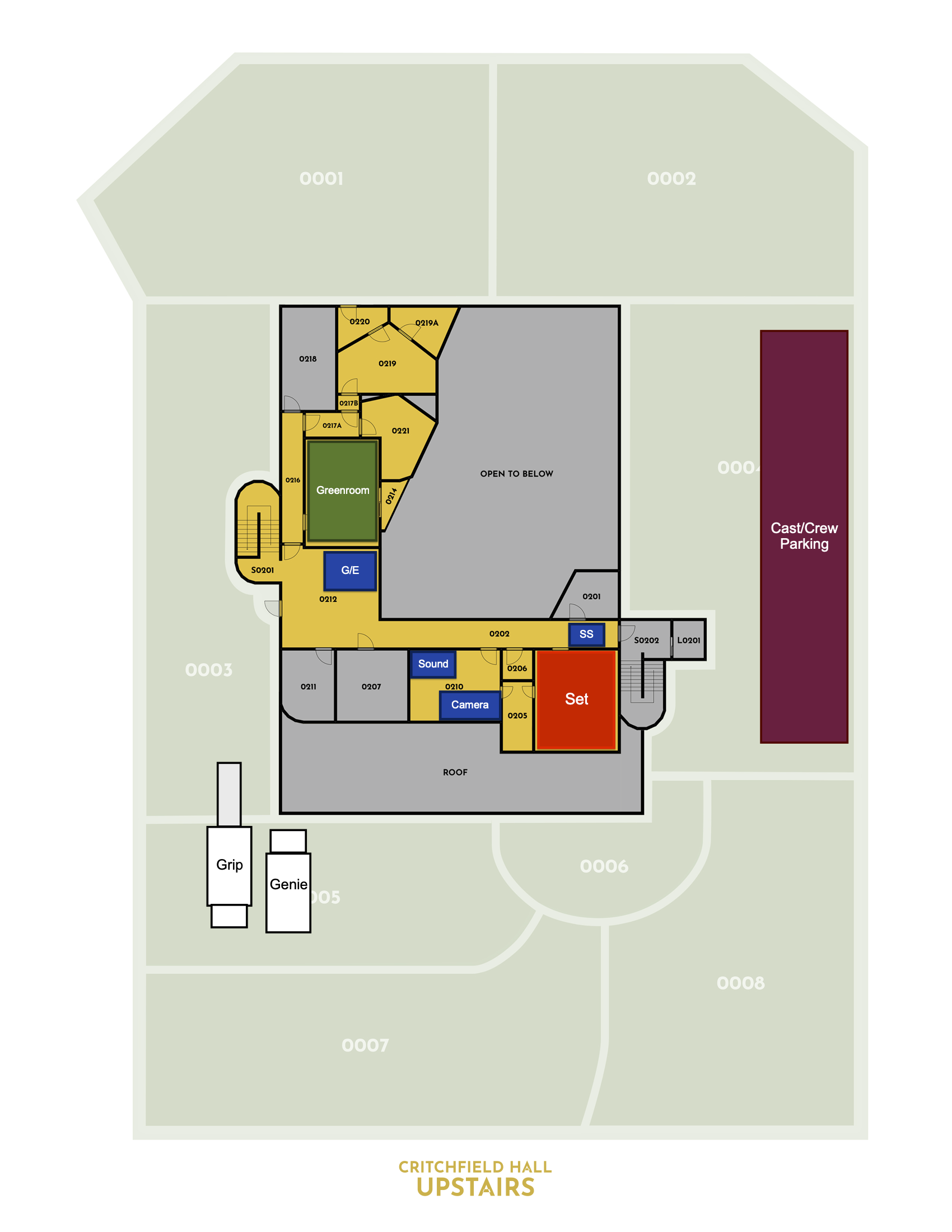
CREW/CAST PARKING

Add VERY specific instructions for parking here.

TRUCK PARKING

Add VERY specific instructions for parking here.

LOCATION NOTES

(Sample) Please DO NOT WALK ON THE GRASS. This is a specific request from the location owner.

(Sample) Dogs on site (they will be contained)

(Sample) Please keep exterior noise to a minimum.

DOCUMENTS ATTACHED TO EMAIL

-Call Sheet

-Location Map

-Location Parking Diagram

-Safety Bulletins: #5, #10

If you have any issues getting to set, or any questions whatsoever, please do not hesitate to call my number below.

We look forward to working with you!

Best,

(First Last)

(Your Position)

Cell: (###) ###-####

@FSU Email

(First Last)

Producer

Cell: (###) ###-####

@FSU Email

Sample call sheet (page one)
Sample call sheet (page two)
Sample map
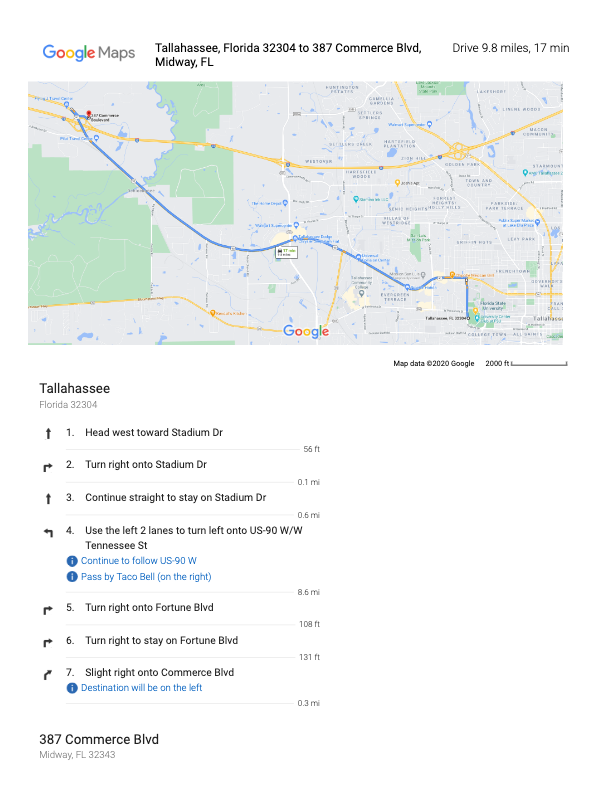
Sample location map

Set-up Schedule

Overview

The set-up schedule outlines the planned timing and workflow for preparing and shooting each set-up throughout a given production day.

Careful setup planning is important because productions rely on efficient coordination between departments before cameras begin rolling. Structured setup schedules help reduce delays, improve communication, support safer working conditions, and give crews a clearer understanding of how production operations are expected to unfold throughout the day.

INSTRUCTIONS

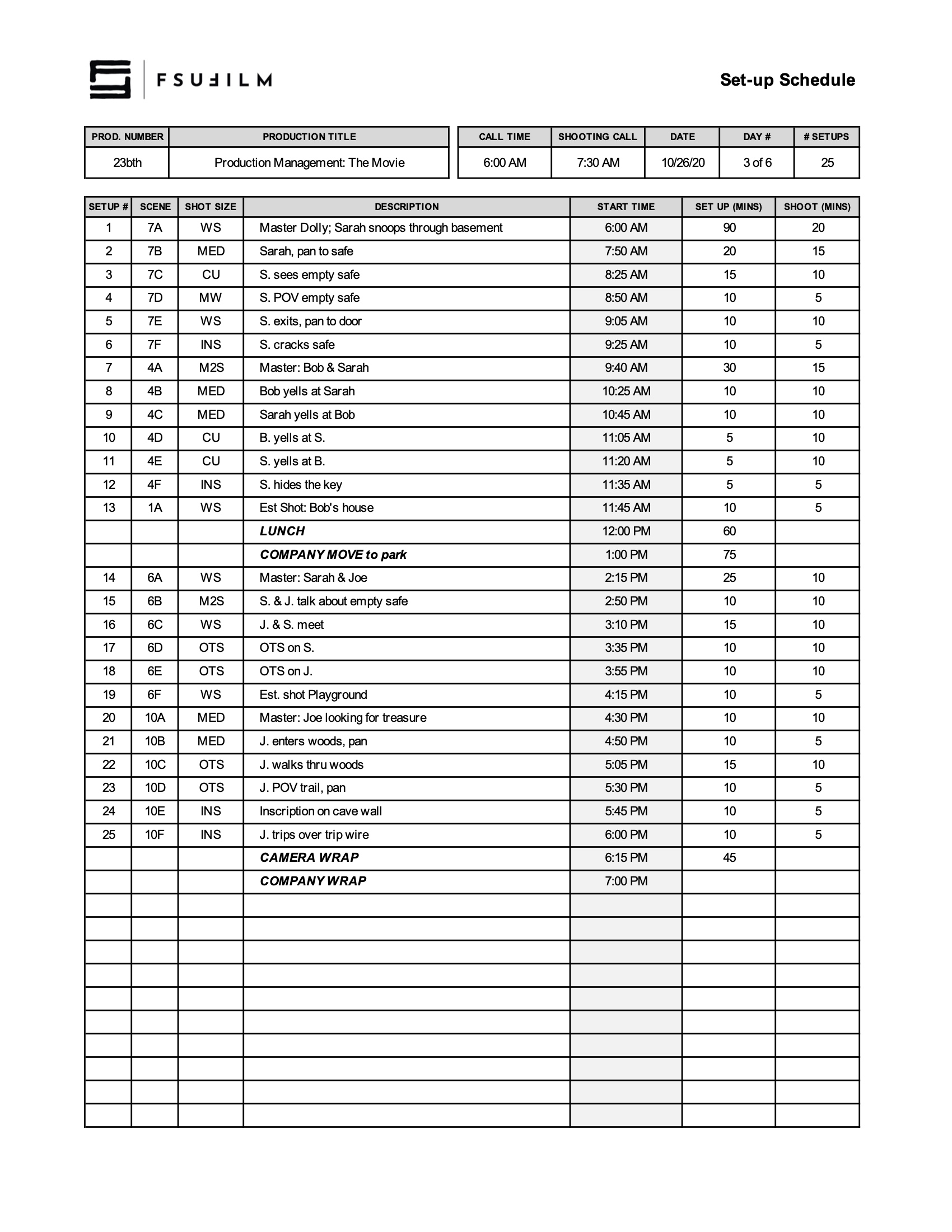
After the Director and DP have created a provisional shot list, the 1st AD will meet with the Director and DP to schedule the order of shots for each day. Using this Set-up Schedule, the shots should be listed in the order you intend to shoot them, including estimated times to set up and shoot each one.

Be sure to budget adequate time load-ins, load-outs, wraps, lunch, and any company moves.

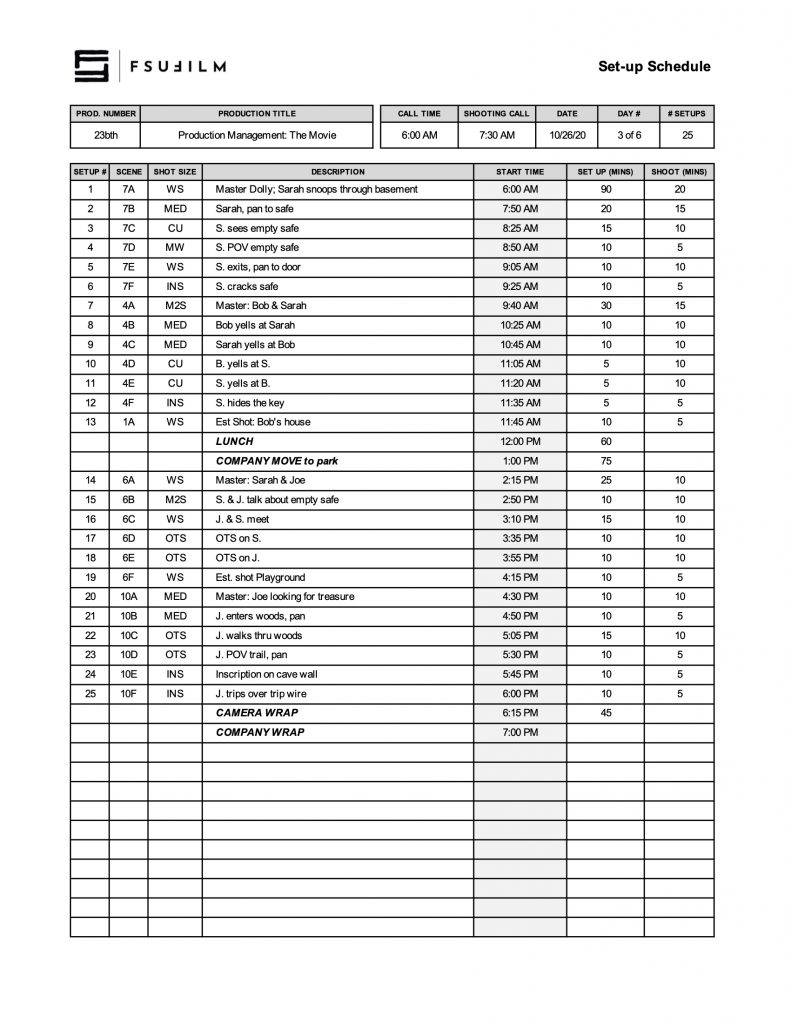
SAMPLE SET-UP SCHEDULE

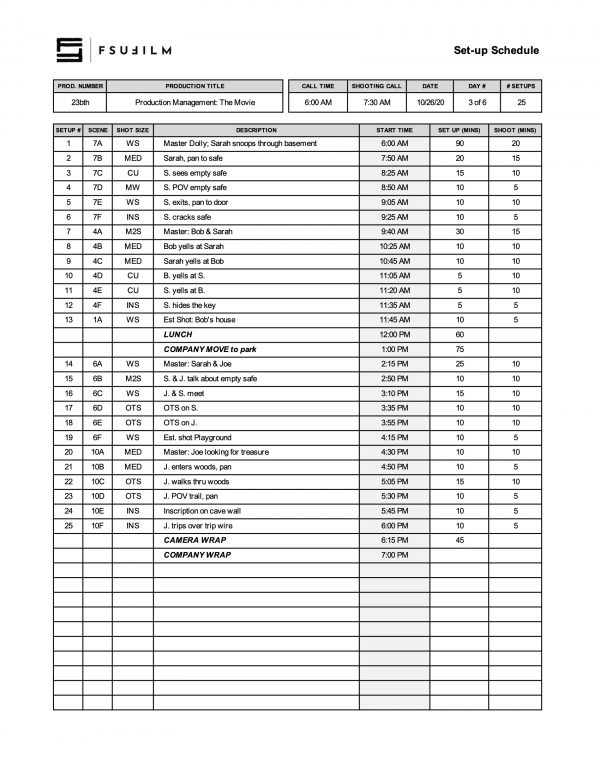
Here’s a sample of what the completed set-up schedule should look like:

Sample of a completed form