Author: andrew

  • Poster Template For Live-Action

    Overview

    This template provides a standardized framework for creating posters for live-action projects, helping ensure that all films are presented in a professional and visually cohesive manner across festivals, showcases, screenings, and promotional platforms. While students are encouraged to develop artwork that reflects the unique identity of their film, the template establishes baseline expectations for formatting, credits, resolution, and required information.

    The goal is not to limit creativity, but to prepare students for the practical realities of professional film marketing and distribution. Poster design is often a key part of a project’s public identity, shaping first impressions for audiences, festival programmers, and industry professionals. Learning to balance artistic expression with technical specifications and marketing clarity is an important component of presenting work professionally.

    Instructions

    This is the official poster template to be used in the creation of marketing materials for FSUFILM productions. Use it as your foundation for making something beautiful and compelling!

    Do:

    • Make sure to install the Steel Tongs font on your computer before starting work on the poster. This is the font for the credit block.
    • Keep all of your layers inside the appropriate folders, so that everything remains well-organized when you deliver the final Photoshop file. Make sure all of your layers have appropriate names, so that someone else could make sense of what each layer is.
    • Take your artwork all the way to the edge of the frame, but keep any essential elements at least a quarter-inch from the edge, in case they are trimmed during printing.
    • Adjust the color of the credits, logos, and copyright to best fit the aesthetic of your poster concept. Be particularly mindful of the legibility of the credit block, as it can quickly become hard to read if the background is busy or if there’s not enough tonal separation between the credits and the background.

    Don’t:

    • Do not adjust the dimensions or resolution of the file. It’s set up to meet the specs needed for printing.
    • Do not reposition or resize the logos or copyright.
  • MC Specs

    Overview

    MC projects are expected to follow a defined set of production specifications and content parameters. These guidelines are designed to establish manageable limits for production scope, including factors such as page count, shoot days, cast size, locations, visual effects, stunts, intimacy, animals, weapons, and other complex production elements.

    These specifications help ensure that projects can be completed successfully within the available schedule, crew size, resources, and experience level associated with the course. The goal is not to limit creativity, but to help students learn how filmmakers shape strong stories within the practical constraints of time, safety, logistics, staffing, and available resources.

    Content specs

    Page count8 pages (minimum)
    12 pages (maximum)
    Story runtime9:00 (minimum)
    15:00 (maximum)
    Credits runtime1:00 for credits
    + 0:10 for leader
    Total runtime10:10 (minimum)
    16:10 (maximum)
    Quantity of scenesNo limit
    Quantity of locationsNo limit
    Quantity of charactersNo limit
    ChildrenYes
    AnimalsYes
    WeaponsYes
    StuntsYes
    IntimacyYes
    Visual EffectsMust be approved by the Head of Visual Effects before production

    Production specs

    Shooting days6 days
    Length of workday12 hours
    Earliest call timeNo earlier than 6:00am on the first day
    Latest wrap timeNo later than 12:00am (midnight) on the last day
    Night shootsYes, with approval from Head of Production
    Locations per dayNo limit
    Distance to locationCan make a distant location request for outside the studio zone
    Pick-up daysCan request 0.5 days (not guaranteed)

    Capture specs RED

    Camera packageRED
    Frame rate24.000p
    Sensor mode7K FF
    Capture resolution2048 x 1080 (2K)
    Capture aspect ratio1.90:1
    Approved mattes1.37:1 • 1.66:1 • 1:85:1
    2.00:1 • 2.39:1
    Capture formatMOV
    CodecProRes 4444
    Gamma/color spaceRWG / Log3G10
    Color processingIPP2
    Output color spaceRec. 709
    LUTChoose from the available RED LUTs or make a custom LUT
    Sampling4:4:4 12-bit
    Bitrate302 Mbps (VBR)

    Capture specs ARRI

    Camera packageArri
    Frame rate24.000p
    Sensor mode4K 16:9
    Capture resolution2048 x 1152 (2K)
    Capture aspect ratio16:9
    Approved mattes1.37:1 • 1.66:1 • 1:85:1
    2.00:1 • 2.39:1
    Capture formatMXF OP1A
    CodecProRes 4444
    Gamma/color spaceLogC4
    Color processingN/A
    Output color spaceN/A
    LUTN/A
    Sampling4:4:4 12-bit
    Bitrate302 Mbps (VBR)

    Data allocation

    Pages per day2 pages
    Shooting ratio99:1
    Data rate2.6 GB/minute
    Data per page256 GB
    Data per day512 GB
    Total data3,072 GB
    Dailies per day197 minutes
    Total dailies1,181 minutes

    Post-Production

    Pic edit softwareMedia Composer
    Pic edit days15 days
    Pic edit locationPost Hall
    Sound design softwareProTools
    Sound design days9 days
    Sound design locationPost Hall
    Sound mix days1 day
    Sound mix locationMix A, Mix B
    VFX scopeMust be approved by the Head of Visual Effects
    VFX softwareMust be approved by the Head of Visual Effects
    VFX daysVariable, based on crew grid (upper limit of 8 weeks)
    VFX locationDigital Artist Suites
    Coloring softwareDaVinci Resolve
    Coloring days2 days
    Coloring locationPost Hall

  • M1 Specs

    Overview

    M1 projects are expected to follow a defined set of production specifications and content parameters. These guidelines are designed to establish manageable limits for production scope, including factors such as page count, shoot days, cast size, locations, visual effects, stunts, intimacy, animals, weapons, and other complex production elements.

    These specifications help ensure that projects can be completed successfully within the available schedule, crew size, resources, and experience level associated with the course. The goal is not to limit creativity, but to help students learn how filmmakers shape strong stories within the practical constraints of time, safety, logistics, staffing, and available resources.

    Content specs

    Page count1 page (minimum)
    2 pages (maximum)
    Story runtime1:30 (minimum)
    2:30 (maximum)
    Credits runtime0:30 for credits
    + 0:10 for leader
    Total runtime2:10 (minimum)
    3:10 (maximum)
    Quantity of scenesSet by faculty for each cycle
    Quantity of locationsSet by faculty for each cycle
    Quantity of charactersSet by faculty for each cycle
    ChildrenNo
    AnimalsNo
    WeaponsNo
    StuntsNothing that would typically call for a stunt coordinator
    IntimacyNothing that would require a closed set or typically call for an intimacy coordinator
    Visual EffectsCycle 4 & 5 only

    Production specs

    Shooting days1 day
    Length of workday12 hours
    Earliest call timeSet by faculty for each cycle
    Latest wrap timeSet by faculty for each cycle
    Night shootsSet by faculty for each cycle
    Locations per day1 location
    Distance to locationAll filming takes place at Torchlight
    Pick-up daysNo

    Capture specs

    Camera packageRED
    Frame rate24.000p
    Sensor mode7K FF
    Capture resolution2048 x 1080 (2K)
    Capture aspect ratio1.90:1
    Approved mattes1:85:1
    Capture formatMOV
    CodecProRes 4444
    Gamma/color spaceRWG / Log3G10
    Color processingIPP2
    Output color spaceRec. 709
    LUTLow Contrast / Very Soft
    Sampling4:4:4 12-bit
    Bitrate302 Mbps (VBR)

    Post-Production

    Pic edit softwareMedia Composer
    Sync, Assembly, and Picture editSet by faculty for each cycle
    Pic edit locationPost Hall
    Production soundDual system
    Music rightsUniversal Production Music only
    Sound design softwareProTools
    Sound design daysSet by faculty for each cycle
    Sound design locationPost Hall
    Sound mix daysNot applicable
    Sound mix locationNot applicable
    VFX scopeSet by faculty for each cycle
    VFX softwareAfter Effects
    VFX daysSet by faculty for each cycle
    VFX locationDA Suite
    Coloring softwareDaVinci Resolve
    Coloring daysSet by faculty for each cycle
    Coloring locationPost Hall

  • Universal Production Music License

    Universal Production Music License

    Overview

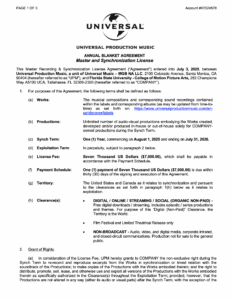
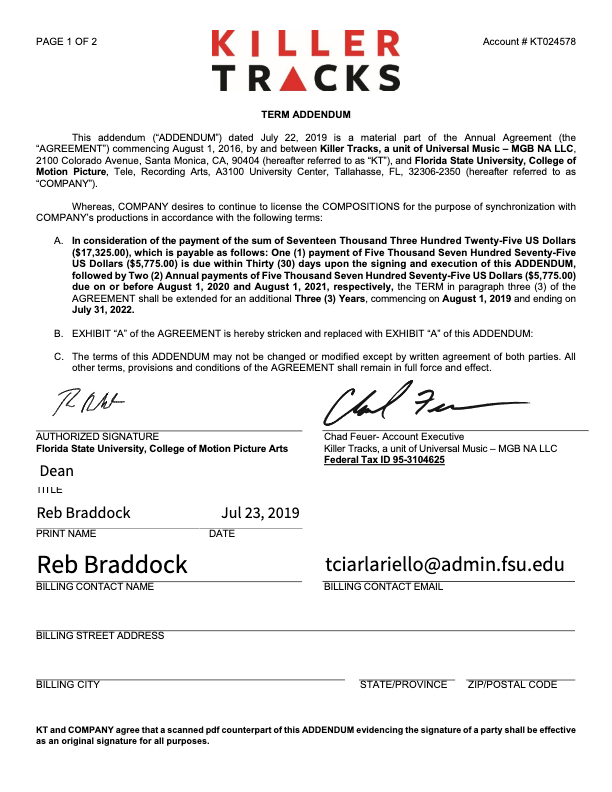
    Universal Production Music provides licensed music resources that students may use within approved productions under the program’s educational licensing agreement. If a production features Universal Production Music on the soundtrack, the license below covers the work.

    Music licensing is an important part of professional filmmaking because productions must ensure that all music used within a project is legally cleared for exhibition and distribution. Understanding how licensed production music libraries operate helps students develop stronger professional practices related to copyright, music supervision, rights management, and legal compliance within post-production and delivery workflows.

    INSTRUCTIONS

    The College of Motion Picture Arts pays an annual fee to Universal Production Music for the licenses to the library music they provide on their site. No additional releases need to be signed for the use of this music, as long as you remain in accordance with this licensing agreement.

  • Work for Hire Agreement

    Work for Hire Agreement

    Overview

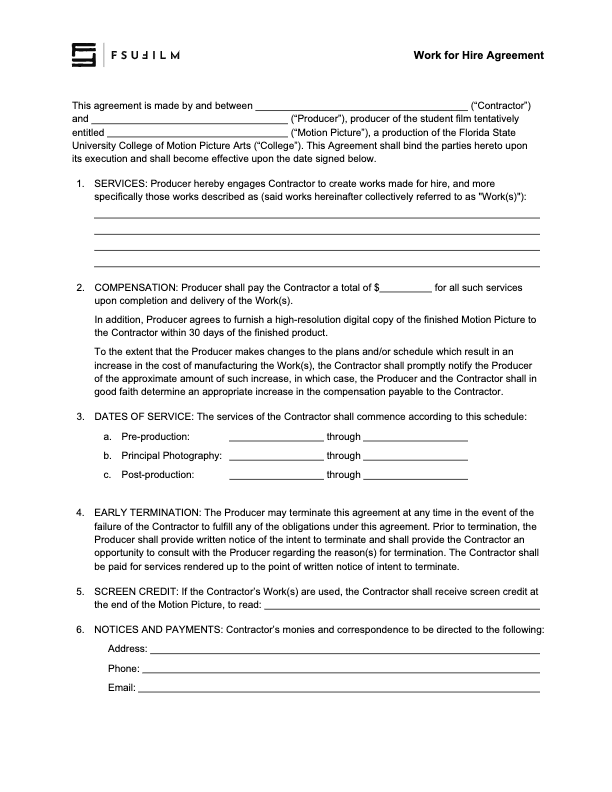
    A work for hire agreement establishes that creative work, services, or materials produced by an individual for a production are being created on behalf of the project under agreed-upon terms regarding ownership and usage rights. This document is commonly used when productions involve commissioned creative contributions such as artwork, music, graphics, writing, photography, or other specialized work.

    Clear ownership agreements are important because film productions often combine contributions from many collaborators across multiple creative disciplines. Proper documentation helps avoid confusion regarding intellectual property rights, future usage permissions, and distribution eligibility while reinforcing professional standards related to contracts and production legal workflows.

    Instructions

    The Producer should use this contract agreement when hiring someone to create a work-made-for-hire for a production.

    The Producer is responsible for working with the Contractor to determine the services, the compensation structure, the dates of service, and the screen credit in the finished film.

    All other clauses in the agreement must remain unchanged, unless the Producer is authorized in advance by the Head of Production to make specific amendments to the contract.

  • Weapon Authorization Request

    Weapon Authorization Request

    Overview

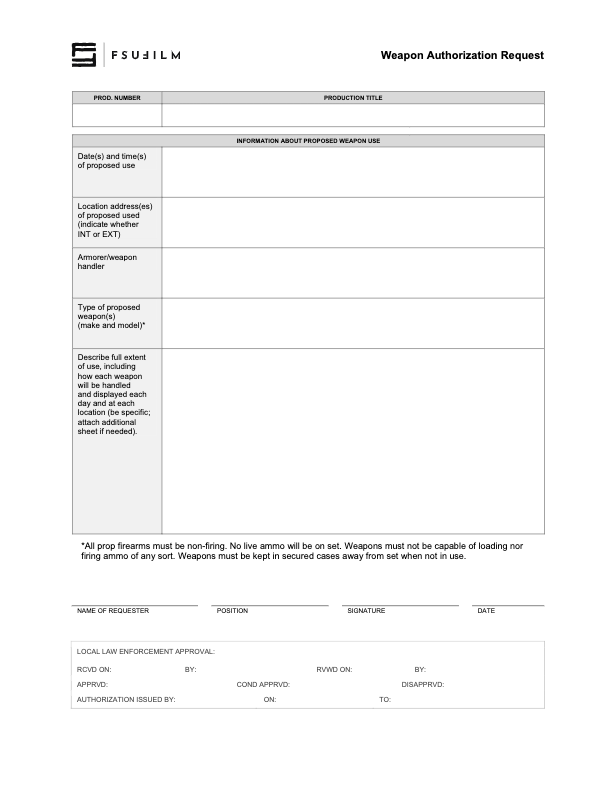
    Productions involving prop firearms or other weapons must complete an authorization process before such items may be used during filming. This request process helps productions communicate the nature of the planned weapon use, identify safety considerations, and obtain the necessary approvals prior to production activity.

    Weapons-related oversight is essential because even non-functioning or simulated weapons introduce significant safety, liability, and public communication concerns within production environments. The authorization process helps ensure that productions are approaching these elements responsibly, planning appropriate safety procedures, and coordinating properly with faculty, staff, and any relevant outside parties before filming takes place.

  • Travel Card Agreement

    Travel Card Agreement

    Overview

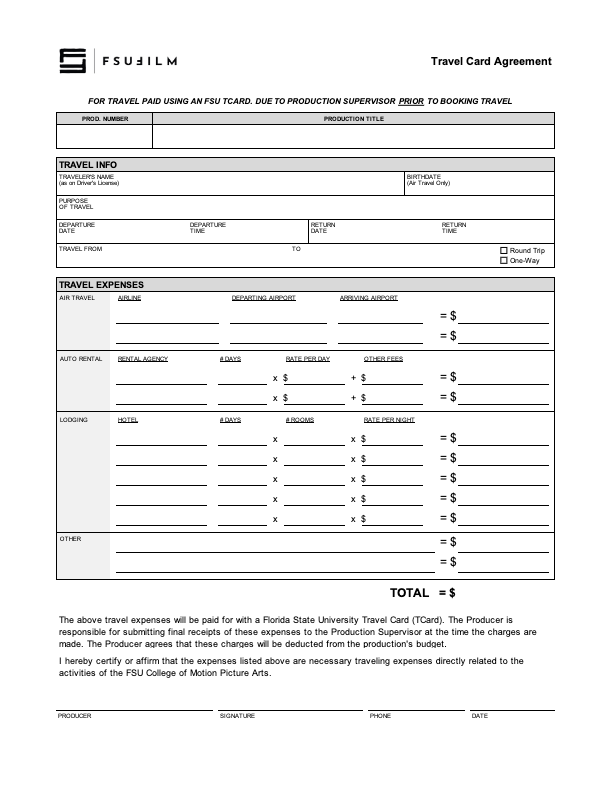
    The travel card agreement outlines the expectations, responsibilities, and usage policies associated with the use of university-issued travel cards for approved production-related expenses.

    Because university purchasing systems involve strict financial oversight and accountability requirements, students and productions must follow clearly defined procedures when handling institutional funds. The agreement helps ensure that purchases are documented properly, expenses remain compliant with university policies, and financial records can be tracked accurately throughout the production process.

    Instructions

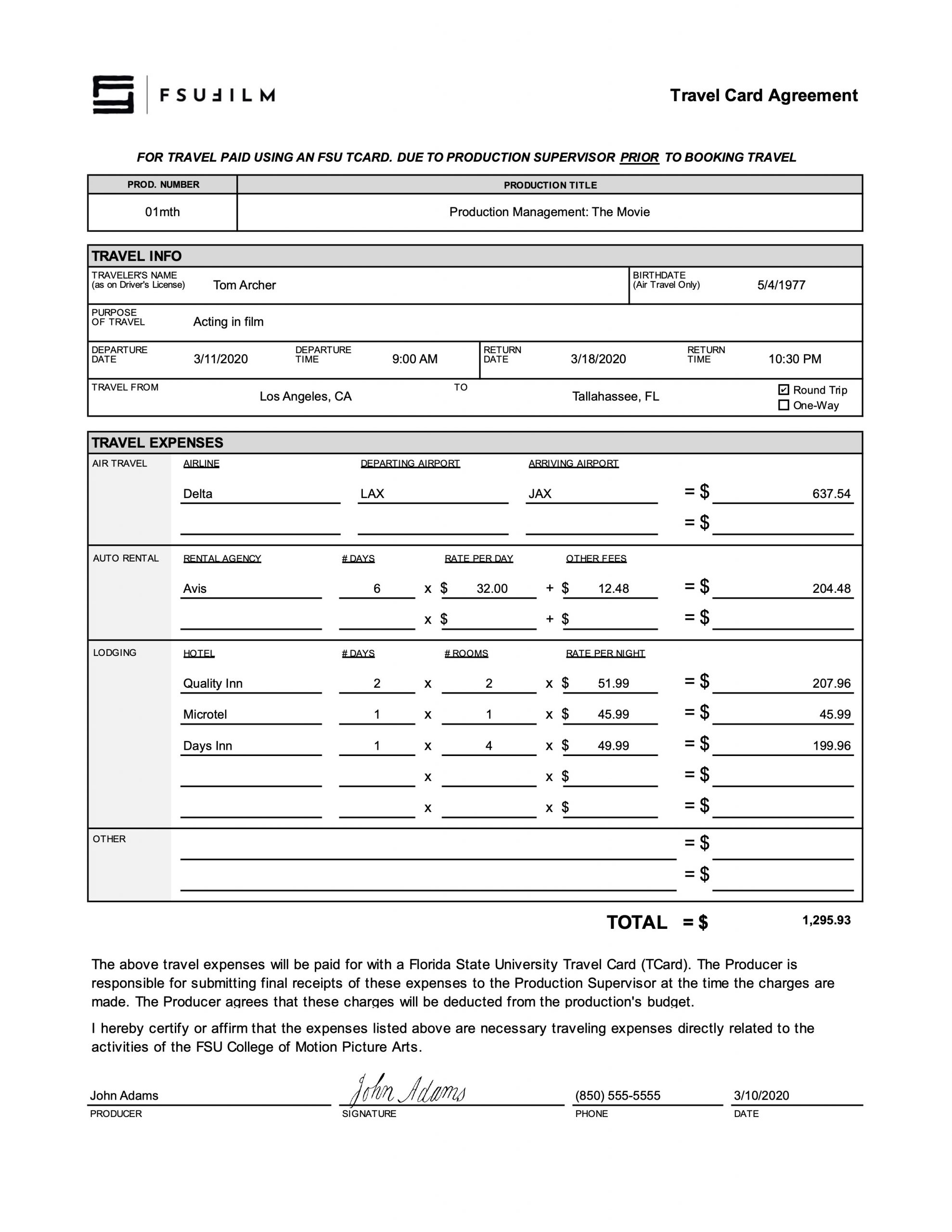
    The Producer should use this agreement for travel paid using a Florida State University Travel Card (TCard). The form must be submitted to the Head of Production prior to booking travel.

    The Producer is responsible for submitting final receipts of the listed expenses to a designated staff member at the time the charges are made. The Producer agrees that these charges will be deducted from the production’s budget.

    Sample

    Here’s a sample of what the completed form should look like:

    Sample of a completed form
  • Trademark Use Agreement

    Trademark Use Agreement

    Overview

    A trademark use agreement documents permission for a production to display, reference, or incorporate protected brand names, logos, products, or other trademarked materials within a film or related promotional materials.

    Trademark usage can involve important legal and distribution considerations, particularly when projects move into festival exhibition, online release, or broader public circulation. Proper documentation helps productions reduce potential legal complications while encouraging students to think carefully about intellectual property rights, clearance procedures, and professional risk management within production workflows.

    Instructions

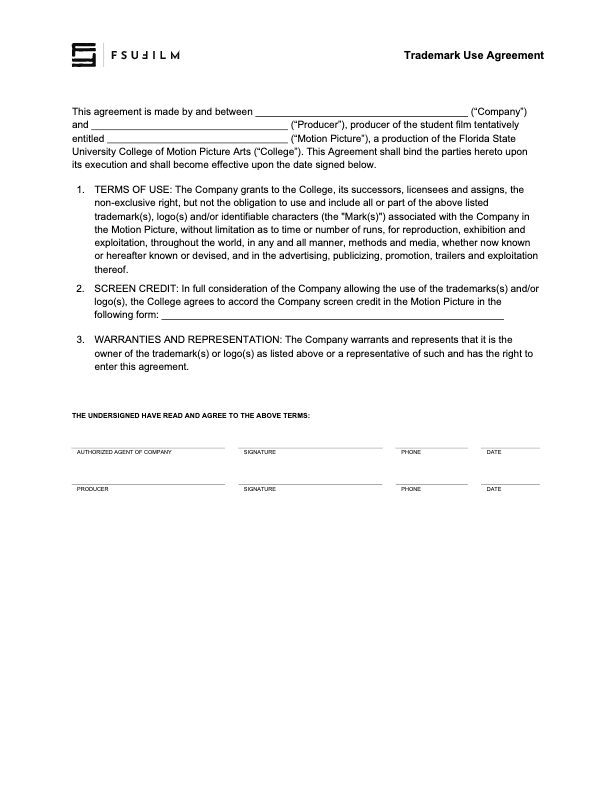
    This agreement is to be used to document when rights have been granted to use trademarks, logos and/or other identifiable characters associated with a company or product, in order to maintain a clean chain of title.

    Any fair use claims — allowing the inclusion of trademarks in the finished film without this agreement being filed — must be presented to and cleared by the Head of Production prior to picture lock.

  • Synchronization License Request

    Synchronization License Request

    Overview

    A synchronization license request is drafted when a production wishes to reproduce a specific musical composition in a film, and needs to obtain approval from the copyright holder.

    Proper music licensing is essential because copyrighted songs cannot legally be reproduced within a film intended for festival exhibition, online release, or public distribution without authorization from the rights holder. Understanding synchronization licensing helps students develop stronger professional practices related to copyright compliance, music clearance, and the legal responsibilities associated with using commercial music in film productions.

    INSTRUCTIONS

    A synchronization license is the right to reproduce a specific musical composition in your film. It must be obtained from the copyright owner of the composition, which is usually the publisher.

    You can find out who the publisher is by searching by song title at either ASCAP or BMI. Almost every song is represented by one of these two companies. Songs that are not represented by ASCAP or BMI might be found at the National Music Publishers’ Association “Songfile” website (www.nmpa.org). You will be provided with a contact at the publisher’s Business Affairs or Licensing Department.

    Getting the rights could be as simple as sending letters to the publisher and record label, having them sign and return them. However, you may be required to complete their licensing agreements instead. If this is the case, make sure you have the Head of Production review the agreement before you sign it, to ensure we have the proper releases.

    You must get each license for at least:

    • Two-years
    • Film festival
    • Non-commercial
    • World rights

    Note that you will need to get a synchronization license from the publisher, even if you are making your own sound recording of that song. For example, if you have your actor sing or recite lyrics, whistle or hum the tune, play the song on a musical instrument, or in any way make your own sound recording of the song, you will need to get the synchronization license from the publisher.

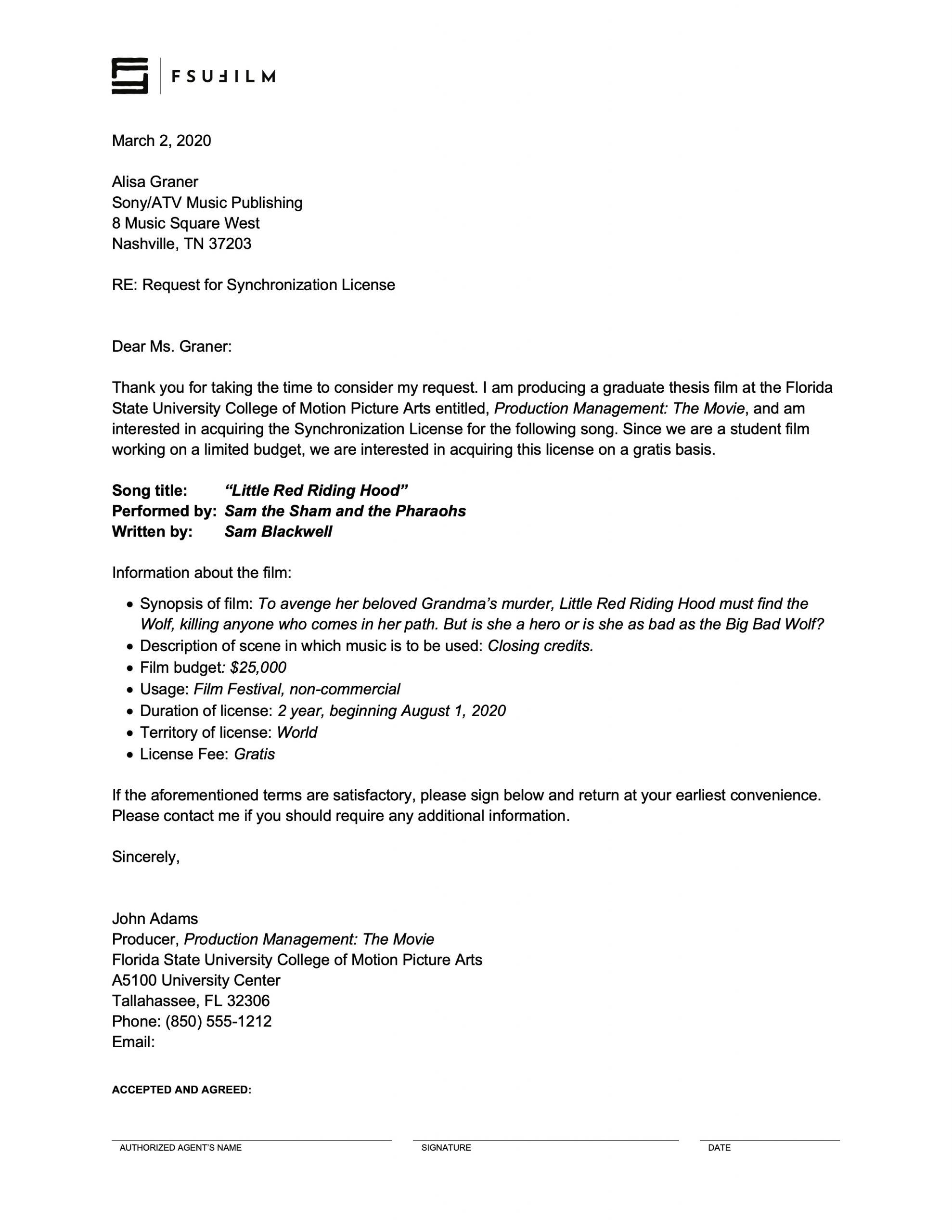
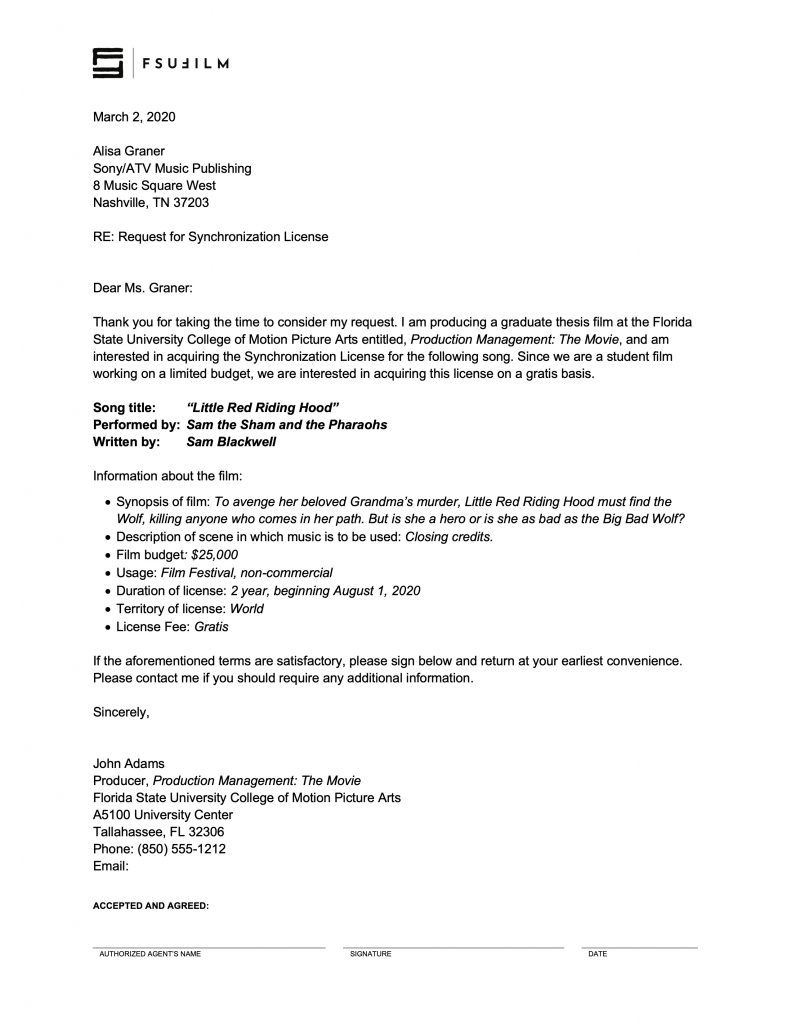
    SAMPLE LETTER

    Here’s a sample of what the letter should look like:

    Sample letter
  • Stock Image Log Sheet

    Stock Image Log Sheet

    Overview

    The stock image log sheet is used to document externally sourced still images incorporated into a production, including information related to image sources, licensing, permissions, usage details, and associated documentation.

    Maintaining accurate image records is important because productions must be able to verify the origin and legal usage status of third-party visual materials included in a project. Organized logging practices help reduce clearance issues during delivery and distribution while reinforcing professional habits related to rights management, documentation, and media tracking.

    Instructions

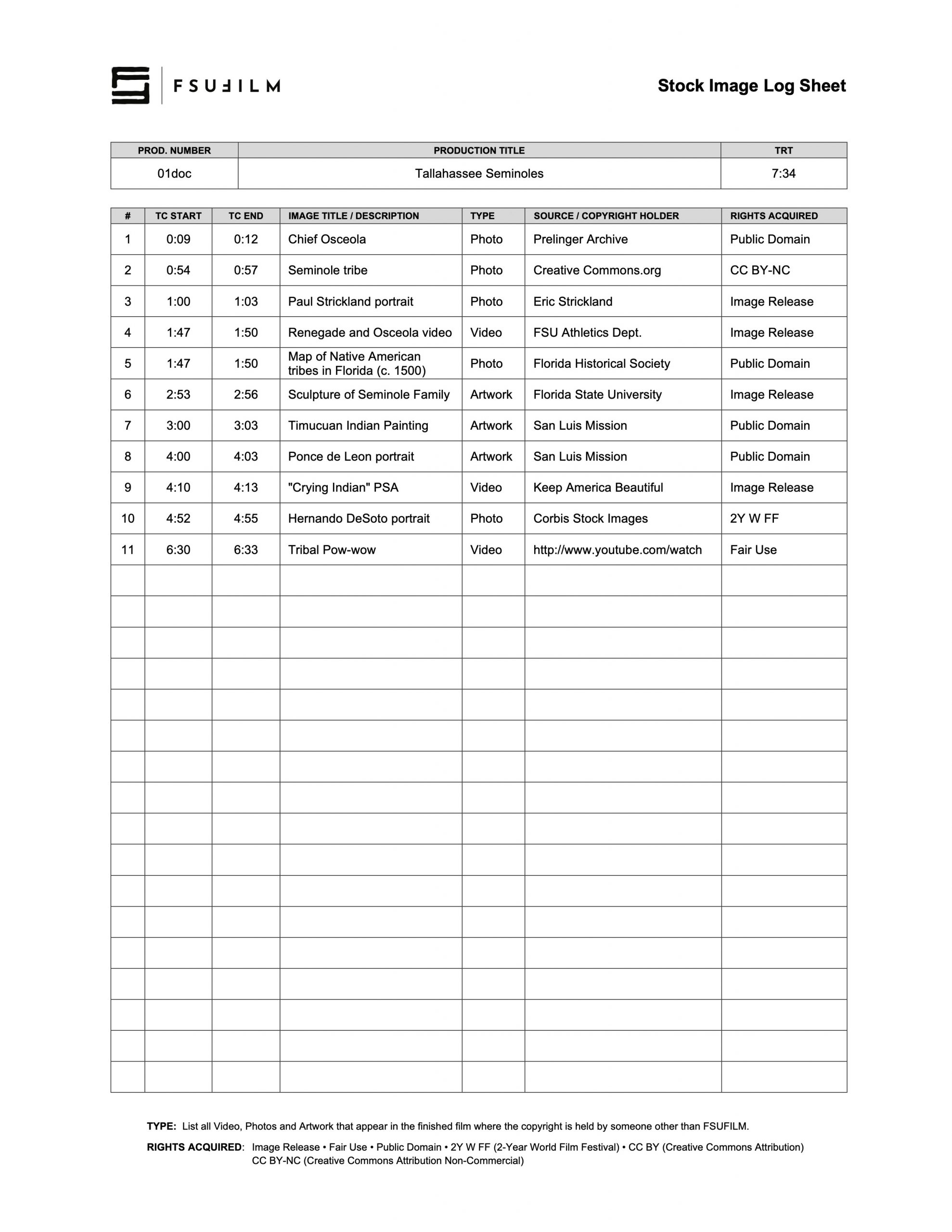
    The Producer uses the Stock Image Log Sheet to document the type, source, copyright holder, and rights acquired for any stock images used in the film, noting the start and end timecode for where each image falls in the finished film. This includes any stock footage, photos, and artwork.

    Be particularly attentive to anything listed as being in the public domain, as misinformation about such matters is rife on the Internet. If a source claims something’s in the public domain, do your due diligence to evaluate the veracity of that source.

    If you wish to make a fair use case for any item, be sure to educate yourself on fair use and discuss it in advance with the Head of Production to ensure it will be approved.

    SAMPLE

    Here’s a sample of what the completed form should look like:

    Sample of a completed form