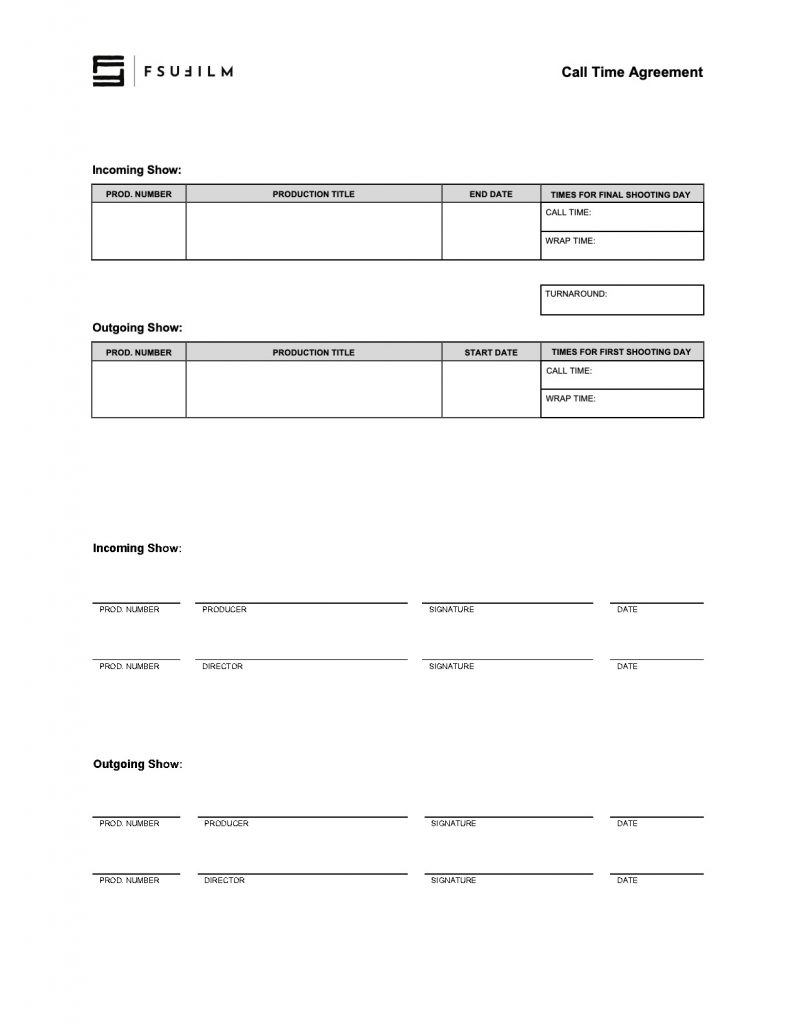
The Call Time Agreement establishes expectations about crew turnaround times during production activities. It’s for use only when two separate productions share crew members and are shooting on consecutive days, to ensure that everyone gets ten hours of turnaround between wrap on the first show and the next day’s call time on the second show.
Carefully planned call times are essential because film production depends heavily on coordination between departments operating within limited schedules and shared production resources. Ensuring that all crew members have adequate turnaround time before a day’s call is an important safety consideration that must take priority over any other production need.
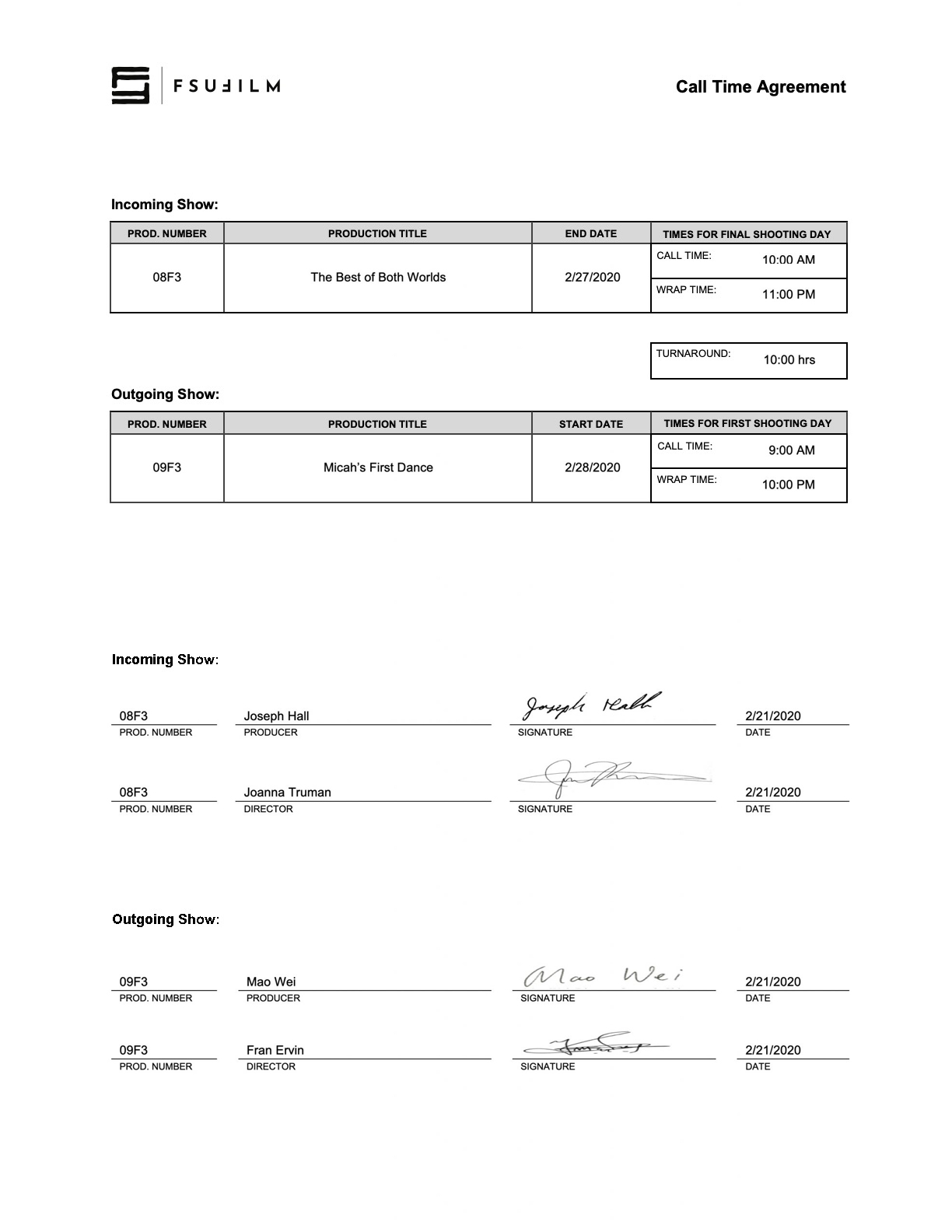
This is a form for producers and directors to use when coordinating wrap times and call times for shows that shoot on consecutive days. Its purpose is to ensure that a minimum turnaround of 10 hours occurs between the company wrap on the incoming show and the call time the next day on the outgoing show.
SAMPLE
Here’s a sample of what the completed form should look like:
A Certificate of Insurance is a document issued by the university’s insurance provider verifying that approved production activities are covered under the institution’s insurance policies. Productions may need to provide this document to property owners, vendors, municipalities, or other outside parties before filming or conducting production-related activities.
Many locations and organizations require proof of insurance before granting permission for production activity to take place. The certificate helps demonstrate that the production has institutional coverage in place while supporting safer and more professionally managed relationships with outside partners and locations.
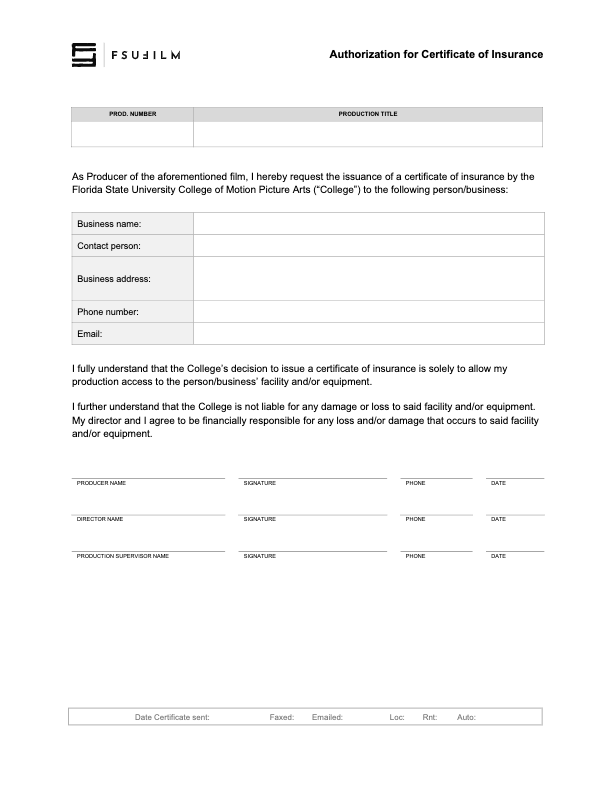
The Producer of a film should submit this form to the Head of Production to request the issuance of a Certificate of Insurance by the College of Motion Picture Arts to a business or individual that has requested one.
If the College issues a Certificate of Insurance, it is solely to allow access to the facility and/or equipment that the business or individual is offering the production. The College is not liable for any damage or loss to said facility and/or equipment. The Producer and Director will be financially responsible for any damage or loss to said facility and/or equipment.
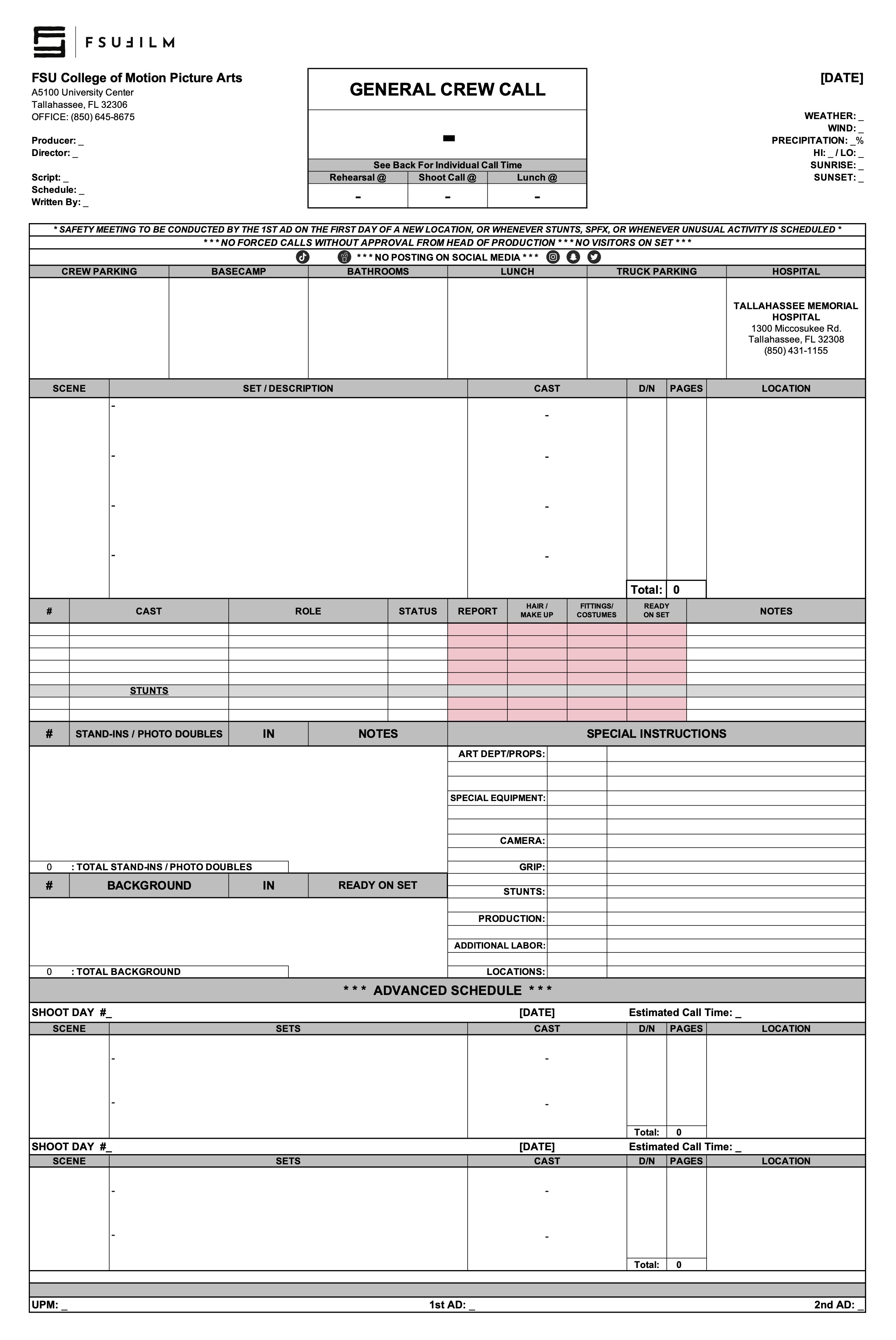
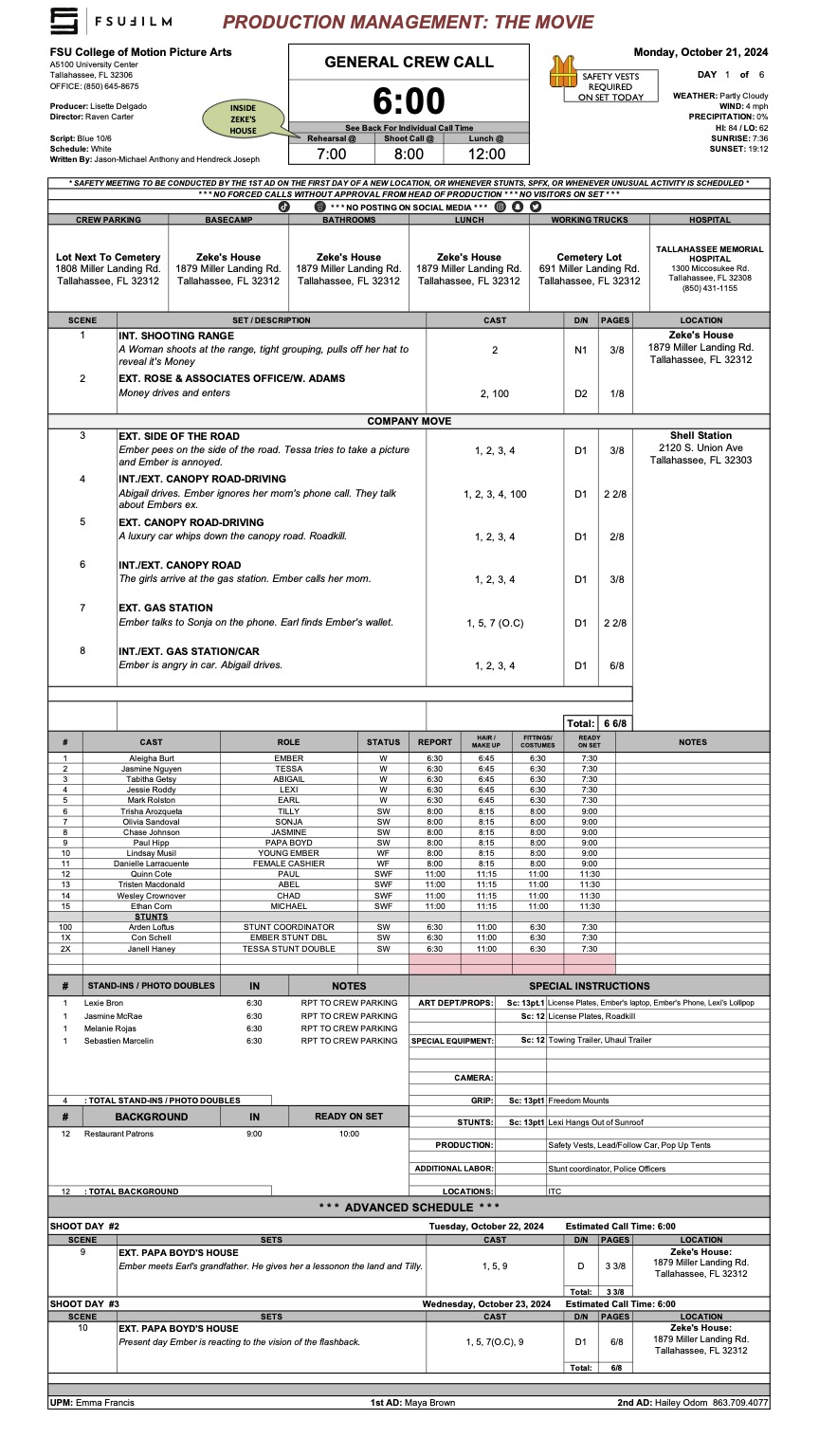
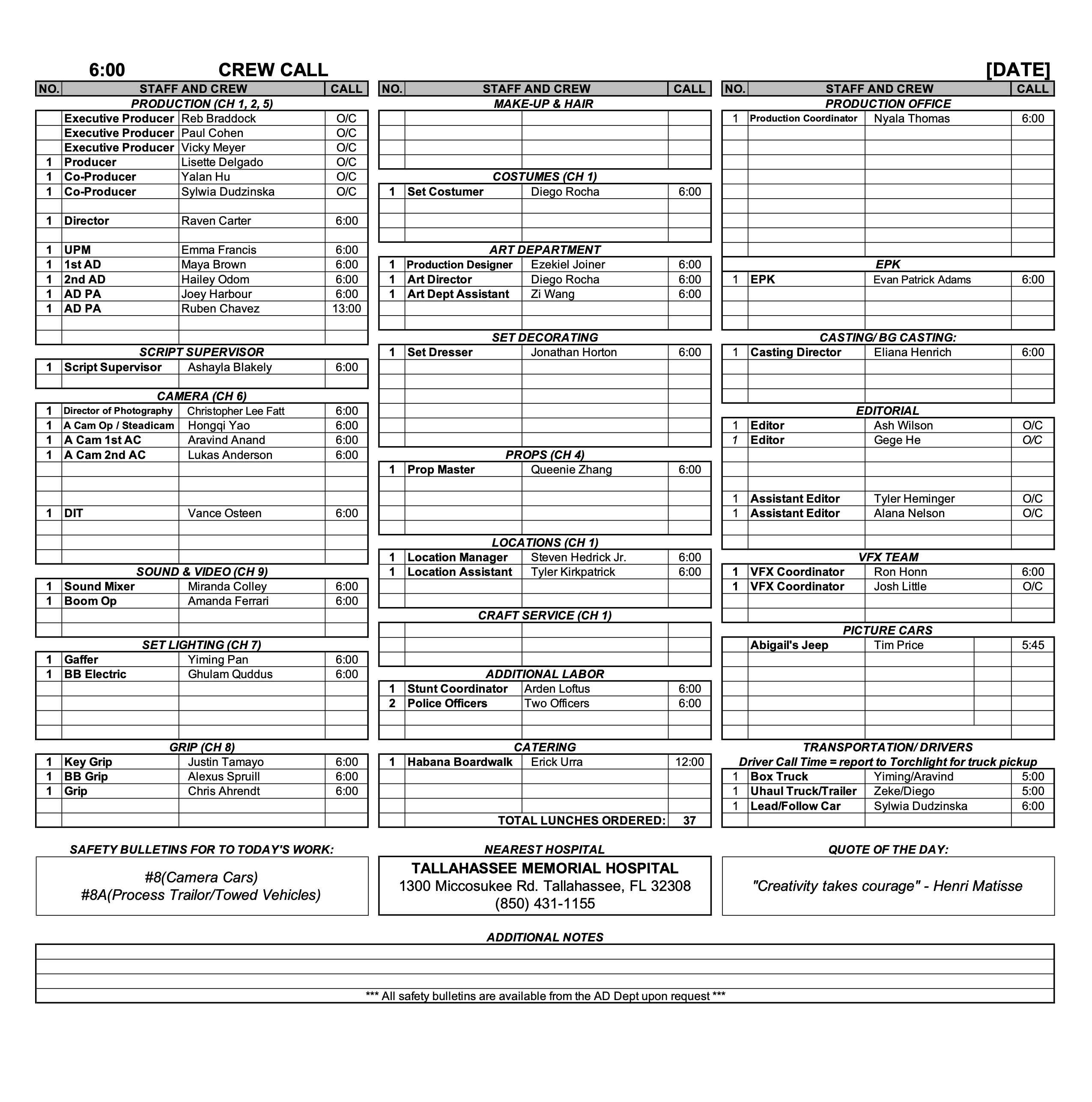
A call sheet is the primary daily production document used to communicate the schedule, locations, crew call times, cast information, scenes to be filmed, logistical details, safety notes, and other operational information for an upcoming shoot day.
Clear and accurate call sheets are essential because they serve as the central communication tool that keeps productions organized and aligned from day to day. Well-prepared call sheets help reduce confusion, improve coordination between departments, support safer production operations, and allow cast and crew to arrive properly prepared for the work ahead.
The purpose of the call sheet is to provide all the pertinent information about the next day’s production. The Second Assistant Director is responsible for distributing a PDF of each day’s call sheet to the cast, crew, faculty, and FSU police. If the production does not have a dedicated Second Assistant Director, the First Assistant Director or Producer shall assume the responsibility.
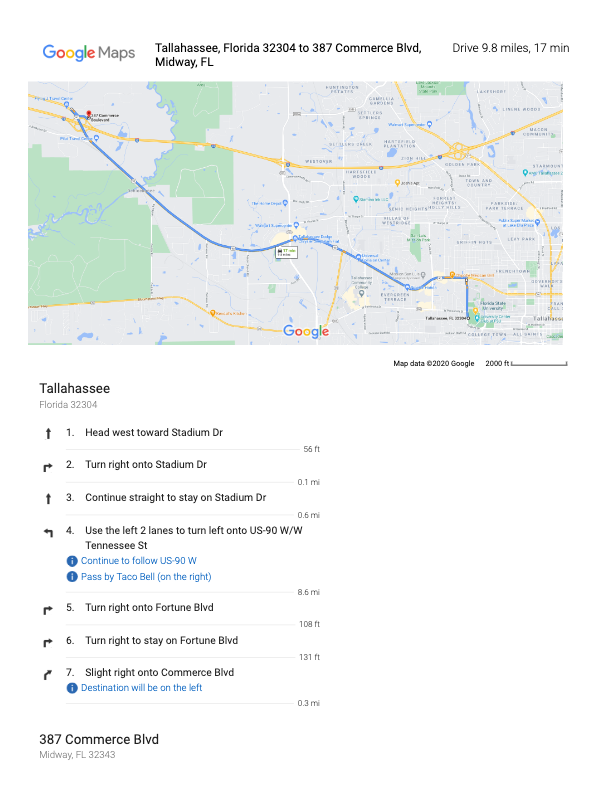
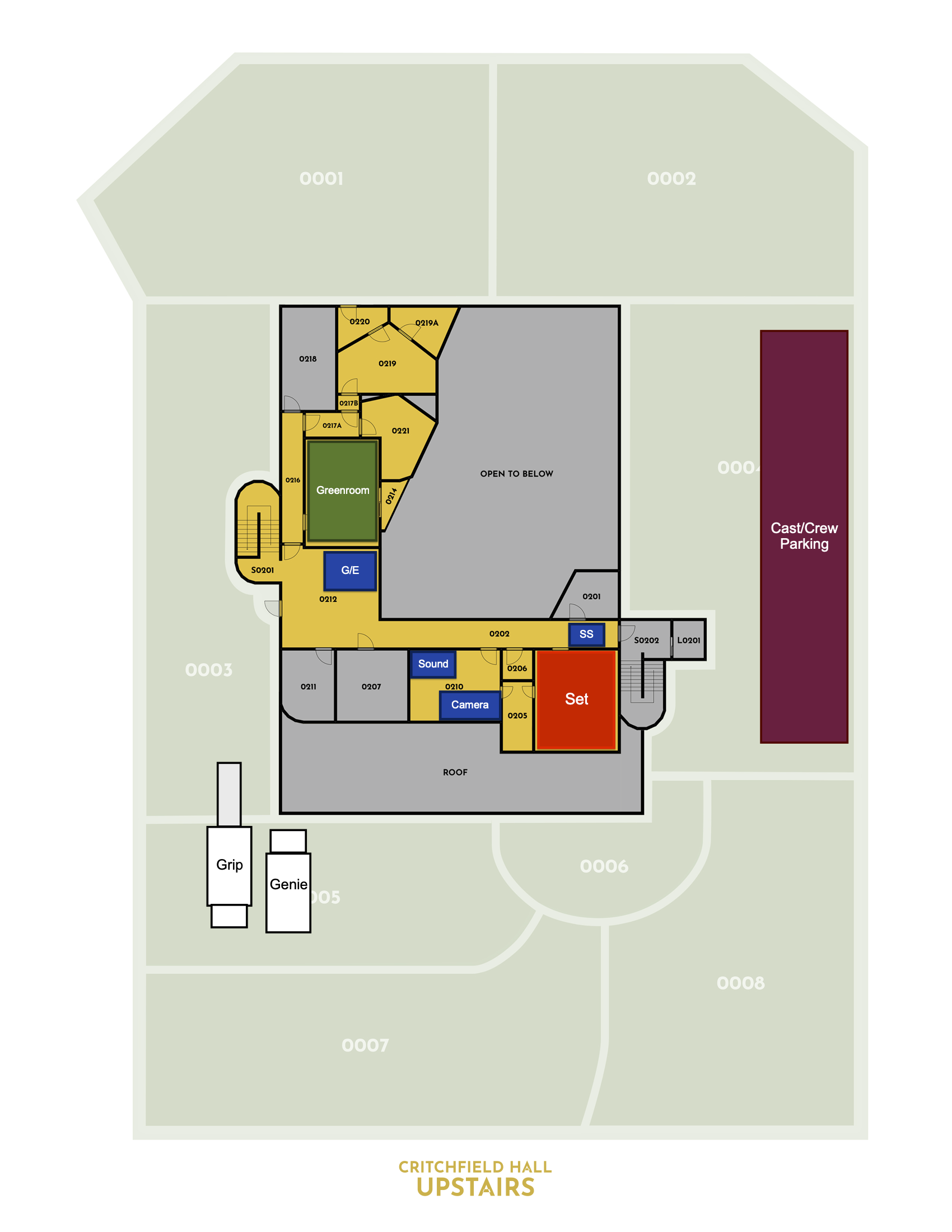
Call sheets, along with any relevant additional information such as maps or safety bulletins, must be distributed no later than 12 hours before call time on the first day of production and no later than the previous day’s company wrap for all subsequent days. It is important to thoroughly check — and double-check — and triple-check — that all the information in the call sheet is correct before it is sent out, because the distribution of revisions can create confusion.
MESSAGING
Call sheets should be distributed with a subject line that follows this naming convention: 01f3-Film Title - Call Sheet - Day 1
You may include a brief, executive summary of important information in the body of the message, but this should not be a substitute for providing all relevant information in the call sheet itself.
Call sheets must be distributed in two ways:
Post call sheets (and any relevant maps and safety bulletins) to the “Call Sheets” channel in Teams. This is for your instructors and assigned crew.
Email call sheets to your cast, POL-PDSupervisors@fsu.edu (FSU Police), and any other relevant parties who need the call sheet.
Sample Call Sheet
Update accordingly for subsequent days. For instance, you no longer need to introduce yourself after day 1.
_________________________________________
SUBJECT: 01f3-Film Title – Call Sheet – Day 1
Hello 01F3 Team!
We hope everyone is excited to get working on, (“Film Title”), directed by (First Last Name).
My name is (First Last) and I am the (Position) for this film. I will be sending out call sheets, location directions, and general information each day of the shoot. When you arrive on set you will sign in with me and you will check out with me at the end of your day.
Attached are the call sheet, location info and parking instructions for tomorrow. Note, the location is approximately ## minutes away from the film school. Depending on your departure location, please plan accordingly. If you are part of a carpool, please ensure you allow extra time for pick-ups and drop-offs.
*Please read the call sheet thoroughly for specific information.
*Please arrive at least 15 minutes prior to your call time to ensure you have time to park and check in with me on time.
CREW CALL: 7:00AM
CAST CALL: See Below
(First Last) your call time is 7:45 AM
(First Last) your call time is 8:15 AM
FILMING LOCATION
Address: #### Somewhere St, City, FL, Zip
*Insert Google Maps Link here.
CREW/CAST PARKING
Add VERY specific instructions for parking here.
TRUCK PARKING
Add VERY specific instructions for parking here.
LOCATION NOTES
(Sample) Please DO NOT WALK ON THE GRASS. This is a specific request from the location owner.
(Sample) Dogs on site (they will be contained)
(Sample) Please keep exterior noise to a minimum.
DOCUMENTS ATTACHED TO EMAIL
-Call Sheet
-Location Map
-Location Parking Diagram
-Safety Bulletins: #5, #10
If you have any issues getting to set, or any questions whatsoever, please do not hesitate to call my number below.
This resource is intended for property owners and representatives considering allowing a student production to film at their location. It explains the general nature of the production process, what filming activity may involve, and how productions coordinate logistics, scheduling, insurance, and location agreements.
Thank you for considering allowing one of our students to use your property as a filming location. Each year, our students create nearly 200 films, and your generosity makes this possible. We value your time and support, and we are committed to maintaining the highest standards of professionalism, safety, and respect for your property.
WHAT TO EXPECT
How many people will be on site?
A typical student film crew includes 12-15 students, plus actors and possibly a few additional volunteers. Please feel free to ask the student for a specific headcount of crew, cast, and support personnel.
What will they bring?
Film productions require various equipment, including cameras, lights, sound gear, stands, cables, sandbags, rigging, dollies, and sometimes generators. Our students are trained to handle this equipment safely. They will confirm with you in advance where vehicles (trucks and cars) can be parked and where equipment can be staged.
How long will they be here?
A standard shoot day is up to 12 hours, plus a one-hour lunch break. Crews typically arrive about 30 minutes before the official start time and take an additional 30 minutes afterward for cleanup and packing. Students may also visit the location on separate days for planning, tech scouting, or set dressing. They will confirm with you in advance the start and end times for each prep and shoot day.
Location agreements
If you choose to allow the use of your property, here’s what to expect in terms of paperwork:
Script Review
The student will provide a copy of the script and answer any questions about the project, including sensitive content.
Location Shooting Plan Agreement
Together, you and the student will complete an agreement which outlines:
The specific spaces they will use.
Where vehicles may park.
Access times.
Any special conditions or restrictions you’d like to include.
Location Agreement
This legal document grants permission to use your property and waives your liability in the event of a student injury during production.
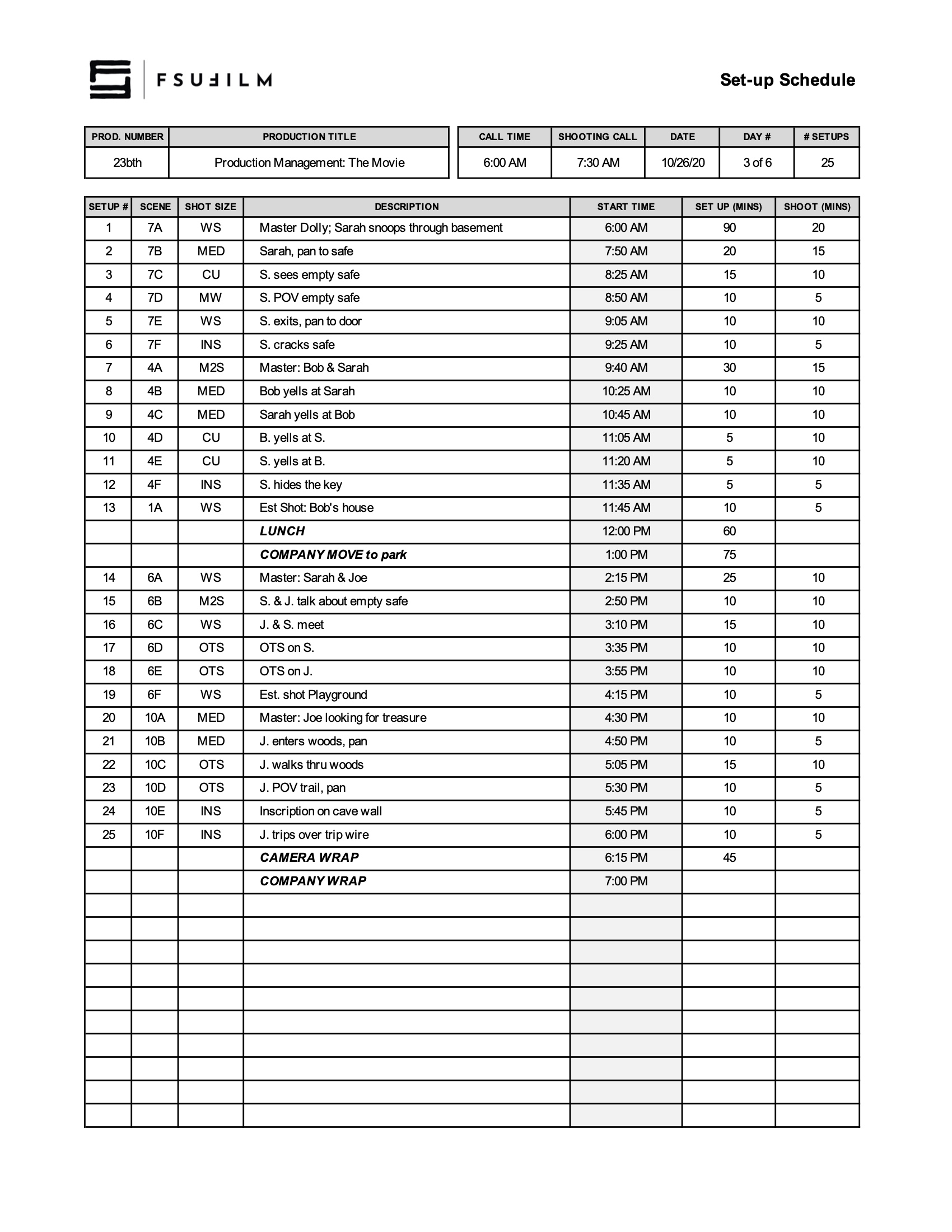
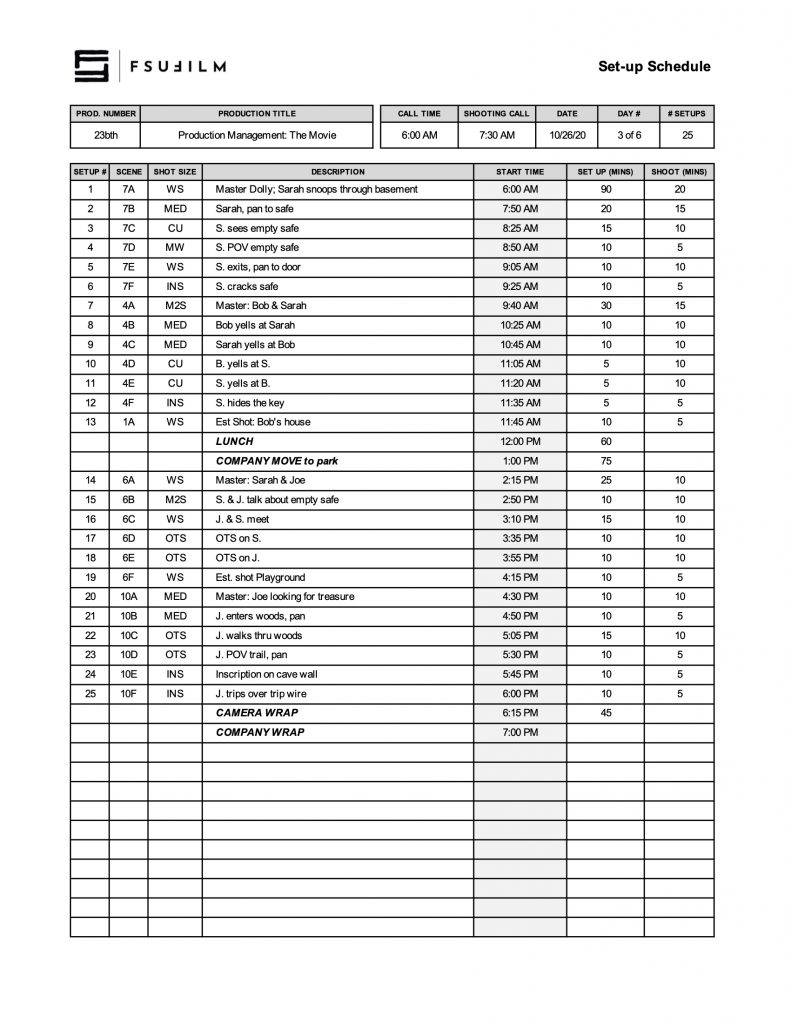
The set-up schedule outlines the planned timing and workflow for preparing and shooting each set-up throughout a given production day.
Careful setup planning is important because productions rely on efficient coordination between departments before cameras begin rolling. Structured setup schedules help reduce delays, improve communication, support safer working conditions, and give crews a clearer understanding of how production operations are expected to unfold throughout the day.
After the Director and DP have created a provisional shot list, the 1st AD will meet with the Director and DP to schedule the order of shots for each day. Using this Set-up Schedule, the shots should be listed in the order you intend to shoot them, including estimated times to set up and shoot each one.
Be sure to budget adequate time load-ins, load-outs, wraps, lunch, and any company moves.
SAMPLE SET-UP SCHEDULE
Here’s a sample of what the completed set-up schedule should look like:
This resource compiles public domain and Creative Commons materials that students may use when searching for music, images, footage, sound effects, or other media assets for productions and related projects.
Understanding public domain and Creative Commons licensing is important because productions must ensure that all third-party materials are being used legally and appropriately. Learning how to evaluate licensing terms, attribution requirements, and permitted usage helps students develop stronger professional practices related to copyright, rights clearance, and media sourcing within film production workflows.
Some Words of Caution
The Internet is a wonderful place for finding videos, images, motion graphics, clip art, music, and sound effects that can be used in your films.
Beware, however, that the Internet is also a terribly unreliable place and the burden of proof will fall on Producers to document that the production has the rights to use the materials, so that there’s a clear chain of title.
For works in the public domain, this can sometimes take a fair amount of research, as licensing information can be unclear, unreliable, or hard to track down. Any works published 95 years ago or earlier are now in the public domain. Any works published in the past 95 years should be assumed to be under copyright, unless otherwise confirmed. Be aware that new versions of works in the public domain — e.g., a New York Symphony Orchestra’s recent recording of Beethoven’s 9th Symphony — are copyrighted. In other words, while you could perform the composition yourself and be alright, you couldn’t use the New York Symphony Orchestra’s recording without clearing it first.
For Creative Commons work, some license types (such as “NoDerivs” and “ShareAlike”) are not compatible with the work we do. Productions are only permitted to use work licensed as “Attribution” or “Attribution-NonCommercial”.
Discover original artworks from a library of public domain books and chromolithographs. Art prints scanned and digitally enhanced into high resolution, available to download under the CC0 license.
Free vector images. Find the best royalty free vectors and illustrations for your design, with thousands of new images added every day. Download free backgrounds, graphics, clipart, drawings, icons, logos and more that are safe for commercial use.
Safety bulletins provide guidance, procedures, and recommended practices related to specific production hazards, equipment, environments, or activities that may arise during filmmaking—and they must be included alongside call sheets when relevant.
Because film production can involve physically demanding environments, technical equipment, transportation, electrical systems, weather exposure, stunts, weapons, animals, and other potential hazards, productions must approach safety proactively rather than reactively. Safety bulletins help crews identify risks earlier, develop safer working practices, and reinforce a culture of shared responsibility around production safety.
How They Work
The safety bulletins we utilize are researched, written, and distributed by the Industry-Wide Labor-Management Safety Committee for use by the motion picture industry. The committee is composed of guild, union, and management representatives active in industry safety and health programs.
Safety bulletins are recommended guidelines. They are not binding laws or regulations. State, federal, and/or local regulations override these guidelines. Modifications in these guidelines should be made, as circumstances warrant, to ensure the safety of the cast and crew.
A PDF of all relevant safety bulletins must be attached to call sheets. Be sure to download the most recent version of a safety bulletin before attaching one to a call sheet, as the Industry-Wide Labor-Management Safety Committee does update their bulletins periodically.
All crew are required to read distributed Safety Bulletins prior to commencing the work day. Failure to do so may result in disciplinary action, including immediate dismissal from the school.
Download Bulletins
To download the latest versions of the safety bulletins, click here:
A list of all the available Industry-Wide Labor-Management Safety Committee’s safety bulletins is outlined below.
Safety Bulletins
Recommendations For The Use Of Firearms, Blanks, And Dummy Rounds
Prohibitions And Special Restrictions On The Use Of Live Ammunition
Guidelines Regarding the Use of Helicopters in Motion Picture Productions
Addendum A – Helicopter External Loads
Stunts
Addendum A – Specialized Activities
Safety Awareness
Animal Handling Rules for the Motion Picture Industry
Recommendations For Diving Operations
Guidelines for Traditional Camera Cars
Addendum A – Process Trailer/Towed Vehicle
Addendum B – Camera Boom Vehicles
Addendum C – Power Line Distance Requirements
Recommended Guidelines for Working In and Around Base Camps
Addendum A – Base Camp Inspection Checklist
Guidelines Regarding the Use of Artificially Created Atmospheric Fog & Haze
Addendum A – Technical Awareness Sheet
Guidelines Regarding the Use of Fixed-Wing Aircraft in Motion Picture Productions
Addendum A – External Load Guidelines
Guidelines for the Use of Venomous Reptiles
Recommended Guidelines When Using Combustible & Flammable Fuels and Associated Equipment
Parachuting and Skydiving
Guidelines for Boating/Watercraft Safety for Film Crews
Recommended Guidelines for Safety with Pyrotechnic Special Effects
Water Hazards
Guidelines for Safe Use of Stunt Air Bags, Boxes or Other Freefall Catch Systems
Recommended Guidelines for the Use of Open Flame on Production
Guidelines for the Safe Use of Motorcycles
Guidelines for Appropriate Clothing and Personal Protective Equipment
Guidelines for the Use of Scissor Lifts (Elevating Work Platforms) and Aerial Boom Lifts (Extensible Boom Platforms)
Addendum A – Power Line Distance Requirements
Guidelines for Working with Portable Power Distribution Systems and Other Electrical Equipment
Addendum A – Power Line Distance Requirements
Addendum B – Basic Electrical Safety Precautions for Motion Picture and Television Off Studio Lot Location Productions
Addendum C – Working With 480 Volt Systems
Addendum D – Common Motion-Picture/Television Tasks and Associated Personal Protective Equipment
Addendum E – Guidelines for Meeting National Electrical Code (NEC) Grounding Requirements for Portable Generators Supplying Portable Equipment in the Motion Picture and Television Industry
California OSHA Safety Requirements for Handling of Blood and Other Potentially Infectious Materials
Camera Cranes
Addendum A – Power Line Distance Requirements
Preparing Urban Exterior Locations for Filming
Poisonous Plants
Guidelines for Railroad Safety
Guidelines for Safe Use of Hot Air Balloons
Addendum A – External Load Guidelines
Recommended Guidelines for Safely Working with Edged, Piercing, and Projectile Props
Safety Awareness When Working Around Indigenous Wildlife
Los Angeles County Approved Film Production Food Services
Addendum A – Los Angeles County Approved Film Production Food Services
Special Safety Considerations when Employing Infant Actors (15 days to Six Months Old)
Guidelines for Working in Extreme Cold Temperature Conditions
Addendum A – Wind Chill Chart
Safety Considerations for the Prevention of Outdoor Heat Illness
Recommended Guidelines for Safely Working Around Unmanned Aircraft Systems (UAS) a.k.a Drones
Appendix A – Federal Aviation Administration (FAA) Rules & Regulations
Vehicle Restraint Systems – Seat Belts & Harnesses
Guidelines For Inclement Or Severe Weather
Appendix A – Lightning Safety
Safety Guidelines for Using Foam(ed) Plastics in Set and Prop Construction
Guidelines for Non-Camera Utility Vehicles
Recommended Guidelines for Safely Working On and Around Gimbals
Guidelines for Alternative Driving Systems
Recommended Guidelines for Free Driving
Guidelines for Working Safely with Radiofrequency (RF) Transmitters
Guidelines For Long or Successive Takes
Procedural Guidelines
Special Procedures For Minors Performing Physical Activities
Informational Fact Sheets
General Code of Safe Practices for Production
Extended or Successive Takes
Guidelines for Handling Freshly Painted or Printed Backdrops and Other Graphic Arts
Photographic Dust Effects
Guidelines for Reducing the Spread of Influenza-Like Illness
F1 productions are provided with limited production funds intended primarily to support practical on-set needs such as lunch and craft services during filming. This page outlines the expectations, procedures, and limitations associated with managing and spending those production funds responsibly.
Even at a smaller scale, learning to manage production resources is an important part of filmmaking. Budget limitations require productions to plan ahead, prioritize needs carefully, and communicate clearly about how resources will be used. The process also reinforces the professional expectation that production funds should be handled responsibly, transparently, and in support of the overall well-being and efficiency of the crew.
Lunch & craft
For each live action show, a dollar amount is provided for every assigned crew member, plus two actors and one volunteer:
$10.00 per head lunch catering for 5 crew members and 3 actors or volunteers (8 people total ): $80.00 per day.
$5.00 per head craft service for 5 crew members and 3 actors or volunteers (8 people total): $40.00 per day.
Therefore, the total allocation for lunch and craft service is $120.00.
The amount of money allocated to each film is a set amount. It does not shrink if the crew gets smaller and it does not increase if you add volunteer crew or actors. This amount is allocated as part of the necessary budget the school provides, based on the scope of the production.
Food budgets are allocated to live action productions only and are considered part of the “Provided Production Costs” because meal time is regulated and crew members are not allowed to leave set.
You may use the total funds for food in any way you wish, as long as it goes only to catering and craft service. This is a “use-it-or-lose-it” budget.
Production expenses generally fall into one of three categories: Payment Requests, Travel, or Services. This page outlines the procedures and documentation requirements students must follow when seeking reimbursement for approved production or university-related expenses paid out-of-pocket. This applies to all funds provided by the school, as well as funds students may have raised through a Spark campaign.
Because reimbursements involve university financial systems and oversight requirements, requests must be submitted accurately and with appropriate supporting documentation. Clear procedures help reduce delays, improve accountability, and ensure that reimbursements can be processed efficiently and in compliance with university policies.
Payment Requests
Most of your expenses will fall in this category. It includes food, production design, production supplies, and truck fuel. In order to be reimbursed, you must submit the following items. These will then be submitted to FSU Purchasing who will add the funds to your prepaid Visa. It may take 5-7 days for the funds to be added to your card.
Disbursement Advance
Each student may be given an advance of no more than $1000 at a time. In order to get this advance, you must submit a Disbursement Advance Request form. Then FSU Purchasing will add the money to your prepaid Visa. You will be responsible for turning in receipts showing how that money was spent (following the reimbursement instructions below). It may take 5-7 business days for the funds to be added to your card.
Reimbursement
Reimbursement Voucher (RV): Download and complete a Reimbursement Voucher form in Excel, listing your receipts on page 1, and print as many copies of page 2 as you need to attach your receipts. See a sample of a completed form in the Sample RV tab.
Original itemized receipts: All receipts must show the vendor’s name, date of purchase, and must be itemized (showing what was purchased). Receipts should be scotch taped (not stapled, glued, etc.) onto the Receipts page(s) in the order in which they appear on the RV form. Make sure receipts do not overlap since these receipt pages will need to be scanned. If you have a receipt that is longer than the page, you can cut the receipt (making sure you do not cut off any info) and tape them side by side on the receipt page. Do not tape over any info on the receipts, as the tape will make the text on the receipt disappear over time.
Original Meal Sign-in sheets: If any of the receipts you are submitting include food (lunch, craft service, 2nd meal, etc.), you will need to submit the original meal sign-in sheets. Be sure to keep a scanned copy for your delivery. Make sure you have a signature from everyone who ate.
Some important guidelines/restrictions for reimbursement:
Food: You will NOT be reimbursed from petty cash for any of the following: alcohol, cigarettes, medication, vitamins, gratuity or tip.
Production Design: Keep in mind that all non-expendable items being reimbursed become the property of FSU and must be turned in at the end of the cycle. If there is any single item for which you are being reimbursed that is more than $50, then there is an additional inventory sheet that must be completed.
Production Supplies: This can include rental equipment, office supplies, cleaning supplies, etc. Again, non-expendable items become the property of FSU (including coolers, coffee makers, etc.).
Truck Fuel: This is only for fuel for state vehicles (the grip trucks, genie trucks and the genie). This does not include cast and crew fuel for their cars. Truck fuel expenses will not be deducted from your budgeted amount, so whoever pays for truck fuel can be reimbursed directly.
NOTE: You cannot be reimbursed from petty cash for any travel (e.g. actor airfare, gas, rental car, hotel, etc.) or services (e.g. paying a makeup artist, security guard, composer, etc.). Reimbursement for travel and services are described below.
Travel
If you are planning on using part of your budget to pay for actor travel (airfare, gas, rental car, hotel, etc.), then you must have the Film School Travel Rep book the travel using our FSU Travel Card (TCard).
Flights: Find the exact flight you would like to book, including flight numbers and departure/return dates and times. You will also need the traveler’s name as it appears on their driver’s license and their birth date. Complete a TCard Agreement form. Then bring the form to our Travel Rep, who will pull up the website with you and book the flight using our TCard.
Lodging:
Hotels: You will usually get the best rate by calling a local hotel rather than booking it online. Call the hotel and make your reservation. Be sure to get the reservation number(s). Ask them to send you a Credit Card Authorization form. Complete a TCard Agreement form. Bring the Credit Card Authorization and the TCard Agreement to our Travel Rep, who will then provide the hotel with our TCard. Note that hotels in FL will be tax exempt if we book them for you since they’re being paid directly by the state of FL.
Other: If you would like to book an Airbnb, VRBO, etc, then find the place you would like to book. Then submit a TCard Agreement form to the Travel Rep, who will then book it using our TCard.
Rental Car: FSU has a contract with Avis/Budget Rental. If you would like to rent a car, the Travel Rep can look into the rates for the type of rental you’re looking for. Then submit a TCard Agreement form to the Travel Rep, who will then book it using our TCard.
Actor fuel: If you plan to reimburse an actor for driving here, you will need to have them sign a Travel Agreement form at least 7 business days prior to travel beginning, which specifies how much you are agreeing to reimburse them. The FSU rate is $0.445 per mile. However, that is usually much higher than just paying them a flat rate for their gas expenses. So whatever you negotiate with them, it can not exceed $0.445/mi. If it is less than that, then they will also need to sign page 2 of that form stating they understand they are getting less than the state rate. You should have the actor complete this form regardless of whether you plan to have this expense come out of your budget. But if you do plan to have it come from your budget, then submit the Travel Agreement form to the Travel Rep at least 7 business days prior to travel beginning. Then after their travel is complete, FSU Travel will mail them a reimbursement check, usually within 14 days.
NOTE: DO NOT pay for any actor travel out of pocket or with your prepaid Visa because there is no way for you to be reimbursed for this.
Services
If you are planning on paying someone for their services (composer, actor, makeup artist, stunt crew, intimacy coordinator, graphic designer, etc.) you will need to do the following:
For a composer, have them complete a Composer Contract. For any other services, have them sign a Work-for-Hire Contract. Make sure this is completed before any work is done. You will need to do this regardless of whether their payment is coming out of your budget or not. If the payment is coming out of your budget, submit this form at least 10 business days prior to work beginning.
After they have completed their services, they must submit an invoice to you. If the invoice looks accurate, then submit that to us. Then FSU Purchasing will mail a check to the vendor within 40 days of submission of their invoice.
NOTE: DO NOT pay for any services out of pocket or with your prepaid Visa because there is no way for you to be reimbursed for this. If the contract is not completed at least 10 business days prior to work beginning, you will not be able to use your budget to pay for this service.
Universal Production Music is a production music library available to students for approved use within film projects and related productions. This resource provides information about accessing the library, searching for music, and incorporating licensed tracks into student productions under the program’s agreement.
Using properly licensed production music is important because films intended for festival exhibition, online release, or public distribution must have clear rights documentation for all music used within the project. Access to a professional music library also helps students develop stronger practices related to music selection, licensing, and post-production workflow management.
How it Works
The College of Motion Picture Arts pays an annual fee to Universal Production Music (UPM)—the worlds largest music catalog—for the licenses to the library music they provide on their site.
All the music in UPM is pre-approved for use in any of our student productions. Each track should be credited in the end titles of the finished film, but no releases need to be signed for the use of this music, so long as you remain in accordance with the licensing agreement. Simply include a copy of the license in the final paperwork delivery for the project.
Contact the post-production staff if you need the login credentials.