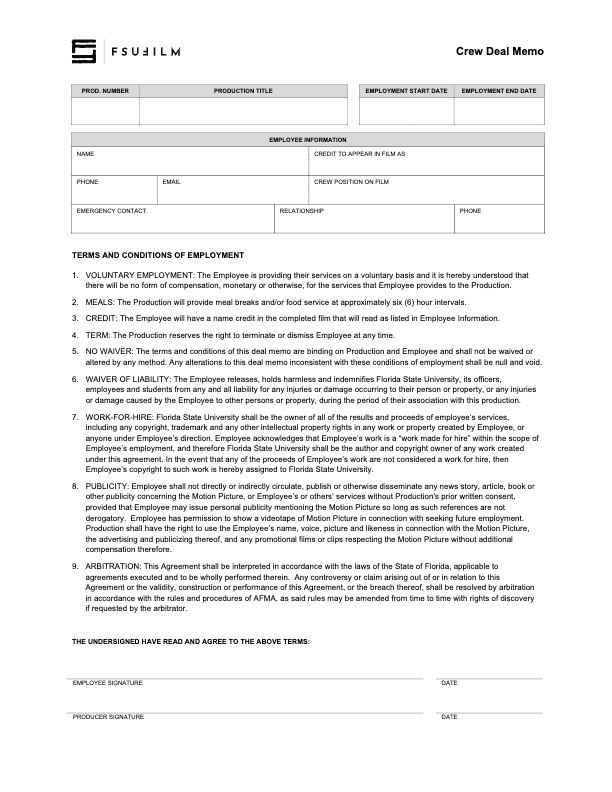
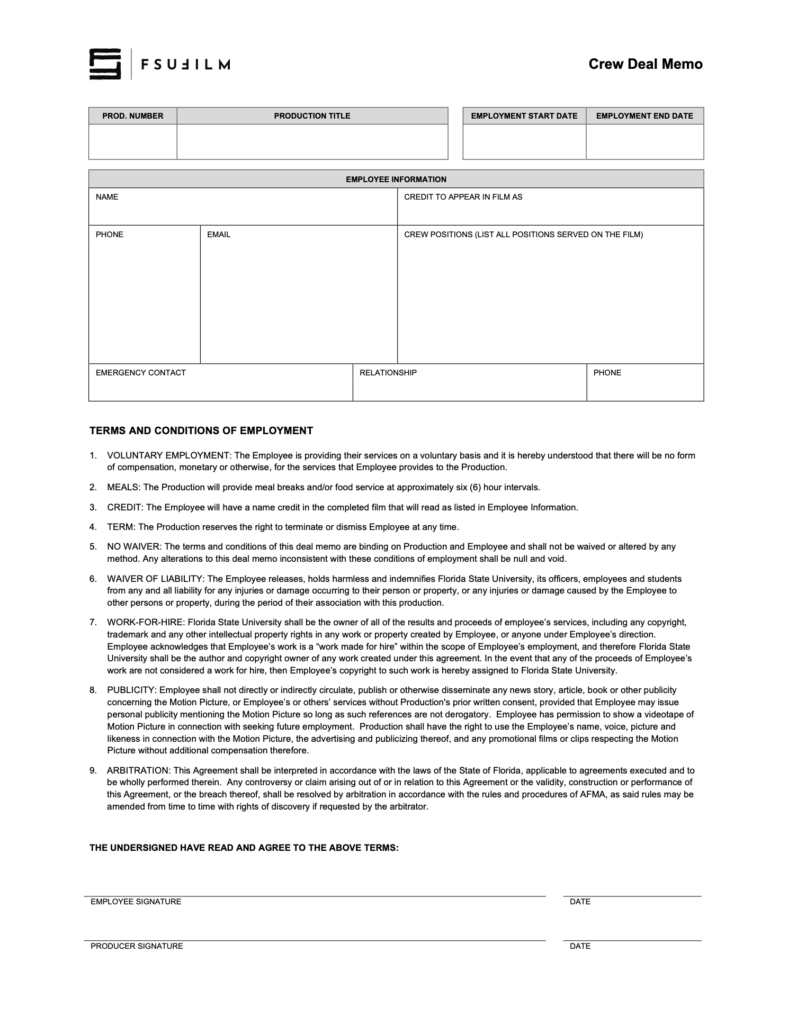
A Crew Deal Memo documents the basic terms and expectations associated with an individual’s participation as a crew member on a production. This includes information related to responsibilities, dates of participation, screen credits, emergency contacts, and other production expectations.
Clear crew documentation is important because productions depend on well-defined responsibilities and mutual understanding between collaborators. Maintaining formal agreements helps reduce confusion, supports accountability, and reinforces professional production practices related to staffing and crew organization.
The Producer must ensure that all crew members complete a Crew Deal Memo at the start of the period of employment on the production. The deal memo outlines the terms and conditions of employment (which may not be modified) and defines the screen credit(s) in the finished film.
During final delivery of paperwork, a single form is used to collect all the deal memos for assigned crew positions. To prepare for this, it is recommended that producers either:
Organize digital scans of all the crew deal memos before starting work on the form submission, then drag each PDF into the appropriate field in the form; or
Organize paper copies of all the crew deal memos, then take a photo of each memo using the camera feature in the appropriate field in the form.
The Composer Contract establishes the agreement between the production and the composer creating original music for the film. The contract addresses the scope of the work, ownership and usage rights, delivery expectations, screen credits, and the production’s ability to use the music within the completed project.
Clear agreements with composers are important because original music involves both creative collaboration and intellectual property considerations. Proper documentation helps ensure that the production has the rights necessary to exhibit and distribute the film while also establishing clear expectations regarding deadlines, revisions, and ownership of the musical work.
The Producer should use this contract agreement with a Composer who is writing the musical score for a production. It should be used regardless of whether or not the composer is being paid for their services.
The Producer is responsible for working with the Composer to determine the due date, the compensation structure, and the screen credit in the finished film.
It is advisable to make the delivery date of the score (in Section 1 of the contract) as early as is feasible, in order to provide some padding. It is not uncommon for composers on student films to miss their deadline, so it’s better to assume that that might happen than to hope for the best. Most ideal would be setting delivery of the score for a date during the sound editing phase, so that you have a better sense of how everything’s coming together. If that’s not viable, set delivery for as many days before the mix date as your composer’s schedule will allow.
All other clauses in the agreement must remain unchanged, unless the Producer is authorized in advance by the Head of Production to make specific amendments to the contract.
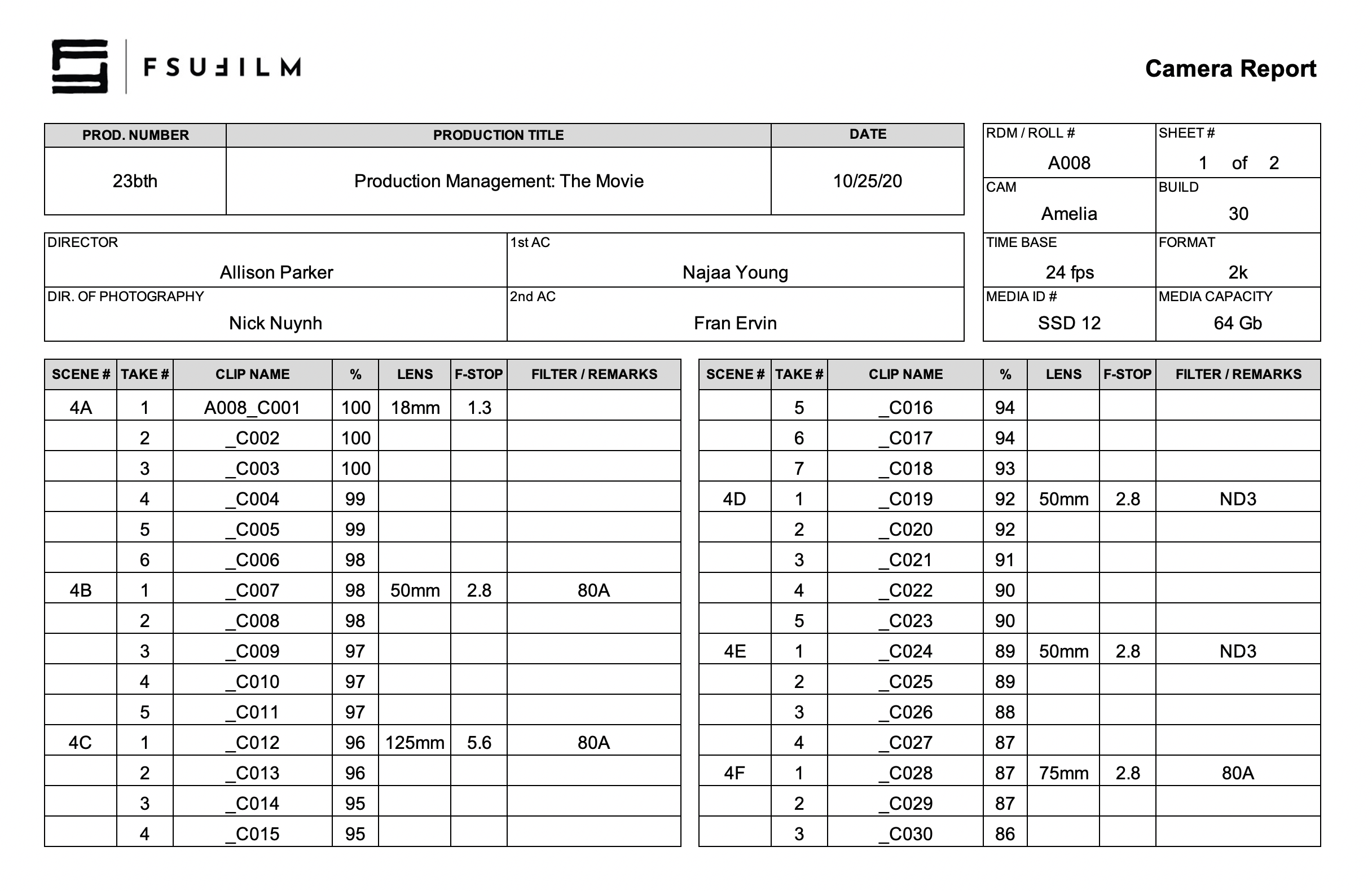
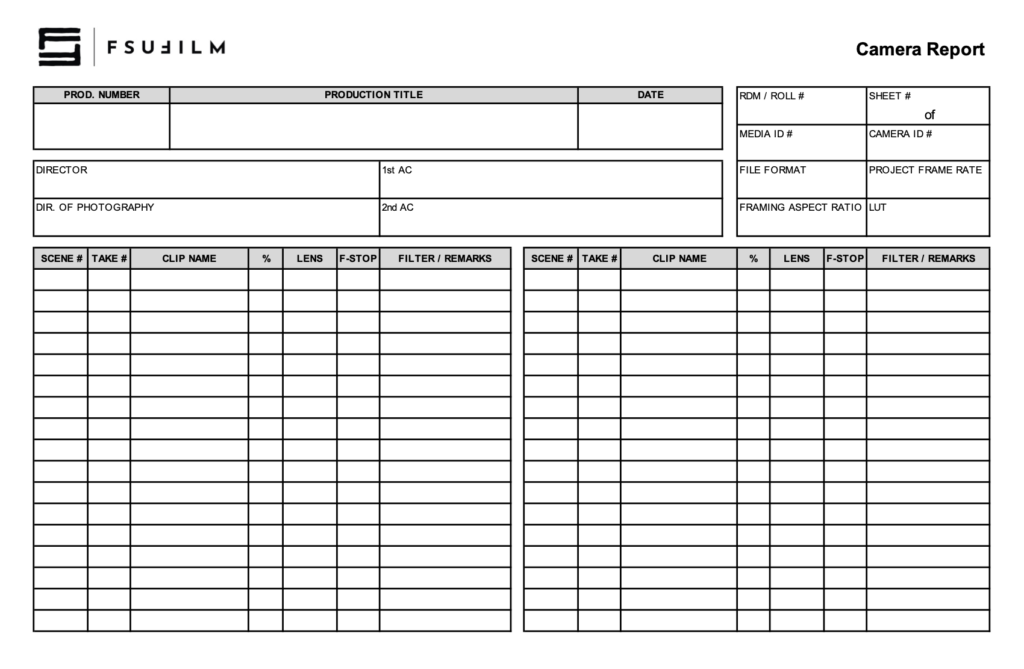
The Camera Report documents technical and organizational information related to footage recorded during production. This includes scene and take information, media card tracking, camera settings, lens and filter data, and other production details associated with camera operations.
Accurate camera reports are important because editorial and post-production workflows depend heavily on reliable production records when organizing and reviewing footage. Consistent reporting helps reduce confusion, improve media management, and support smoother communication between camera, script supervision, editorial, and post-production departments.
The 2nd AC completes the Camera Report. For the info in the top-right corner:
RDM/Roll #: A sequential numbering of each of the camera cards used. For example, the first camera card used on day 1 would be A001. The next camera card used, say on day 2, would be A002. And so on.
Sheet: A sequential numbering of Camera Reports for each camera card. For example, for camera card SSD 56, you start with Sheet 1. If you fill up Sheet 1, then you would continue on a new Camera Report, Sheet 2. And so on.
Media ID #: The ID number on the camera card.
Camera ID: The serial number that can be found on the bottom of the camera.
File Format: The file format that is set on the camera menu. Standard for Red Epic is 2K ProRes 444.
Project Frame Rate: The frame rate of the project edit timeline. Standard is 24fps.
Framing Aspect Ratio: The aspect ratio used for the camera framing guides.
LUT: The Look Up Table settings that were selected in the camera menu.
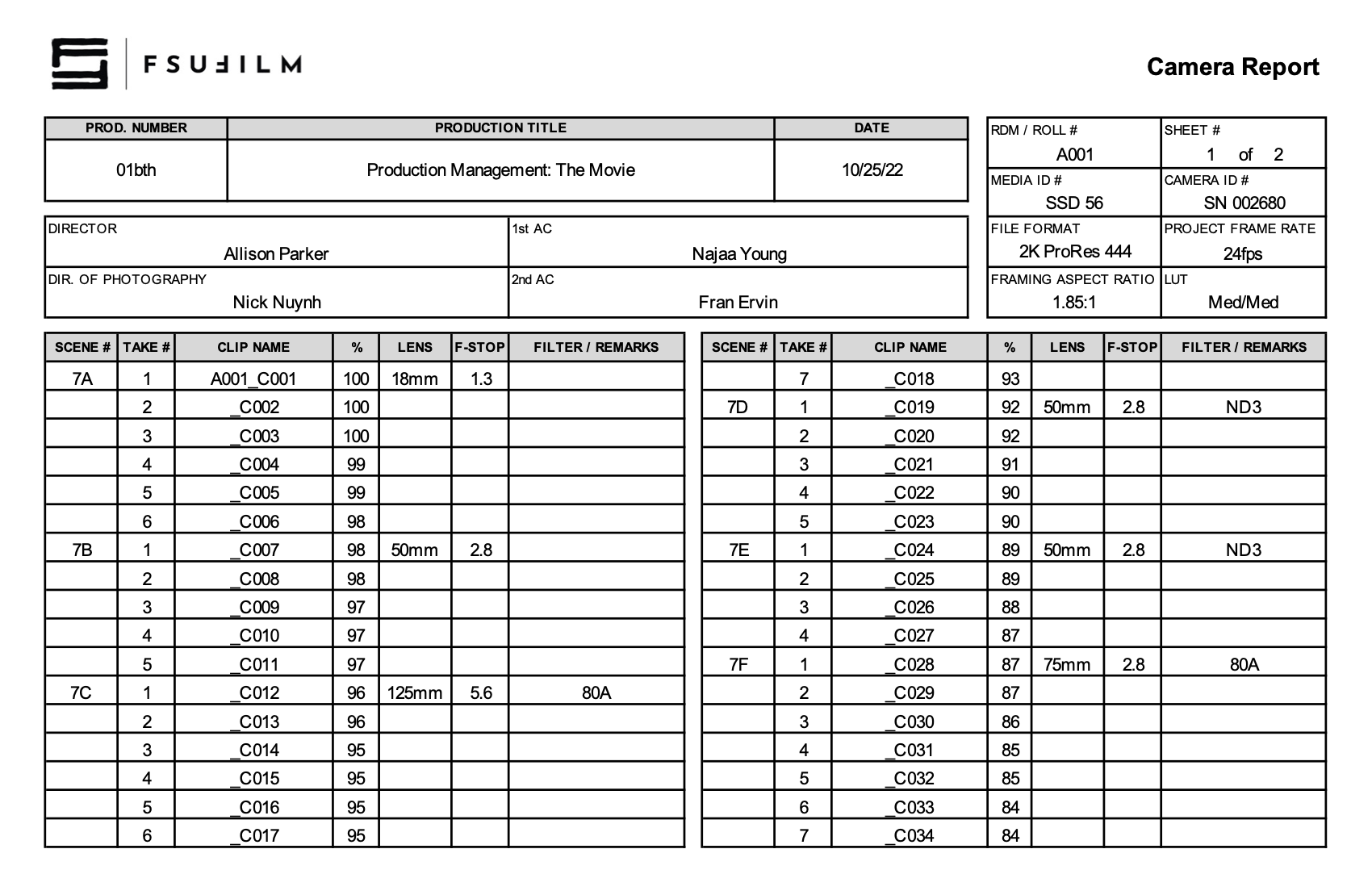
SAMPLE
Here’s a sample of what the completed form should look like:
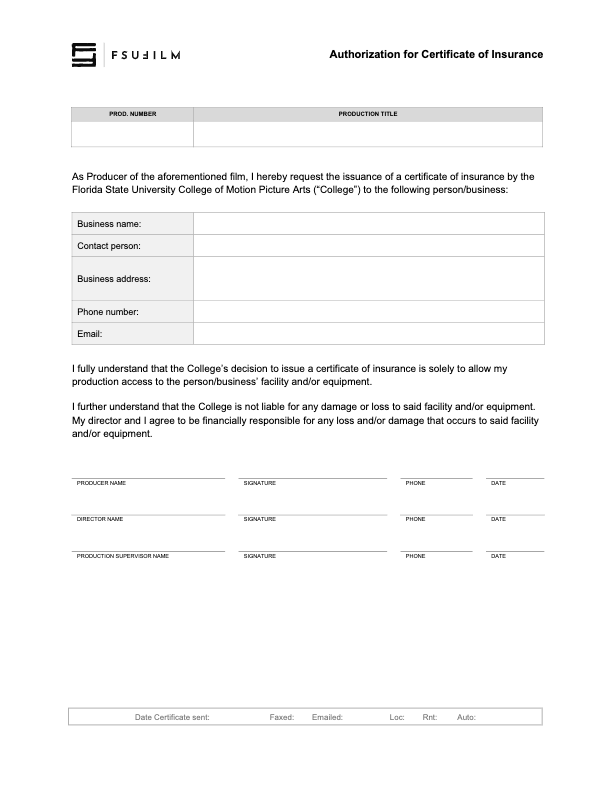
A Certificate of Insurance is a document issued by the university’s insurance provider verifying that approved production activities are covered under the institution’s insurance policies. Productions may need to provide this document to property owners, vendors, municipalities, or other outside parties before filming or conducting production-related activities.
Many locations and organizations require proof of insurance before granting permission for production activity to take place. The certificate helps demonstrate that the production has institutional coverage in place while supporting safer and more professionally managed relationships with outside partners and locations.
The Producer of a film should submit this form to the Head of Production to request the issuance of a Certificate of Insurance by the College of Motion Picture Arts to a business or individual that has requested one.
If the College issues a Certificate of Insurance, it is solely to allow access to the facility and/or equipment that the business or individual is offering the production. The College is not liable for any damage or loss to said facility and/or equipment. The Producer and Director will be financially responsible for any damage or loss to said facility and/or equipment.
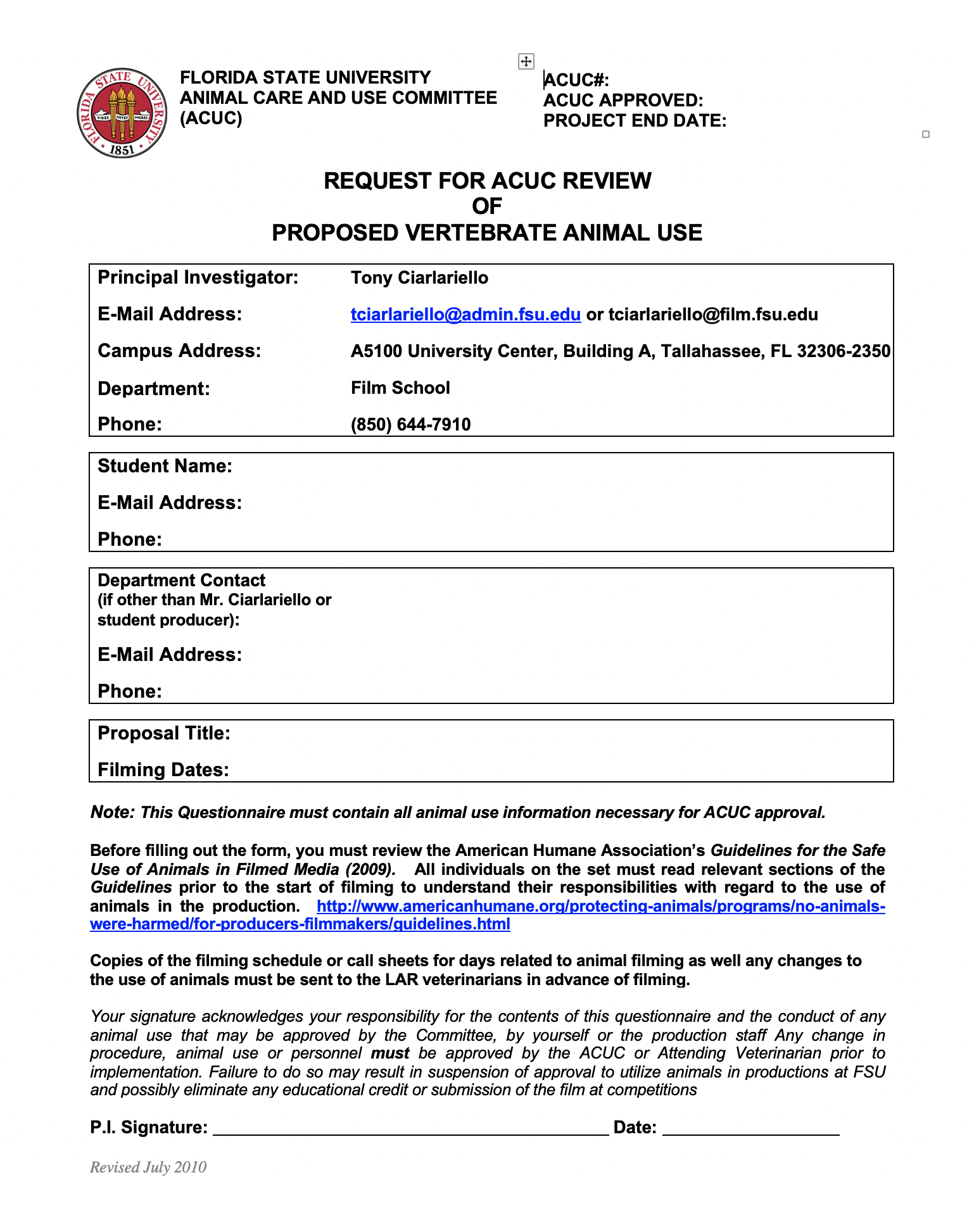
Productions wishing to include animals in filming activities must complete an Animal Use Request describing the proposed use of the animal, the conditions under which filming will occur, and the safety and handling procedures that will be followed during production. Approval comes from the FSU Animal Care and Use Committee.
Animals introduce additional safety, liability, scheduling, and welfare considerations that require careful review before approval is granted. The request process helps ensure that productions are planning responsibly, protecting the well-being of both the animal and the crew, and complying with university expectations regarding safe production practices.
FSU Animal Care and Use Committee
Producers are required by Florida State University policies to file a request for review of animal use on the production by the FSU Animal Care and Use Committee (ACUC).
Approval is required by federal regulation, but it also enhances the relationship of FSU with the public, demonstrating to the public that the University is concerned with all use of animals by the University community.
This request must be submitted well in advance of the start of the production, as it will usually take a number of weeks for a request to be approved. If a production does not receive approval from the ACUC in time for production, the use of an animal is not permitted.
Should a production require ACUC approval, ACUC requires that the ACUC Film School Protocol Form and a PDF of the script (highlighting the parts that contain animals) be submitted at least two weeks prior to any animal use. This will permit the Committee to perform its federally mandated oversight function to ensure University compliance with Federal regulations. Students are strongly encouraged to allow for more than two-weeks of turnaround time, in case delays occur or revisions are needed. Again—if the request is not approved in time for production, the use of an animal is not permitted.
The application is submitted to the ACUC Coordinator in the Department of Laboratory Animal Resources (LAR) office. The ACUC Coordinator then forwards a copy of the protocol to the LAR veterinarians for a pre-review. These individuals conduct a preliminary review with an eye to helping eliminate any stumbling blocks to approval by the full Committee. Suggested modifications and questions are provided to the person that has filed the protocol. The LAR staff is available for consultation and is often able to assist with locating animals suitable for the productions.
If last minute modifications to the production are necessary following approval, students are required to contact one of the LAR Veterinarians for approval prior to making any changes. The LAR Veterinarian will then report on the modification at the next ACUC meeting.
On occasion projects request the use of animal tissue rather than live animals. These productions/projects also must be reviewed by the FSU Animal Care and Use Committee for reasons related both to public concern over source and health reasons related to the handling of animal parts. Individuals should follow the above instructions for protocol submission. Also, individuals should be aware that certain precautions are necessary when handling animal carcasses or tissue.
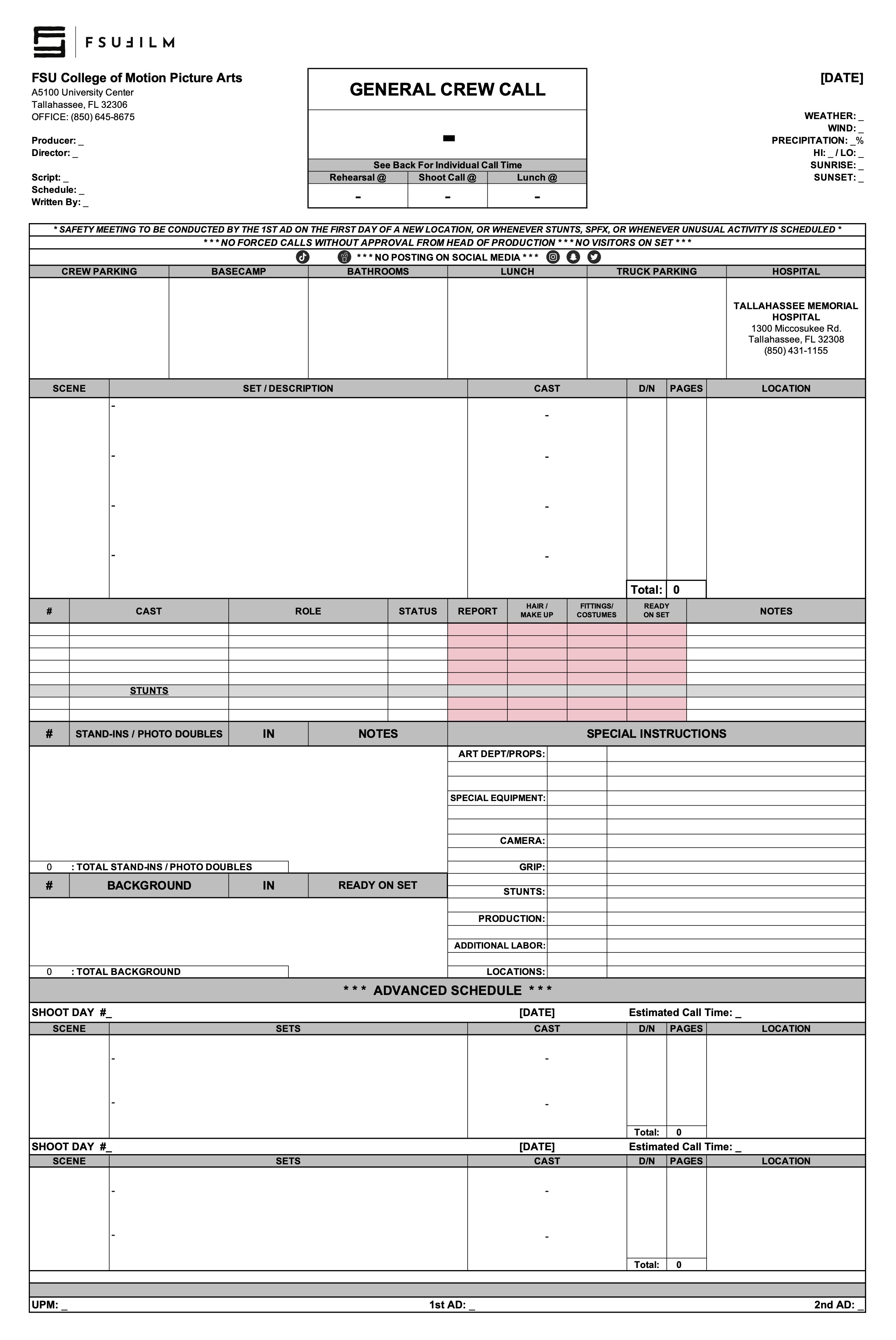
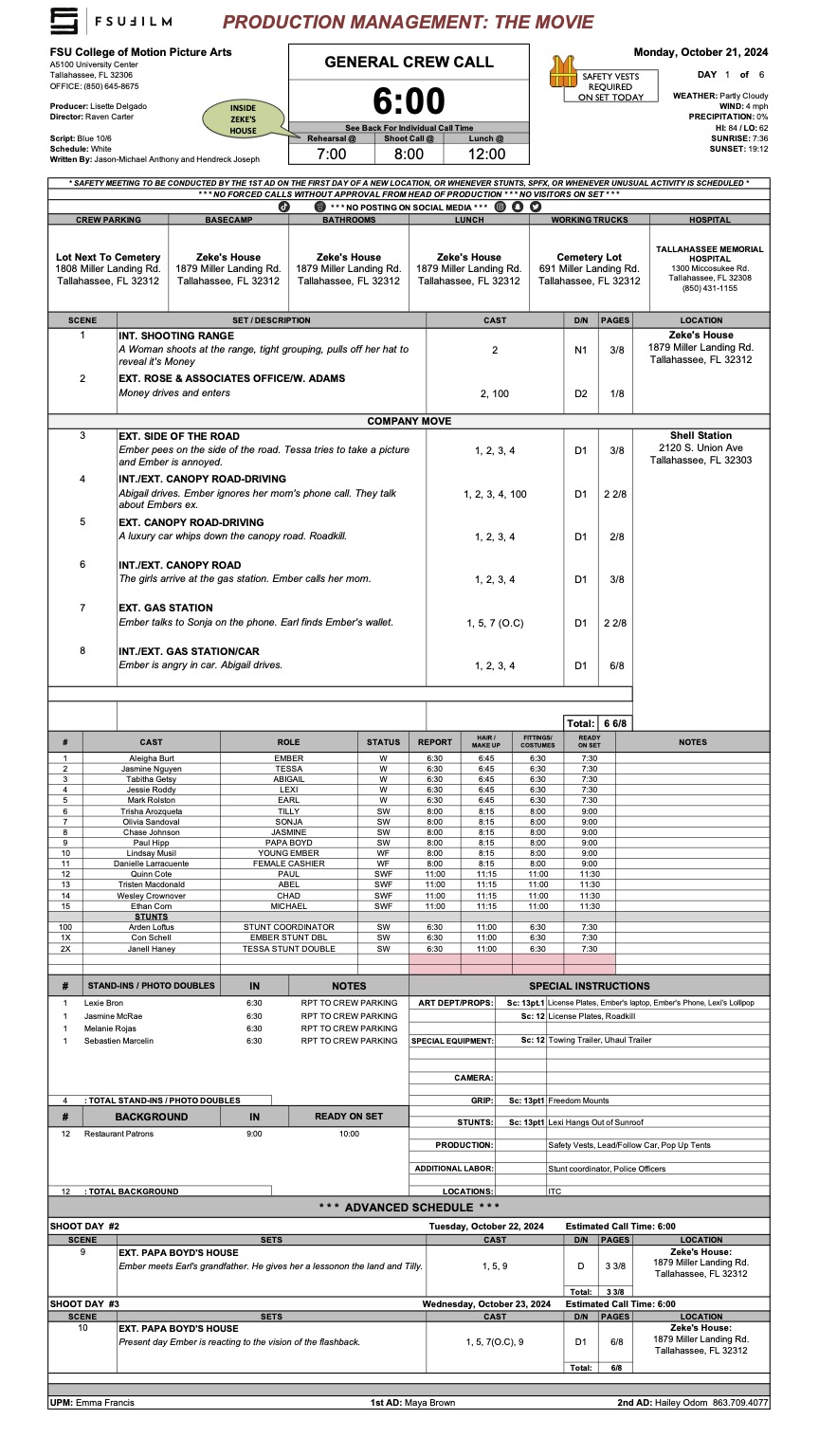
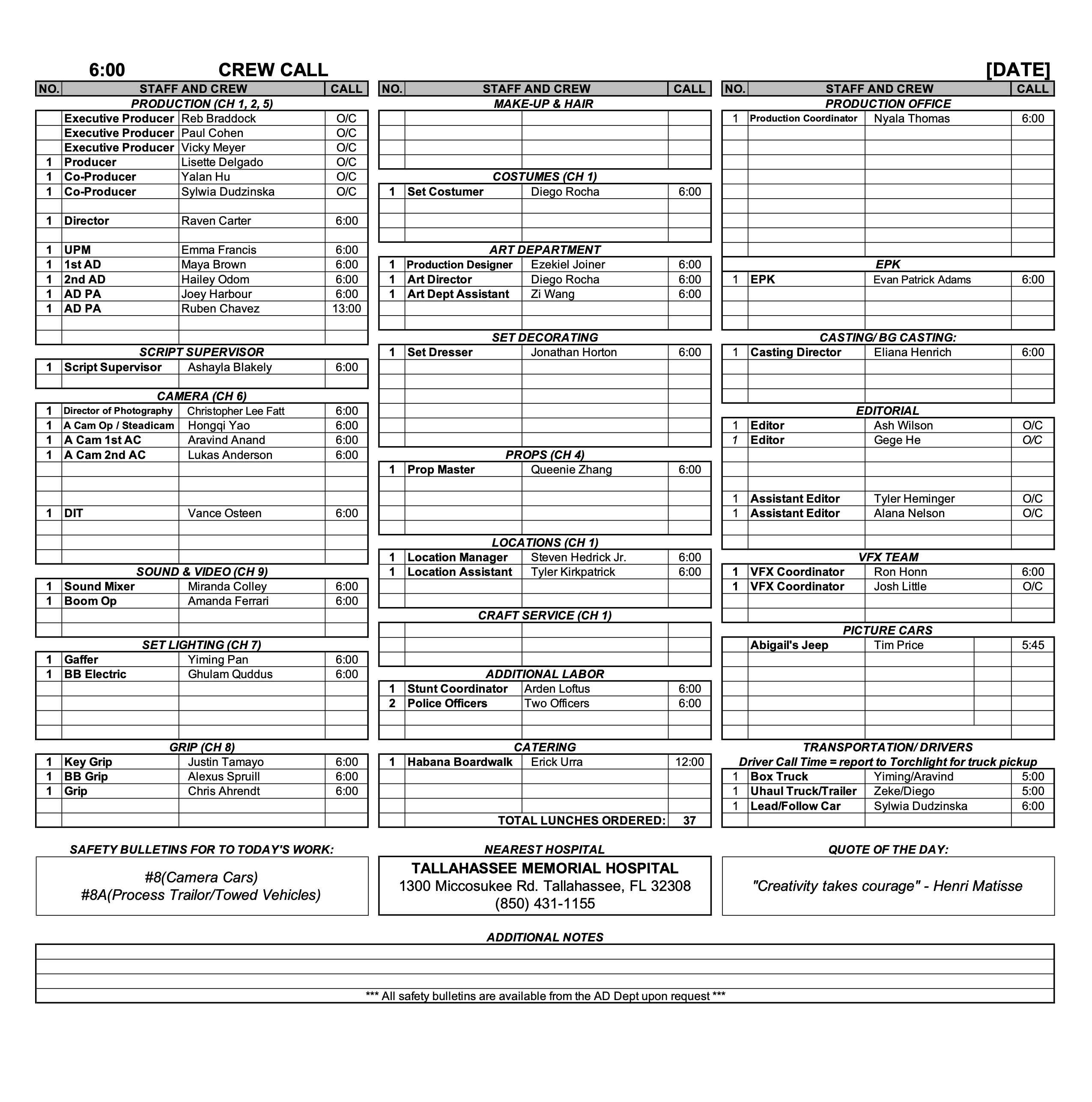
A call sheet is the primary daily production document used to communicate the schedule, locations, crew call times, cast information, scenes to be filmed, logistical details, safety notes, and other operational information for an upcoming shoot day.
Clear and accurate call sheets are essential because they serve as the central communication tool that keeps productions organized and aligned from day to day. Well-prepared call sheets help reduce confusion, improve coordination between departments, support safer production operations, and allow cast and crew to arrive properly prepared for the work ahead.
The purpose of the call sheet is to provide all the pertinent information about the next day’s production. The Second Assistant Director is responsible for distributing a PDF of each day’s call sheet to the cast, crew, faculty, and FSU police. If the production does not have a dedicated Second Assistant Director, the First Assistant Director or Producer shall assume the responsibility.
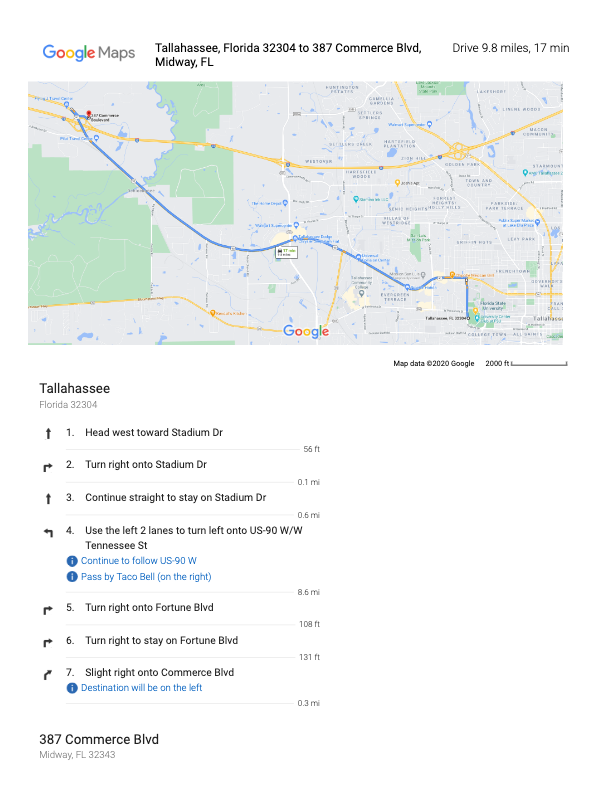
Call sheets, along with any relevant additional information such as maps or safety bulletins, must be distributed no later than 12 hours before call time on the first day of production and no later than the previous day’s company wrap for all subsequent days. It is important to thoroughly check — and double-check — and triple-check — that all the information in the call sheet is correct before it is sent out, because the distribution of revisions can create confusion.
MESSAGING
Call sheets should be distributed with a subject line that follows this naming convention: 01f3-Film Title - Call Sheet - Day 1
You may include a brief, executive summary of important information in the body of the message, but this should not be a substitute for providing all relevant information in the call sheet itself.
Call sheets must be distributed in two ways:
Post call sheets (and any relevant maps and safety bulletins) to the “Call Sheets” channel in Teams. This is for your instructors and assigned crew.
Email call sheets to your cast, POL-PDSupervisors@fsu.edu (FSU Police), and any other relevant parties who need the call sheet.
Sample Call Sheet
Update accordingly for subsequent days. For instance, you no longer need to introduce yourself after day 1.
_________________________________________
SUBJECT: 01f3-Film Title – Call Sheet – Day 1
Hello 01F3 Team!
We hope everyone is excited to get working on, (“Film Title”), directed by (First Last Name).
My name is (First Last) and I am the (Position) for this film. I will be sending out call sheets, location directions, and general information each day of the shoot. When you arrive on set you will sign in with me and you will check out with me at the end of your day.
Attached are the call sheet, location info and parking instructions for tomorrow. Note, the location is approximately ## minutes away from the film school. Depending on your departure location, please plan accordingly. If you are part of a carpool, please ensure you allow extra time for pick-ups and drop-offs.
*Please read the call sheet thoroughly for specific information.
*Please arrive at least 15 minutes prior to your call time to ensure you have time to park and check in with me on time.
CREW CALL: 7:00AM
CAST CALL: See Below
(First Last) your call time is 7:45 AM
(First Last) your call time is 8:15 AM
FILMING LOCATION
Address: #### Somewhere St, City, FL, Zip
*Insert Google Maps Link here.
CREW/CAST PARKING
Add VERY specific instructions for parking here.
TRUCK PARKING
Add VERY specific instructions for parking here.
LOCATION NOTES
(Sample) Please DO NOT WALK ON THE GRASS. This is a specific request from the location owner.
(Sample) Dogs on site (they will be contained)
(Sample) Please keep exterior noise to a minimum.
DOCUMENTS ATTACHED TO EMAIL
-Call Sheet
-Location Map
-Location Parking Diagram
-Safety Bulletins: #5, #10
If you have any issues getting to set, or any questions whatsoever, please do not hesitate to call my number below.
This resource is intended for property owners and representatives considering allowing a student production to film at their location. It explains the general nature of the production process, what filming activity may involve, and how productions coordinate logistics, scheduling, insurance, and location agreements.
Thank you for considering allowing one of our students to use your property as a filming location. Each year, our students create nearly 200 films, and your generosity makes this possible. We value your time and support, and we are committed to maintaining the highest standards of professionalism, safety, and respect for your property.
WHAT TO EXPECT
How many people will be on site?
A typical student film crew includes 12-15 students, plus actors and possibly a few additional volunteers. Please feel free to ask the student for a specific headcount of crew, cast, and support personnel.
What will they bring?
Film productions require various equipment, including cameras, lights, sound gear, stands, cables, sandbags, rigging, dollies, and sometimes generators. Our students are trained to handle this equipment safely. They will confirm with you in advance where vehicles (trucks and cars) can be parked and where equipment can be staged.
How long will they be here?
A standard shoot day is up to 12 hours, plus a one-hour lunch break. Crews typically arrive about 30 minutes before the official start time and take an additional 30 minutes afterward for cleanup and packing. Students may also visit the location on separate days for planning, tech scouting, or set dressing. They will confirm with you in advance the start and end times for each prep and shoot day.
Location agreements
If you choose to allow the use of your property, here’s what to expect in terms of paperwork:
Script Review
The student will provide a copy of the script and answer any questions about the project, including sensitive content.
Location Shooting Plan Agreement
Together, you and the student will complete an agreement which outlines:
The specific spaces they will use.
Where vehicles may park.
Access times.
Any special conditions or restrictions you’d like to include.
Location Agreement
This legal document grants permission to use your property and waives your liability in the event of a student injury during production.
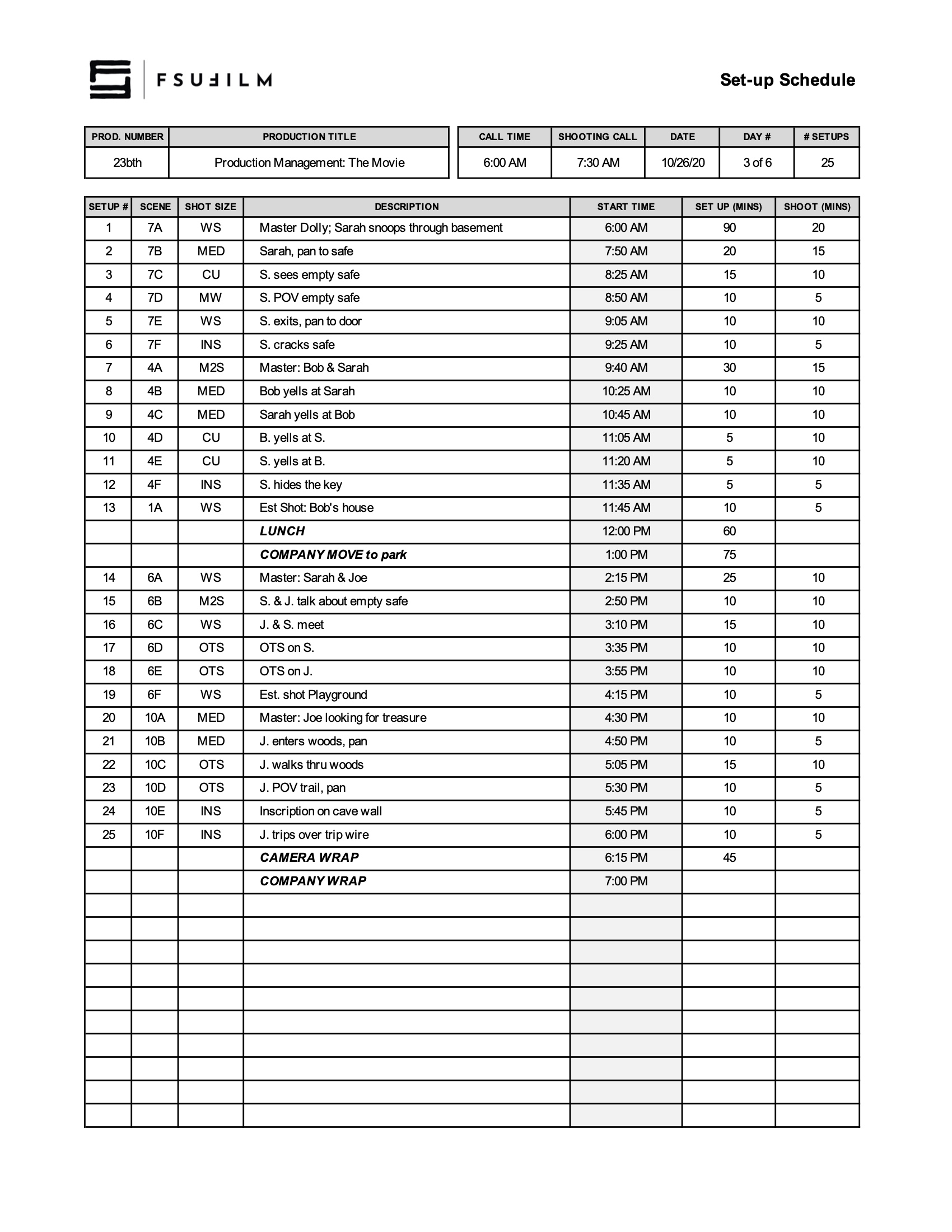
The set-up schedule outlines the planned timing and workflow for preparing and shooting each set-up throughout a given production day.
Careful setup planning is important because productions rely on efficient coordination between departments before cameras begin rolling. Structured setup schedules help reduce delays, improve communication, support safer working conditions, and give crews a clearer understanding of how production operations are expected to unfold throughout the day.
After the Director and DP have created a provisional shot list, the 1st AD will meet with the Director and DP to schedule the order of shots for each day. Using this Set-up Schedule, the shots should be listed in the order you intend to shoot them, including estimated times to set up and shoot each one.
Be sure to budget adequate time load-ins, load-outs, wraps, lunch, and any company moves.
SAMPLE SET-UP SCHEDULE
Here’s a sample of what the completed set-up schedule should look like:
The distant location approval process outlines the procedures, reviews, and planning requirements involved when an F2, FC, or MC production seeks permission to film outside the school’s designated studio zone. Approval is not approved automatically; it is a privilege to be earned.
Because distant locations introduce additional logistical, financial, safety, equipment, transportation, and scheduling complexities, these productions require more extensive review and preparation before approval can be granted. The process helps ensure that productions have developed realistic plans and can responsibly manage the added demands associated with distant-location filming.
INSTRUCTIONS
BFA and MFA capstone productions may request permission to film at a distant location outside the studio zone. Because distant productions place additional demands on equipment, personnel, and university resources, approval is not automatic. It is a privilege granted only to productions that demonstrate careful planning, logistical readiness, and a safe, realistic production plan.
An explanation of why the location is creatively and/or logistically necessary.
A production schedule showing all travel days, drive times, and shooting days.
A transportation, lodging (if required), and meal plan and budget for the cast and crew.
A transportation, lodging (if required), and meal plan and budget for the assigned faculty member.
A plan for transporting, parking, securing, and maintaining school vehicles and equipment.
A contingency plan if critical production equipment becomes inoperable.
A production timeline showing key logistical deadlines.
A viable local backup plan if the request is denied or the location becomes unavailable.
Travel Times
As a general guideline, distant locations should be within approximately 2.5 hours (each way) of the College of Motion Picture Arts.
Travel time counts as part of the production day and reduces the available filming time in accordance with the program’s production day policies. For example: A production travels to a location that’s 90 minutes away and returns the same day. In the morning, any travel in excess of 30 minutes counts against the 12-hour work day. The same is true for the return journey at the end of day. Therefore, there’s 60 minutes in the morning and 60 minutes at the end of day (120 minutes total) that need to be deducted from the available shooting time that day.
Overnights
Depending on the travel distance and production schedule, the Head of Production may require overnight lodging for cast and crew. When overnight accommodations are required, the production is responsible for providing appropriate lodging and all required meals—including breakfast, lunch, and dinner as dictated by the approved schedule.
Expenses
The production budget should include all anticipated travel-related expenses, including fuel, parking, tolls (where applicable), drinking water, and other essential crew supplies.
All additional costs associated with an approved distant location are the responsibility of the production. The College of Motion Picture Arts does not provide funding beyond the standard production resources allocated to all productions.
Deadlines & Approvals
Requests should be submitted as early as possible during development and pre-production, and no later than two weeks before the first day of principal photography.
Distant location requests are reviewed by the Head of Production in consultation with the Head of Set Operations and the cycle faculty. The Head of Production has sole authority to approve, deny, or conditionally approve a request. Any conditions attached to an approval are mandatory, and the Head of Production’s decision is final.
Approval of a distant location does not constitute approval of the production plan. The Head of Production may require revisions to schedules, lodging, transportation, staffing, budgets, or other logistical arrangements as a condition of approval. Failure to meet the approved production timeline for the show may result in permission being revoked.
This resource compiles public domain and Creative Commons materials that students may use when searching for music, images, footage, sound effects, or other media assets for productions and related projects.
Understanding public domain and Creative Commons licensing is important because productions must ensure that all third-party materials are being used legally and appropriately. Learning how to evaluate licensing terms, attribution requirements, and permitted usage helps students develop stronger professional practices related to copyright, rights clearance, and media sourcing within film production workflows.
Some Words of Caution
The Internet is a wonderful place for finding videos, images, motion graphics, clip art, music, and sound effects that can be used in your films.
Beware, however, that the Internet is also a terribly unreliable place and the burden of proof will fall on Producers to document that the production has the rights to use the materials, so that there’s a clear chain of title.
For works in the public domain, this can sometimes take a fair amount of research, as licensing information can be unclear, unreliable, or hard to track down. Any works published 95 years ago or earlier are now in the public domain. Any works published in the past 95 years should be assumed to be under copyright, unless otherwise confirmed. Be aware that new versions of works in the public domain — e.g., a New York Symphony Orchestra’s recent recording of Beethoven’s 9th Symphony — are copyrighted. In other words, while you could perform the composition yourself and be alright, you couldn’t use the New York Symphony Orchestra’s recording without clearing it first.
For Creative Commons work, some license types (such as “NoDerivs” and “ShareAlike”) are not compatible with the work we do. Productions are only permitted to use work licensed as “Attribution” or “Attribution-NonCommercial”.
Discover original artworks from a library of public domain books and chromolithographs. Art prints scanned and digitally enhanced into high resolution, available to download under the CC0 license.
Free vector images. Find the best royalty free vectors and illustrations for your design, with thousands of new images added every day. Download free backgrounds, graphics, clipart, drawings, icons, logos and more that are safe for commercial use.